DECAN_F2_Service(Eng_Ver1).pdf - 第258页
12-8 Fast & Flexible Chip Shooter DECAN F2 Service Manual 8) Select the driver shaft file into which pa rameters are to be inputted and cli ck ‘OK’. 9) Click ‘OK’ in the following screen. 10) If the following Paramet…
12-7
Motor Driver
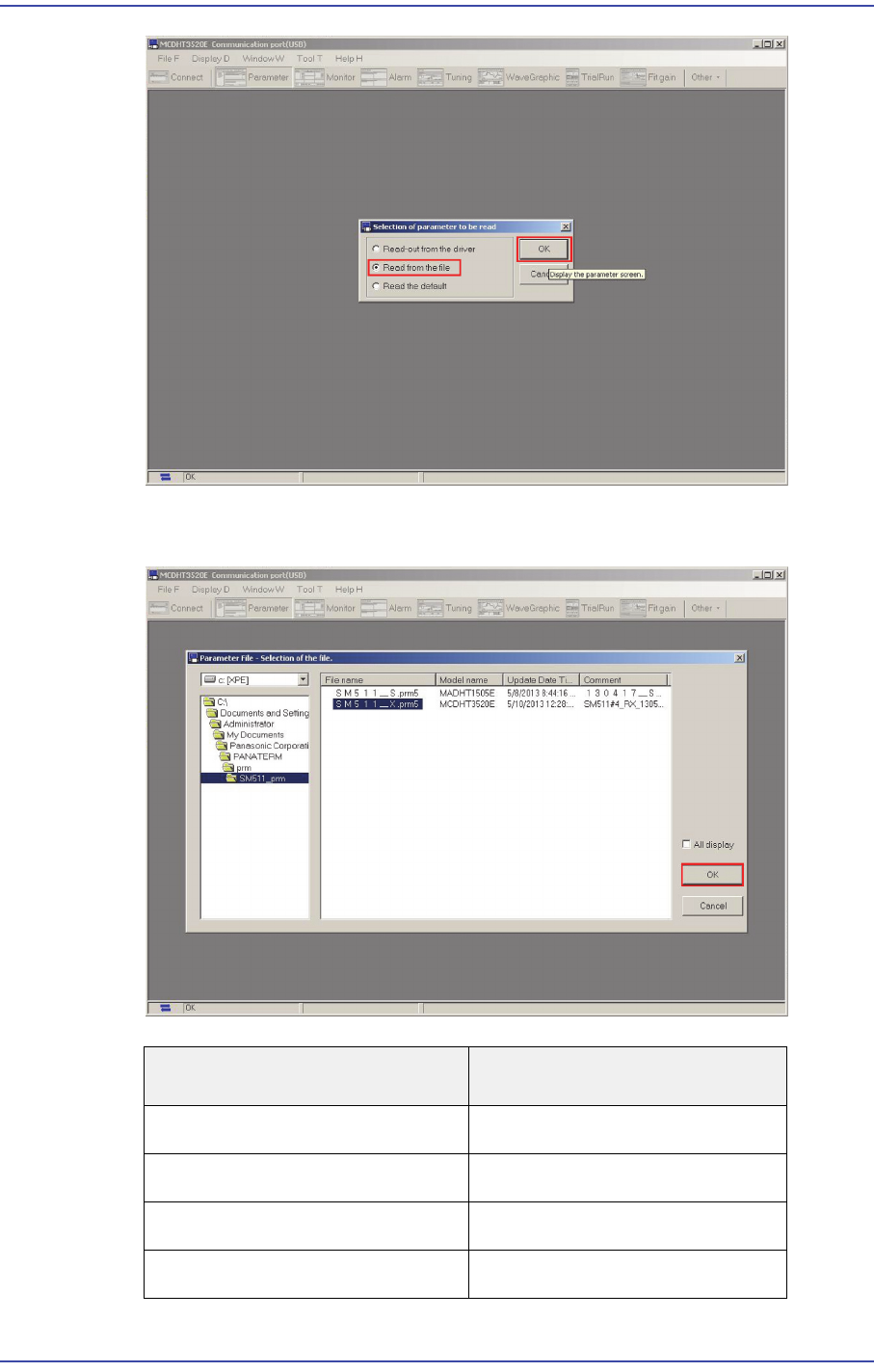
7) Select 'Read from the file' in the 'Selection of parameter to be read' window and click
the ‘OK’ button.
File Name
Axis Name.
SM511_X.prm FX, RX Axis
SM511_Y1.prm FY1, RY1 Axis
SM511_Y2.prm FY2, RY2 Axis
SM511_S.prm FS, RS Axis
12-8
Fast & Flexible Chip Shooter DECAN F2 Service Manual
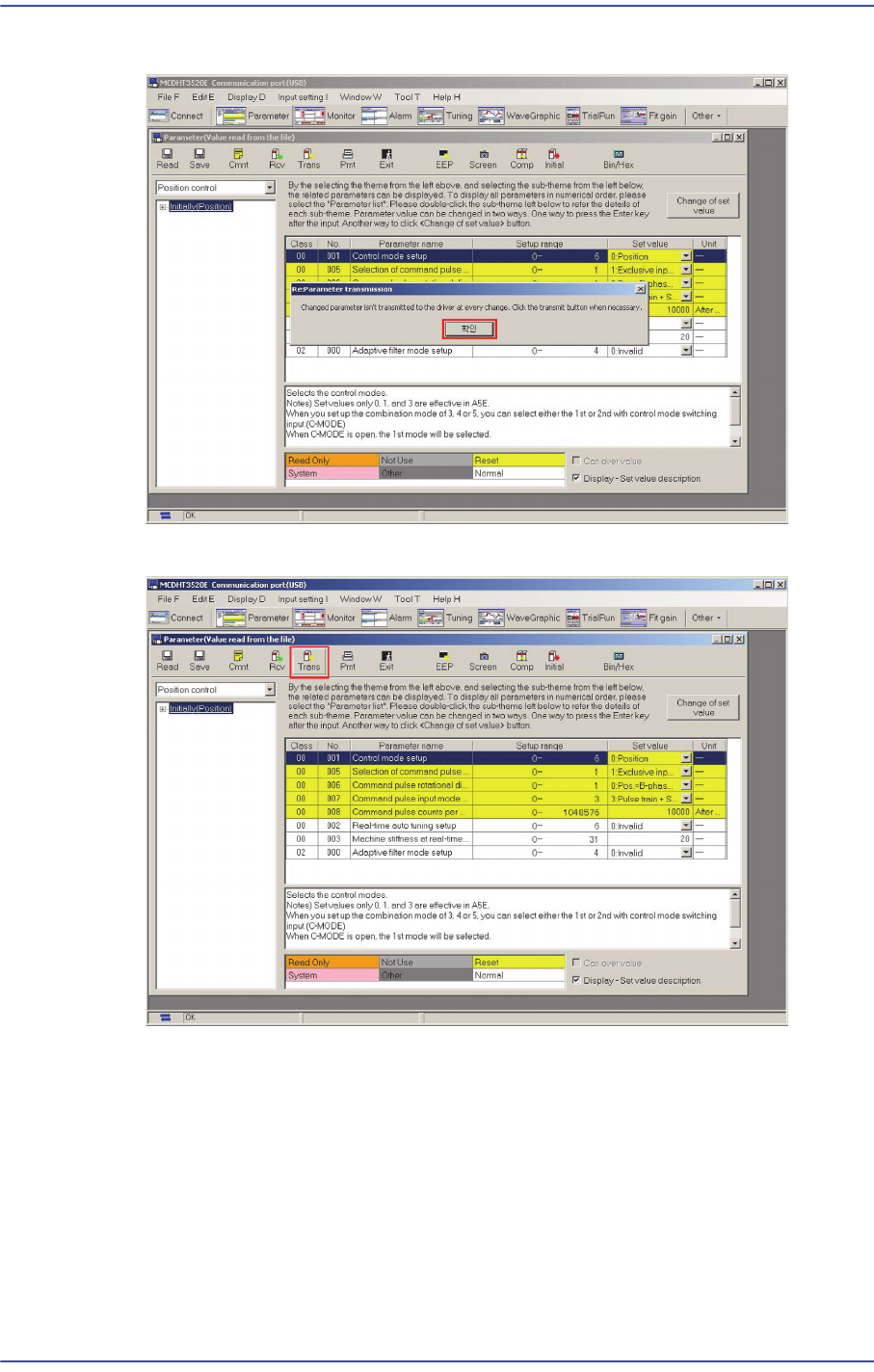
8) Select the driver shaft file into which parameters are to be inputted and click ‘OK’.
9) Click ‘OK’ in the following screen.
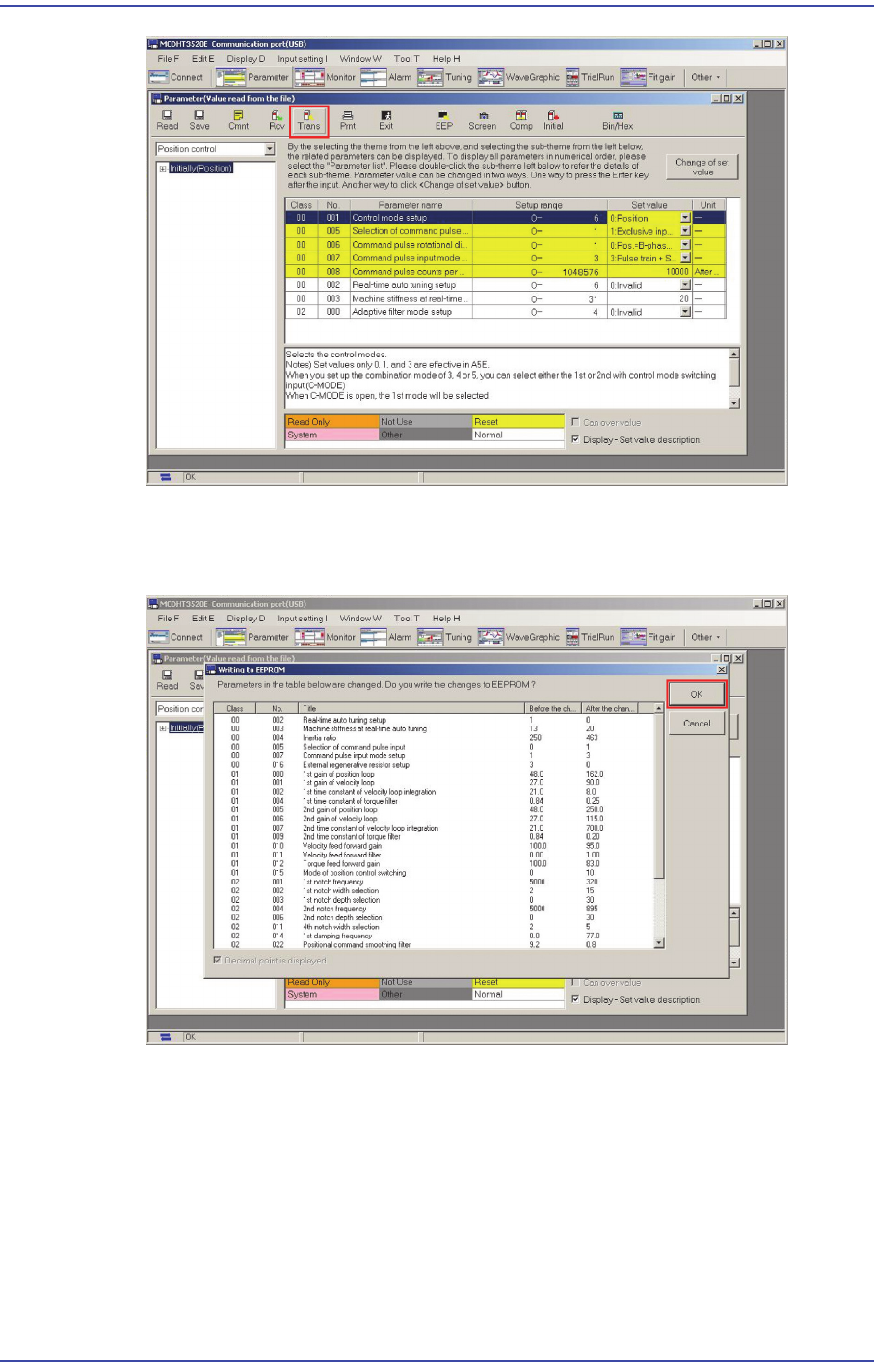
10) If the following Parameter Dialog is created, click the ‘Trans’ button.
12-9
Motor Driver
11) Once ‘Trans’ is finished, click ‘EEP’. Then the ‘Writing to EEPROM’ window
appears since the parameter inside the existing amplifier is different from the file
parameter. Click ‘OK’.
12.4.3. How to set the Y-axis parameter (including magnetic pole estimation
method)
1) Press the Emergency switch to prevent any malfunction of the machine.
2) Run the PANATERM.
3) 'Select ‘Connect AMP’.