DECAN_F2_Service(Eng_Ver1).pdf - 第311页
13-41 Software The history of all changed items are record ed in the History Screen, and “Reset all items” is indicated in the ‘Note’ column. 7) Outputting Check Items in File Format All check items can be output ted i…
13-40
Fast & Flexible Chip Shooter DECAN F2 Service Manual
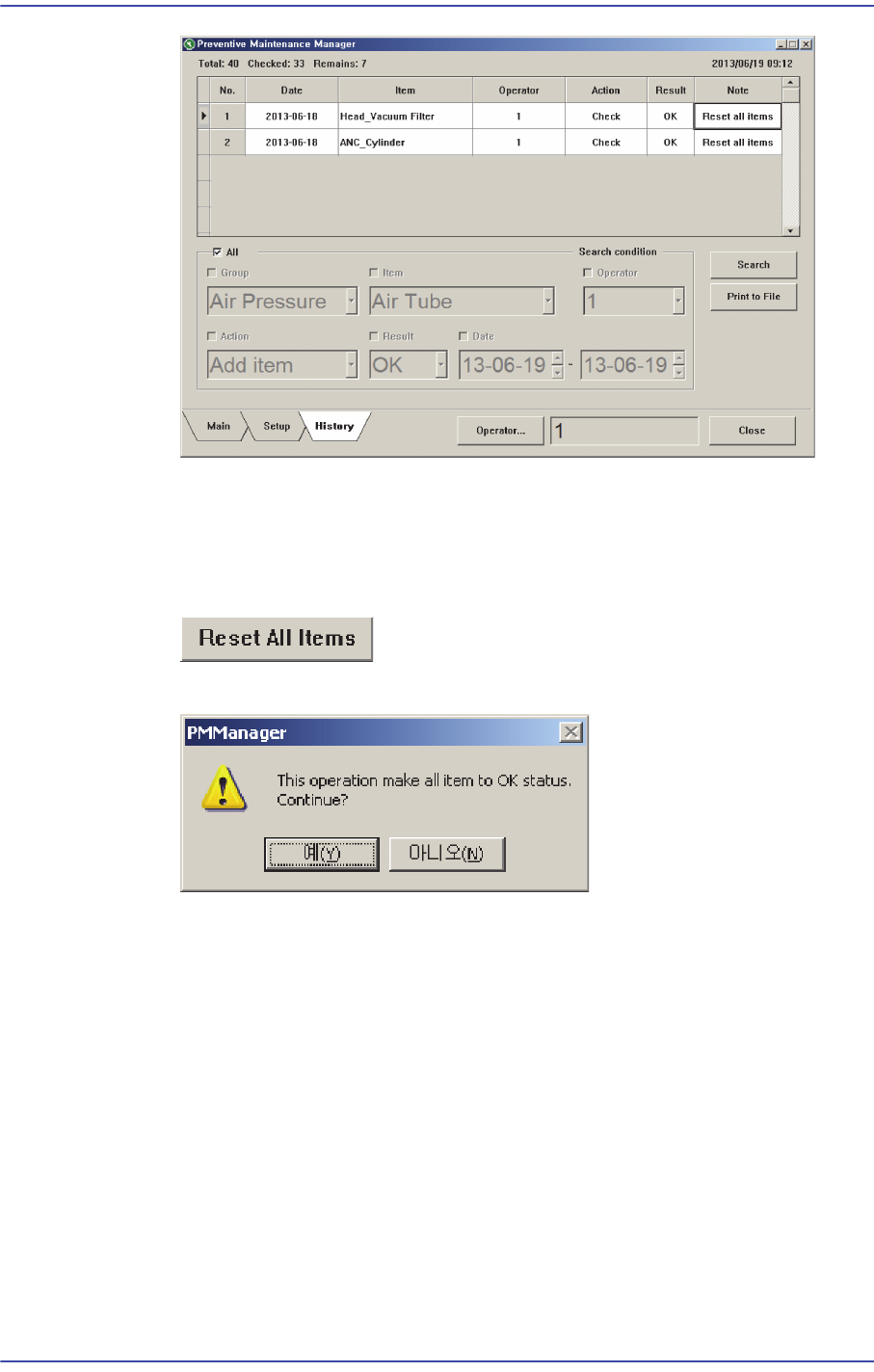
6) Changing All Check Items to Check Completed Status (“OK”)
All check items can be changed to the check completed status simultaneously. This
can be performed in the following manner.
Click the <Reset All Items> button.
When the PM Manager dialog box appears, click the <Yes> button.
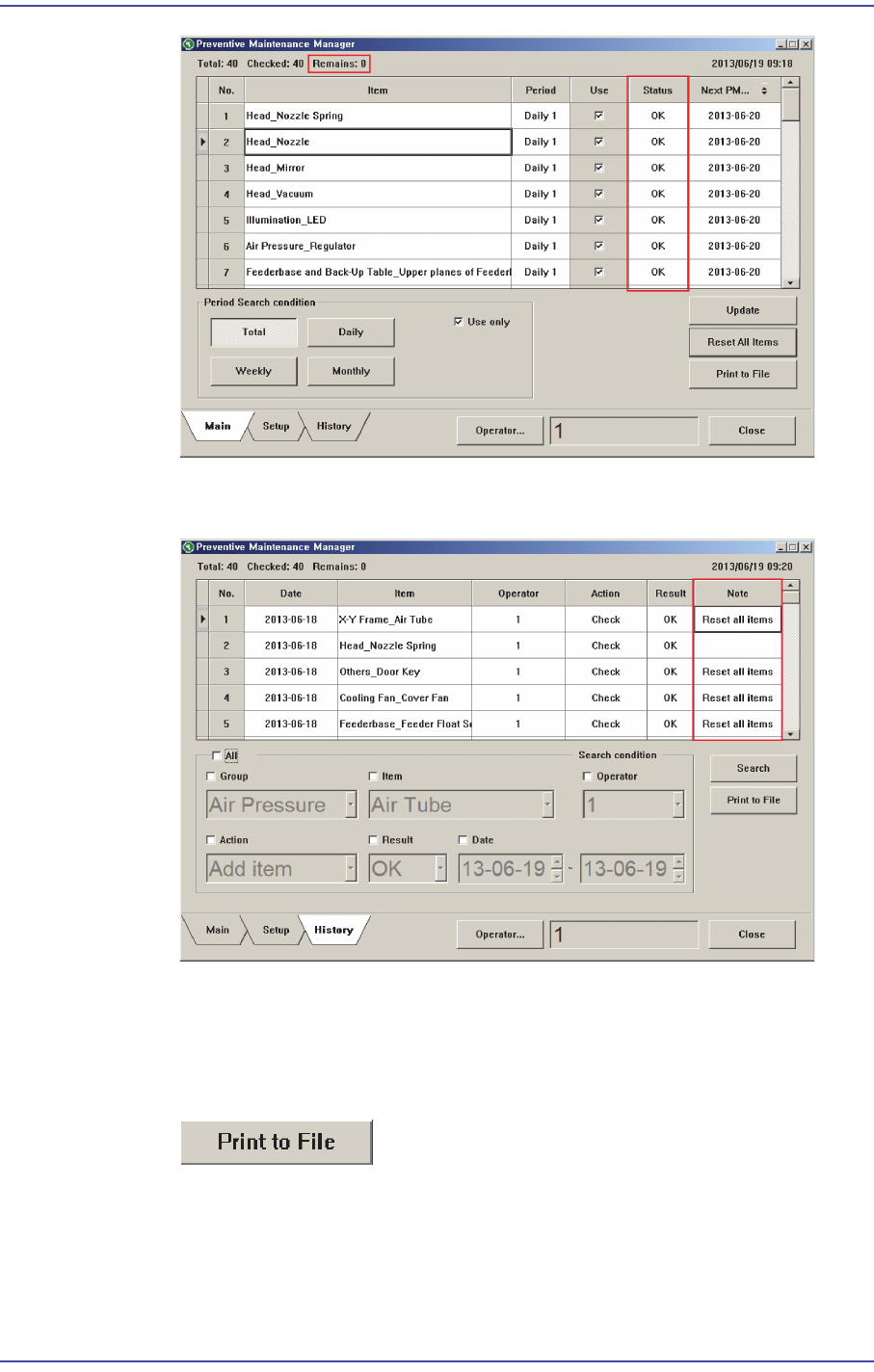
Once set as above, all check items in the Main Screen are changed to the check
completed status (“OK”), and the number of items to be inspected are indicated as
“0”.
13-41
Software
The history of all changed items are recorded in the History Screen, and “Reset all
items” is indicated in the ‘Note’ column.
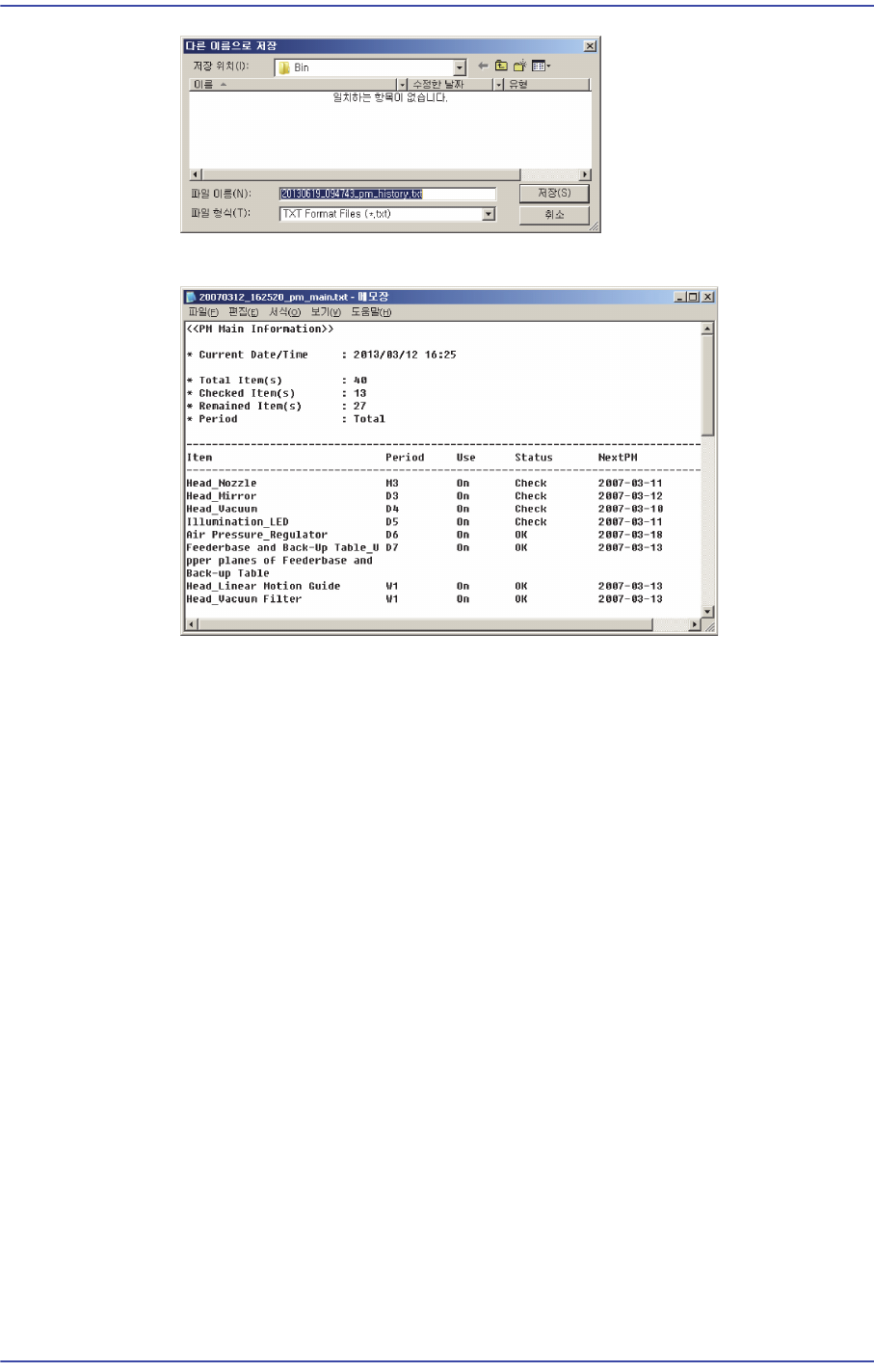
7) Outputting Check Items in File Format
All check items can be outputted in text file format. This can be performed in the
following manner.
Click the <Print to File> button.
Enter the file name and designate the file path and then click <Save>.
13-42
Fast & Flexible Chip Shooter DECAN F2 Service Manual
The text file is saved in the form shown below.
13.2.4. Setup Screen
1) Changing Check Period
The check period of each check item can be changed in the setup screen.
Click the combo box button in the Time Unit column for the items whose check
period is to be changed as shown in the following figure to change the check
period (daily, weekly and monthly).