DECAN_F2_Service(Eng_Ver1).pdf - 第272页
13-2 Fast & Flexible Chip Shooter DECAN F2 Service Manual 5) When it is to be installed in an actual machine, click ‘Y es’. 6) Click ‘Install’ to finish installat ion. 7) Check whether the MMI So ftware works properl…
13-1
Software
Chapter13. Software
13.1. MMI
13.1.1. MMI Install
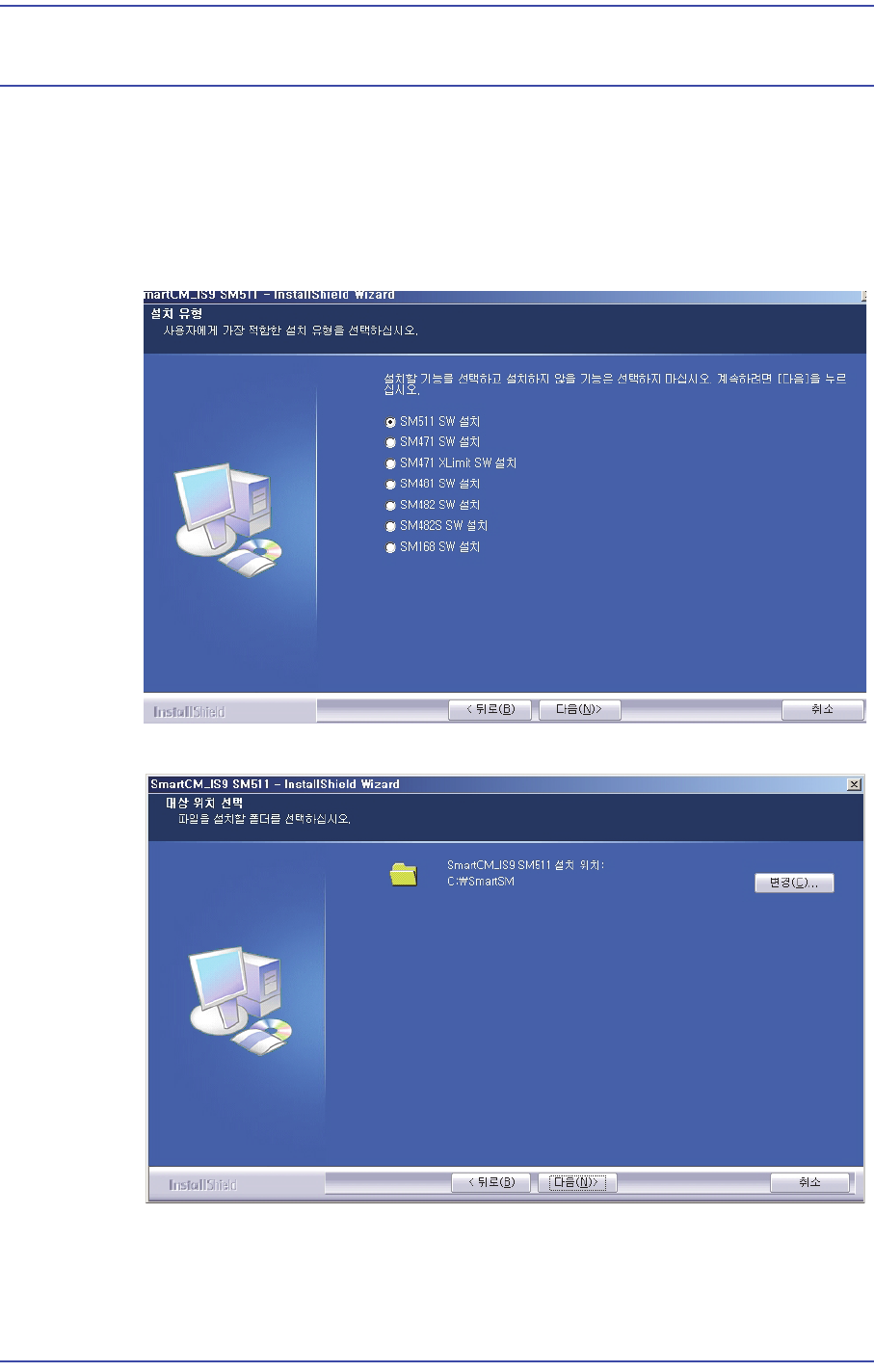
1) Execute the MMI installation file and click ‘Next’.
2) Select ‘DECAN F2 SW Install’ and click ‘Next’.
3) Execute the MMI installation folder and click ‘Next’.
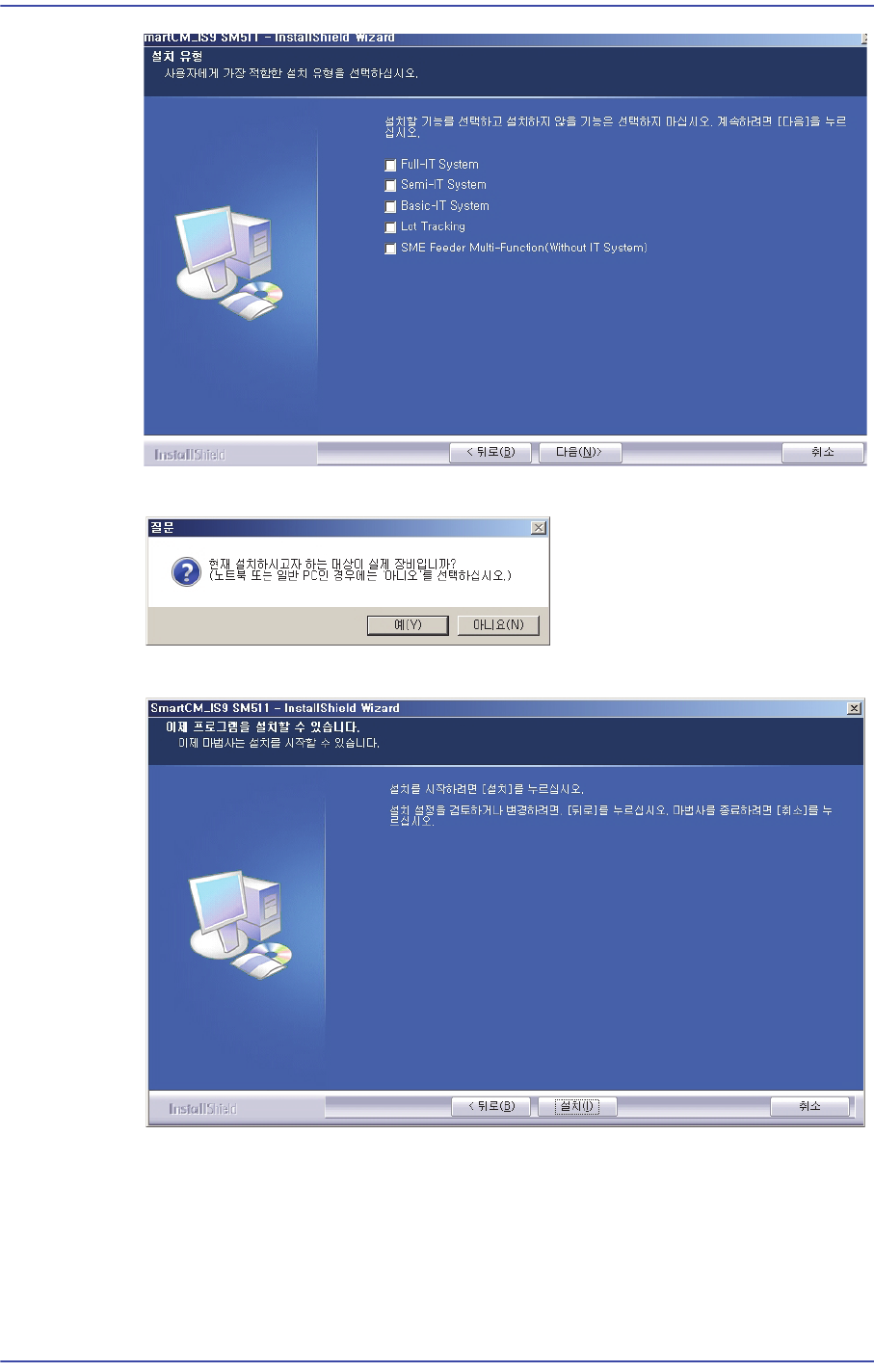
4) Select the features to install, please click "Next".
13-2
Fast & Flexible Chip Shooter DECAN F2 Service Manual
5) When it is to be installed in an actual machine, click ‘Yes’.
6) Click ‘Install’ to finish installation.
7) Check whether the MMI Software works properly.
13-3
Software
13.1.2. SmartSM.ini and Vision.ini File
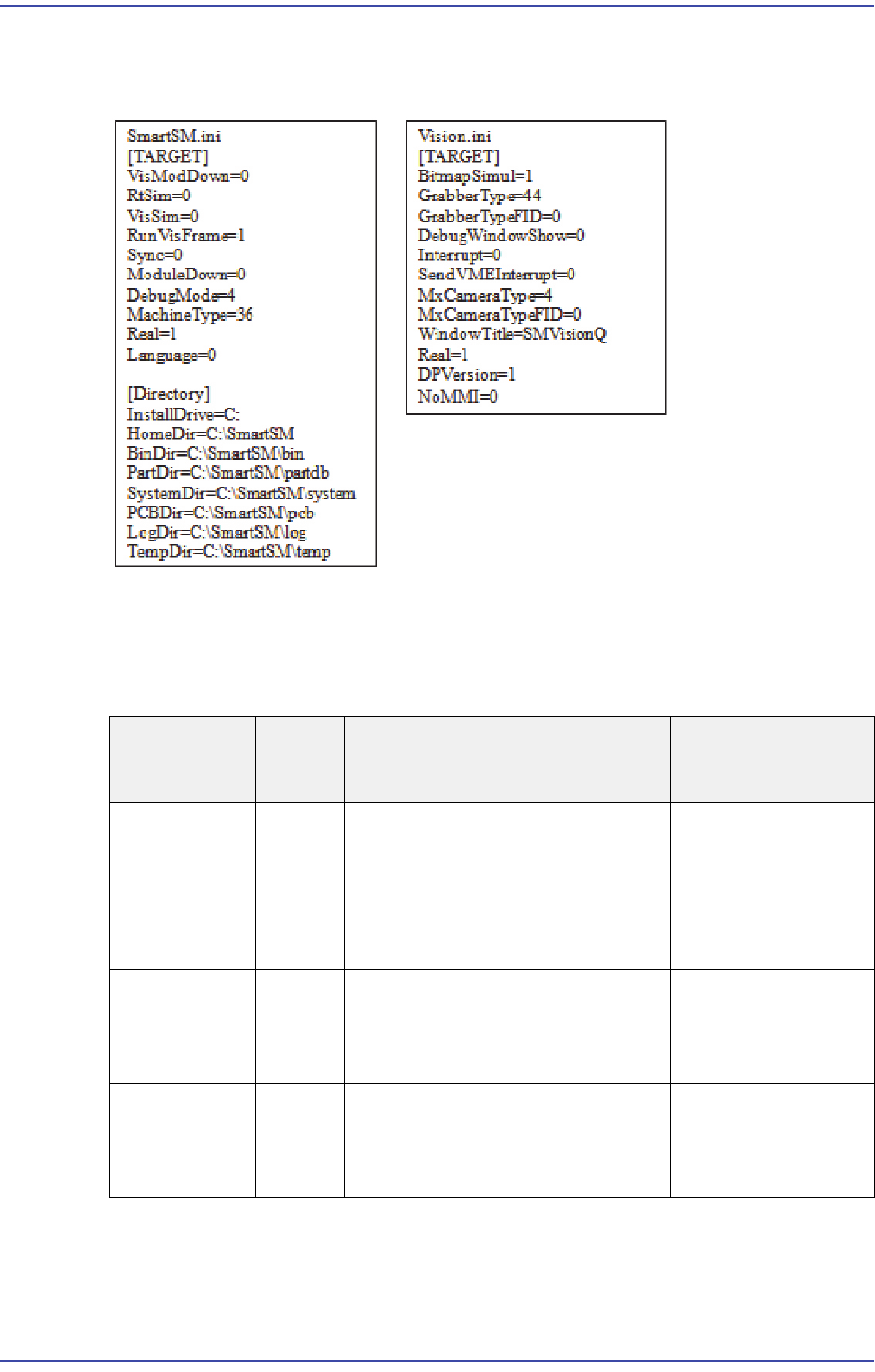
At the time of delivery, the ‘ini’ file is set up as follows:
Description of SmartSM.ini
1) [Target] category
Item
Default
Value
Description Remarks
Real
1
Runs the RT and Vision
programs
0: Runs only the MMI
1: Runs all of the MMI, RT and
Vision programs
RtSim
0
RT Simulation Mode
0 : Runs in General mode
1 : Runs in Simulation mode
VisSim
0
Vision Simulation Mode
0 : Runs in General mode
1 : Runs in Simulation mode