DECAN_F2_Service(Eng_Ver1).pdf - 第265页
12-15 Motor Driver 18) Perform setups for the remaining axes fro m S tep 1 in the same ma nner as abo ve. Caution FY1 and R Y1 as well as R Y2 and FY2 can be set simultaneously . However , FY1 a nd FY2 as well as R Y1 …
12-14
Fast & Flexible Chip Shooter DECAN F2 Service Manual
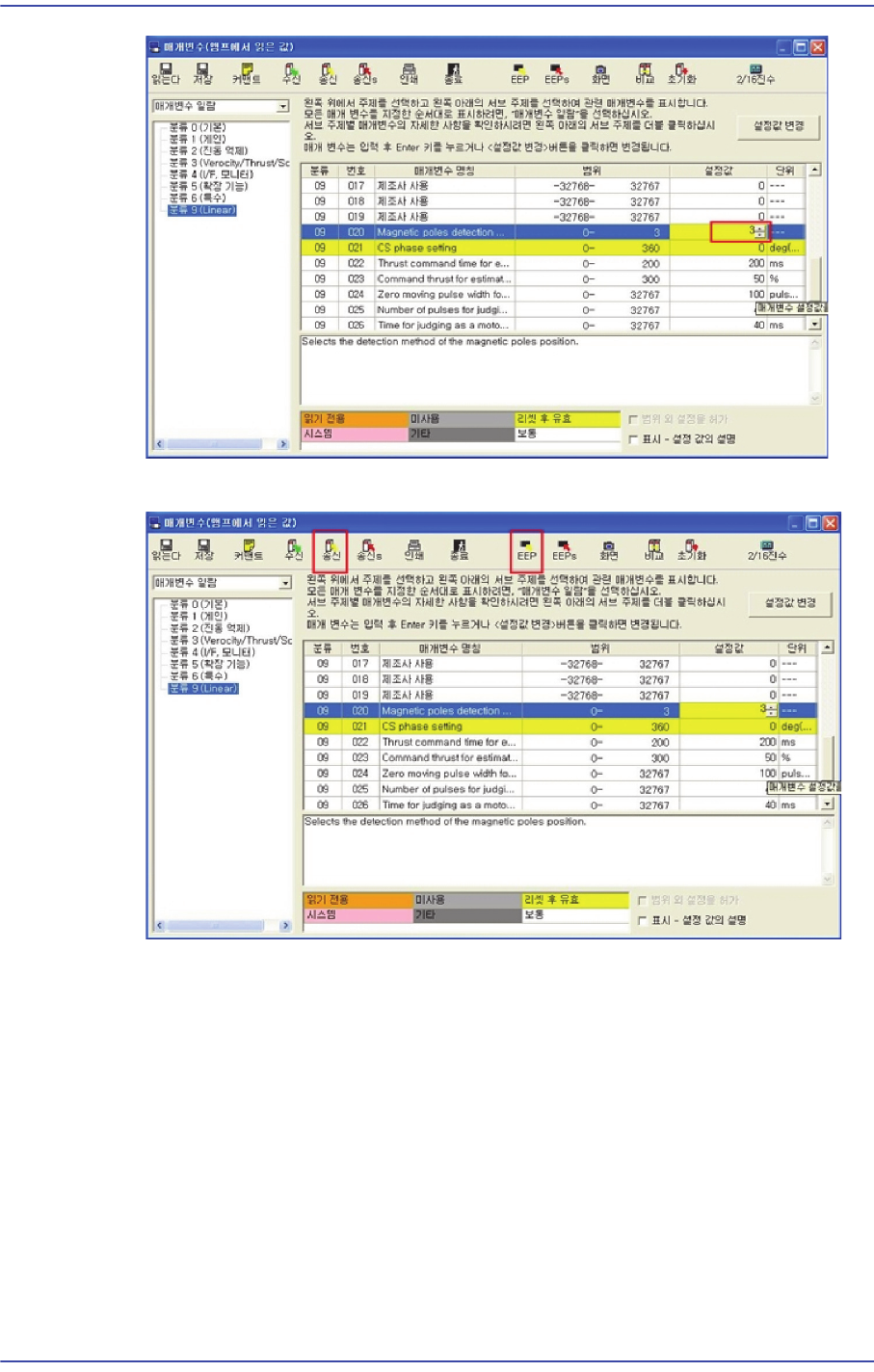
16) Click ‘Transmission’ -> ‘EEP’ in order.
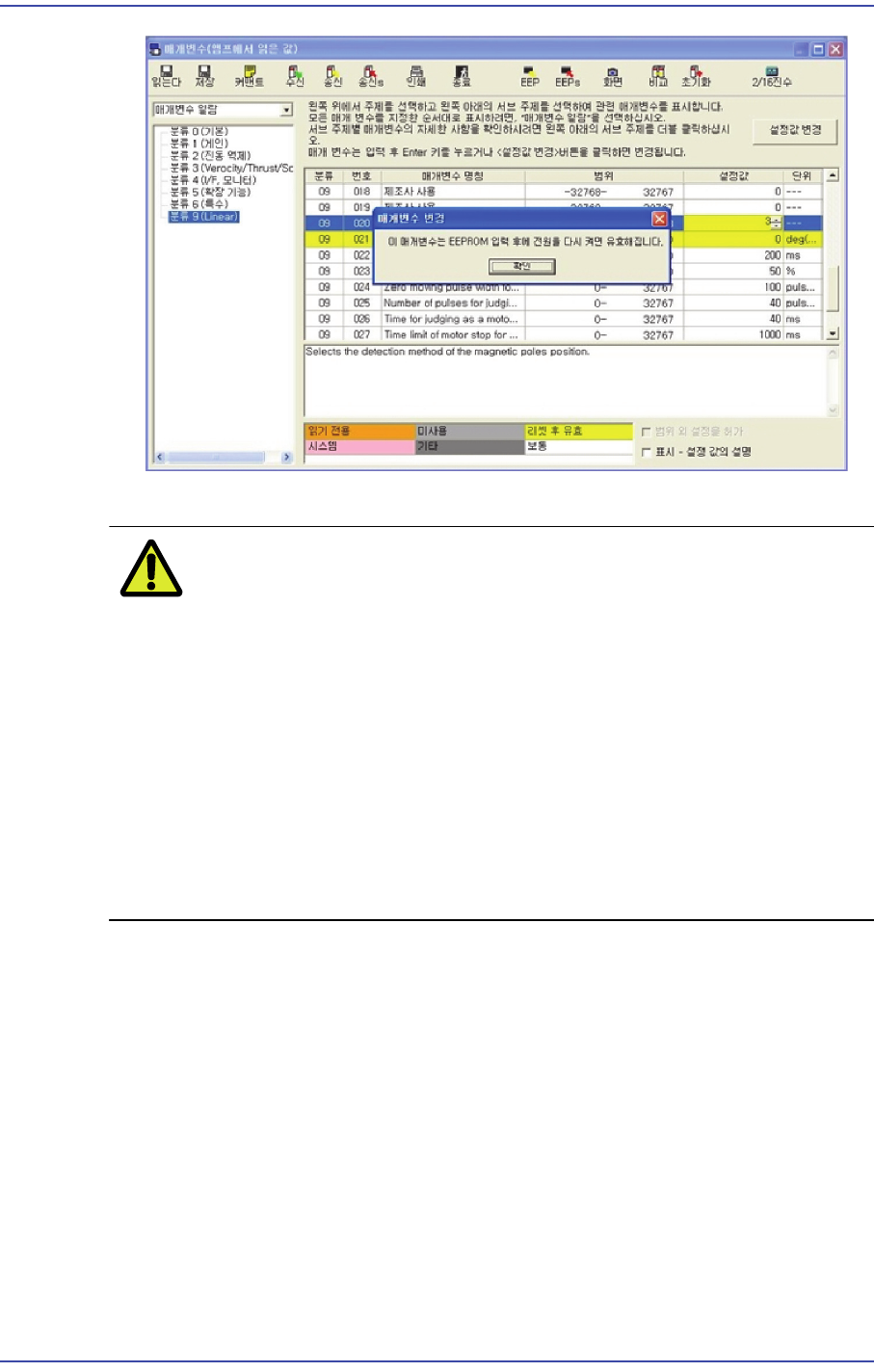
17) Remove the driver power supply and apply the power supply again to finish the setup.
12-15
Motor Driver
18) Perform setups for the remaining axes from Step 1 in the same manner as above.
CautionFY1 and RY1 as well as RY2 and FY2 can be set simultaneously.
However, FY1 and FY2 as well as RY1 and RY2 must not be set
simultaneously.
Prerequisite for magnetic estimation:
1: Set the Pr9.20 to 2.
2: Magnetic estimation has never been performed after rebooting
the AMP.
3: The Servo must be turned on.
4: If even one of the above requirements is not satisfied, magnetic
estimation cannot be performed.
12-16
Fast & Flexible Chip Shooter DECAN F2 Service Manual
12.5. New Dual Head Amp Driver
12.5.1. Alarm Code
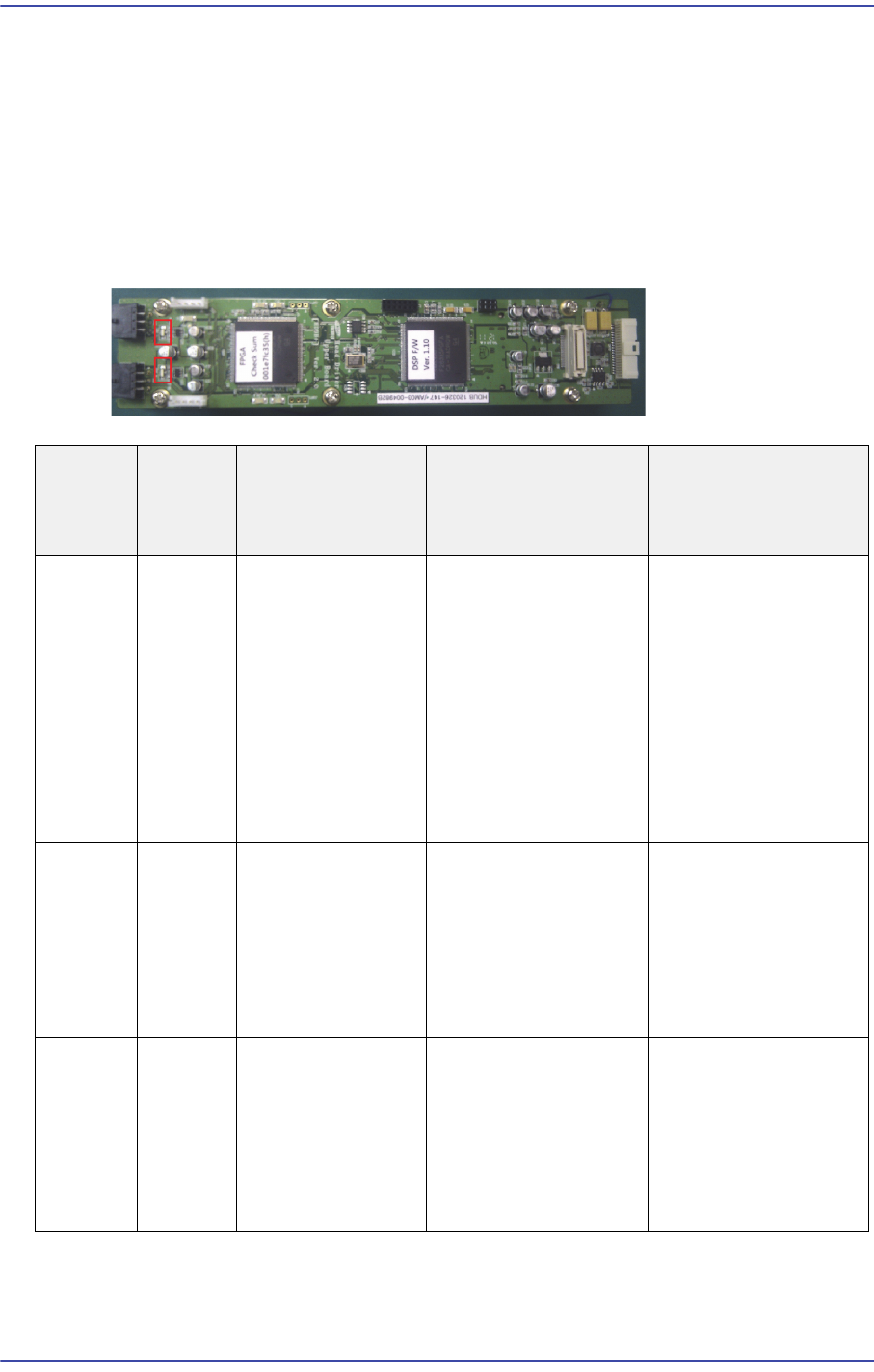
When an error occurs, the 7 segment LEDs of the motor drive will flicker. As well, the
corresponding alarm code is generated. It is of “Err **” form and the “**” will express the
corresponding alarm code.
In this case, take measures against the corresponding alarm code referring to the following
table
Alarm
Code No
Alarm
Content
s
Operating
Condition
Causes Measures
Encoder
Logic
error
1. After applying
the control power.
2: After the main
power is turned on
3. Motor in
operation.
1. Encoder internal
error
2. Driver
communication
between Encoder is
interference, the
communication error
detection function is
executed.
1. Check the Encoder
connector conclusion.
2. Make sure the
Encoder power is
within 5% of DC5V
3. Alarm reset
4. Reset the AMP
power supply.
5. Encoder exchange
Encoder
CRC
error
1. After applying
the control power.
2: After the main
power is turned on
3. Motor in
operation.
1. Communication
error between the
Encoder and FPGA.
2. The data errors due
to poor contact and
noise.
1. Check the Encoder
connector conclusion.
2. Reset the AMP
power supply.
Encoder
Open
error
1. After applying
the control power.
2: After the main
power is turned on
3. Motor in
operation.
1. Communication
error between the
Encoder and FPGA.
2. The data errors due
to poor contact and
noise.
1. Check the Encoder
connector conclusion.
2. Reset the AMP
power supply.