DECAN_F2_Service(Eng_Ver1).pdf - 第601页
18-81 Machine Calibration 2. Select the gantry to be calibrated . 3. After selecting the Fid Cam2 (or Fid Cam4 ) as a teaching c amera, move the X-Y axes to the area (a point that can be distin guished by SMV ision) whic…
18-80
Fast & Flexible Chip Shooter DECAN F2 Service Manual
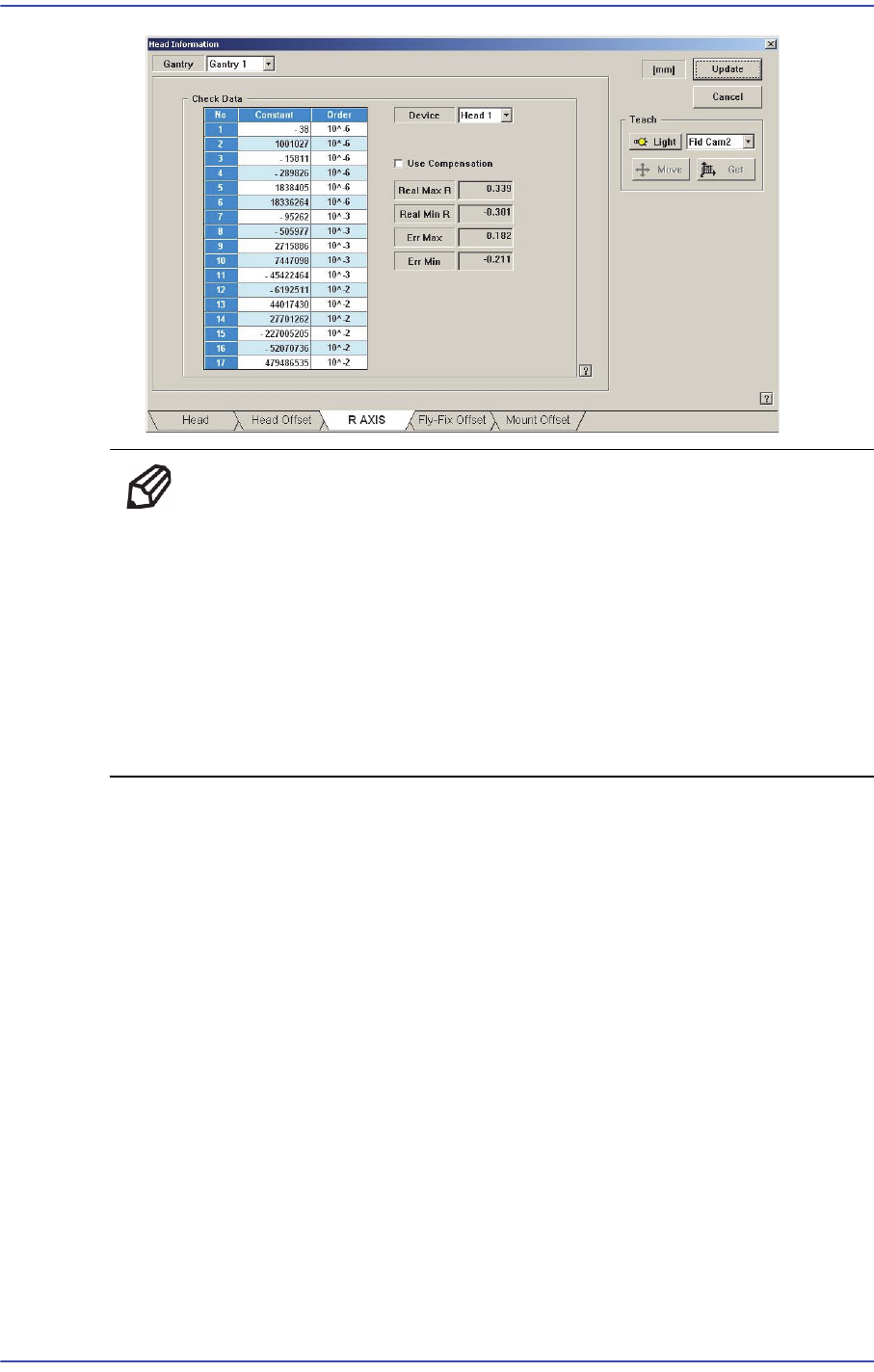
Memo The reference values for the calibration of the R-Axis Offset is as
follows.
Real Max(Min): The Max.(Min.) offset between command value
and calibration value
Head1~Head10 : -1.0 ~ 1.0(deg)
Err Max(Min) The Max.(Min.) offset between compensation value
and calibration value
Head1~Head10 : -0.3 ~ 0.3(deg)
18.3.10.9. Beam Offset Calibration
Refers to the calibration measuring the distance between the fiducial camera sensor and
beam sensor. In order to measure the beam offset, the beam sensor to be used in the
<Head> tab of the System menu must be selected first.
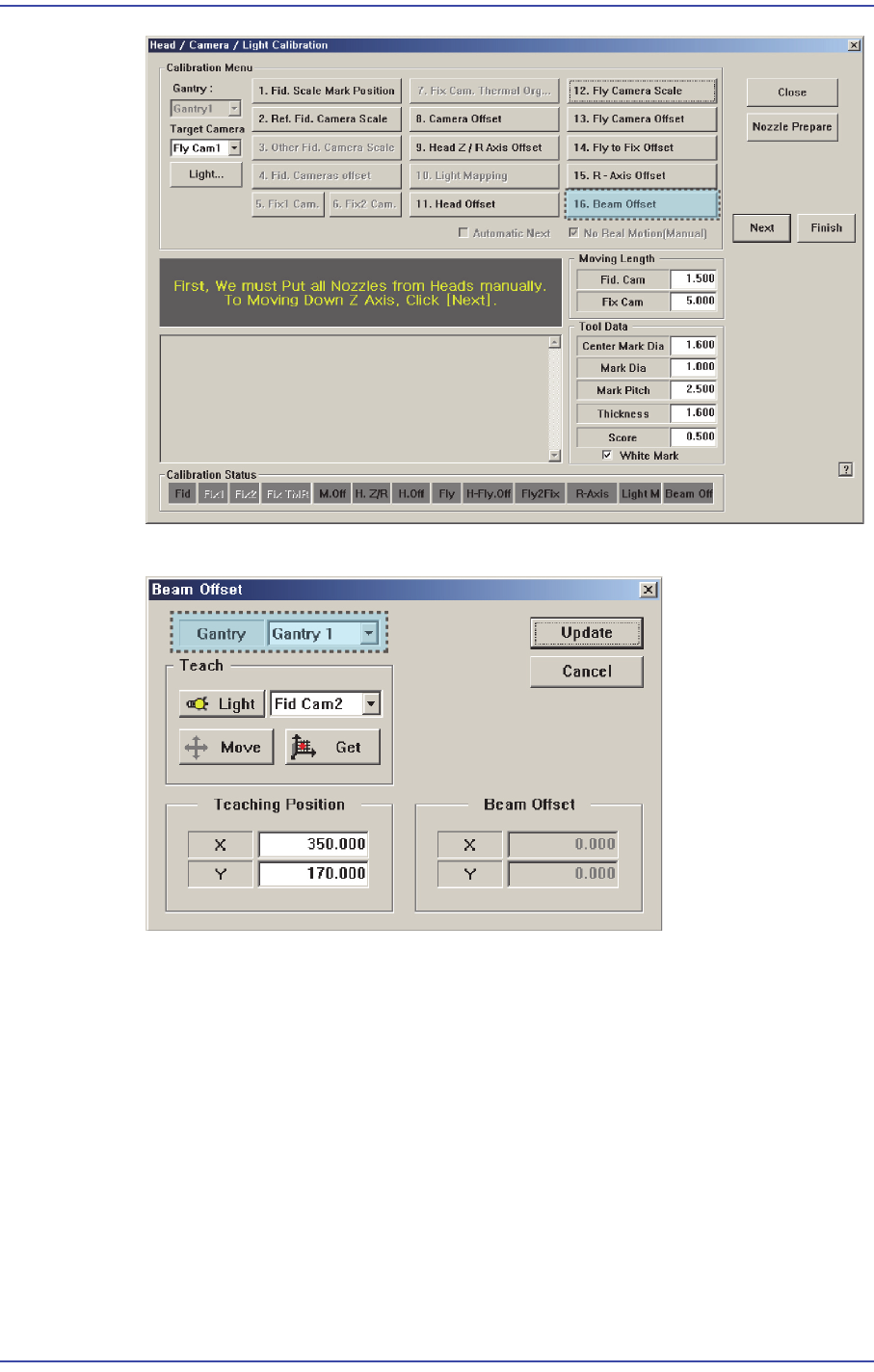
Perform calibration of the Beam Offset in the following manner
1. Press the <16. Beam Offset> button to execute the beam offset dialog box.
18-81
Machine Calibration
2. Select the gantry to be calibrated.
3. After selecting the Fid Cam2 (or Fid Cam4) as a teaching camera, move the X-Y axes
to the area (a point that can be distinguished by SMVision) which can be recognized
using the jog box.
4. Press the <Get> button to save the current position in the <Teaching Position>.
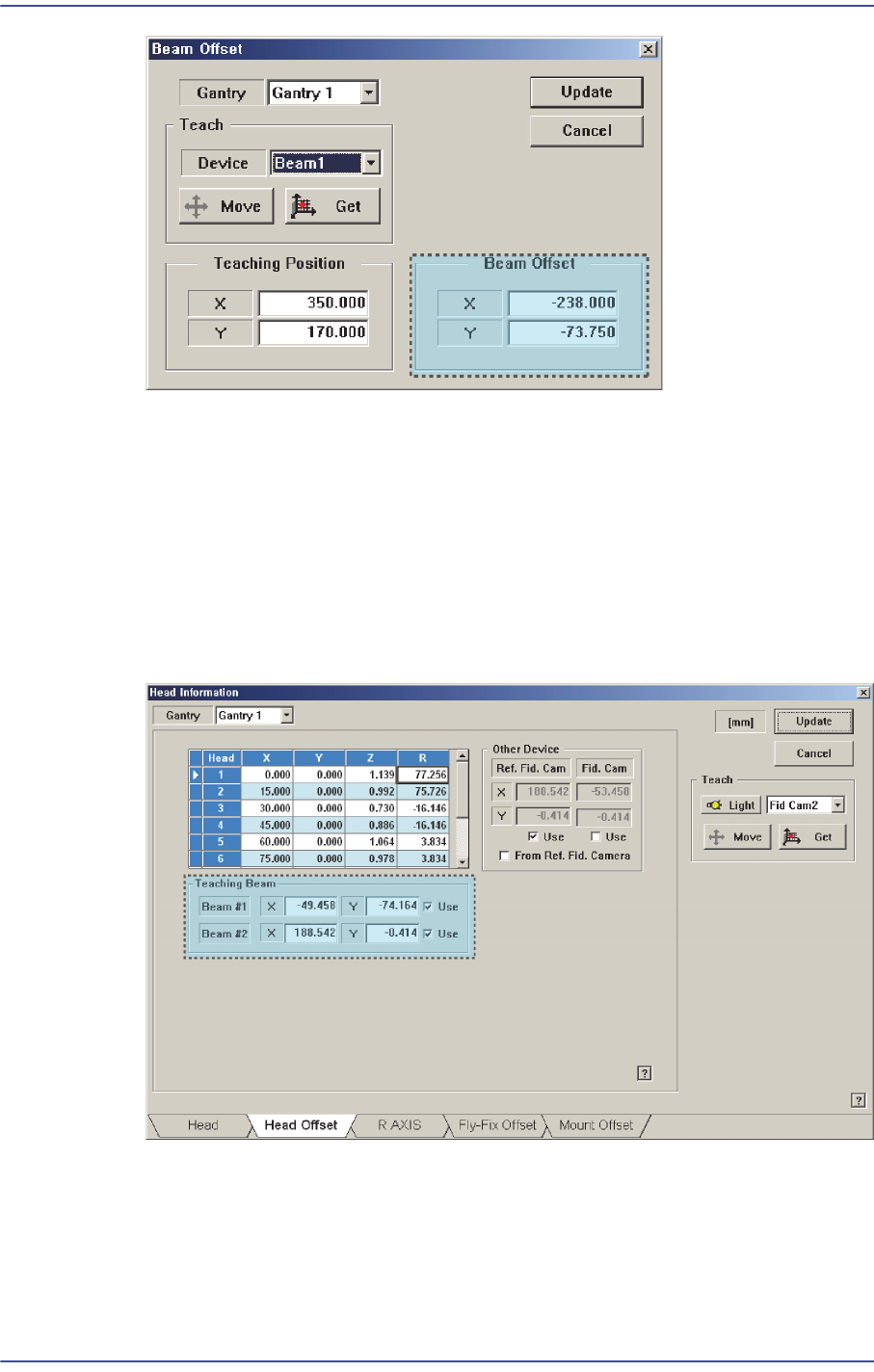
5. Select Beam 1 (or Beam 2) as a teaching tool and move it to the <Teaching Position>
using the jog box.
6. Press the <Get> button to save the current position in the <Beam Position>.
18-82
Fast & Flexible Chip Shooter DECAN F2 Service Manual
7. Select Gantry 2 in the <Gantry> combo box and perform calibration in the same
manner as was done for Gantry 1.
8. Press the <Update> button to save the setups.
9. You can check the result value in the Head Offset dislog box of the System Setup
menu.
10. Select Gantry 2 in the <Gantry> combo box and perform calibration in the same
manner as has done for Gantry 1.
The result value can be confirmed in the R Axis dialog box in the System Setup menu.