DECAN_F2_Service(Eng_Ver1).pdf - 第262页
12-12 Fast & Flexible Chip Shooter DECAN F2 Service Manual 9) Press ‘T rans’ and EEP in orde r and check the Popup window .
12-11
Motor Driver
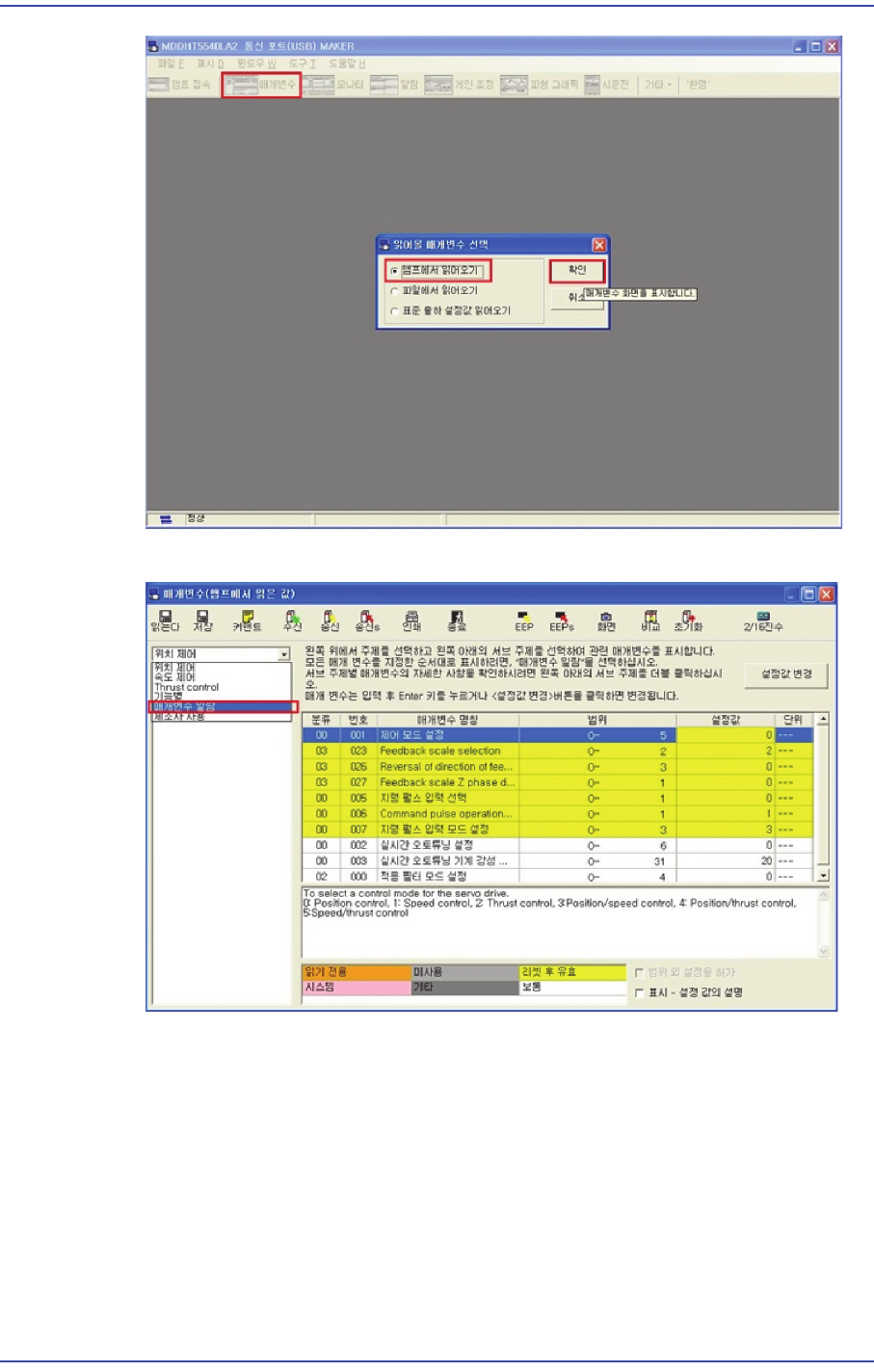
7) Click the ‘Parameter List’ tab.
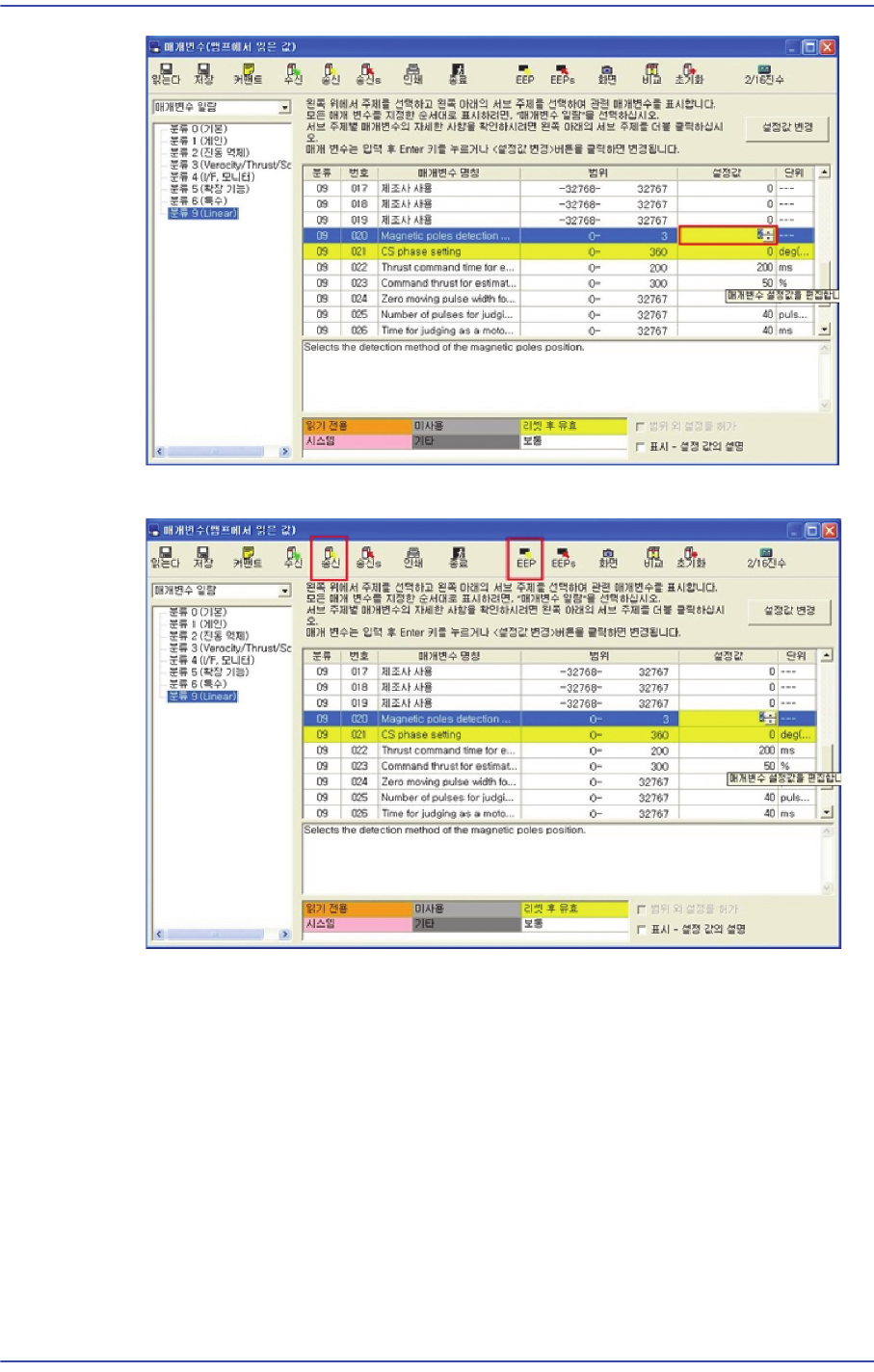
8) Change the No. 20 of Classification 9 to ‘2’.
12-12
Fast & Flexible Chip Shooter DECAN F2 Service Manual
9) Press ‘Trans’ and EEP in order and check the Popup window.
12-13
Motor Driver
10) After removing the driver power supply, apply the power supply again to finish the
setup.
11) In order to estimate the magnetic pole, remove the FY2 motor power supply cable
(UVW cable) at the opposite side and set it to FY2 free state.
12) Clear the emergency state of the machine. Then, after pressing the STOP and RESET
buttons, press the READY button to turn the servo on.
13) When the Servo is turned on, magnetic estimation is performed (the Y-axis moves
back and forth approximately 2~3cm).
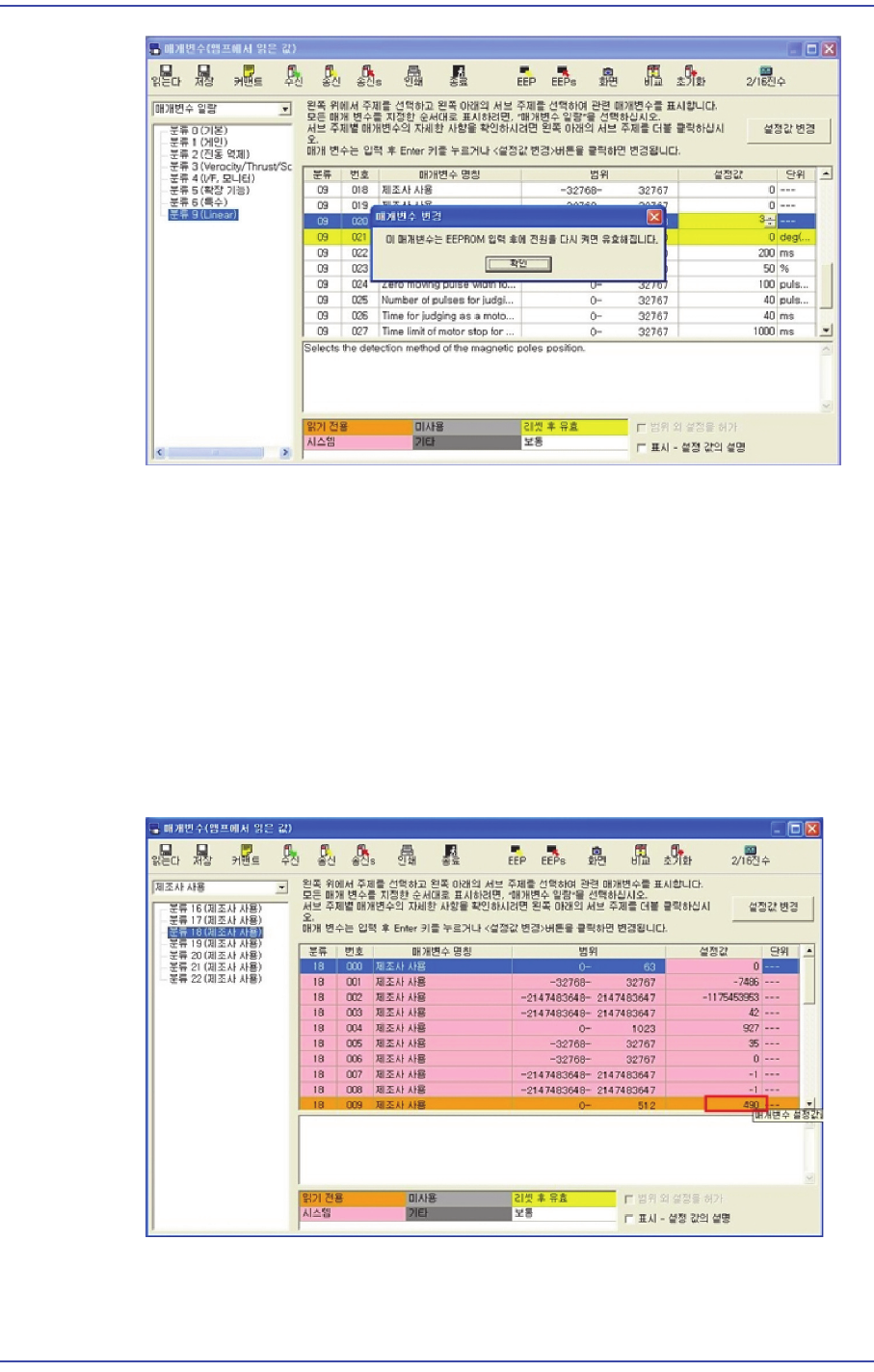
14) Connect the FY1 driver and check the 'Commutation offset' value by clicking
‘Classification 18 (used by a manufacturer)’ Tab Open -> No 9 of ‘Classification 18’.
15) In order to turn off the magnetic estimation, change ‘No. 20’ of ‘Classification 9’to
‘3’.