DECAN_F2_Service(Eng_Ver1).pdf - 第163页
6-13 Conveyor Ref T en sion: 350±20 Hz T ension Measurement location: Y ou can adjust the T ension to mo ve to the left and right Motor .
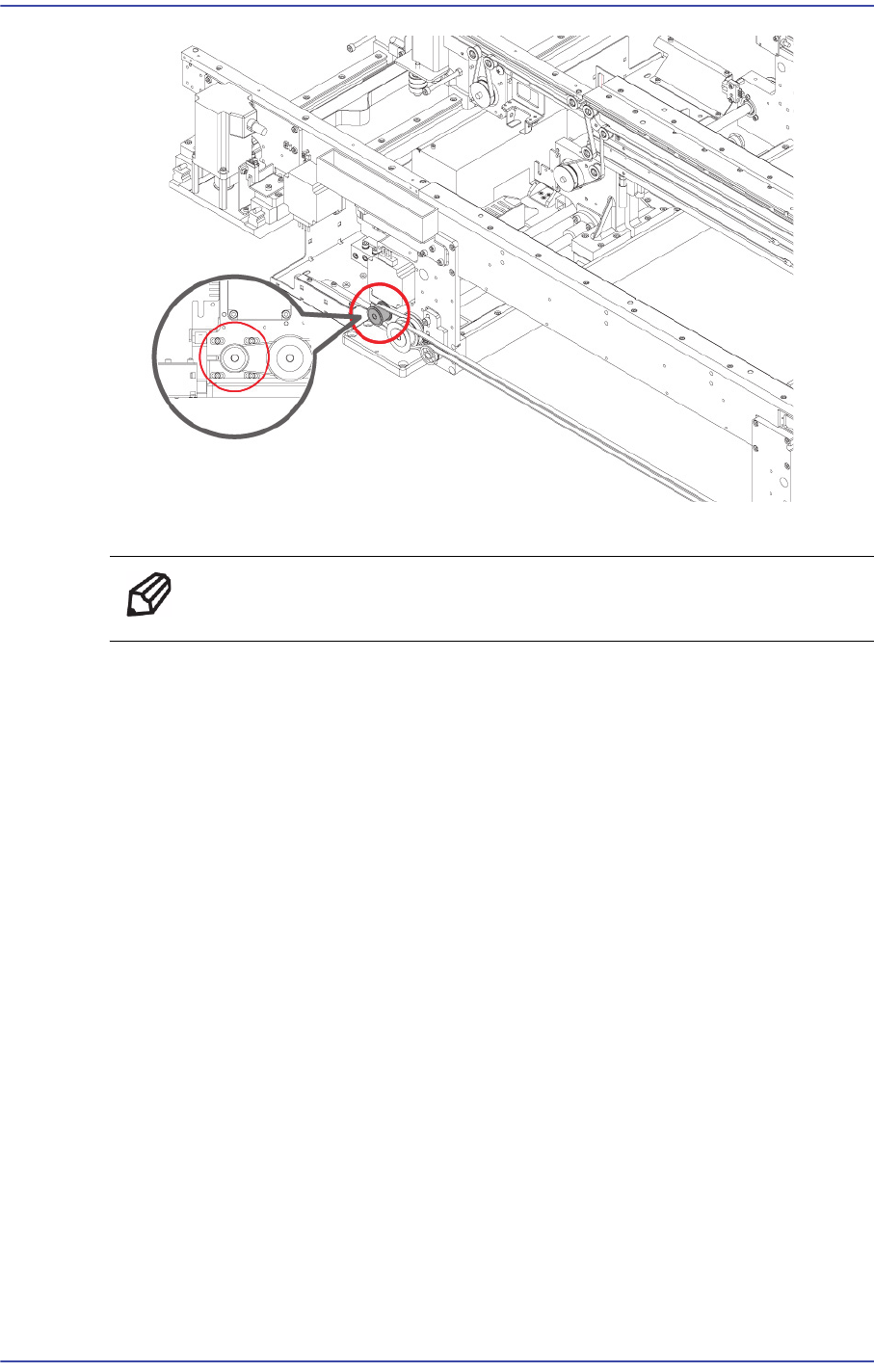
6-12
Fast & Flexible Chip Shooter DECAN F2 Service Manual
3) Replace the belt with a new one.
Ref The Part number of to replace the Belt J66021007A.
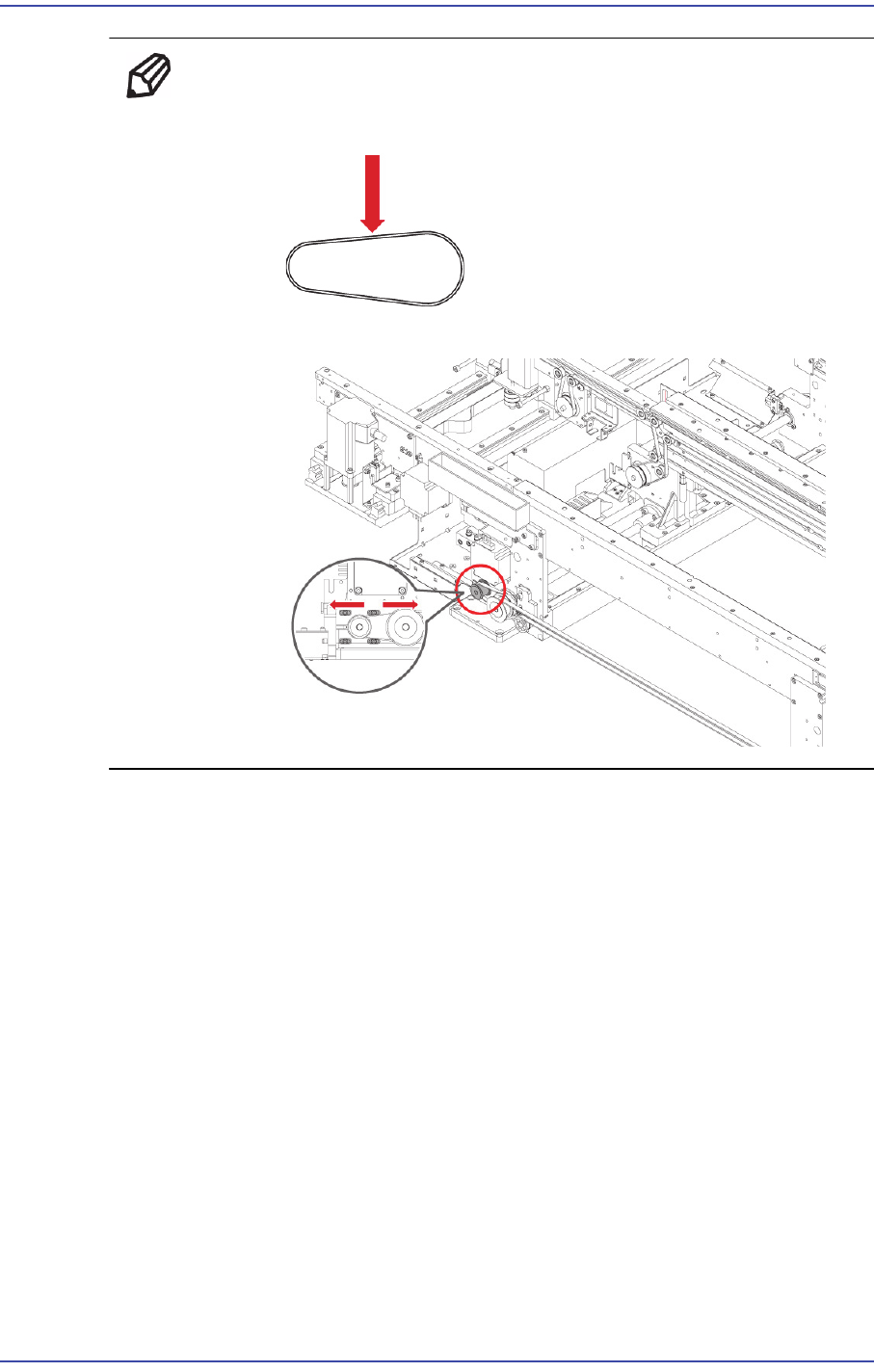
4) During assembly, please assemble it in mind the next.
6-13
Conveyor
Ref Tension: 350±20 Hz
Tension Measurement location:
You can adjust the Tension to move to the left and right Motor.
6-14
Fast & Flexible Chip Shooter DECAN F2 Service Manual
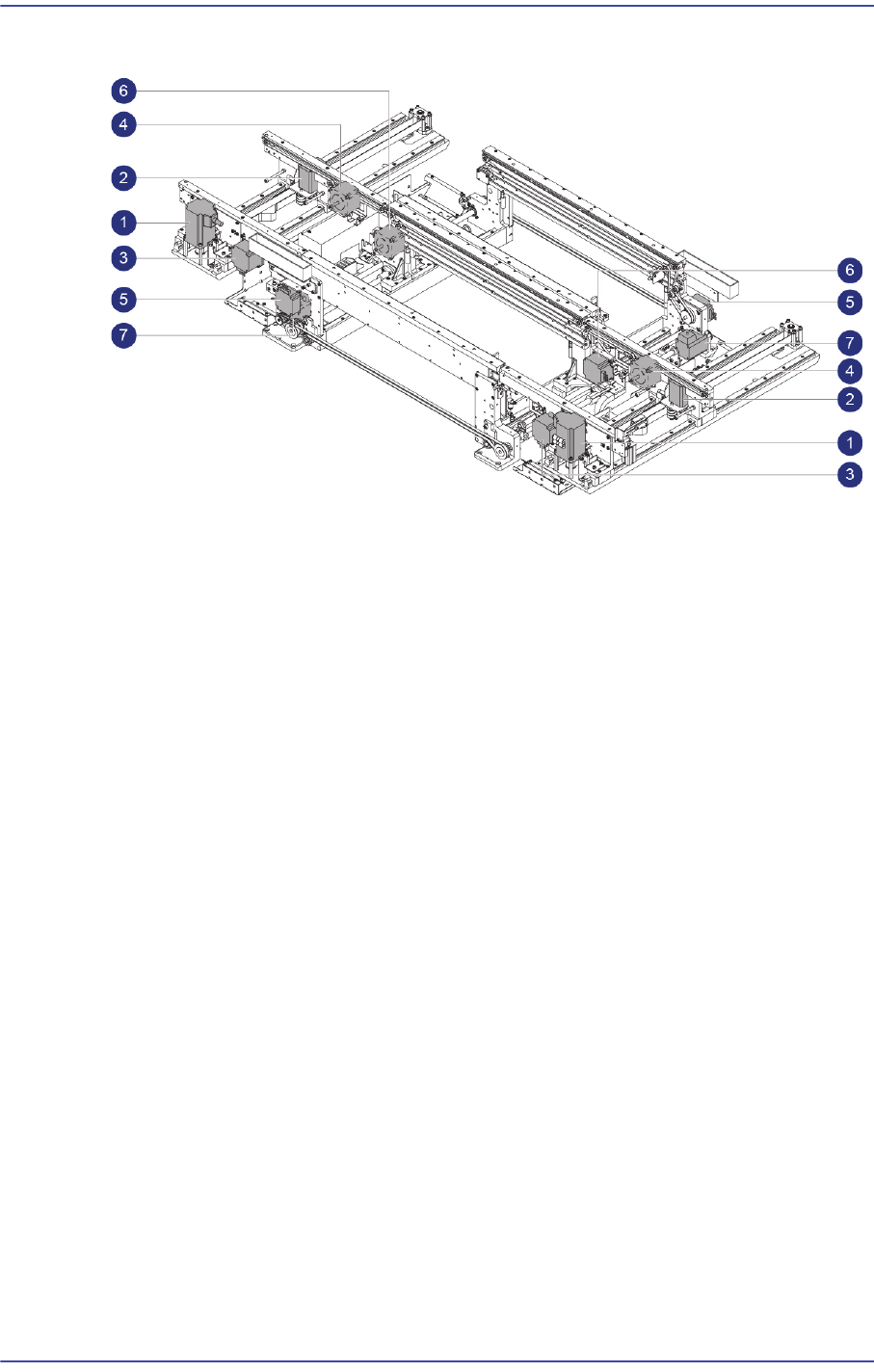
6.3. Conveyor Motor
1: Entry / Exit Zone Frame Width adjustment Motor
2: Entry / Exit Zone Rear Frame Width adjustment Motor
3: Entry / Exit Zone Front Frame PCB transfer Motor
4: Entry / Exit Zone Rear Frame PCB transfer Motor
5: Work Zone Front Fix Frame PCB transfer Motor
6: Work Zone Front Move Frame PCB transfer Motor
7: Work Zone Power transmission Motor
6.3.1. Required Tools
Tension Gage (U-505)
Flathead screwdriver
T-Wrench (other tools supplied) or Hex Wrench
6.3.2. Entry / Exit Zone Frame Width adjustment Motor Replacement Procedure
1) Manipulate to increase the conveyor width as wide as possible.
2) Close the PC as usual and turn off the main switch at the front of the machine.
3) Please remove the Cable that is connected to the Motor.