DECAN_F2_Service(Eng_Ver1).pdf - 第553页
18-33 Machine Calibration 12. When teaching o n the fiducial marks of the selected station is finished, perform teaching on the fiducial marks of the other stations in the same way . 13. Perform steps #2 ~ #12 for each s…
18-32
Fast & Flexible Chip Shooter DECAN F2 Service Manual
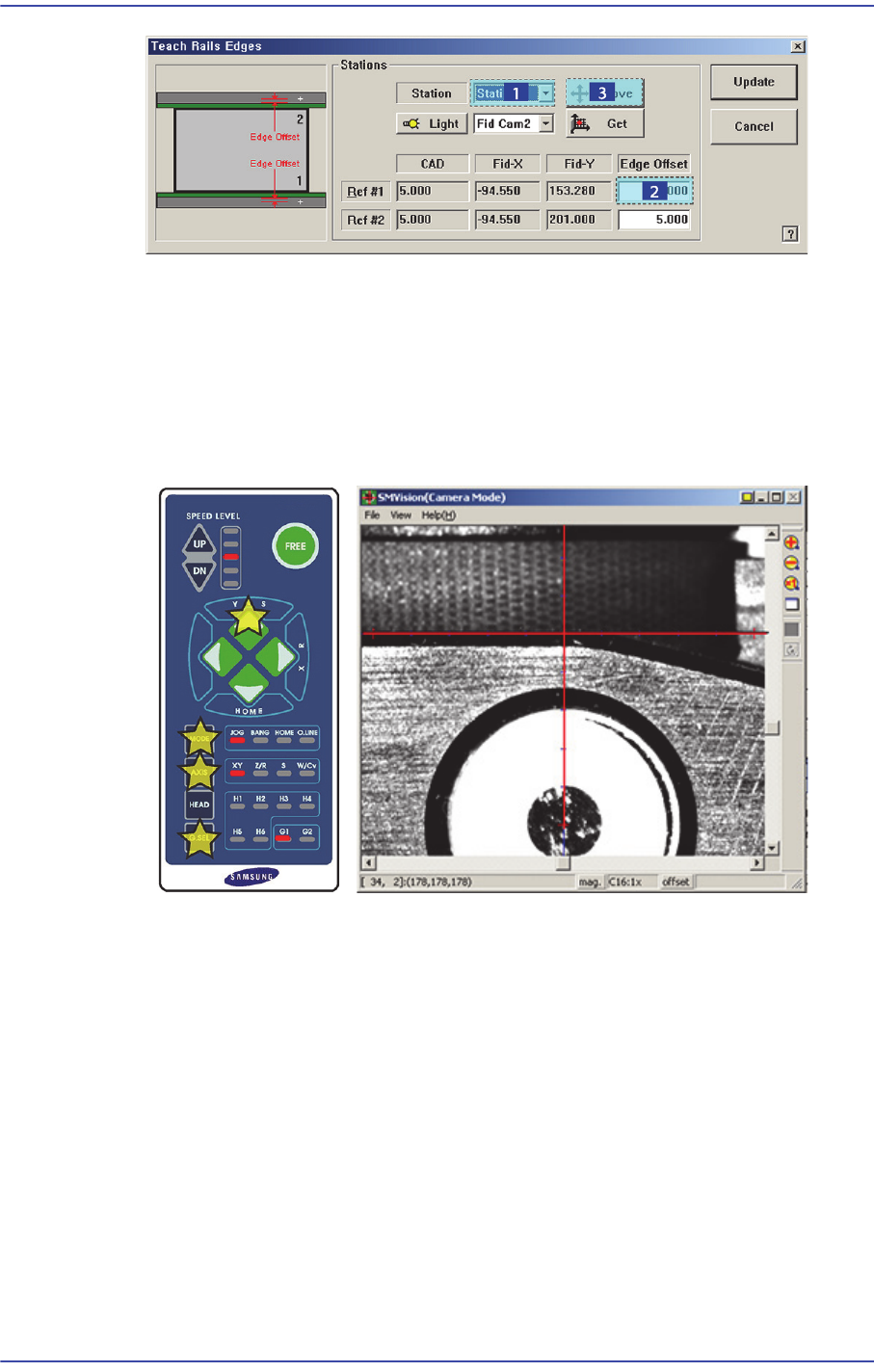
8. Then the downward camera (fiducial camera) moves to the corresponding position of
the fiducial mark. Select XY by pressing the ‘AXIS’ button using the teach box to
make the backup table rise and make the edge of the transport rail frame correspond
with the horizontal line of the cross lines in the vision.
Then select the jog by pressing the ‘MODE’ button, and slowly move by pressing the
Y(+) direction move button.
9. When matched, press the ‘Enter’ button in the teaching box.
10. Select the corresponding <Edge Offset> edit box in ‘Ref. #2’ and click the <Move
Cam> button.
11. Perform teaching on ‘Ref. #2’ in the same way as teaching on ‘Ref. #1’.
18-33
Machine Calibration
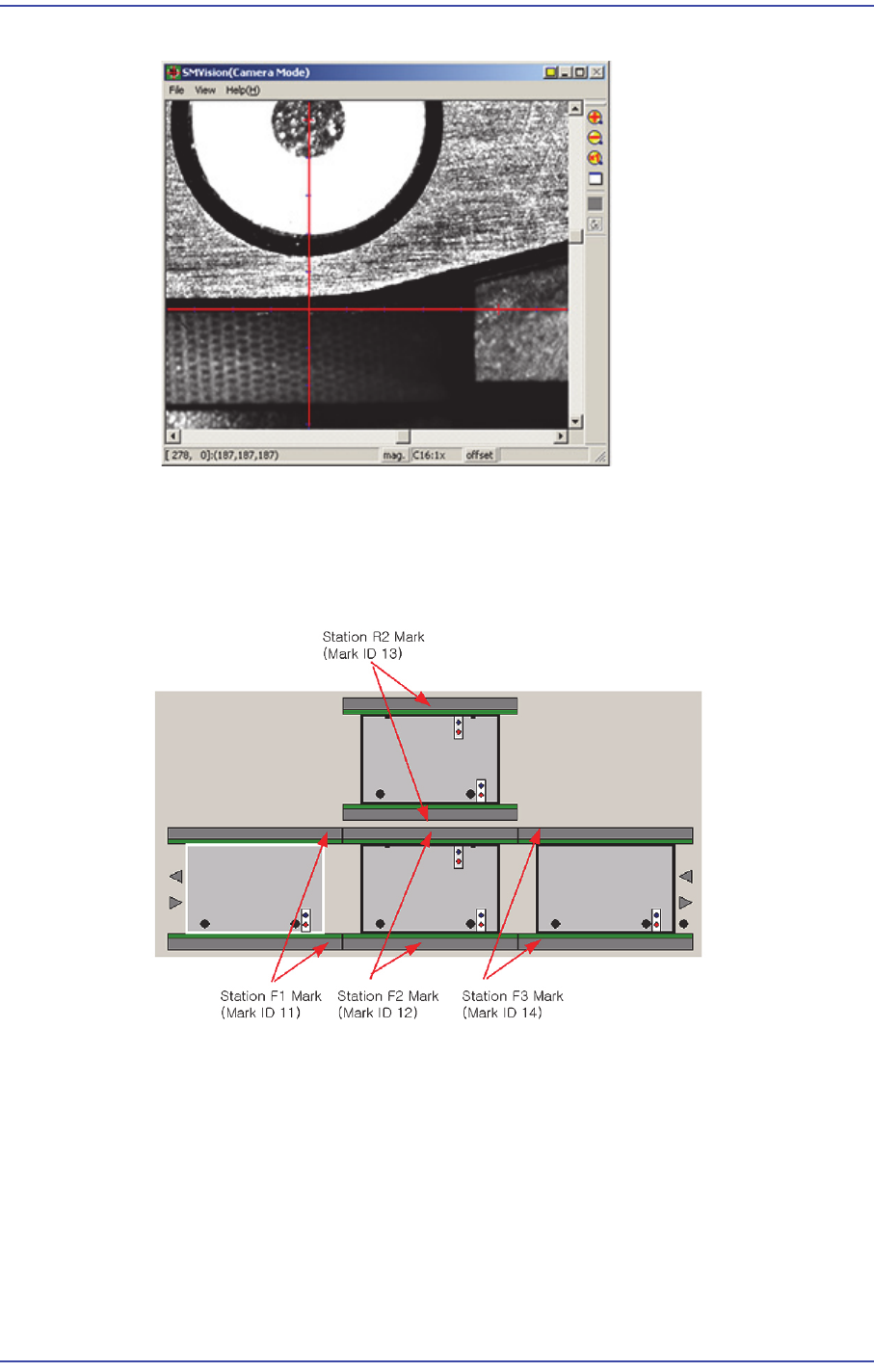
12. When teaching on the fiducial marks of the selected station is finished, perform
teaching on the fiducial marks of the other stations in the same way.
13. Perform steps #2 ~ #12 for each station according to the following order: StationF1 ->
StationF2 -> StationR2 -> StationF3.
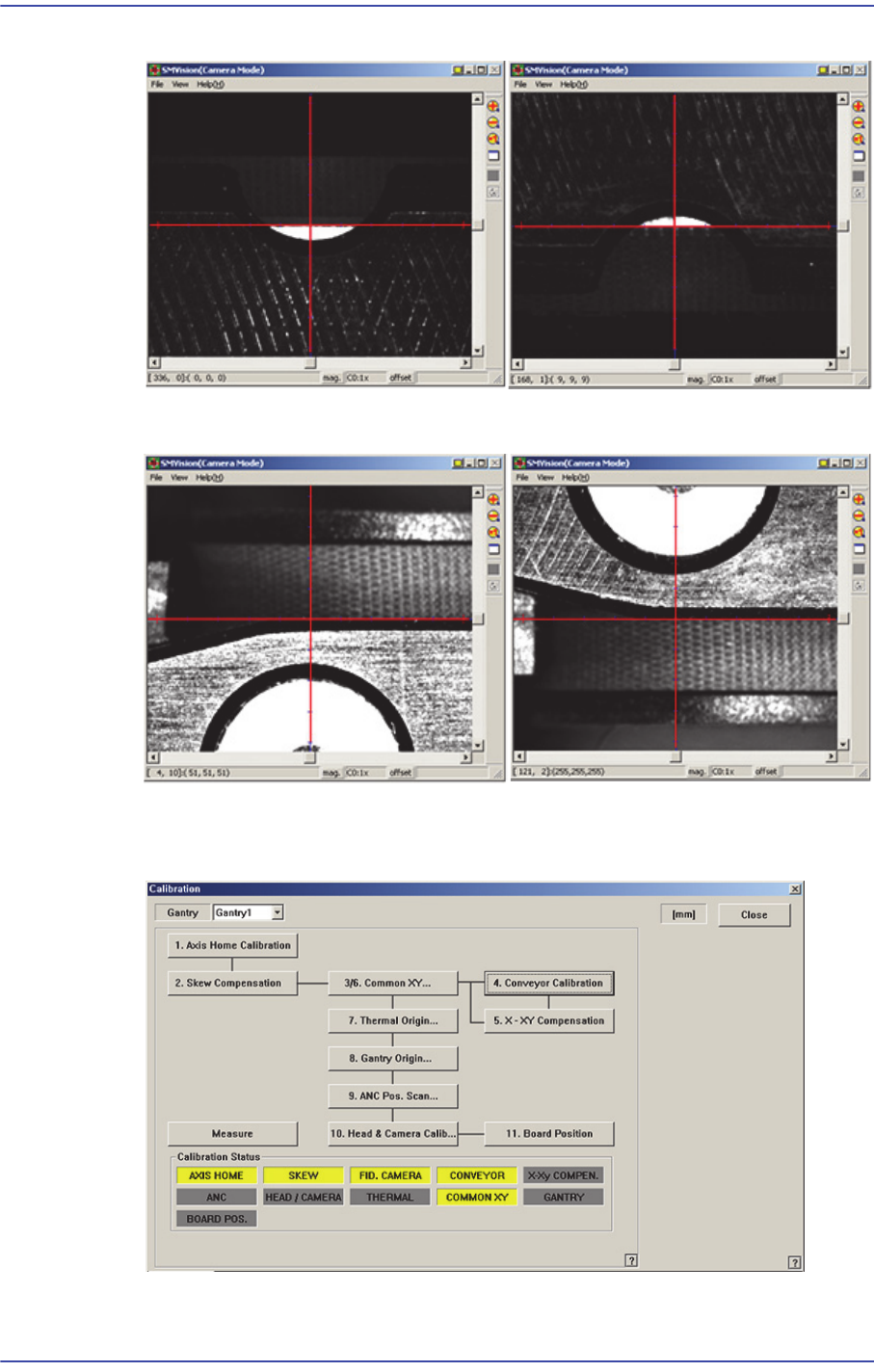
F1_Ref#2
18-34
Fast & Flexible Chip Shooter DECAN F2 Service Manual
14. After finishing the teaching, click the <Update> button to apply the changed value.
F2_Ref#1
F2_Ref#2
F3_Ref#1
F3_Ref#2