DECAN_F2_Service(Eng_Ver1).pdf - 第502页
17-90 Fast & Flexible Chip Shooter DECAN F2 Service Manual 17.3.17. Abnormal contro l board operation (E15) E1500 All I/Os on the conveyor opera te abnormally [Cause] Defective Base Control board [How to Check] C…
17-89
Troubleshooting
Defective Base Control board
Defective I/F protocol with the next machine
[How to Check]
Check the I/F setup of the MMI setup
Check the SMEMA cable connection
Check I/F connection with the next machine (supplied by others) (contact type,
SEMEA type, etc.)
Replace the conveyor I/F board
[Measures]
Check the SMEMA I/F setup of the MMI setup.
Check the SMEMA cable connection.
Check the I/F connection with the next machine (or the machine supplied by other
company).
Replace the general IO board.
17-90
Fast & Flexible Chip Shooter DECAN F2 Service Manual
17.3.17. Abnormal control board operation (E15)
E1500 All I/Os on the conveyor operate abnormally
[Cause]
Defective Base Control board
[How to Check]
Check the status of the PCB sensor Conveyor Fiber Sensor Amp in the MMI
Check the cable in the Fiber Sensor Interface Board
Check whether the power supply LED and signal LED of the base control board are
turned on.
[Measures]
Replace the Base Control board.
E1501 The I/F of the head operates abnormally
[Cause]
Defective Head I/F board
[How to Check]
When turning on/off the power supply to the Head I/F board, check whether the valve
homing is performed properly
Check the Head I/F board power supply and signal LED lighting
[Measures]
Replace the head I/F board.
E1502 Defective feeder operation
[Cause]
Cart Control board is defective
[How to Check]
Perform manual feeder operation in the feeder I/O window
Replace the cart control board and check the connector.
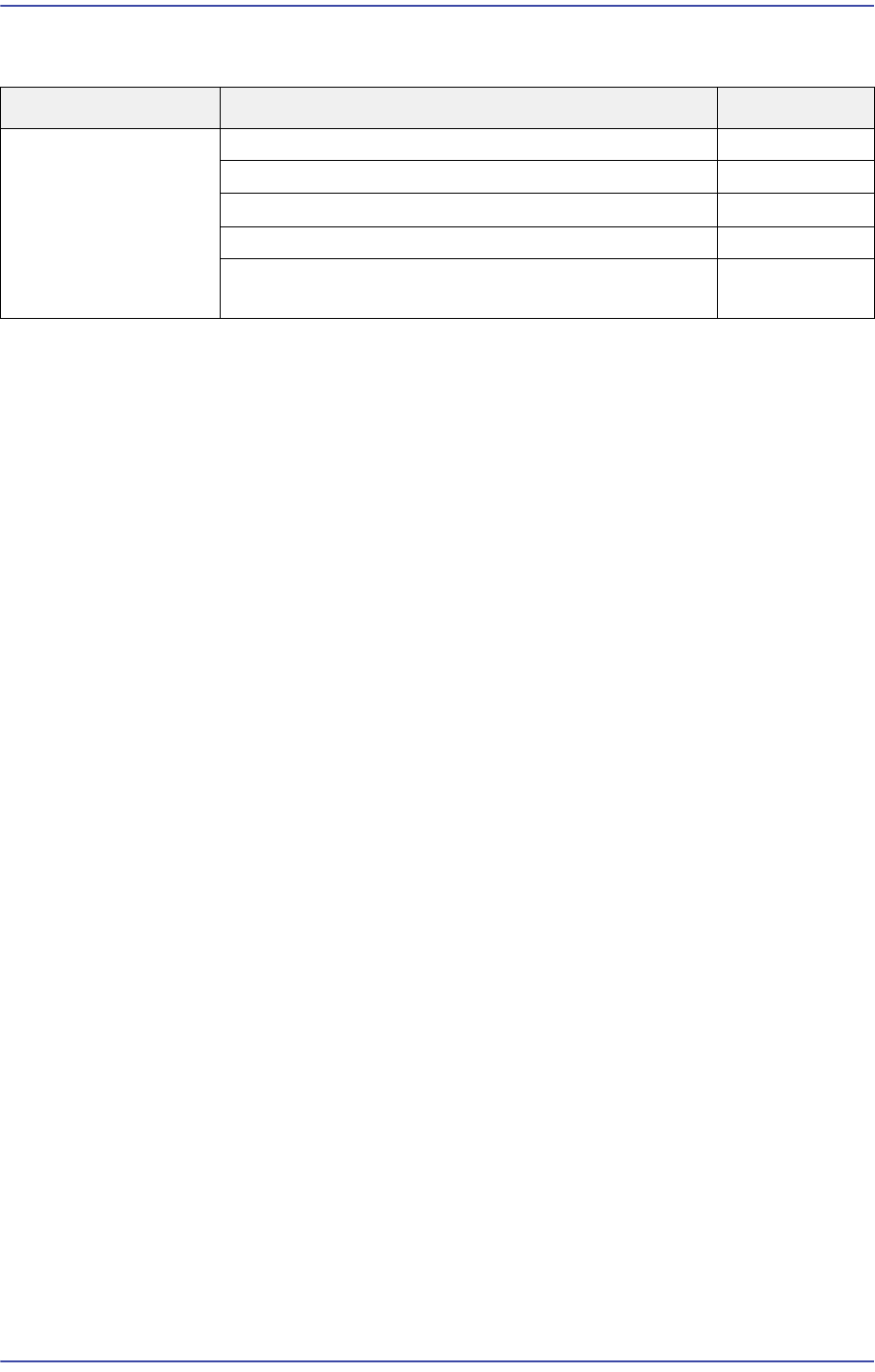
Cause Description Remarks
Abnormal control
board operation
All I/Os on the conveyor operate abnormally E1500
The I/F of the head operates abnormally E1501
Defective feeder operation E1502
Vision loading error and Vis frame error occurred E1503
CAN communication error or Vision communication
error
E1504
17-91
Troubleshooting
Replace the NCIO board and check the connector
[Measures]
Perform a manual feeder operation test in the feeder base I/O window.
Replace the cart control board and check the connection between the cable and
connector.
E1503 Vision loading error and Visframe error occurred
[Cause]
Defective vision board
[How to Check]
Check whether the vision board is properly inserted into the back plane slot
Check whether the SBC board is properly inserted into the vision board connector
Replace the vision board and SBC board
Reinstall the Windows and MMI
[Measures]
Insert the vision board into the back plane board slot properly.
Insert the SBC board into the vision board connector properly.
Replace the vision board and SBC board.
Perform HDD recovery and reinstall the MMI.
E1504 CAN communication error or Vision communication error occurs
[Cause]
Defective PCI I/O and CAN Master board
(Applicable only to SM series machines excluding the DECAN F2, SLM, SM471 and
SM48X.)
Defective Axis I/O board and SAMC board
(Applicable only to the DECAN F2, SLM, SM471 and SM48X machines.)
[How to Check]
Check the PCI I/O board.
Check the CAN Master board.
Check the SAMC board.
[Measures]
Replace the CAN Master board, CAN PCI board and SAMC board.