DECAN_F2_Service(Eng_Ver1).pdf - 第257页
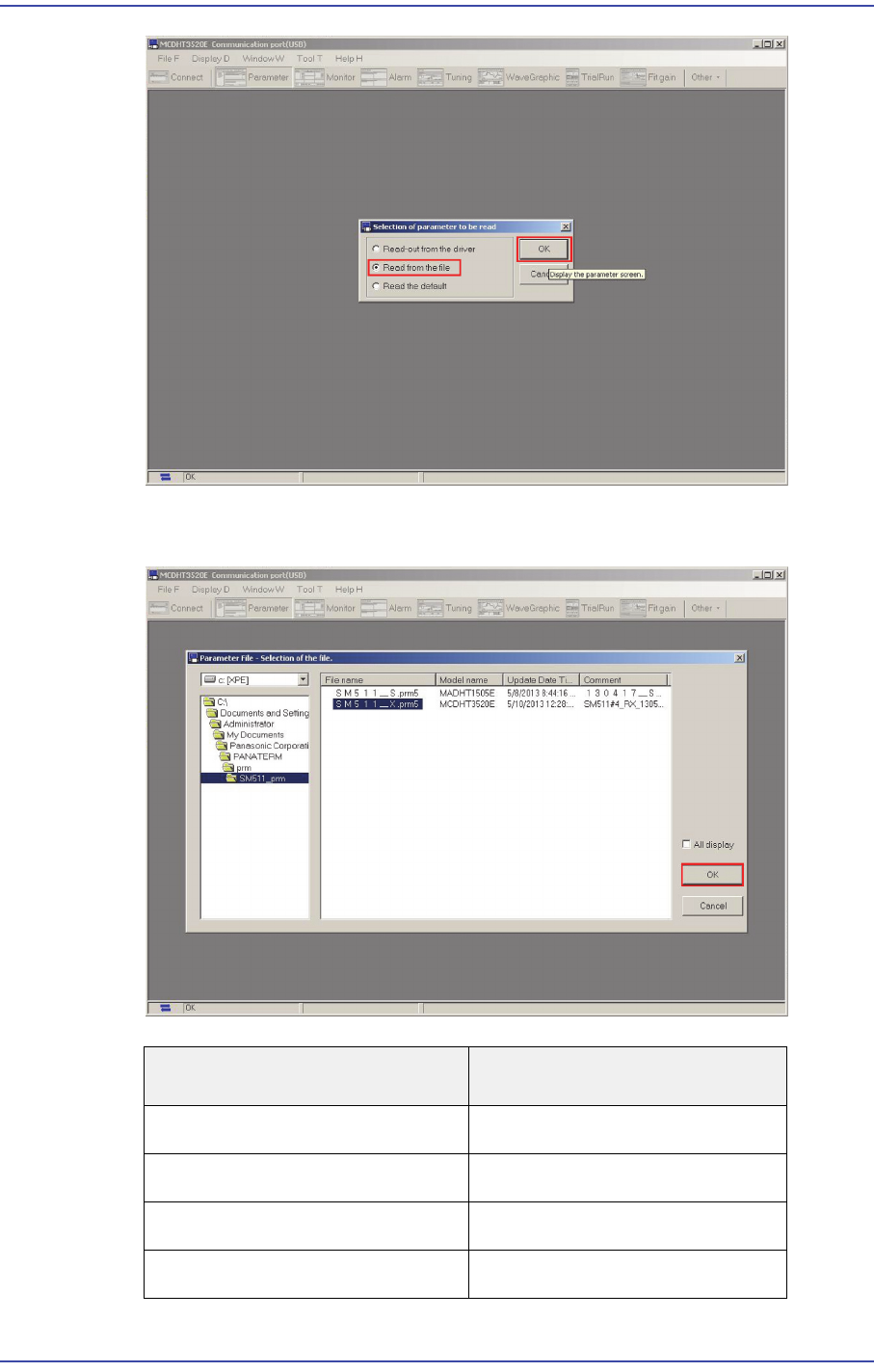
12-7 Motor Driver 7) Select 'Read from the file' in the 'Selection of parameter to be read' window and click the ‘OK’ button. File Name Axis Name. SM51 1_X.prm FX, RX Axis SM51 1_Y1.prm FY1, RY1 Axis …
12-6
Fast & Flexible Chip Shooter DECAN F2 Service Manual
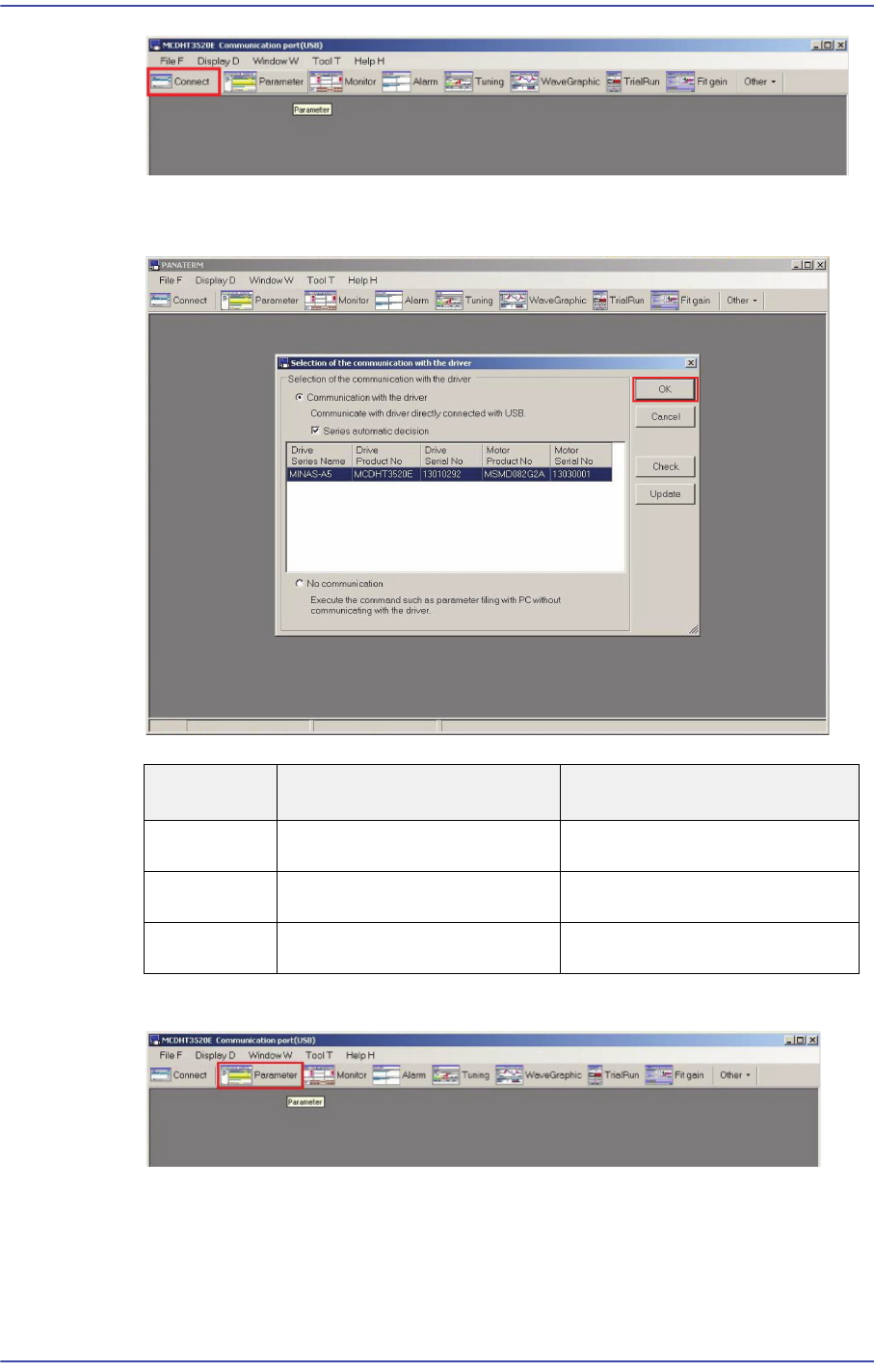
4) Executing ANATERM ver.5.0 will display the connected driver/motor information. If
the driver and motor information is correct, click ‘OK’.
5) Select MINAS-A5 in the Series setting window and click the ‘OK’ button.
6) A window showing the progress of connection to the driver is then displayed.
Distinction Driver Product No. Motor Product No.
X Axis
MCDKT3520E MSMD082G2A
Y Axis
MDDHT5540LA2 -
SW Axis
MADHT1505E MSMD5AZG2A
12-7
Motor Driver
7) Select 'Read from the file' in the 'Selection of parameter to be read' window and click
the ‘OK’ button.
File Name
Axis Name.
SM511_X.prm FX, RX Axis
SM511_Y1.prm FY1, RY1 Axis
SM511_Y2.prm FY2, RY2 Axis
SM511_S.prm FS, RS Axis
12-8
Fast & Flexible Chip Shooter DECAN F2 Service Manual
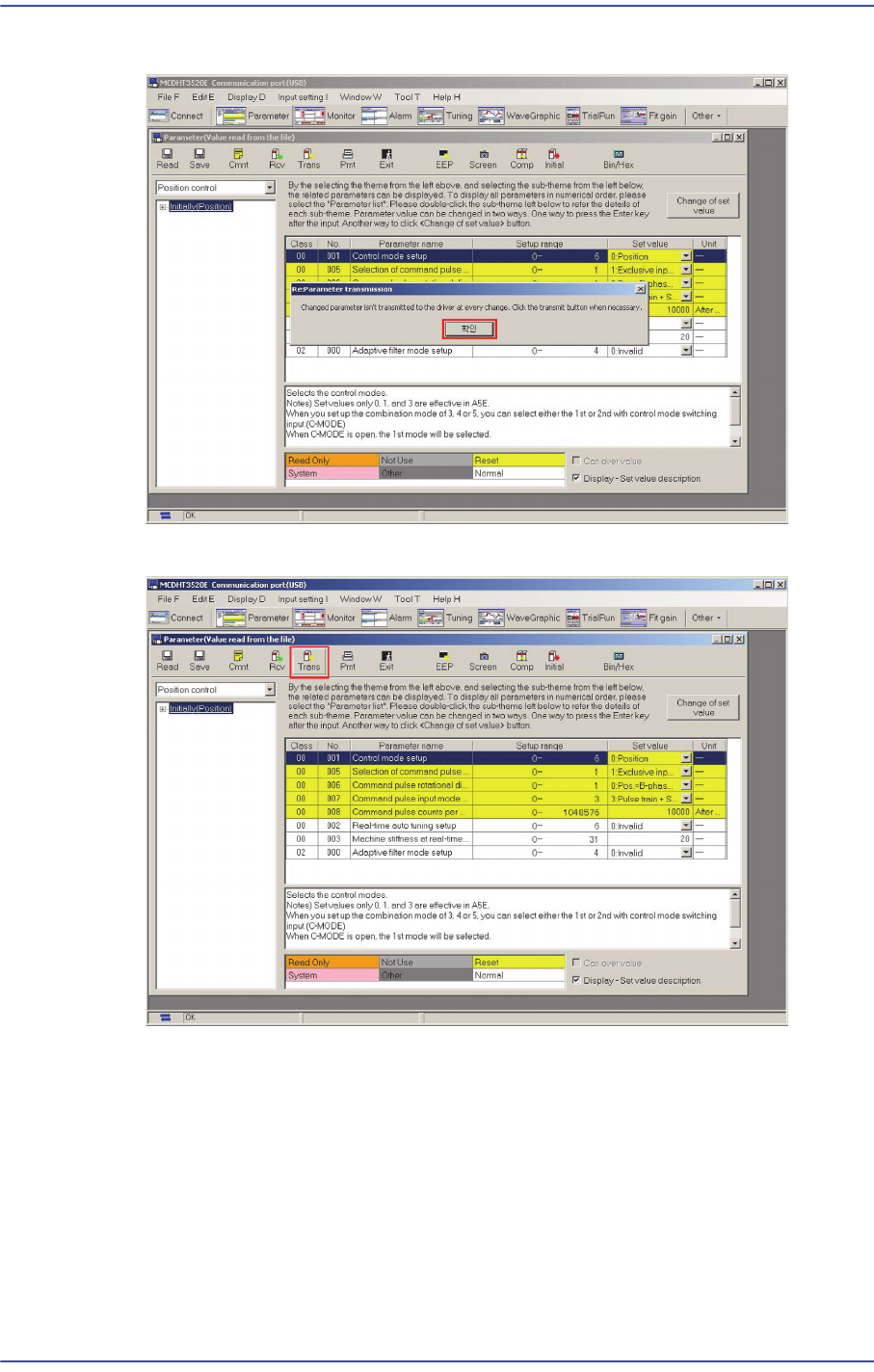
8) Select the driver shaft file into which parameters are to be inputted and click ‘OK’.
9) Click ‘OK’ in the following screen.
10) If the following Parameter Dialog is created, click the ‘Trans’ button.