DECAN_F2_Service(Eng_Ver1).pdf - 第140页
5-40 Fast & Flexible Chip Shooter DECAN F2 Service Manual 5.9.3.2. Alarm Code and Para meter Download Procedure 1) When checking the New Dual Head AMP Al arm and downloading the parameter , RS- 232C is used. Th erefo…
5-39
Head
5.9.3.1. How to check the Z phase of the head motor
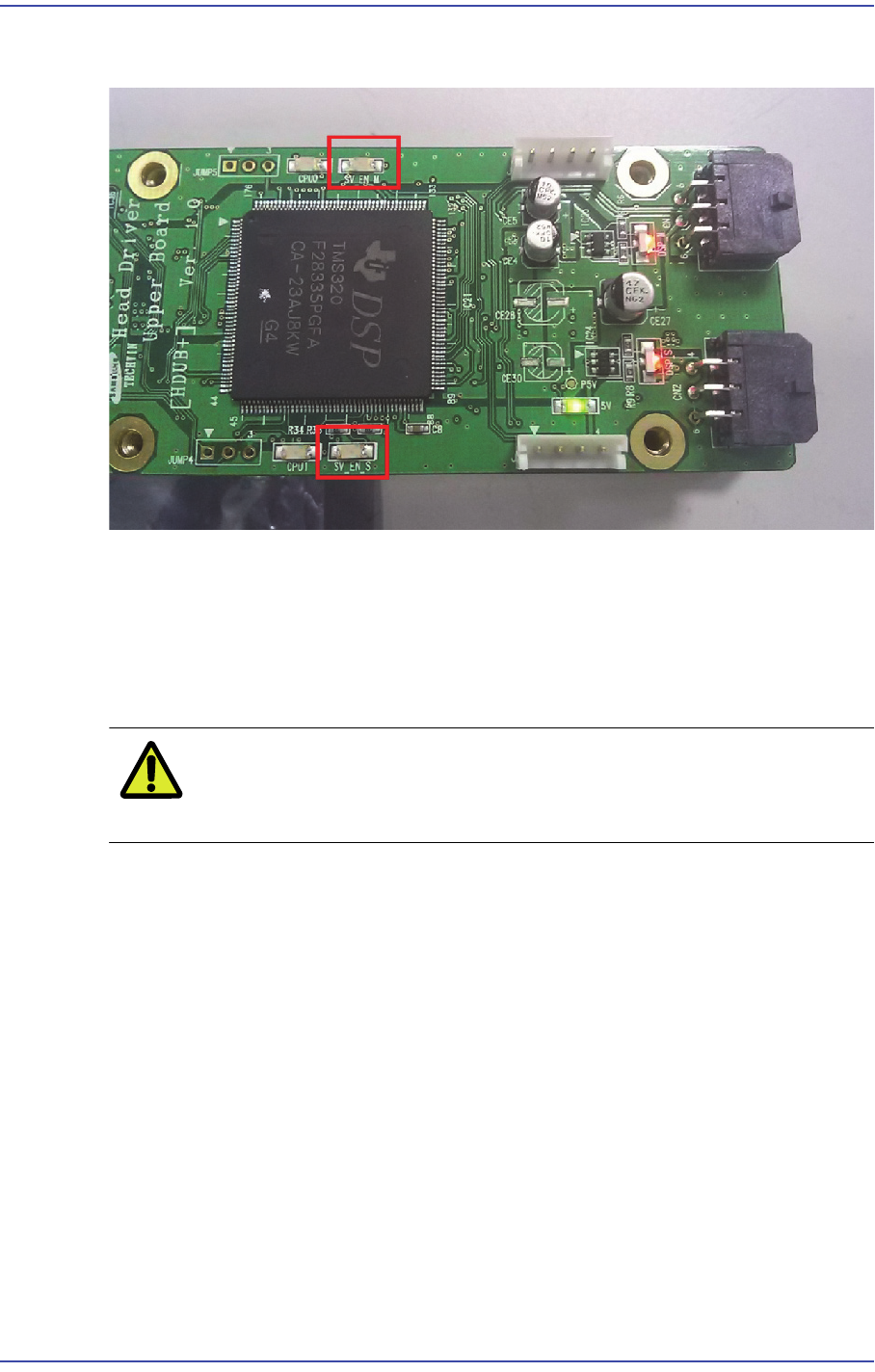
1) Move the corresponding axis block connected to the head AMP down.
2) When the physical Z phase of the motor is detected during the above process, the
SV_EN LED is turned on.
3) That is, the position at which the SV_EN_LED is turned on is the Z phase of the
corresponding axis motor.
Caution Since the range of the physical Z phase is small, move the
axis block as slowly as possible.
5-40
Fast & Flexible Chip Shooter DECAN F2 Service Manual
5.9.3.2. Alarm Code and Parameter Download Procedure
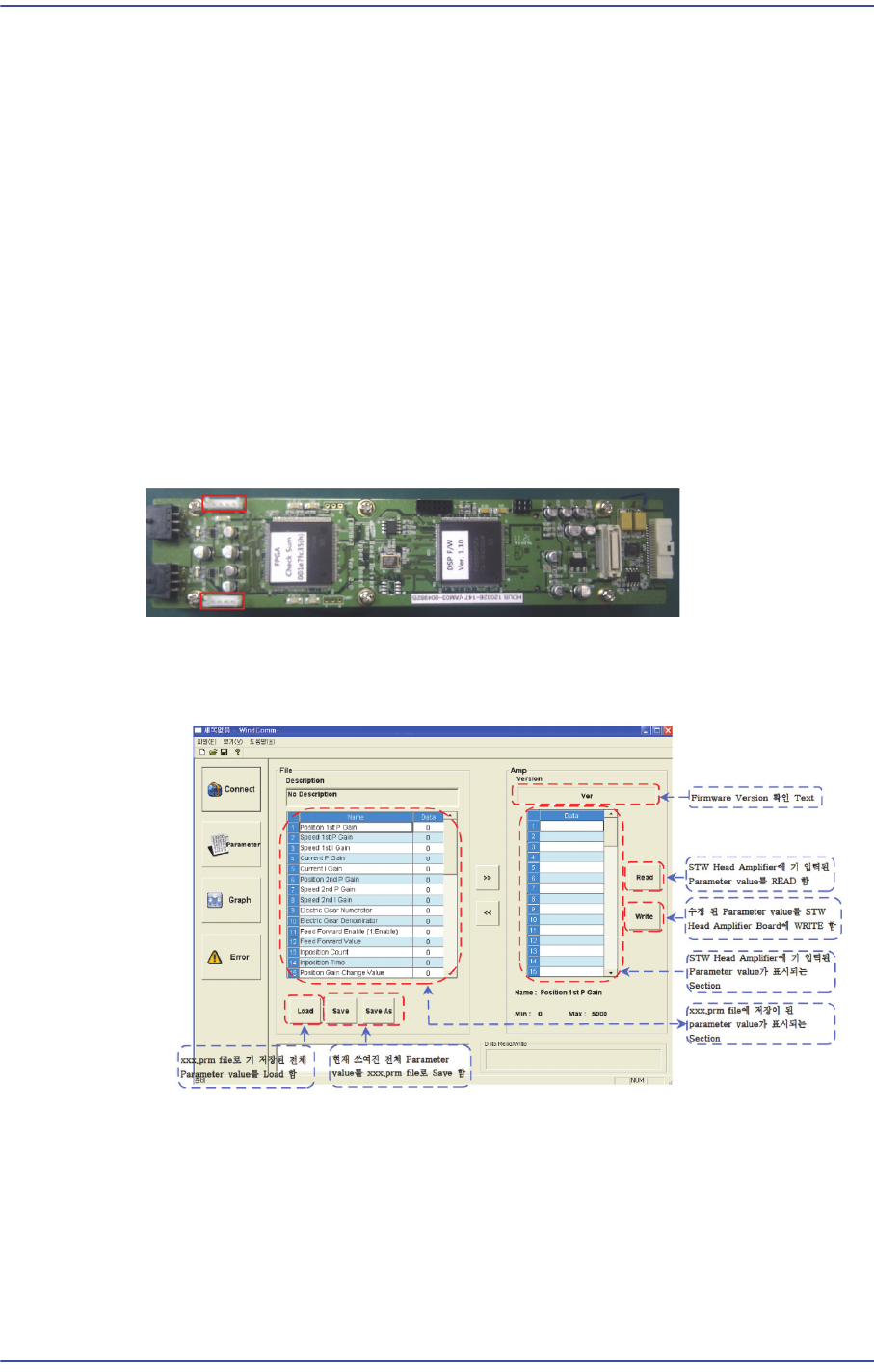
1) When checking the New Dual Head AMP Alarm and downloading the parameter, RS-
232C is used. Therefore, in order to check the alarm of the corresponding AMP, check
the setup of the serial port.
2) When checking the New Dual Head AMP Alarm and downloading the parameter, the
dedicated MMI program, WindComm+, must be used.
3) The WindComm+ MMI consists of four sections.
In order to check the alarm, use the ‘Alarm’ section of the MMI.
In order to download the parameter, use the ‘Parameter’ section of the MMI.
4) In order to check the parameter and alarm, connect the RS-232 cable to the new Dual
Head AMP connector.
5) Check the alarm by connecting the RS-232 cable to the connector in the direction in
which the red LED is turned on.
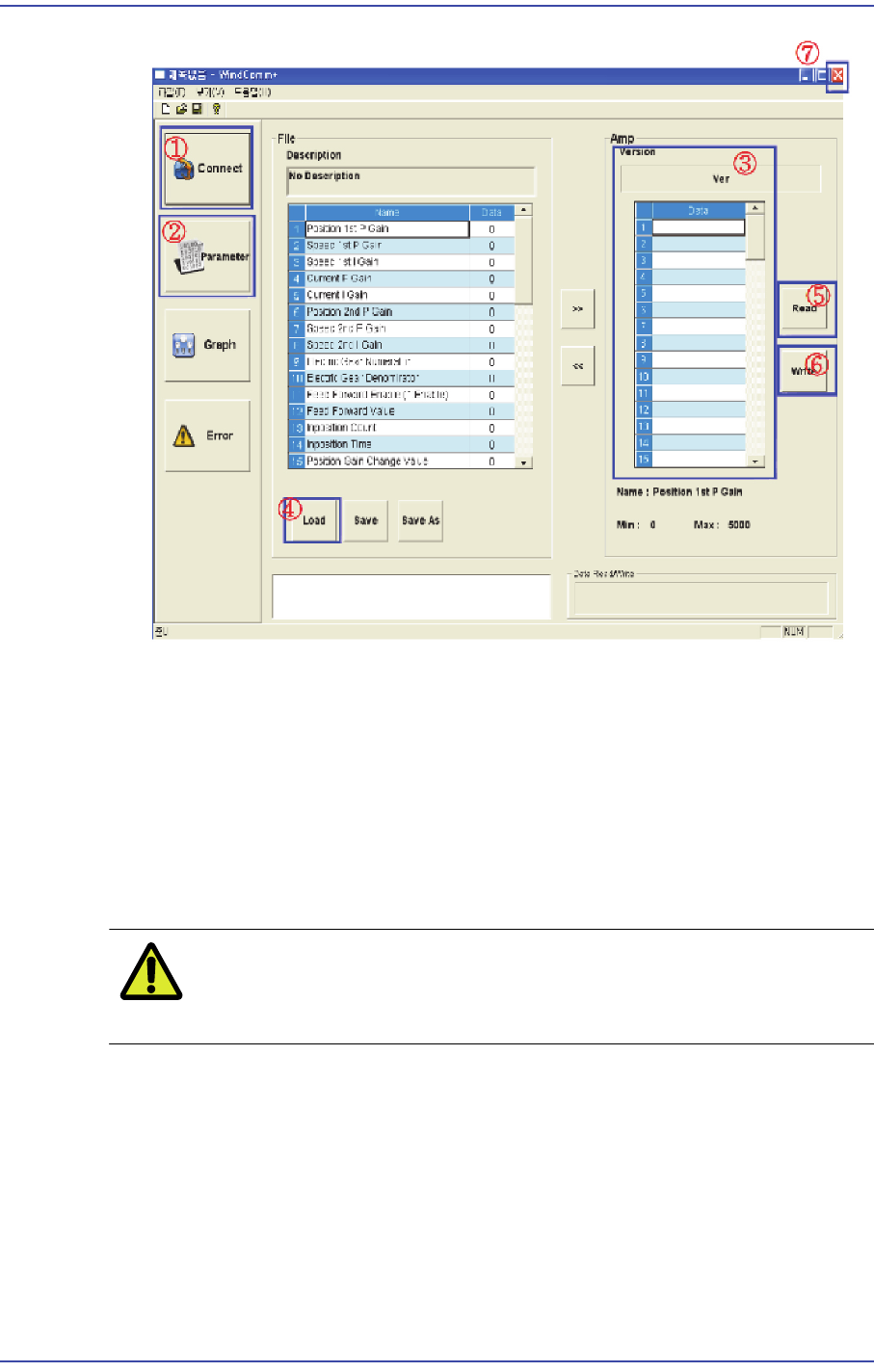
6) The MMI WindComm+ Parameter download screen is dedicated for the new dual
head amp and its download procedure is as follows:
5-41
Head
1: Move to the connector section and set and initialize the RS232 communication port.
2: Move to the section where the parameter is loaded and written.
3: Check the firmware version and whether the inputted parameter value is loaded.
4: Select the XXX.prm file to be loaded.
5: Write the parameter to E2PROM.
6: If it is written correctly, load the parameter.
7: If it is written correctly, exit WindComm+’.
Caution Use the parameter file supplied by us. Do not change the
parameter value at your discretion.
7) Check the MMI WindComm+ Alarm download screen dedicated for the new dual
head amp in the following manner.