DECAN_F2_Service(Eng_Ver1).pdf - 第347页
14-7 Board 4) V iew of major boards whose assembling is completed
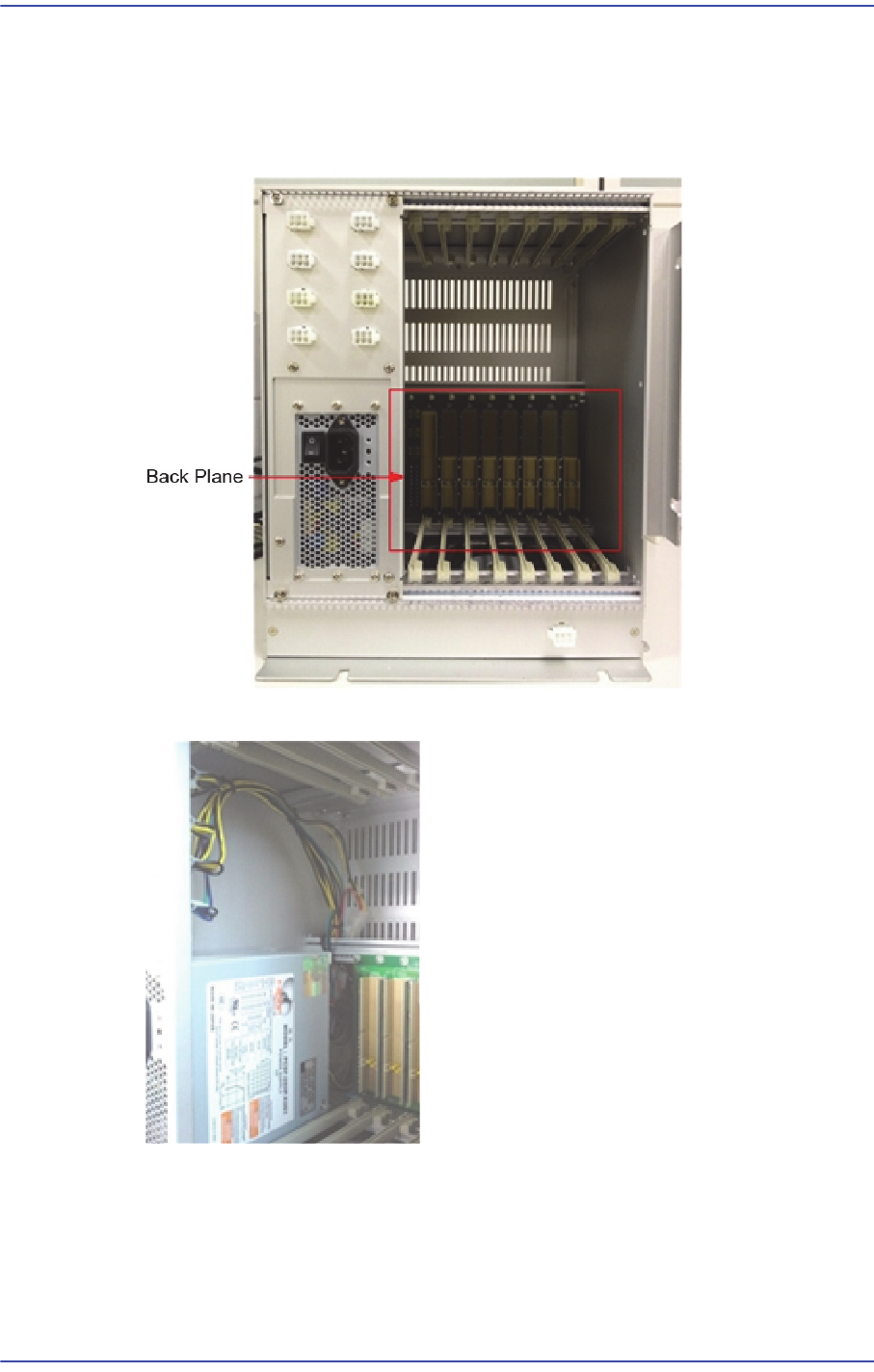
14-6
Fast & Flexible Chip Shooter DECAN F2 Service Manual
14.1.4. Note at the time of assembly
1) Check the PSDN short-circuit state and check whether the backplane pin is deformed
or missing (when connecting the backplane, do not use a plastic washer but use a
spring washer)
2) Cable arrangemen
3) Pay attention to the fan assembling direction (Assemble the fan so that its log can be
seen)
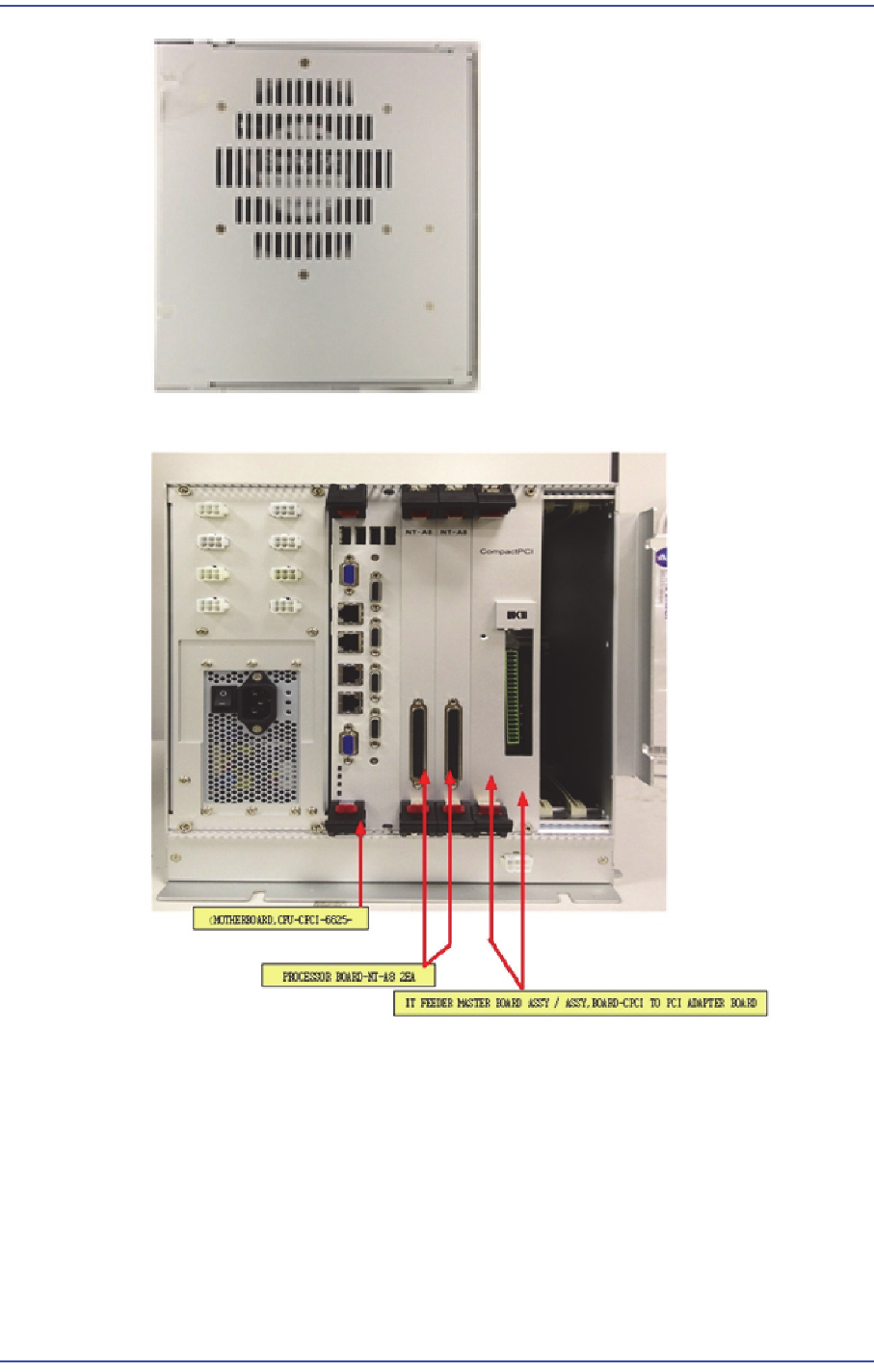
14-7
Board
4) View of major boards whose assembling is completed
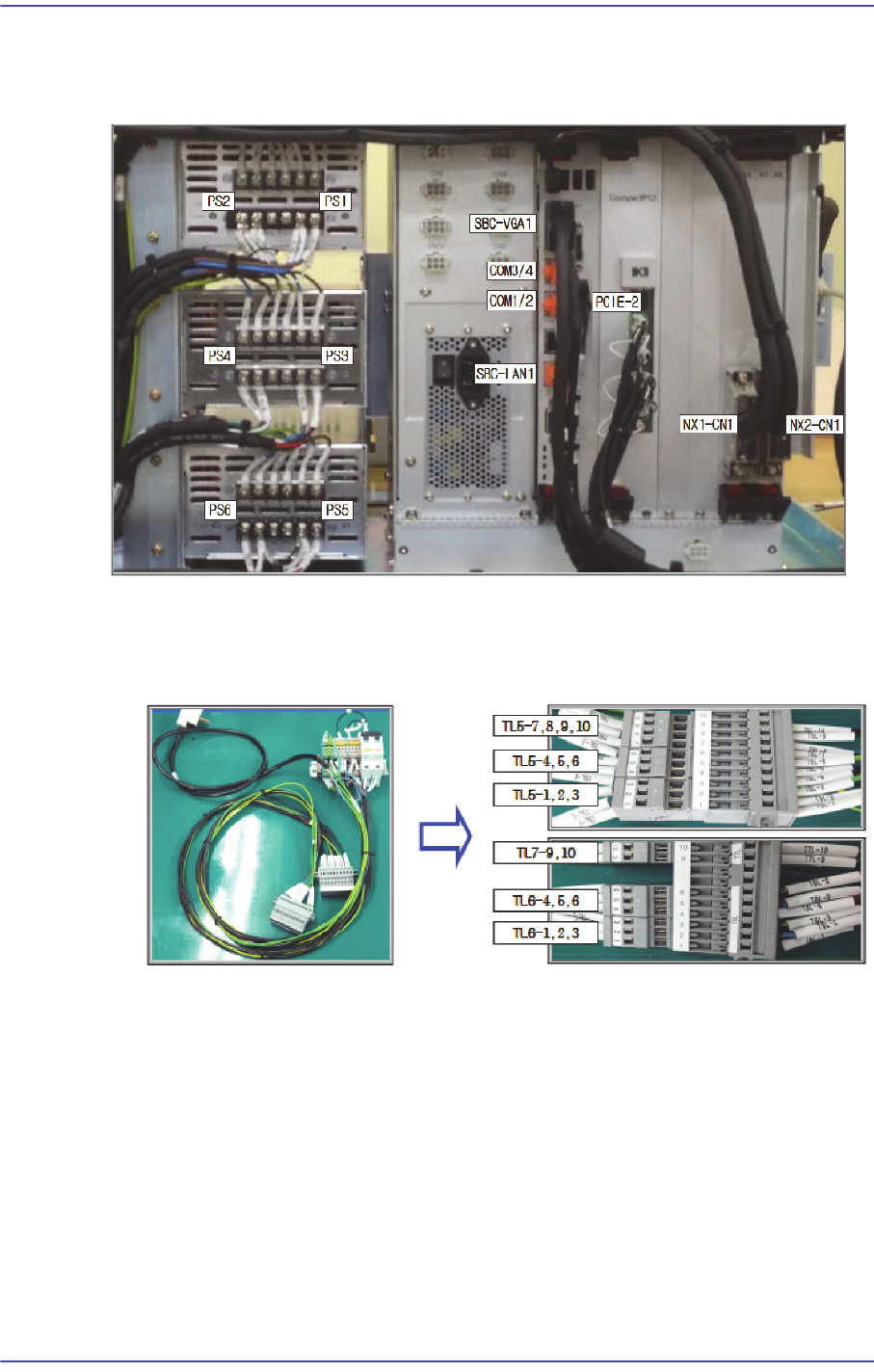
14-8
Fast & Flexible Chip Shooter DECAN F2 Service Manual
14.1.5. Cable connection of PC Rack
14.1.5.1. View of cable whose connection is completed
14.1.5.2. Power Test method
1) Connect the inspection jig and PC rack.
2) Set the power supply as shown in the following figure.