DECAN_F2_Service(Eng_Ver1).pdf - 第224页
10-10 Fast & Flexible Chip Shooter DECAN F2 Service Manual (The Y -axis moves to the front once and then to the rear once again.) Click the ‘Gain Setting Check’ button to perform setup so that the scale values of t…
10-9
Y-Axis Frame
Check the program is exited normally.
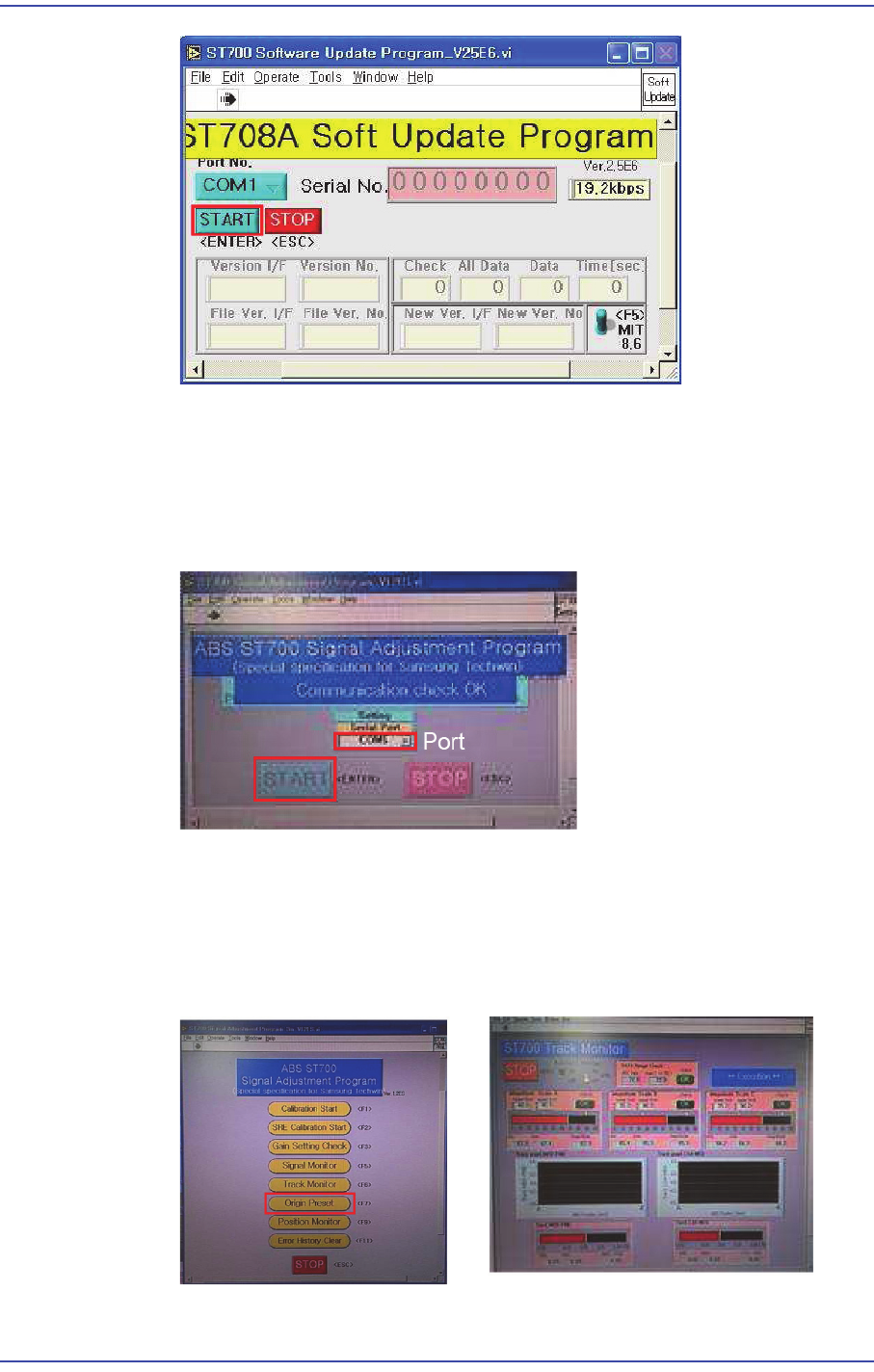
For the setup method using the ABS ST700 Signal Adjustment Program, refer to
the following procedure.
(When the COM port has been connected properly, the "Communication Check
OK" message is generated.)
Click the ‘Origin Preset’ button to check whether the read values of A, B and C
phases as well as MED-FINE and COAMED values fall within the specified
range.
(Specified value of A, B and C phases: - MIN ~ MAX : Within 50~90)
(MED-FINE, COA-MED - MIN ~ MAX : Within -0.4~0.4)
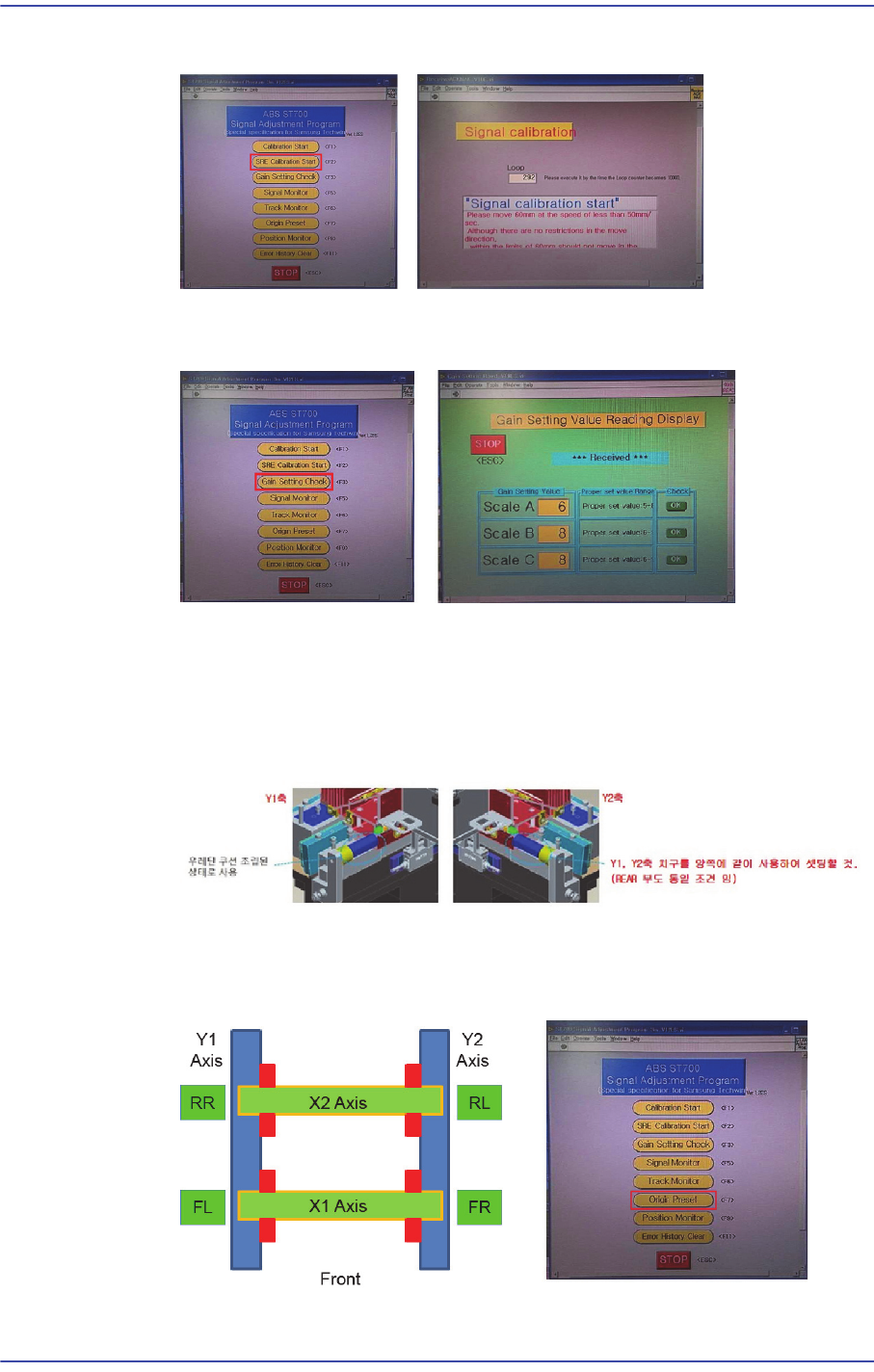
Click the ‘Set Calibration’ button to perform calibration.
10-10
Fast & Flexible Chip Shooter DECAN F2 Service Manual
(The Y-axis moves to the front once and then to the rear once again.)
Click the ‘Gain Setting Check’ button to perform setup so that the scale values of
the A, B and C phases fall within the specified range.
Click the ‘Origin Preset’ button to check again whether the read values of A, B
and C phases as well as MED-FINE and COAMED values fall within the
specified range.
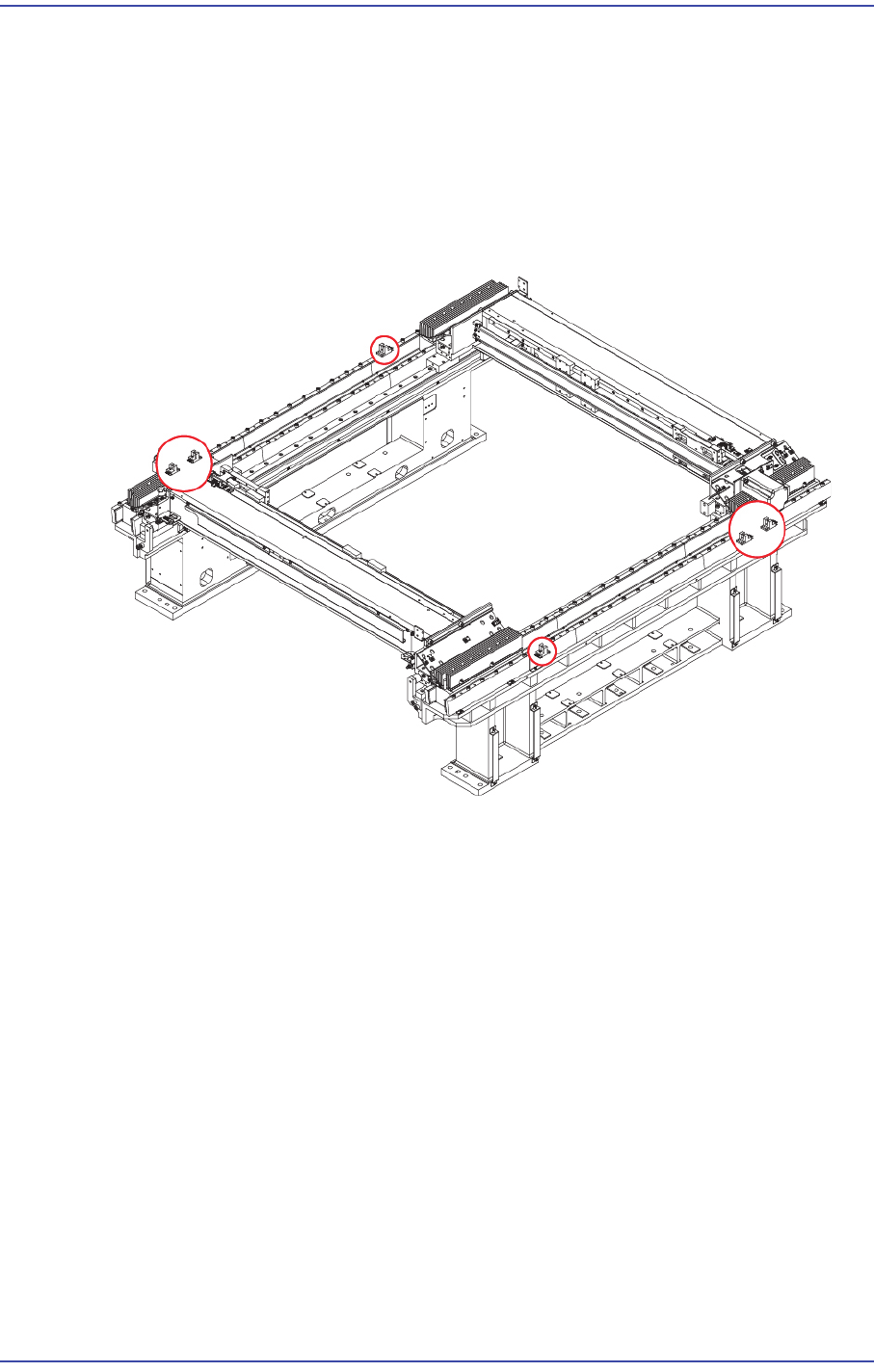
To calibrate the Y-axis, as shown in the figure, in close contact with Jig O points
(Origin) to the Setting.
After setting the origin of the X and Y axes (Jig in a state close to the axis), click
the ‘Position Monitor’ to check whether the FL RR is -55mm±1.0mm and FR RL
is +55mm ±1.0mm.
10-11
Y-Axis Frame
10.3. Sensor
10.3.1. Required Tools
T Wrench (other tools supplied) or Hex Wrench
Torque Wrench
10.3.2. Location of Sensor
10.3.3. Sensor Replacement Procedure
1) Close the PC as usual and turn off the main switch at the front of the machine.
2) Remove the power of Motor and encoder cable connector.