DECAN_F2_Service(Eng_Ver1).pdf - 第184页
7-2 Fast & Flexible Chip Shooter DECAN F2 Service Manual 4) When assembling it with a new ANC Module, refer to the following. When assembling the ANC, secure a parallelism of 0.02mm between the X Gantry and ANC. 1.…
7-1
ANC
Chapter7. ANC
7.1. ANC
7.1.1. Required Tools
T Wrench (other tools supplied) or Hex Wrench
Torque Wrench
7.1.2. ANC Module Replacement Procedure
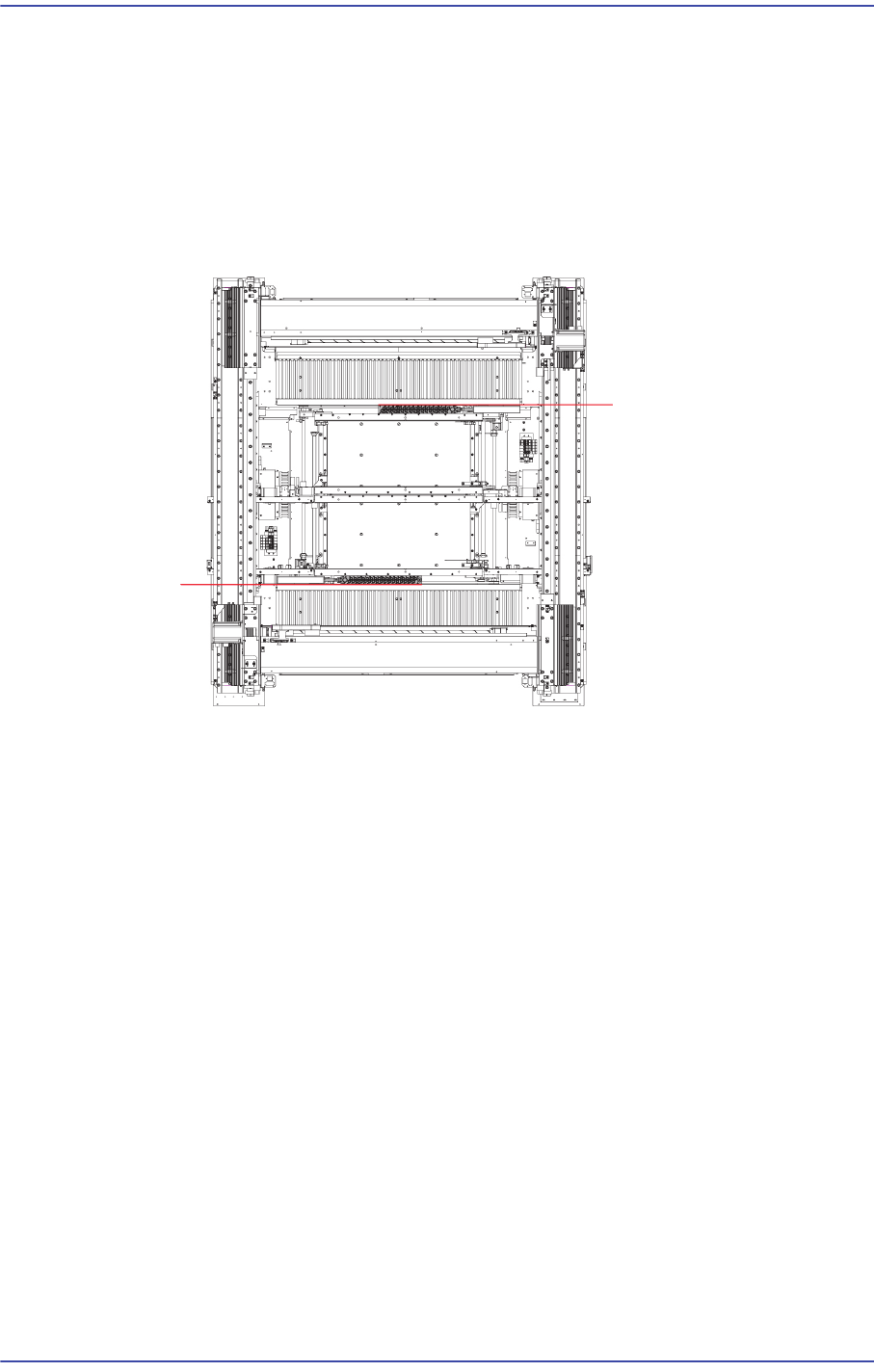
1) Manipulate the teaching box to move the head assembly to both ends as much as
possible.
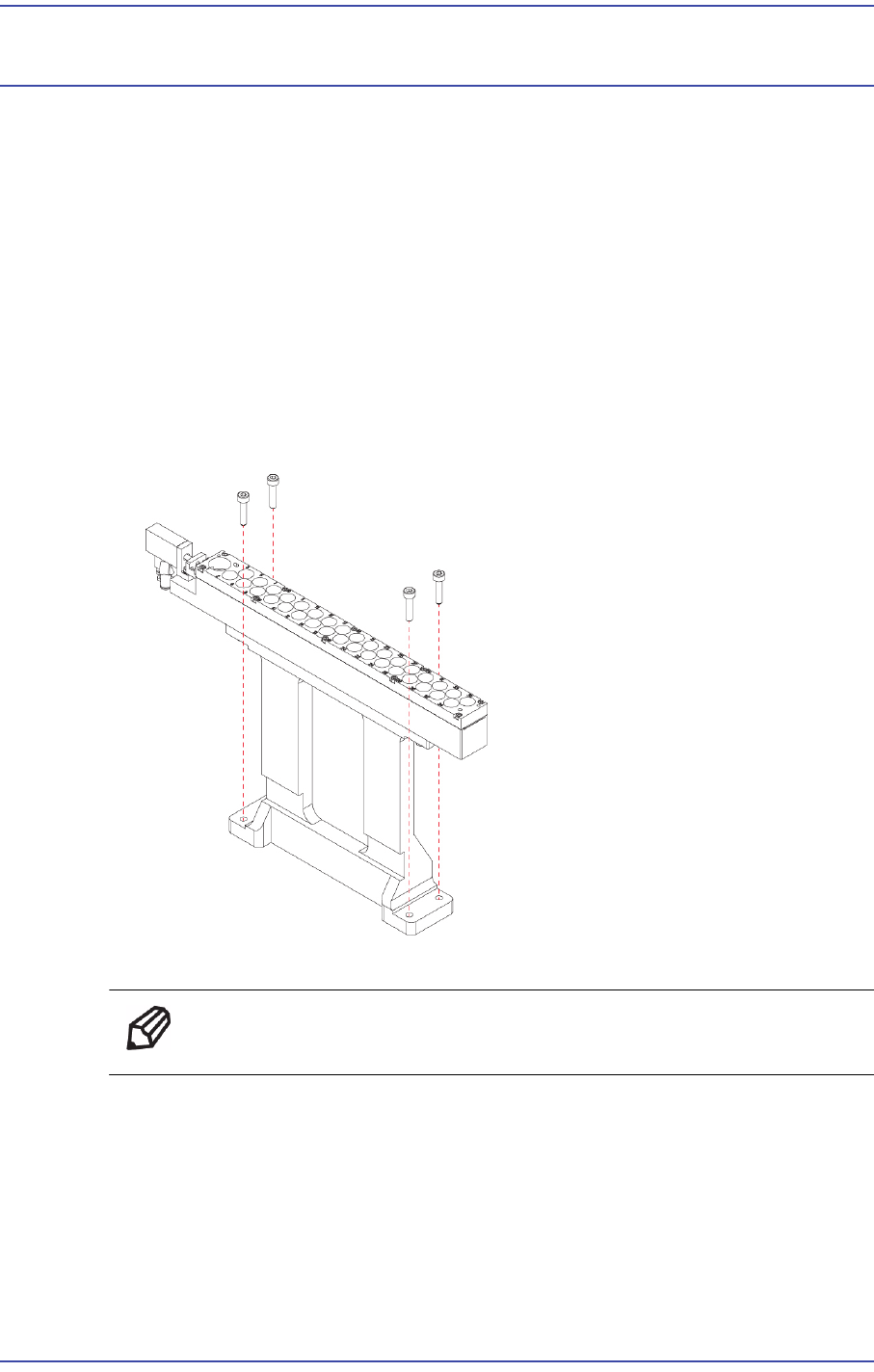
2) Unscrew the fixing bolts securing the ANC using a wrench and remove it.
3) Replace the ANC Module with a new one.
Ref The part number of the new ANC Module is AM03-001510A.
7-2
Fast & Flexible Chip Shooter DECAN F2 Service Manual
4) When assembling it with a new ANC Module, refer to the following.
When assembling the ANC, secure a parallelism of 0.02mm between the X Gantry
and ANC.
1. Set the parallelism by attaching the Magnetic Indicator (minimum scale 2?) to
the head tip.
2. If Step #1 above cannot be performed, set the parallelism while watching the
ANC fiducial mark and Vision window using the fiducial camera on the head.
7-3
ANC
7.2. Shutter Cylinder
7.2.1. Required Tools
T Wrench (other tools supplied) or Hex Wrench
Torque Wrench
7.2.2. Shutter Cylinder Replacement Procedure
1) Manipulate the teaching box to perform homing (Return to Origin) of the machine.
2) Turn Off the PC in normal way. Then turn off the main switch on the front side of the
machine.
3) Please shut off the main Pneumatic of the device.
4) Please remove the Pneumatic that is connected to the Cylinder.
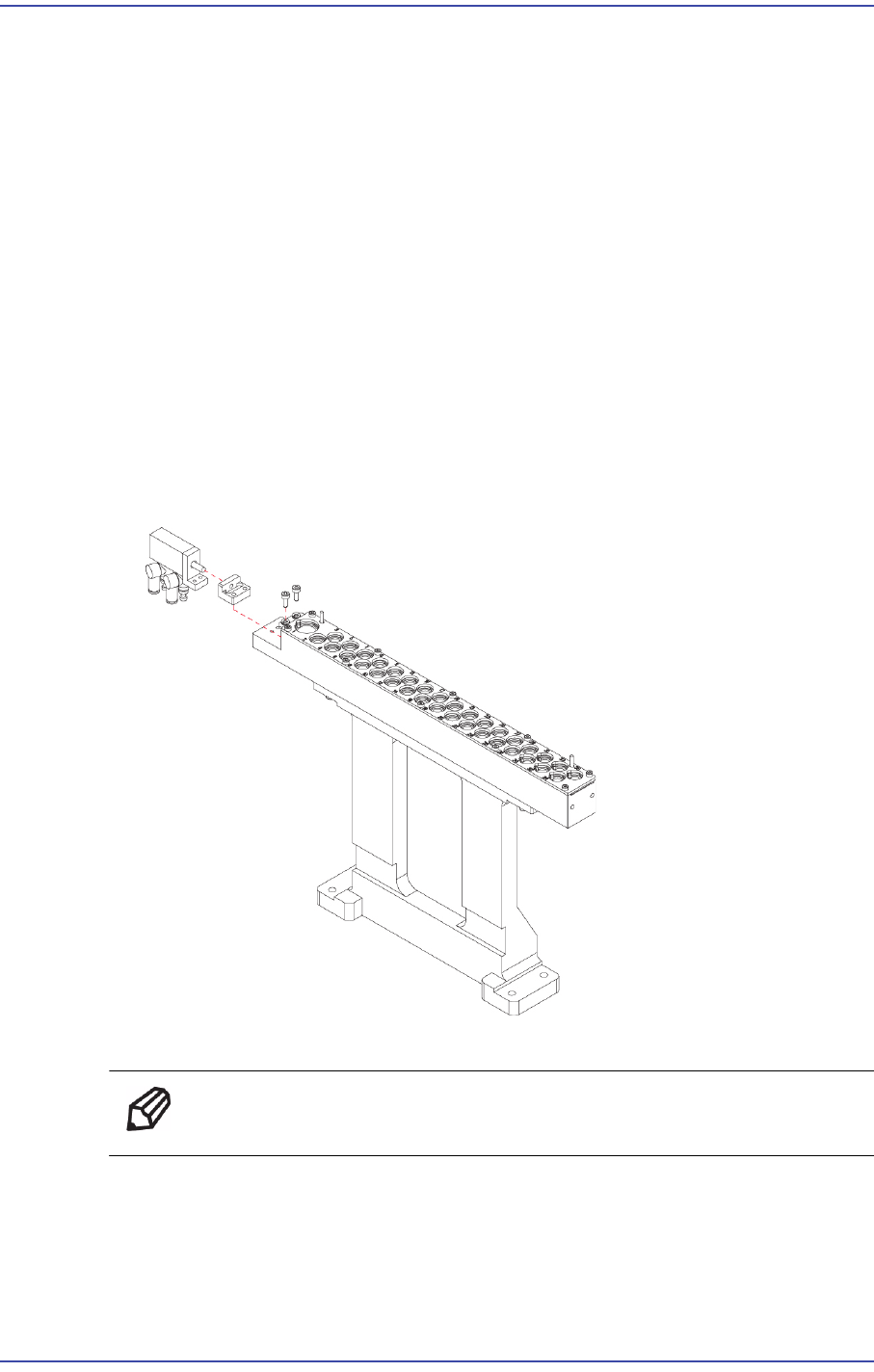
5) Unscrew the fixing bolts (2-M3*8) securing the Cylinder using a wrench and remove
it.
6) Assemble in the ANC Module a new Cylinder.
Ref The part number of the new Cylinder is J6701029A.
7) Turn on the main switch at the front of the machine and boot the PC once the
replacement is completed.