DECAN_F2_Service(Eng_Ver1).pdf - 第318页
13-48 Fast & Flexible Chip Shooter DECAN F2 Service Manual When inquiring the check history , input th e search condition and click the <Search> button. 1) Search Condition The check history can be inquired by …
13-47
Software
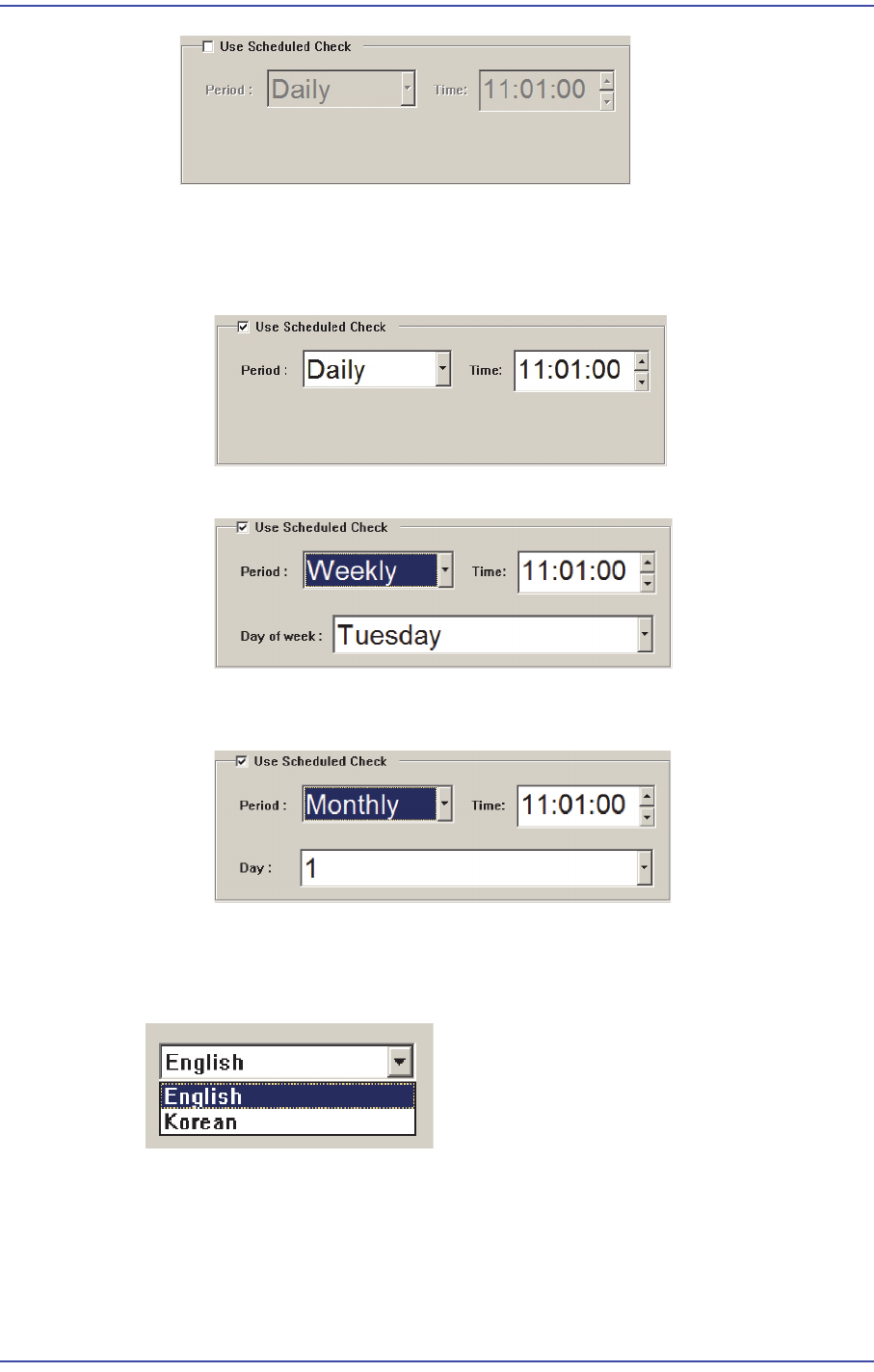
Setting Time for Scheduled Check
The time for scheduled check can be set in the following manner.
When setting the time informing the scheduled check at 14: 20 every day.
When setting the time informing the scheduled check at 14: 20 every Friday.
When setting the time informing the scheduled check at 14: 20 every 28th day of
the month.
9) Language Setup
The language setup of the PM Manager user interface can be changed. Select the
desired language from the Setup Screen.
13.2.5. History Screen
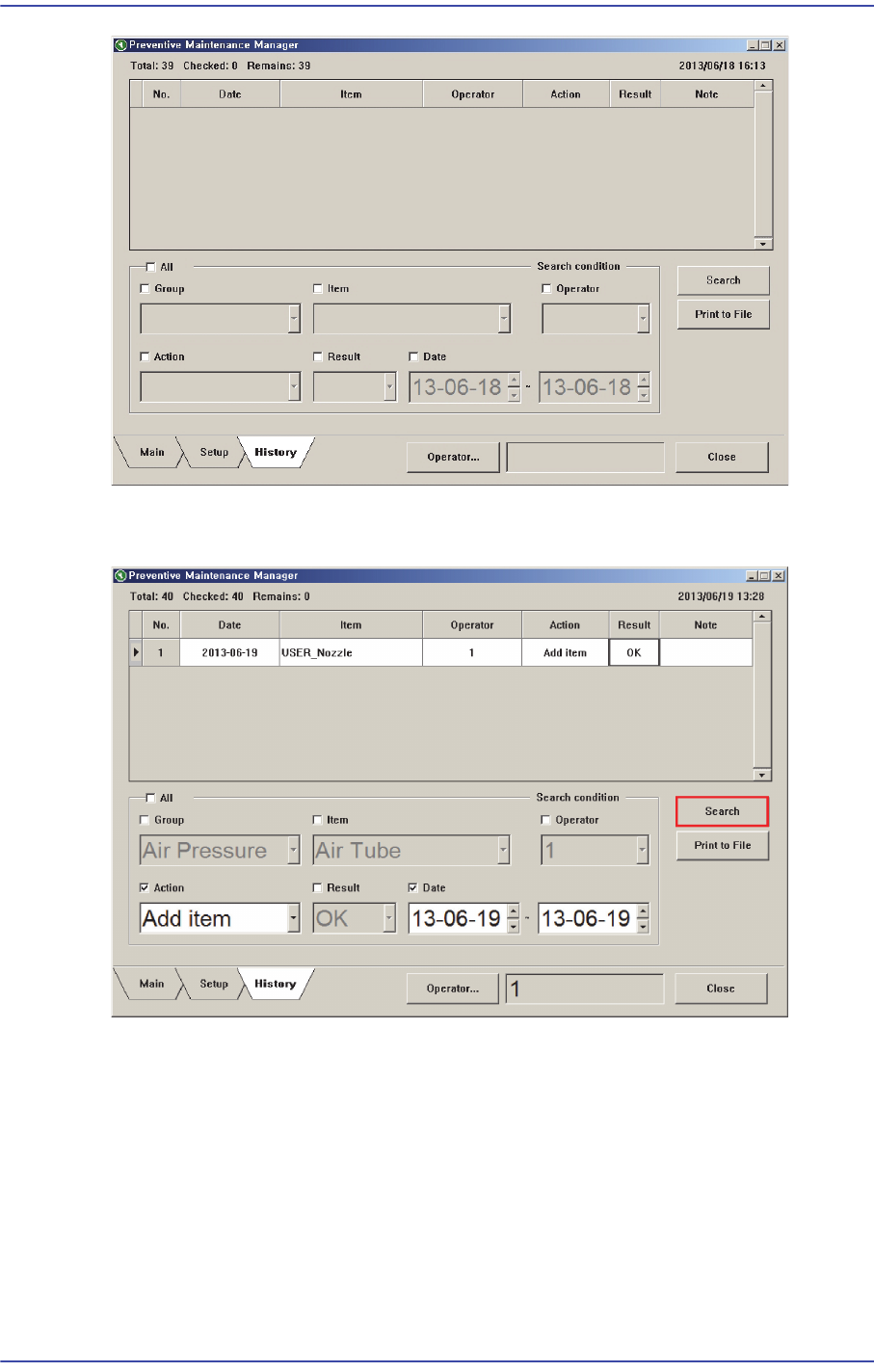
All check histories can be inquired in the History Screen.
13-48
Fast & Flexible Chip Shooter DECAN F2 Service Manual
When inquiring the check history, input the search condition and click the <Search>
button.
1) Search Condition
The check history can be inquired by selecting the following check boxes and entering
the search condition.
All: Indicates all check histories.
Group: Selects a group of check items.
Item: Selects check items.
Operator: Checks the user.
Action: Selects whether to take action for the check item.
13-49
Software
Result: Indicates the status of the check item.
Date: Selects the date for inquiry.
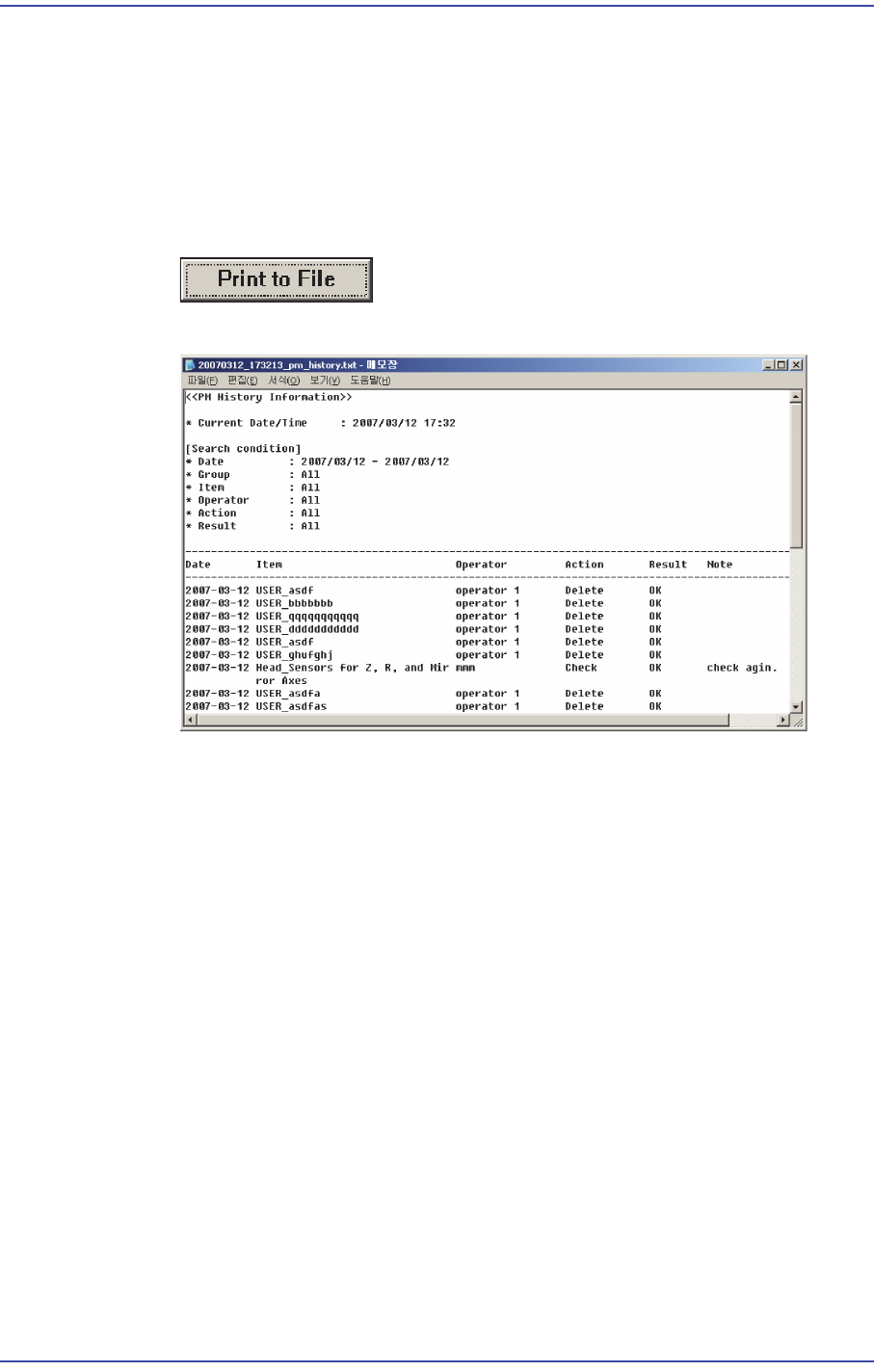
2) Outputting Check History in File Format
Searched check history and all check histories can be outputted in the text file format.
This can be performed in the following manner.
Click the <Print to File> button
Text file is created.