DECAN_F2_Service(Eng_Ver1).pdf - 第177页
6-27 Conveyor 4) Remove connectors #1 ~ #4. 5) Remove the Entry Zone from the machine by perform ing steps #1~#4. 6) Assemble the Entry Zone for the Full Dual Convey or in the reverse order o f #1~#3. 7) Remove the Conn …
6-26
Fast & Flexible Chip Shooter DECAN F2 Service Manual
6.5. Replacement location of Shuttle
6.5.1. Required Tools
T-Wrench (other tools supplied) or Hex Wrench
6.5.2. Procedure for replacing the Dual Conveyor to the Full Dual Conveyor
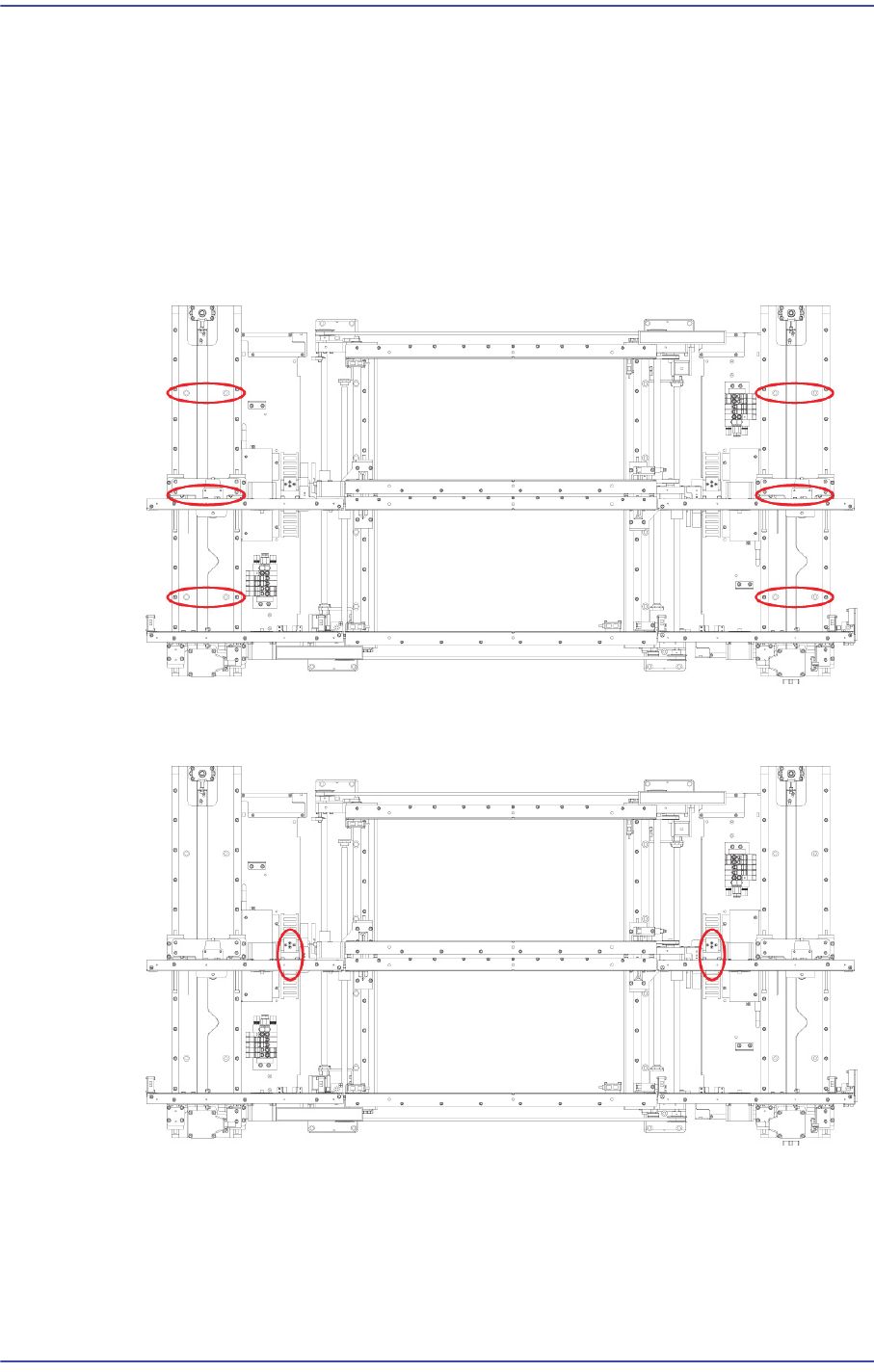
1) Unscrew the fixing bolts securing Entry Zone Shuttle and Exit Zone Shuttle and
remove them.
2) Unscrew the fixing bolts securing Entry Zone Shuttle, Exit Zone Shuttle and
Cableveyor and remove them.
3) Unscrew the fixing bolts securing Cover remove it.
6-27
Conveyor
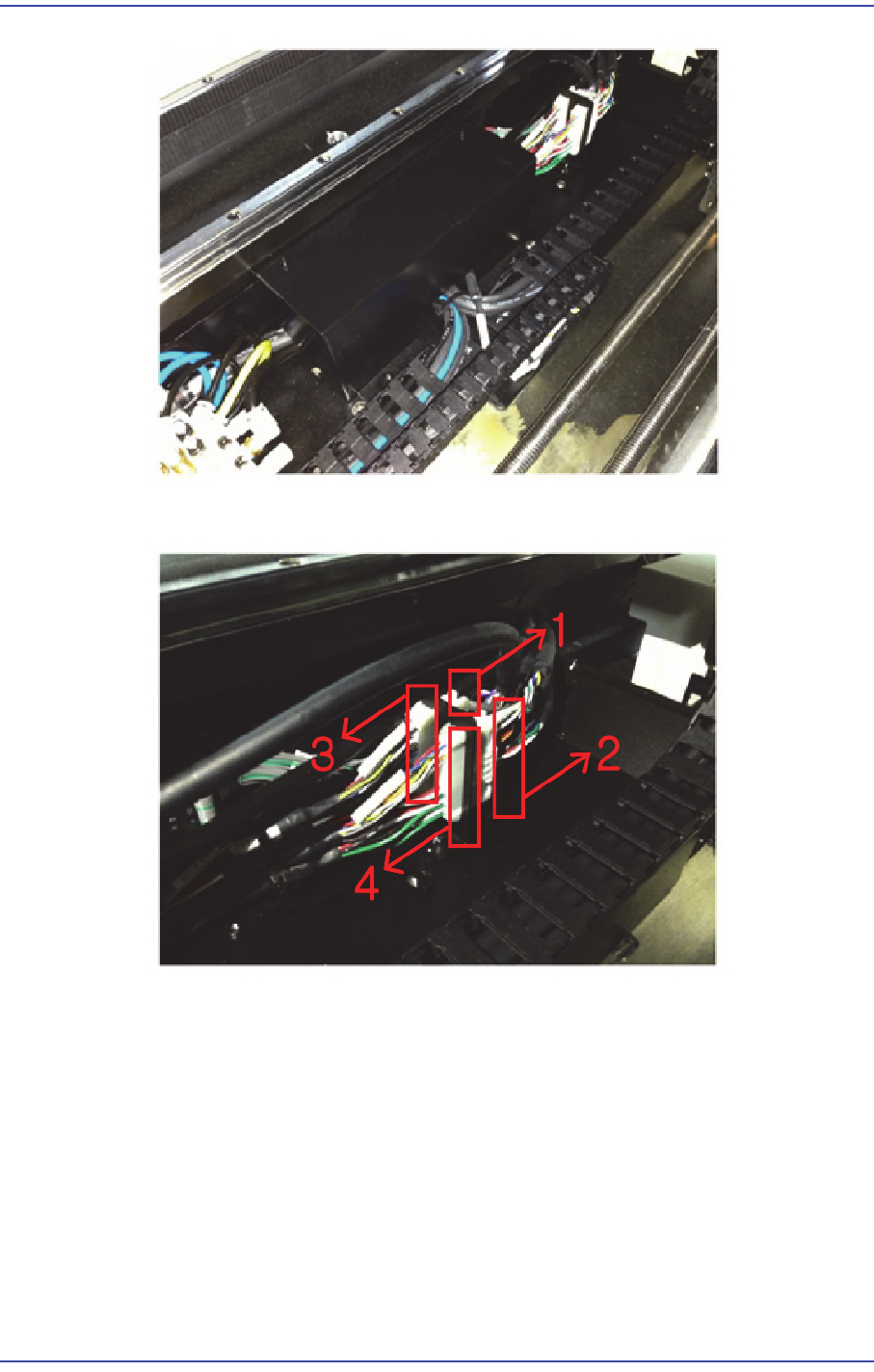
4) Remove connectors #1 ~ #4.
5) Remove the Entry Zone from the machine by performing steps #1~#4.
6) Assemble the Entry Zone for the Full Dual Conveyor in the reverse order of #1~#3.
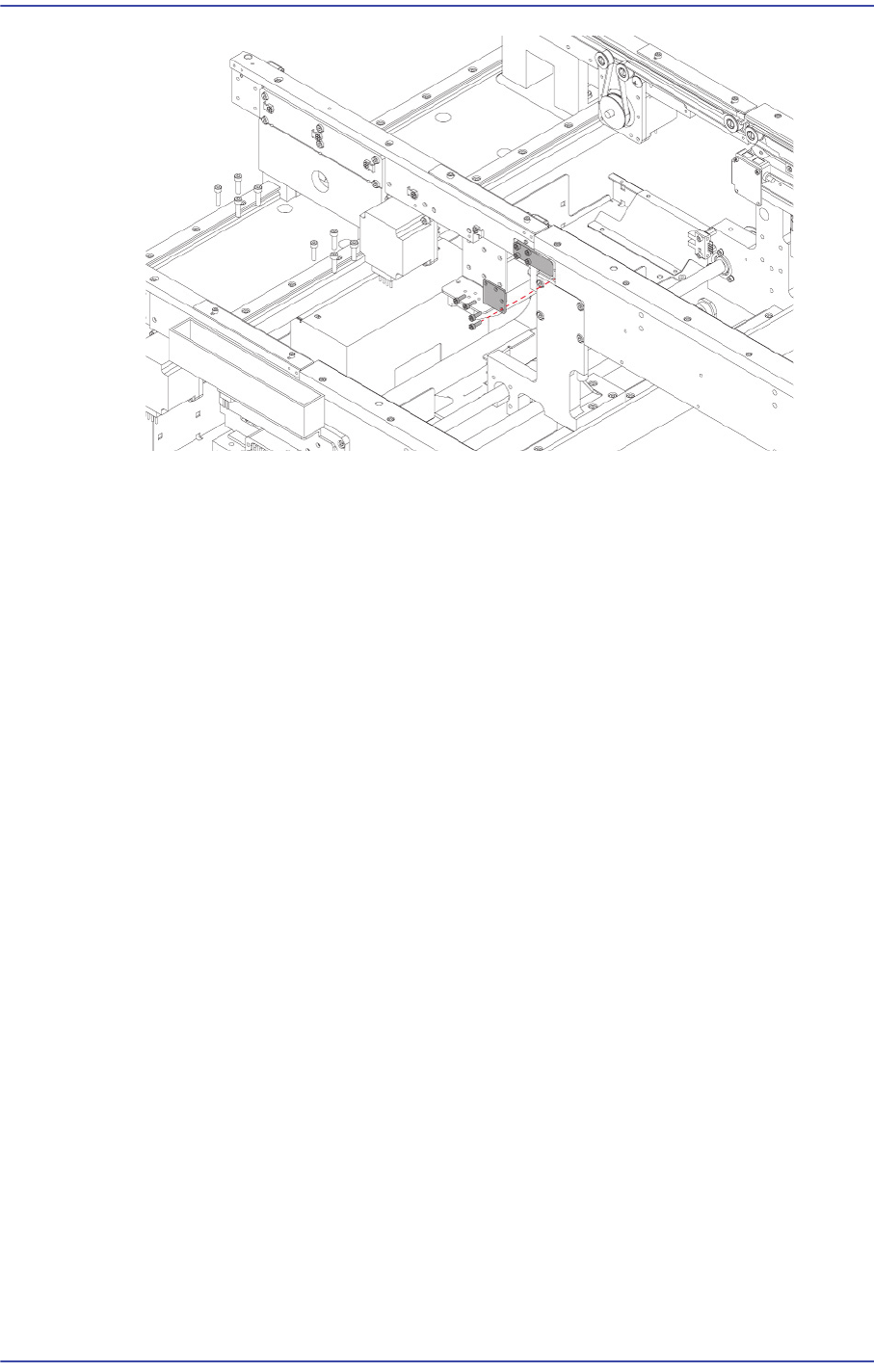
7) Remove the Connect Bracket of the Work Zone.
Match the Block Bracket of the Entry Zone to the connector groove of the Work Zone
and assemble the Connect Bracket.
6-28
Fast & Flexible Chip Shooter DECAN F2 Service Manual
8) Assemble the shuttle of the Exit Zone in the same manner.