DECAN_F2_Service(Eng_Ver1).pdf - 第94页
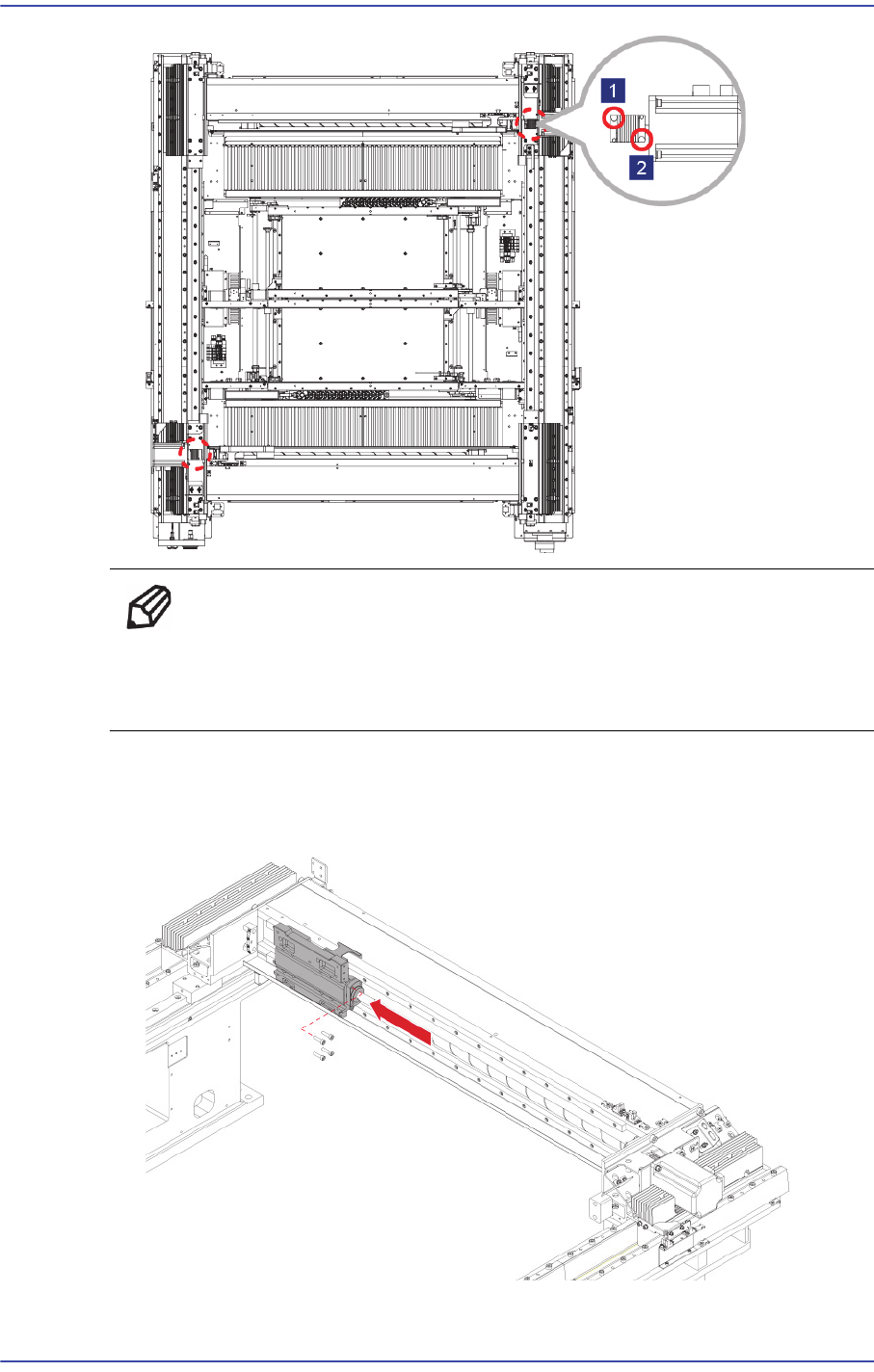
4-6 Fast & Flexible Chip Shooter DECAN F2 Service Manual Ref When replacing only the X-axis motor , remove only the set screw(No2) near the motor and when replacing only the ball screw , remove only the set screw(No1…
4-5
X Frame
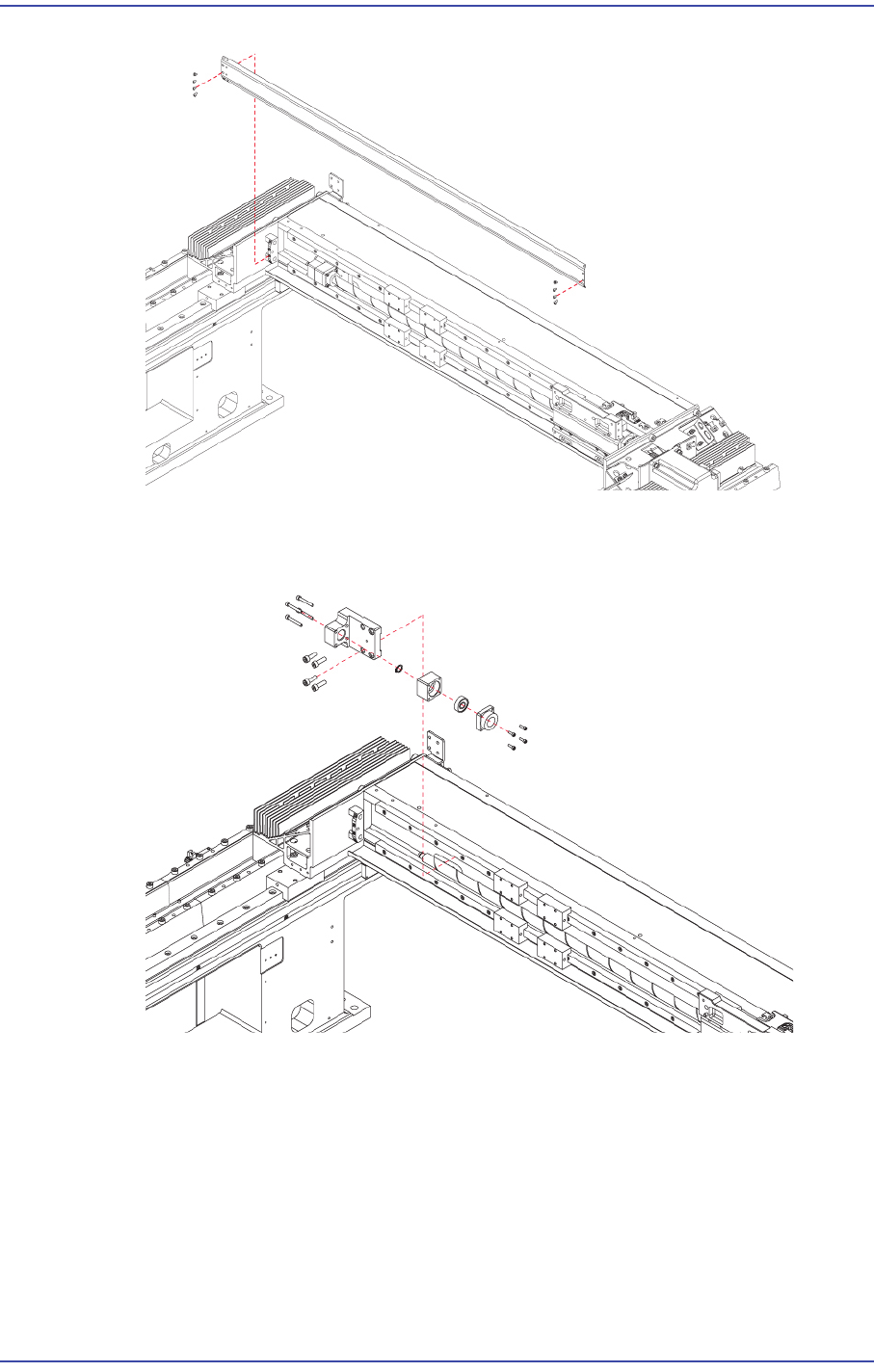
4) In order to remove the cushion, unscrew the fixing screws and remove the snap ring
assembled to the ball screw using snap ring pliers.
5) Remove the set screws (No1) of the coupling that connects the Coupling and ball
screw.
4-6
Fast & Flexible Chip Shooter DECAN F2 Service Manual
Ref When replacing only the X-axis motor, remove only the set
screw(No2) near the motor and when replacing only the ball screw,
remove only the set screw(No1) near the ball screw.
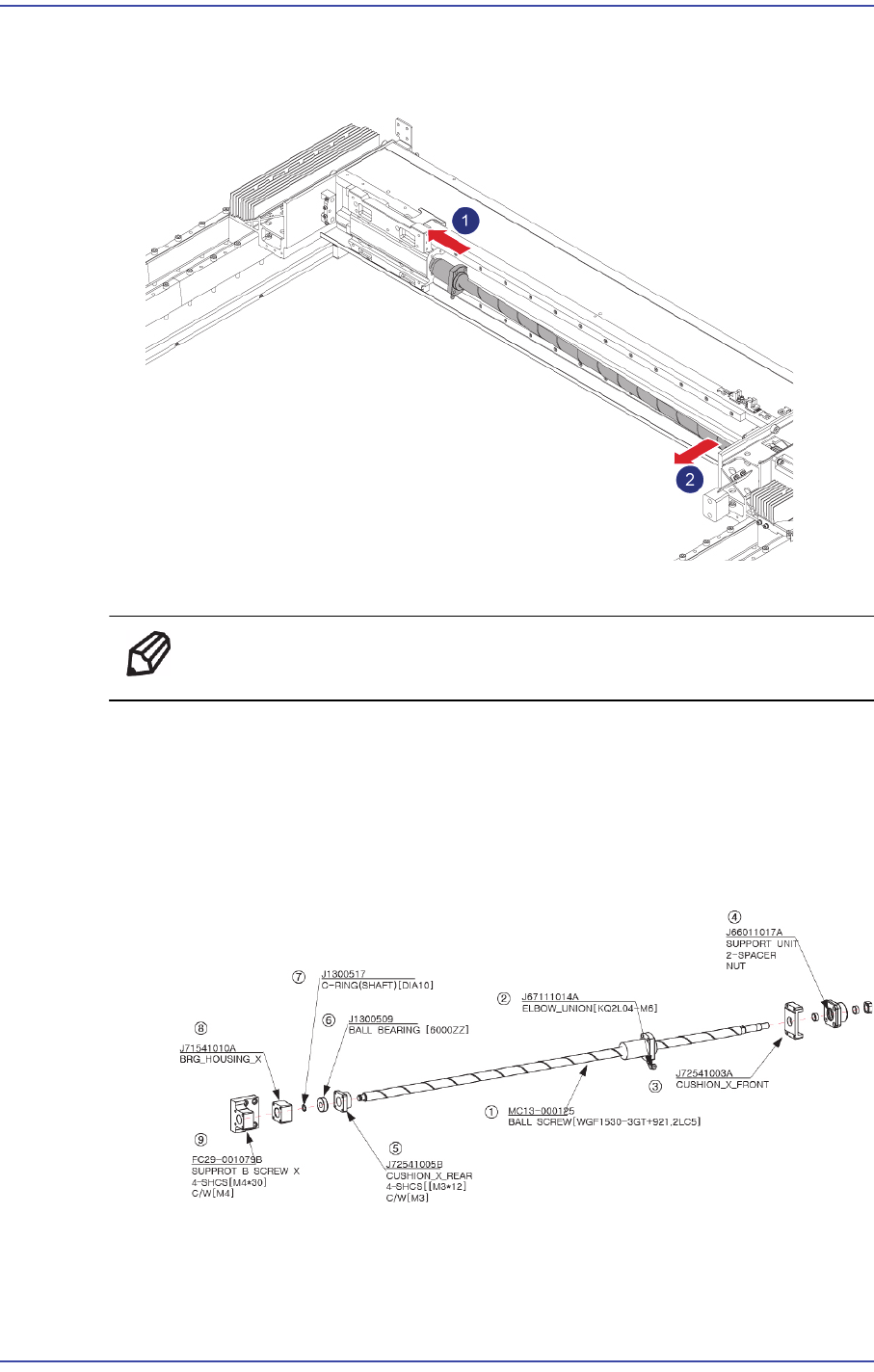
6) After moving the Head Base as far as possible to the left, unscrew the ball screw as
well as the Head Base fixing bolts (4-M5*20) to remove the head base.
4-7
X Frame
7) Remove the ball screw by inclining it so that it is not damaged due to collision with
other modules.
8) Replace the Ball Screw with a new one.
Ref The part number of the new Ball Screw is MC13-000125.
9) When assembling, refer to the following.
Tighten Support B Screw X by applying 40kgf-cm torque.
When assembling the Cushion X Rear, apply Loctite and assemble it up to the
position at which the screw comes in contact with the cushion.
After assembling C ring, check whether it can be turned by hand.
After assembling the Ball Screw, measure the side height at the position shown in the
following figure using a jig.