DECAN_F2_Service(Eng_Ver1).pdf - 第391页
15-17 Electric Device 15.7. UPS 15.7.1. How to connect the Cable 1) Open the back cover , remove th e Cable attached 1A Power Distribution T erminal Block, in 6A, to connect with the Cable Inlet. (Connect to the terminal…
15-16
Fast & Flexible Chip Shooter DECAN F2 Service Manual
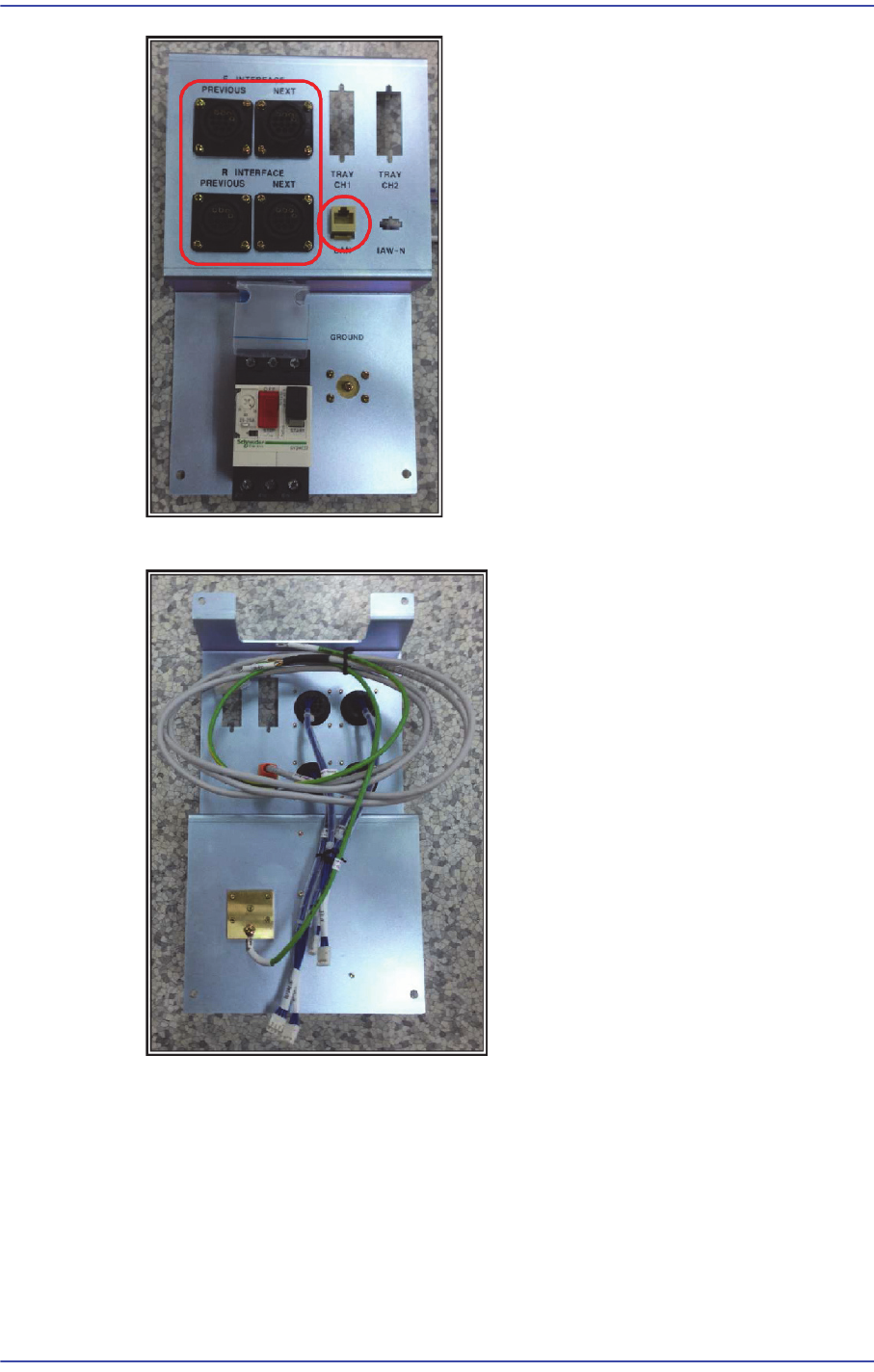
4) Assemble the LAN EXT cable and EARTH cable to the rear panel.
15-17
Electric Device
15.7. UPS
15.7.1. How to connect the Cable
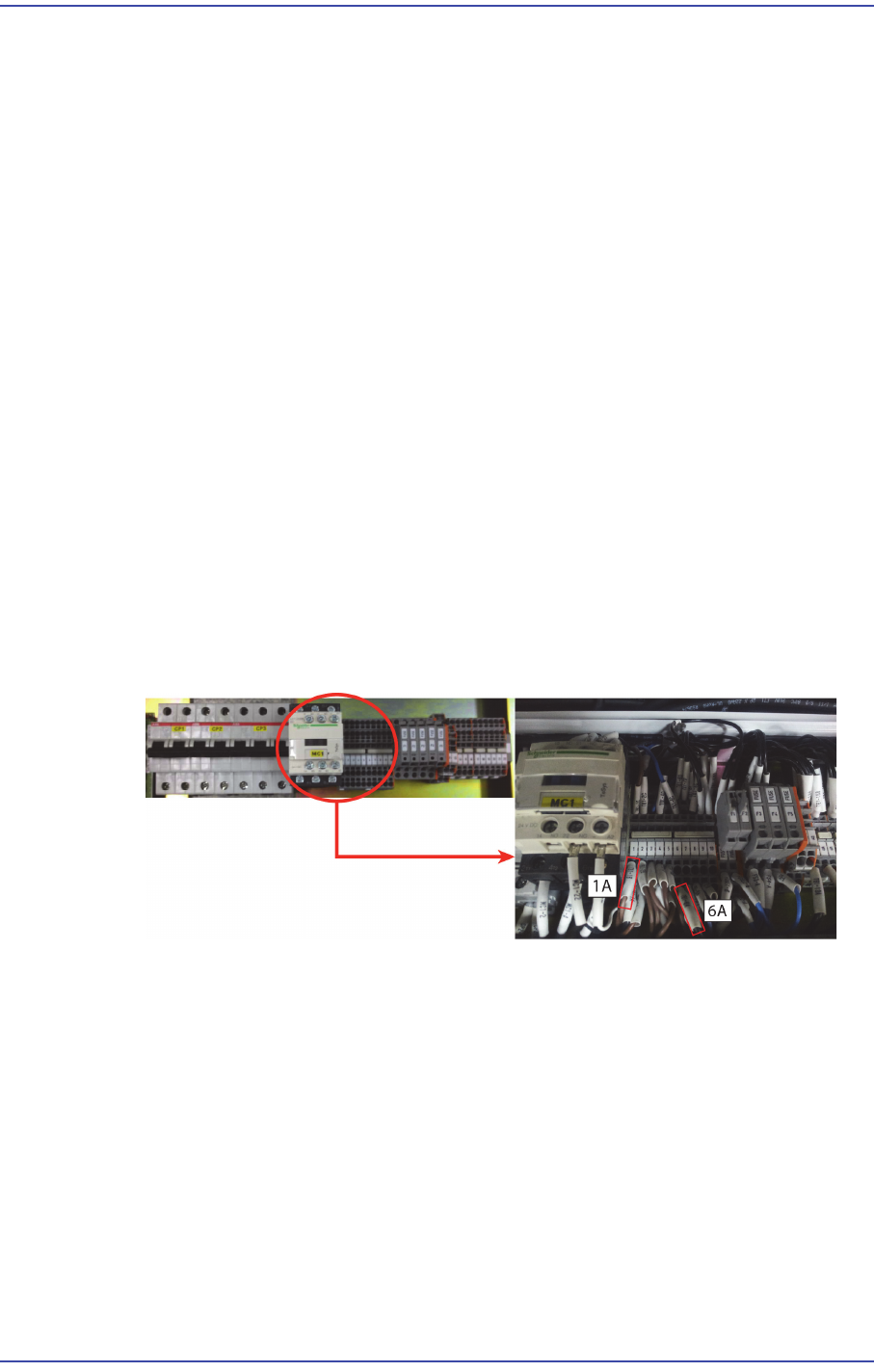
1) Open the back cover, remove the Cable attached 1A Power Distribution Terminal
Block, in 6A, to connect with the Cable Inlet.
(Connect to the terminal of Knowle use or soldering)
1A => Inlet for AC terminal (Hot)
6A => Inlet terminal for AC (Neutron)
After the connection is handled properly by using the shrinkable tube and an insulating
tape attached portion is not exposed.
2) (Yellow / Green and General Green) ground wire Inlet Cable is bitten by a ground
Plate of equipment by extending.
3) 1A of the Terminal Block, the bite to the tip of the 6A Outlet Cable.
Outlet for AC terminal (Hot) => 1A, Outlet for AC terminal (Neutron) => 6A
4) Once these steps have been completed, connect each to the UPS Outlet Cable and Inlet
Cable, to increase the power of the device.
(Single-stranded two + ground wire power line) 3 layer is described tip: Inlet
Cable.
Outlet Cable: (2 the power supply line) two, tip nose plug shape of pig.
15-18
Fast & Flexible Chip Shooter DECAN F2 Service Manual
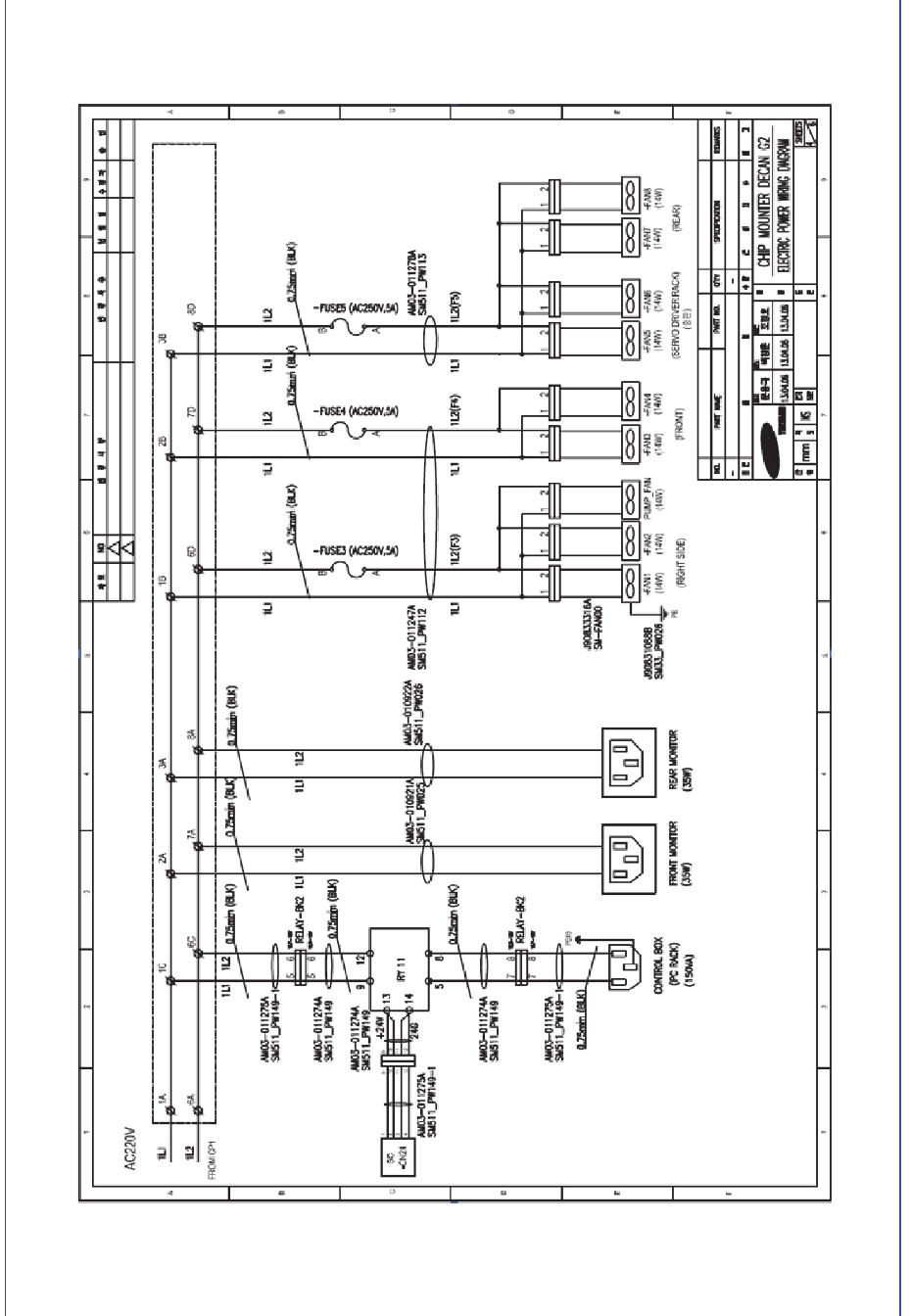
15.7.2. Also installation related DECAN G2 Block power the UPS