DECAN_F2_Service(Eng_Ver1).pdf - 第256页
12-6 Fast & Flexible Chip Shooter DECAN F2 Service Manual 4) Executing ANA TERM ver .5.0 will display the connected driver/motor information. If the driver and motor informa tion is correct, click ‘OK’. 5) Select MIN…
12-5
Motor Driver
Warning The adjustment of the parameters for the servo motor is not
permitted in whatever case except when the driver
parameter is distributed as Service Information.
12.4. Servo Motor Parameter
12.4.1. Required tools
Spanner
(+) shape tipped screw driver, (-) shape tipped screw driver
T Wrench or Hex Wrench
Motor Driver Data Cable : USB – mini USB Cable (AM03-000143)
PANATERM Software (PANATERM version 5.0.3.0 )
12.4.2. How to Set X axis, SW axis Parameters
1) Press the ‘EMG’ switch on the front of the machine to turn off the power supply to the
motor. At this time, all power supply lines to the machine must be turned on or power
must be applied to the corresponding motor driver.
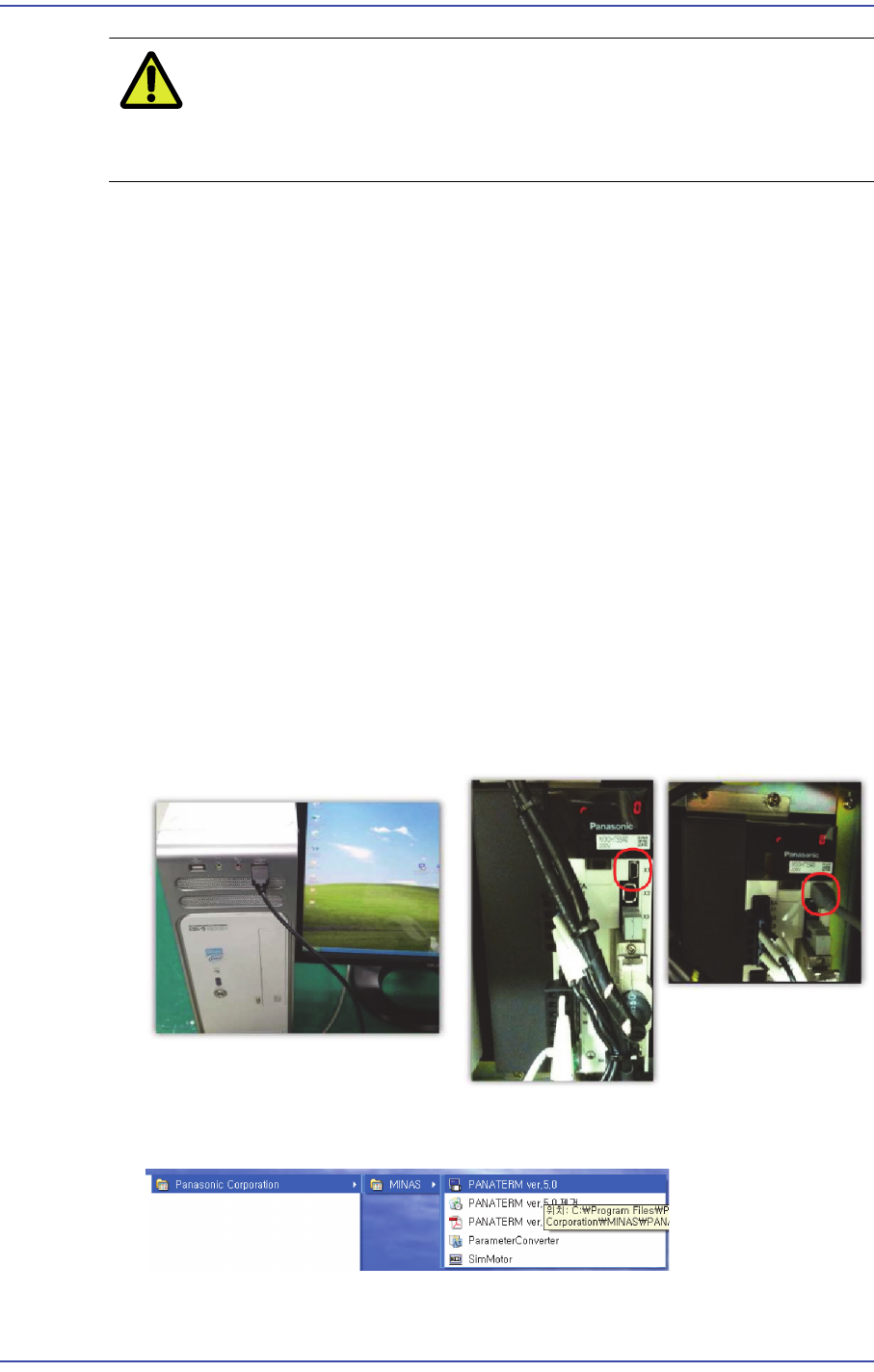
2) Connect the USB mini cable to the keyboard USB port and the X1 terminal of the Y1
motor amplifier.
3) Execute "Start >> Program >> Panasonic Corporation >>MINAS >>"PANATERM
ver.5.0".
12-6
Fast & Flexible Chip Shooter DECAN F2 Service Manual
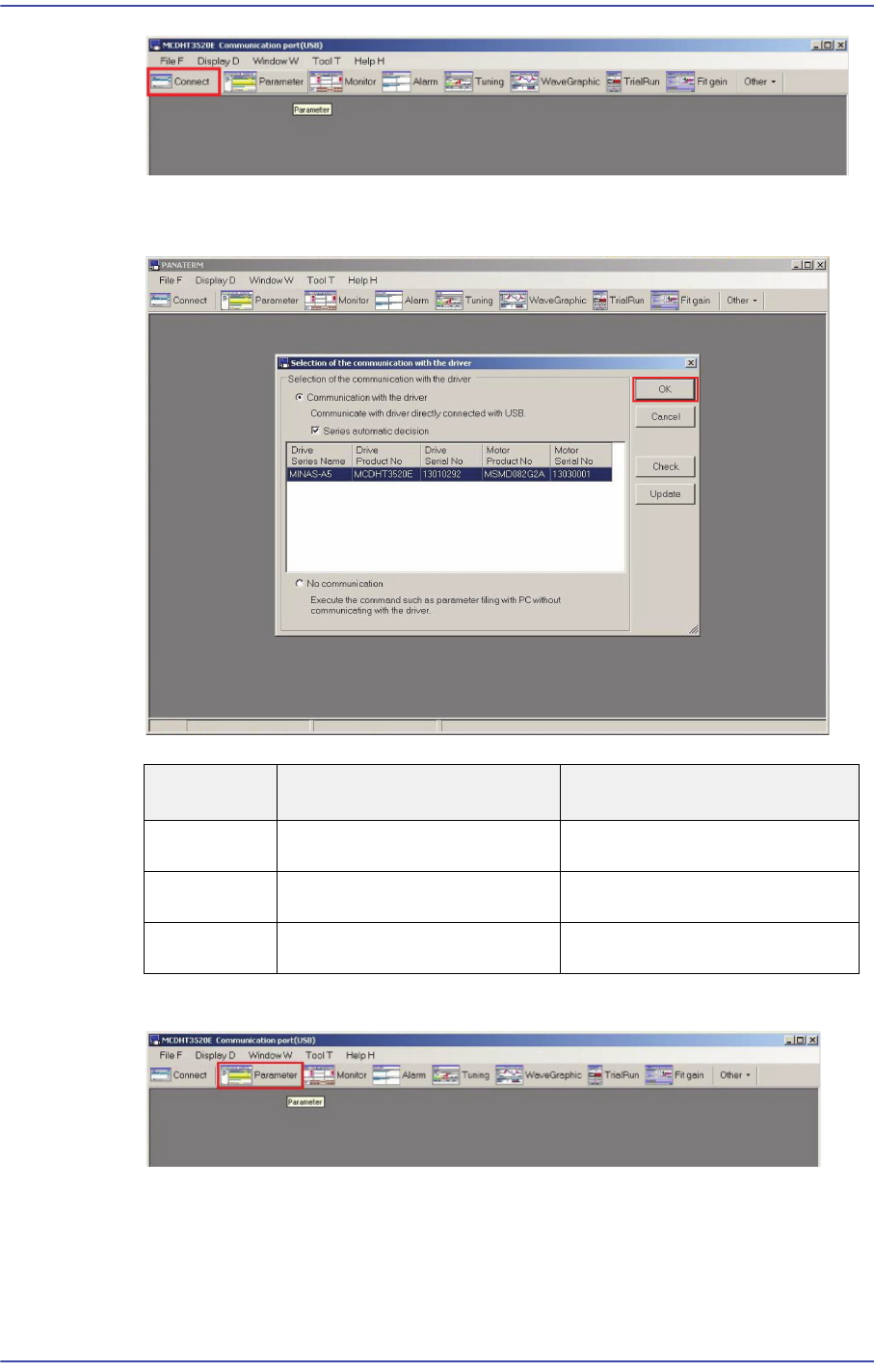
4) Executing ANATERM ver.5.0 will display the connected driver/motor information. If
the driver and motor information is correct, click ‘OK’.
5) Select MINAS-A5 in the Series setting window and click the ‘OK’ button.
6) A window showing the progress of connection to the driver is then displayed.
Distinction Driver Product No. Motor Product No.
X Axis
MCDKT3520E MSMD082G2A
Y Axis
MDDHT5540LA2 -
SW Axis
MADHT1505E MSMD5AZG2A
12-7
Motor Driver
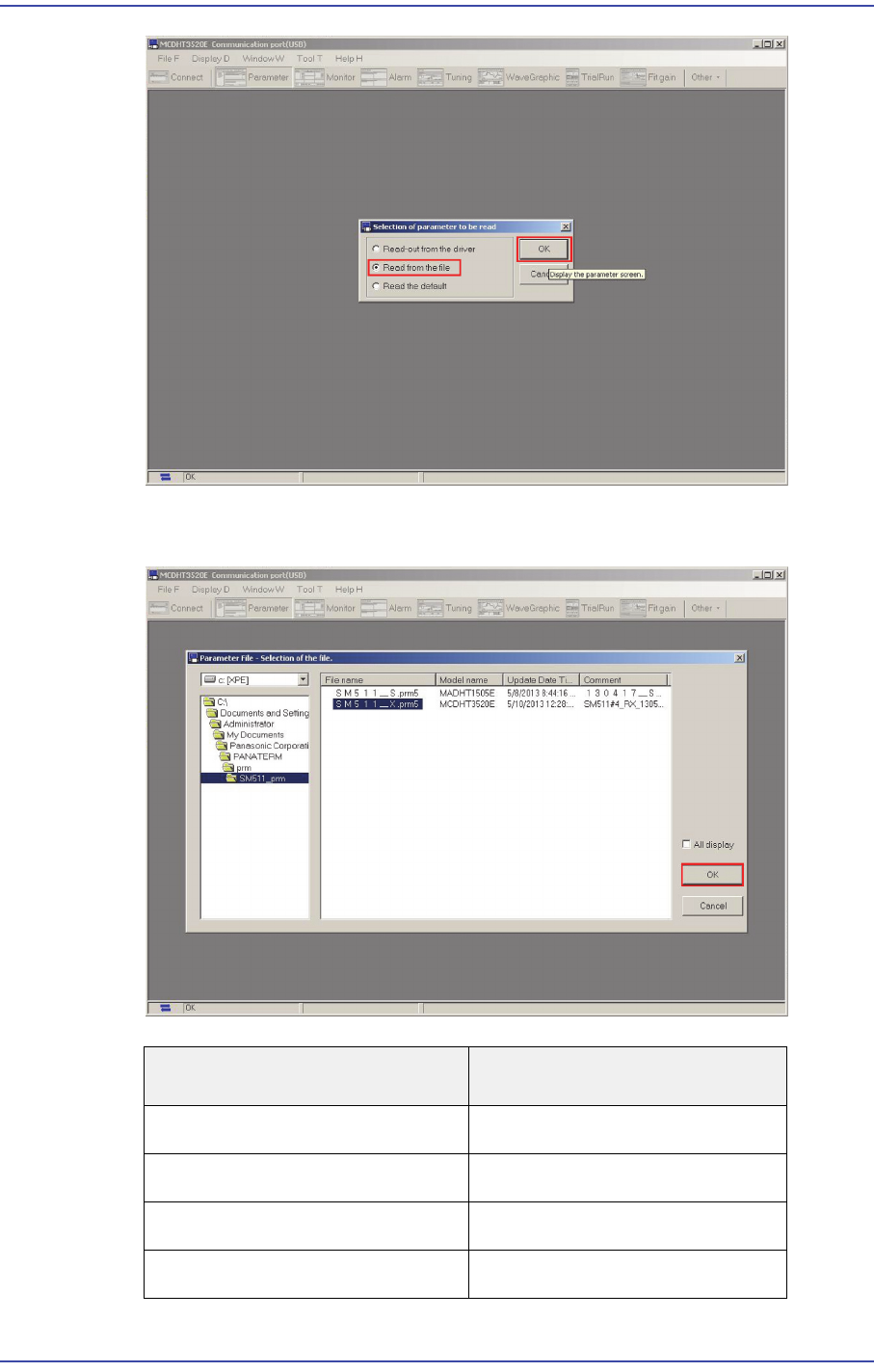
7) Select 'Read from the file' in the 'Selection of parameter to be read' window and click
the ‘OK’ button.
File Name
Axis Name.
SM511_X.prm FX, RX Axis
SM511_Y1.prm FY1, RY1 Axis
SM511_Y2.prm FY2, RY2 Axis
SM511_S.prm FS, RS Axis