00195981-03_SM_SWS_DE.pdf - 第422页
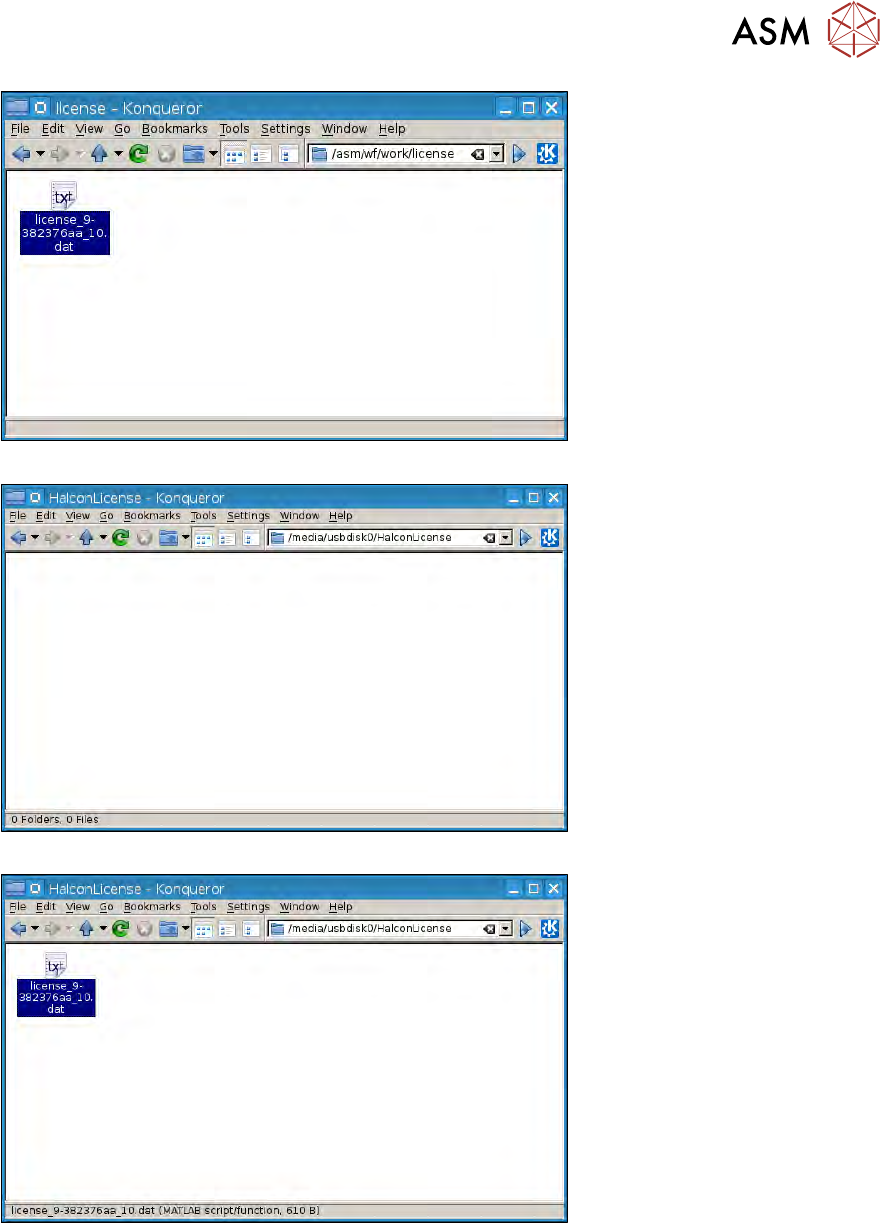
16 Software 16.2 Installation des Betriebssystems 422 Serviceanleitung SIPLACE Wafer System (SWS) 11/2018 Abb.612: Abb.613: Abb.614:
16 Software
16.2 Installation des Betriebssystems
Serviceanleitung SIPLACE Wafer System (SWS) 11/2018 421
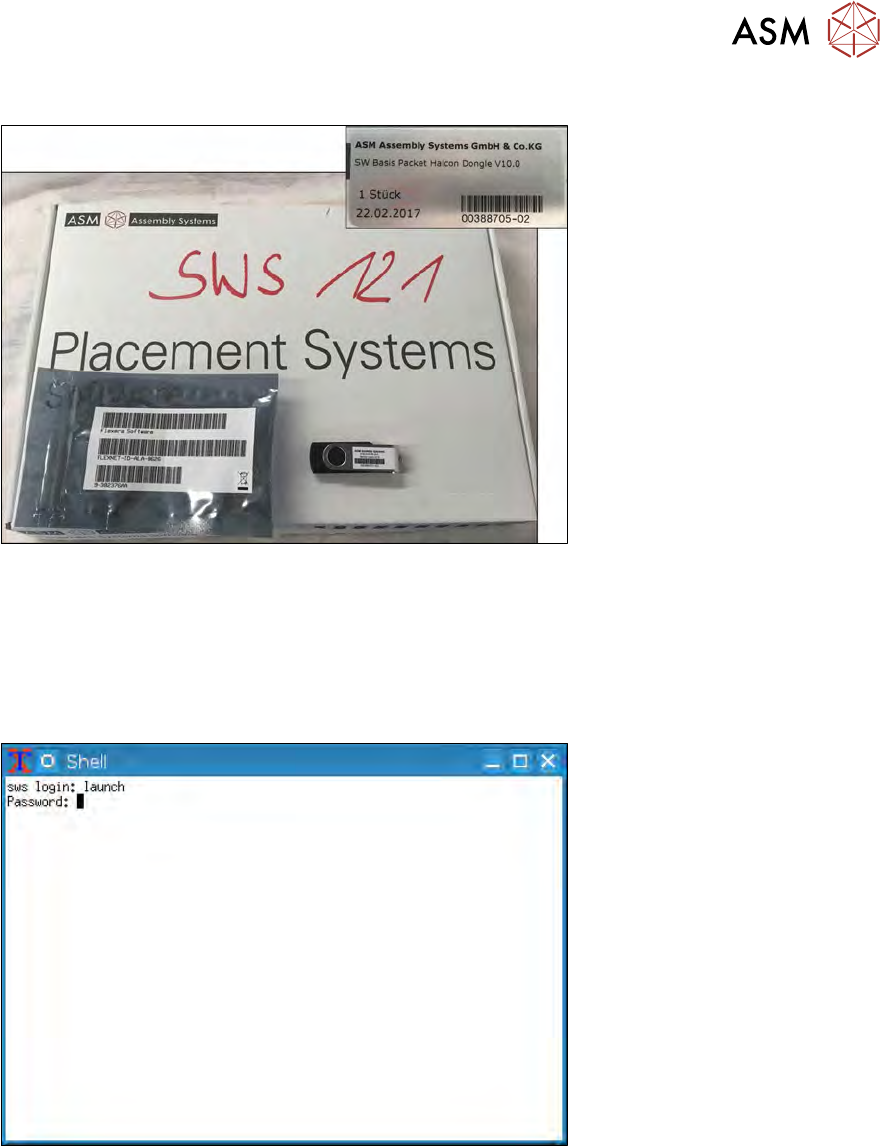
16.2.1.2 Backup der Halcon Lizenz
Abb.610: SW Paket Halcon Dongle
Vor Installation des neuen Betriebssystems sollten Sie sicherstellen, dass das mit dem SWS mitge-
lieferte SW Paket inkl. USB Stick (enthält die Halcon Lizenz) vorhanden ist.
► Sollte dies nicht der Fall sein, muss die Halcon Lizenz manuell über Linux Konsole auf einen
USB Stick gespeichert werden:
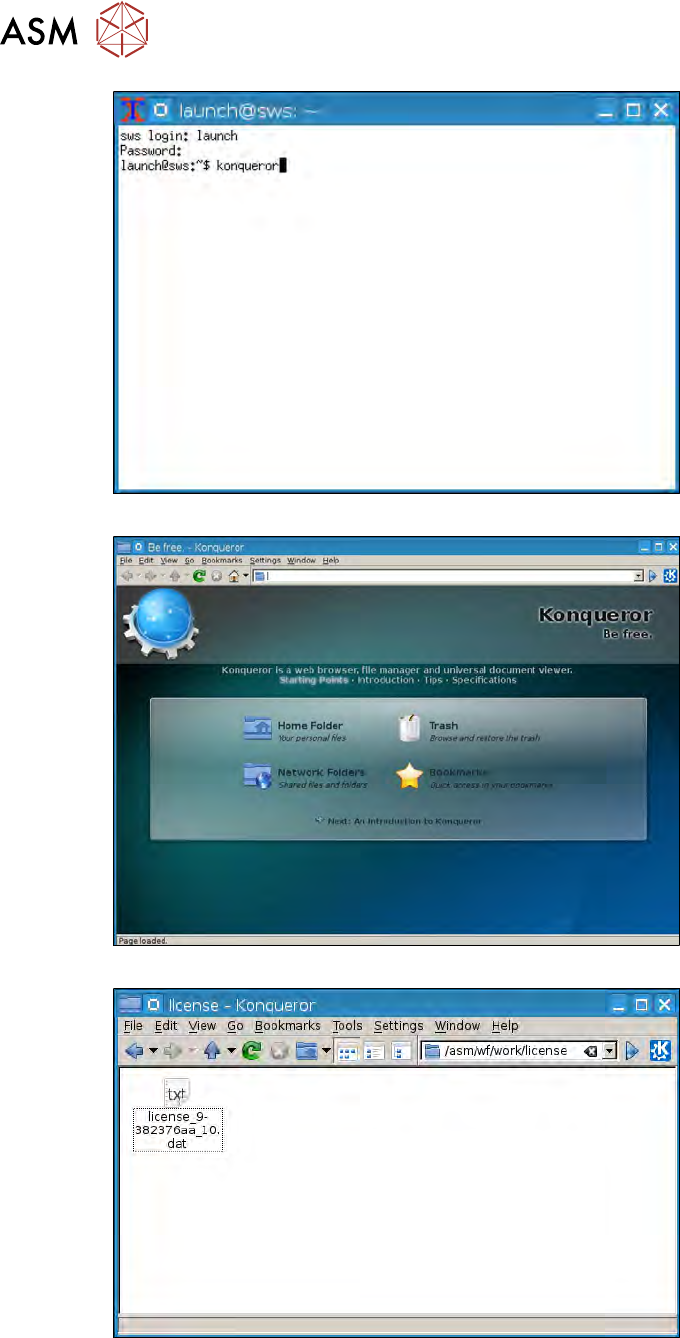
16.2.1.3 Backup der Halcon Lizenz per Linux Konsole
Abb.611:
16 Software
16.2 Installation des Betriebssystems
422 Serviceanleitung SIPLACE Wafer System (SWS) 11/2018
Abb.612:
Abb.613:
Abb.614:
16 Software
16.2 Installation des Betriebssystems
Serviceanleitung SIPLACE Wafer System (SWS) 11/2018 423
Abb.615:
Abb.616:
Abb.617: