00195982-03_SM_SWS_EN.pdf - 第111页
6 Supply unit 6.2 Replacing spare parts Service Manual SIPLACE Wafer System (SWS) 11/2018 111 6.2 Replacing spare parts 6.2.1 Preparatory tasks 6.2.1.1 Swinging up the magazine lift When performing service work to the pa…
6 Supply unit
6.1 Overview of spare parts
110 Service Manual SIPLACE Wafer System (SWS) 11/2018
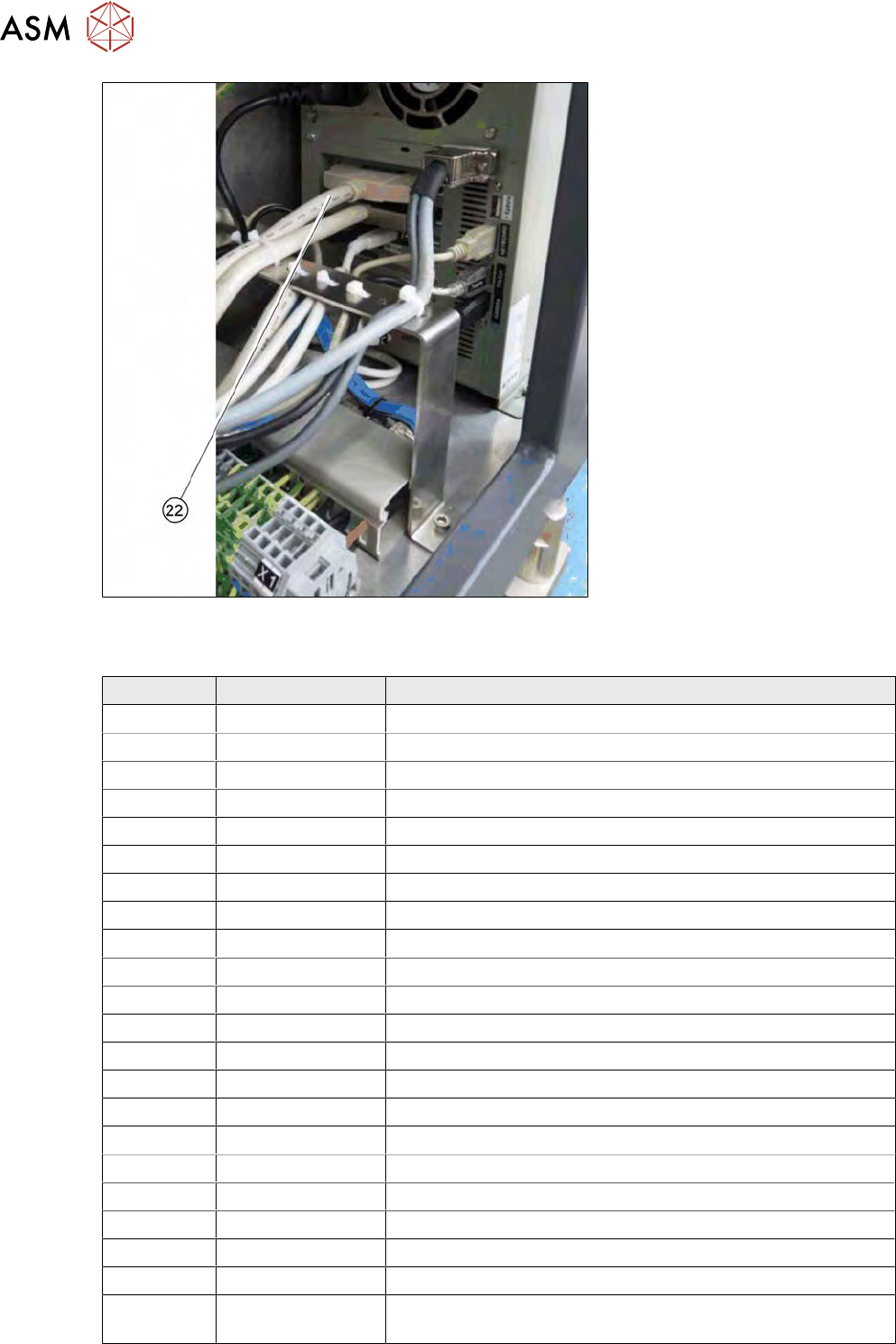
Fig.118: PC cable connection with PCAN-USB
Spare parts in the supply unit
Item Item no. Designation
1 00385151-xx Electrical unit
2 00385144-xx Board with placement DMC-INT2 Rev.0
3 00385552-xx Solenoid valve CPE14-M1BH-3GL-QS-6
4 00385556-xx Push switch SDE5-D10-O1-Q4-P-M8
5 00385172-xx Mains power filter 440/250V/8A B84143-A8-R000
6 00385147-xx 3-phase rectifier 48V13A 24V8A
7 00385145-02 BoxPC with CPU MAYFLOWER-M8 in the supply unit
8 00387487-xx Motor / transformer protective switch 3.5-5A
9 03072892-xx F1 230 VAC - assembly
10 00385233-xx F2 24 V - monitor
11 03070740-xx F3 24 V - control
12 03128364-xx F4 48 V - driver
13 00385606-xx Optoelectronic coupler EMG-10-OE-60DC/48DC/100
14 00385983-xx Optoelectronic coupler DEK-0V-24VDC/24DC/10
15 00385570-xx Membrane vacuum pump and compressor
16 00385155-xx Amplifier module 4-axes AMP-19540-V01
17 Mains transformer
18 Fuse on transformer - D 20A / 48V
19 Fuse on transformer - D 8A / 24V
20 03078643-xx Fuse 1 AT
21 03078645-xx Fuse 3 AT
22 00385160-xx High-density cable 100 pin 2 meters for DMC 1826 (for the
wafer lift)
6 Supply unit
6.2 Replacing spare parts
Service Manual SIPLACE Wafer System (SWS) 11/2018 111
6.2 Replacing spare parts
6.2.1 Preparatory tasks
6.2.1.1 Swinging up the magazine lift
When performing service work to the parts which can not be accessed from above, you need to
remove the SWS.
CAUTION
Risk of magazine lift tilting
► Make sure that the SWS support foot is folded out to the side before you swing the
magazine lift up. Otherwise, there is a risk that the magazine lift may tilt over.
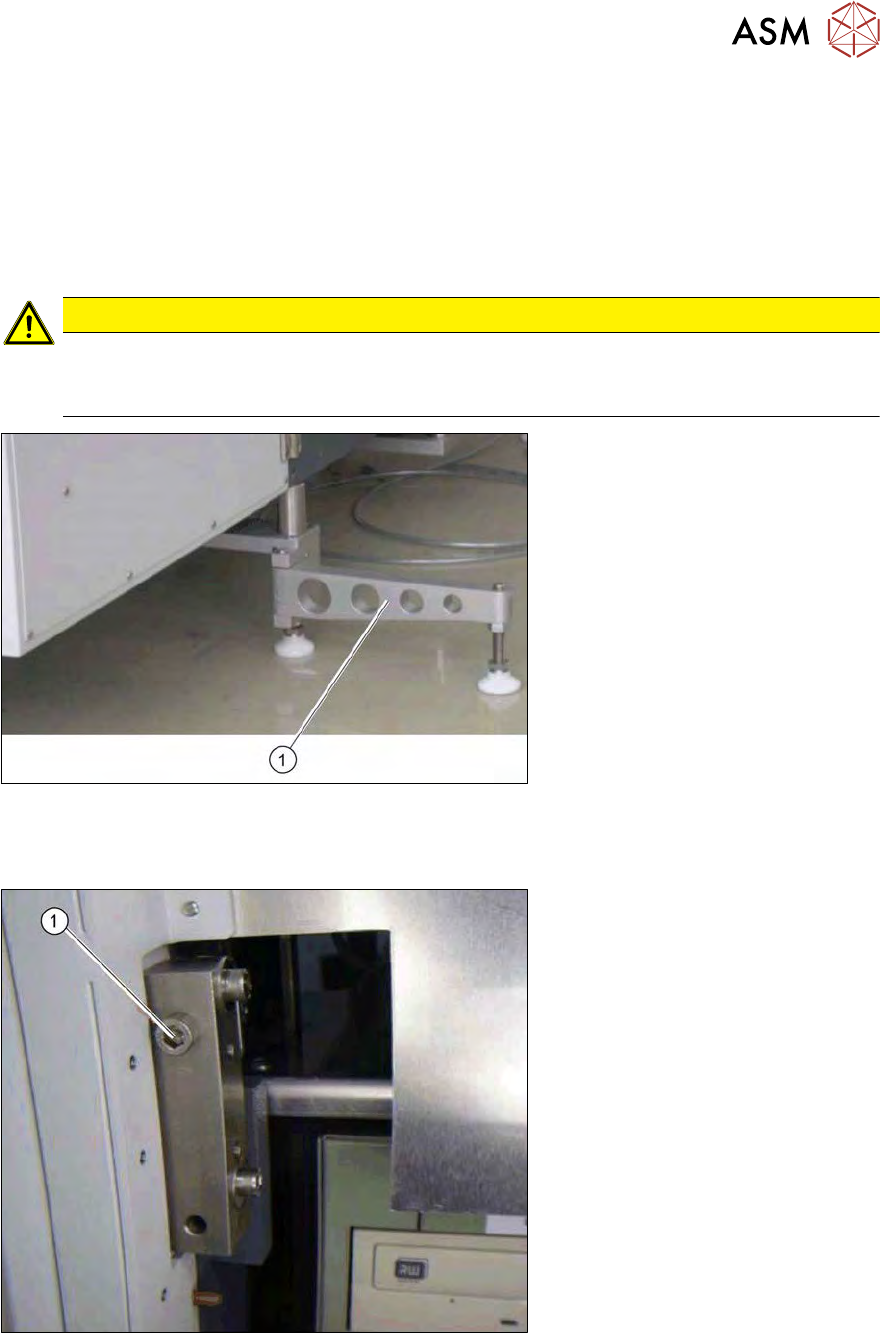
Fig.119: Support leg when folded open
► Fold the SWS support foot (1) out to the side.
► Use the machine key to open the bottom door on the magazine lift.
Fig.120: Magazine lift fixture
► Remove the screw (1)fastening the magazine lift to the SWS.
At locations 1 and 3, these screws can be found on the righthand side, at locations 2 and 4
they are on the lefthand side.
► Swivel the magazine lift to one side.
ð The inside of the SWS is now accessible from the front.
6 Supply unit
6.2 Replacing spare parts
112 Service Manual SIPLACE Wafer System (SWS) 11/2018
6.2.1.2 Closing the magazine lift
► Swivel the magazine lift back into its starting position.
► Use the two screws you removed earlier to fasten the magazine lift to the SWS.
► Use the machine key to close the bottom door on the magazine lift.
► Fold the SWS support foot back in again so that it is parallel to the SWS.
6.2.1.3 Pulling out the supply unit
In order to perform service work on components which require access from the front and side, you
must also remove the supply unit.
CAUTION
Observe the electrical and pneumatic cables.
► When pulling out and inserting the supply unit, make sure that the electrical and pneu-
matic cables do not get caught anywhere or even torn off.
► Open the magazine lift (see 6.2.1.1 "Swinging up the magazine lift" [}111]).
► Remove the two screws on the supply unit.
► Pull the supply unit out towards the front.
► Pay attention to the cables on the back of the supply unit.
► Perform the required service work and push the supply unit back in again.
6.2.1.4 Inserting the supply unit
CAUTION
Observe the electrical and pneumatic cables.
► When pulling out and inserting the supply unit, make sure that the electrical and pneu-
matic cables do not get caught anywhere or even torn off.
► Push the supply unit into the SWS.
► Use the two screws you removed earlier to fasten the supply unit into place.
► Close the magazine lift (see 6.2.1.2 "Closing the magazine lift" [}112]).