00195982-03_SM_SWS_EN.pdf - 第447页
16 Software 16.2 Installation of operating system Service Manual SIPLACE Wafer System (SWS) 11/2018 447 16.2.3.3 Restoring the network addresses The installation of the operating system resets the network address to the …
16 Software
16.2 Installation of operating system
446 Service Manual SIPLACE Wafer System (SWS) 11/2018
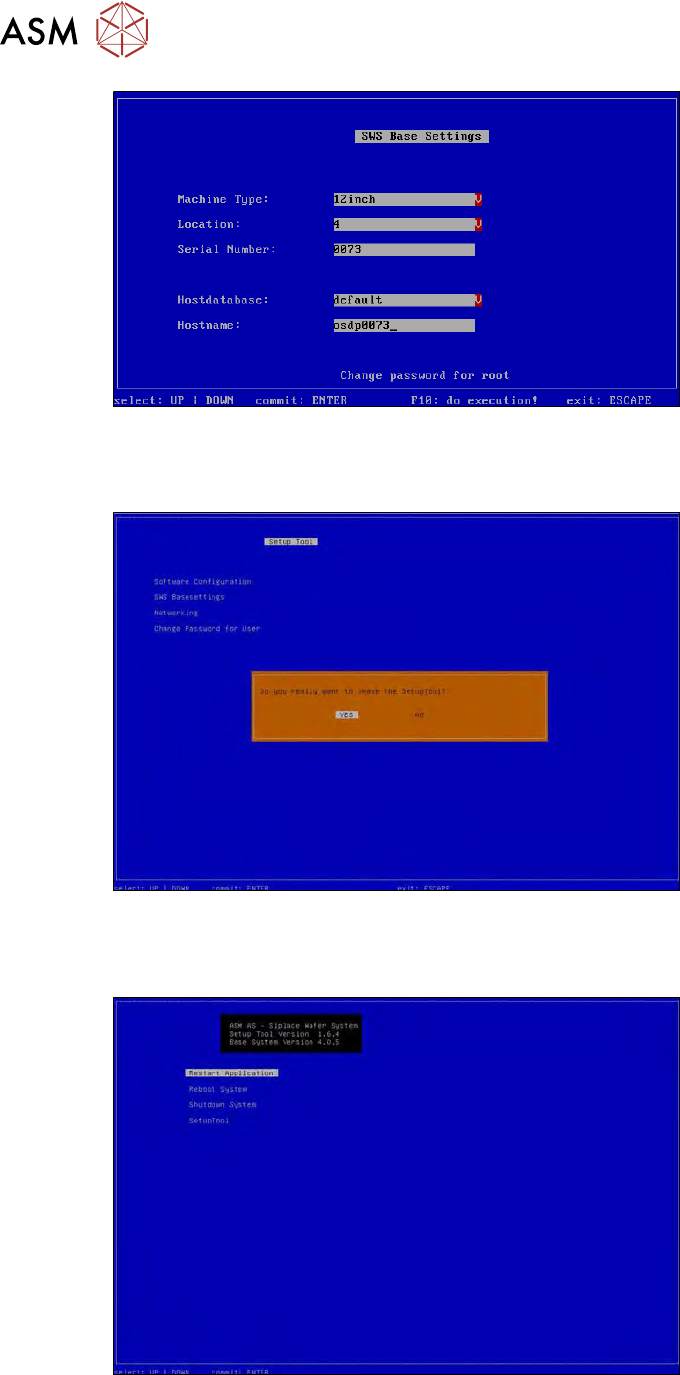
Fig.675: Number of location set
The location number has been set.
► To leave the setup tool, press 2x ESC.
Fig.676:
► Confirm that you want to exit the setup tool with YES.
► Click Restart Applicationto start the GUI.
Fig.677:
16 Software
16.2 Installation of operating system
Service Manual SIPLACE Wafer System (SWS) 11/2018 447
16.2.3.3 Restoring the network addresses
The installation of the operating system resets the network address to the default addresses.
For this reason, you usually only need to restore the addresses for the eth0 interface (customer
network interface).
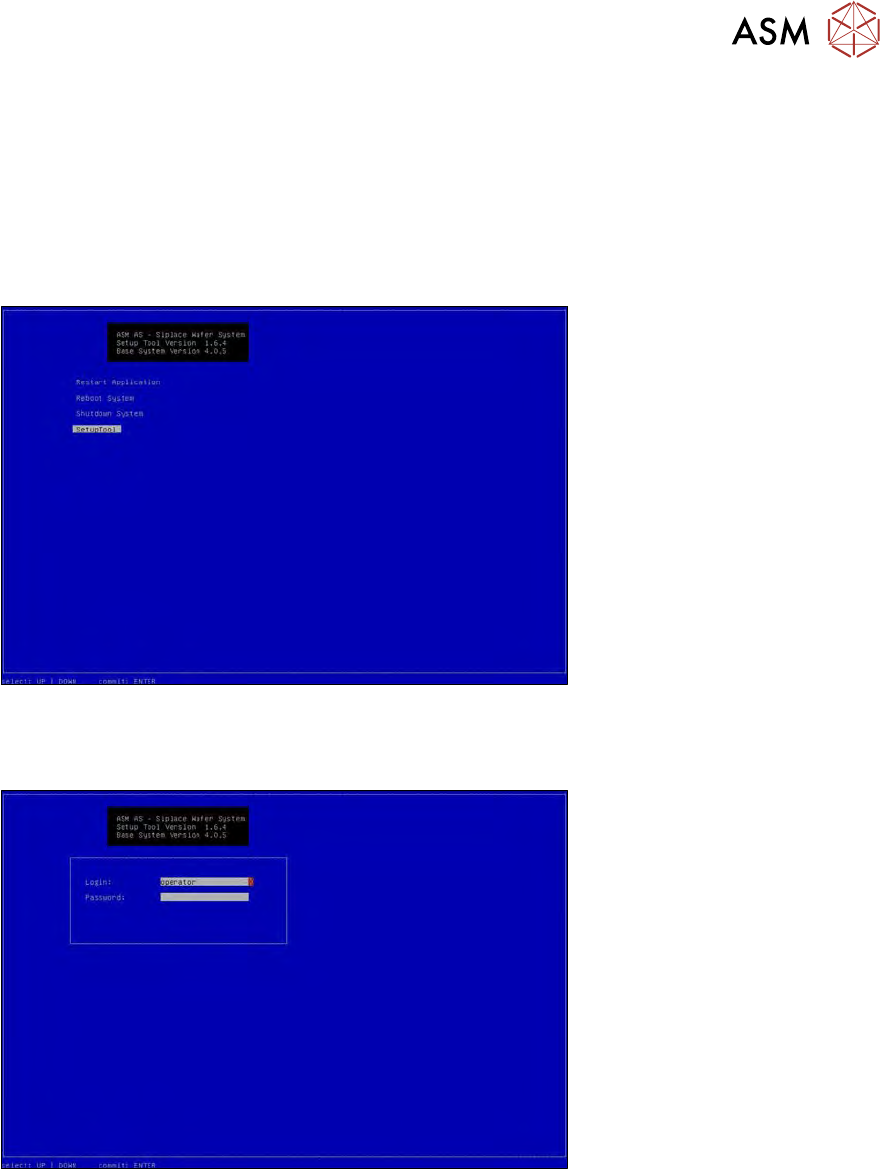
► Open the "Networking" menu in the setup tools as follows:
► Start the setup tool with Ctrl+Alt+Q.
ð The start screen will appear.
Fig.678:
► Select "SetupTool" and press "Enter".
ð The following login box will appear.
Fig.679:
► To log in as administrator, press and hold the Ctrl+Shift keys and enter the character string
capwd (stands for CA password).
► Use the cursor keys to select the password line and enter the following character string as
password: wafer4GOD
ð The login line should now look like this:
16 Software
16.2 Installation of operating system
448 Service Manual SIPLACE Wafer System (SWS) 11/2018
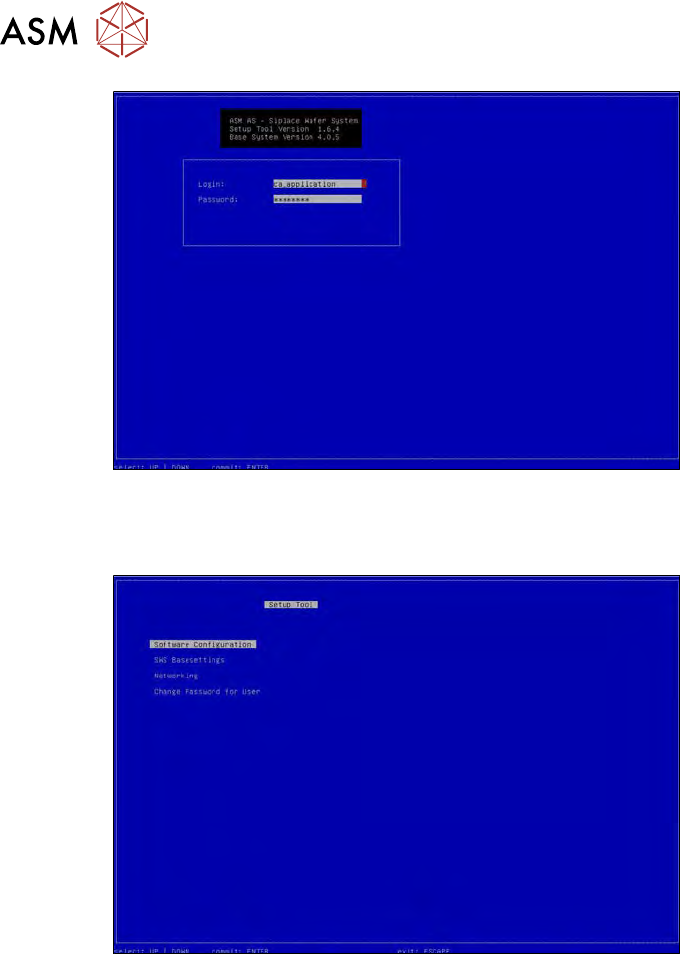
Fig.680:
► Press "Enter".
ð The setup tool start window will be shown.
Fig.681: