00195982-03_SM_SWS_EN.pdf - 第390页
15 Calibration 15.4 Calibration of the complete wafer handling 390 Service Manual SIPLACE Wafer System (SWS) 11/2018 15.4.1 Calibrating the wafer lift HIGH RISK OF SERIOUS INJURIES ► Setup mode must be activated! The cal…
15 Calibration
15.4 Calibration of the complete wafer handling
Service Manual SIPLACE Wafer System (SWS) 11/2018 389
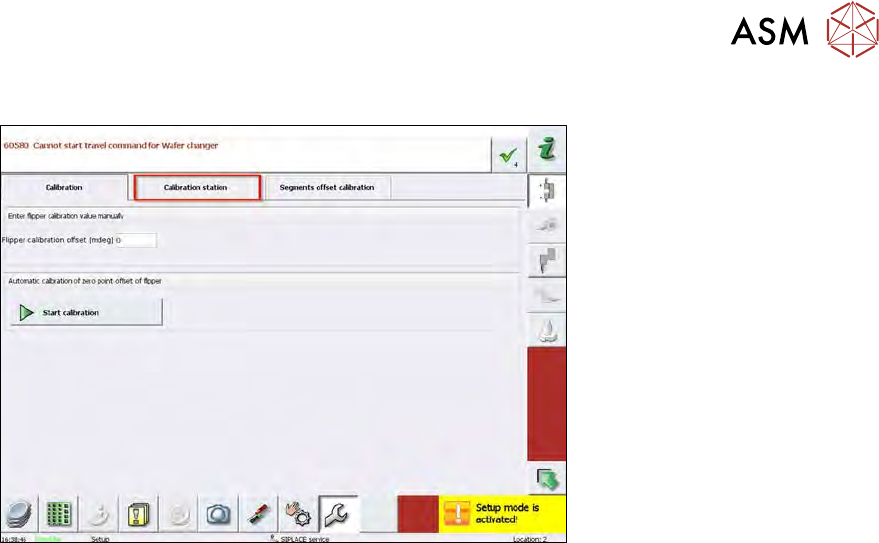
15.3.2.6 Calibration – calibration station (not used on SWS)
Fig.564:
Calibration station is a page which is normally used on the external flipper calibration station with
a different wafer camera position to adjust the flip unit. This is only used in manufacturing.
On the SWS, this page cannot be used because there is no possibility to the check the position
of the segments with the normal wafer camera position.
The calibration menu Calibration station is active in the Setup mode but it is not used!
This calibration can´t be performed in the machine.
This type of calibration is used during the assembly of a completely new SWS in order to detect the
correct position of the centering pin bore holes for mounting the flip unit.
15.4 Calibration of the complete wafer handling
Precondition
The SWS must be completely initialized!
If the initialization is not successful, refer to section 17 "Tips and tricks" [}471].
Procedure
The calibration is split into three modules and must be done in the sequence below:
●
15.4.1 "Calibrating the wafer lift" [}390]
●
15.4.1.1 "Calibrating the magazine lift limit positions" [}390]
●
15.4.1.2 "Calibrating the magazine slot scan position" [}391]
●
15.4.1.3 "Calibrating the wafer transfer position of the magazine with respect to the wafer
table" [}394]
●
15.4.2 "Wafer table calibration menu" [}398]
●
15.4.3 "Calibration wafer changer menu" [}405]
15 Calibration
15.4 Calibration of the complete wafer handling
390 Service Manual SIPLACE Wafer System (SWS) 11/2018
15.4.1 Calibrating the wafer lift
HIGH RISK OF SERIOUS INJURIES
► Setup mode must be activated!
The calibration is split into three modules and must be done in the sequence below:
●
15.4.1.1 "Calibrating the magazine lift limit positions" [}390]
●
15.4.1.2 "Calibrating the magazine slot scan position" [}391]
●
15.4.1.3 "Calibrating the wafer transfer position of the magazine with respect to the wafer
table" [}394]
15.4.1.1 Calibrating the magazine lift limit positions
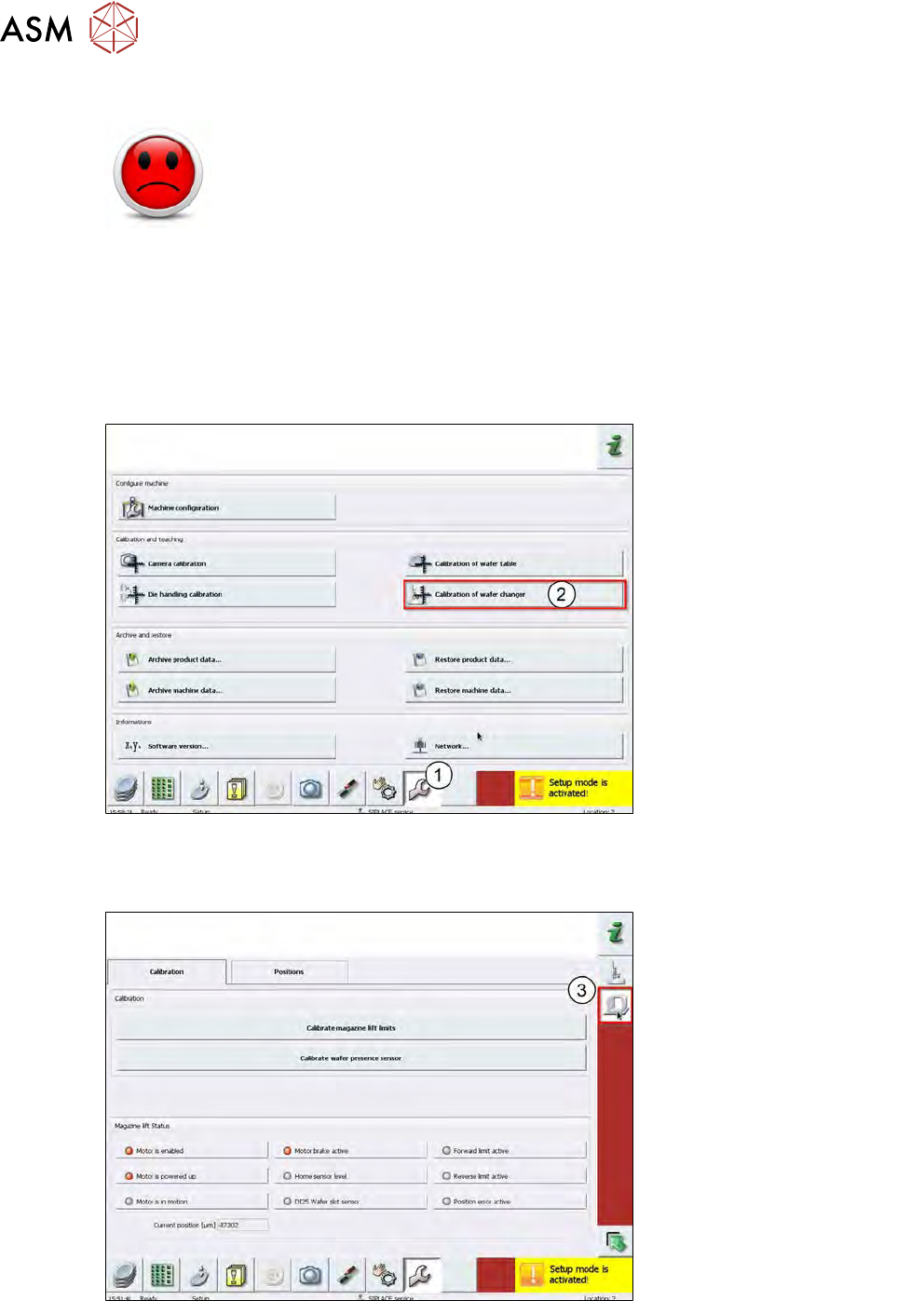
Fig.565:
► Choose Calibration (1).
► Choose Calibration of wafer changer (2).
Fig.566:
► Choose Wafer lift calibration (3).
15 Calibration
15.4 Calibration of the complete wafer handling
Service Manual SIPLACE Wafer System (SWS) 11/2018 391
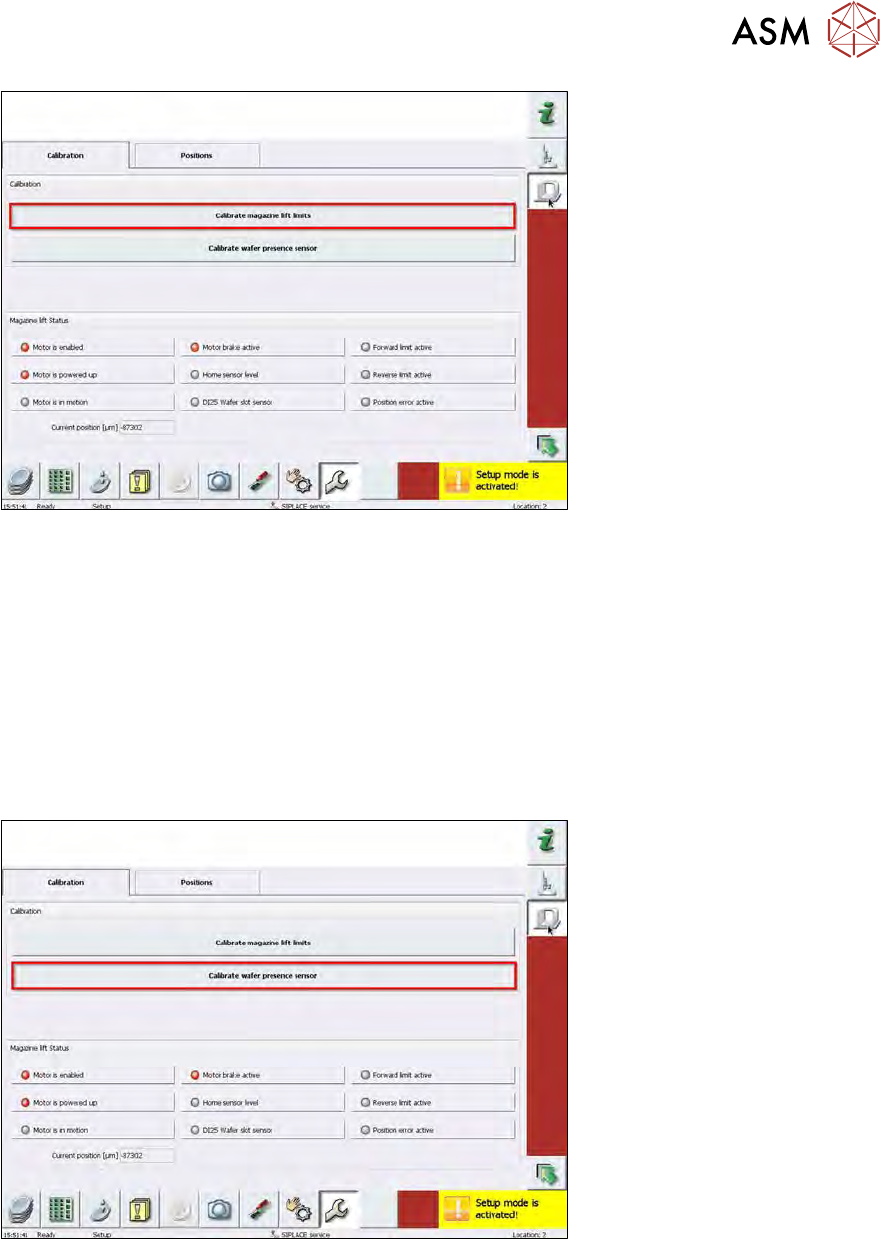
Fig.567:
► Choose Calibrate magazine lift limits.
ð The lifting axis detects the upper (forward) and lower (reverse) limit switches of the lift axis.
15.4.1.2 Calibrating the magazine slot scan position
The slot scan sensor detects if there is a wafer frame inside the magazine for each slot.
The magazine is scanned each time if one of the following conditions is true:
●
A new magazine is inserted into the wafer lift.
●
The system has been initialized and a magazine is present inside the lift.
●
In the Products view, Scan magazine is selected.
Fig.568:
► Choose Calibrate wafer presence sensor, to calibrate the position of the wafer presence
sensor with respect to the magazine.
ð The calibration sequence runs automatically.
ð The lifting axis is moved until the magazine plate activates the slot scan sensor. From this
position, the final position for the slot scan sensor is calculated.
► Choose the Position tab, to check whether the calibrated position is correct.