00195982-03_SM_SWS_EN.pdf - 第188页
8 Flip unit 8.4 Calibration – flip unit 188 Service Manual SIPLACE Wafer System (SWS) 11/2018 8.4.4.3 Correction in X direction (segment 2) There are two options for correction in the X direction (rotation direction of f…
8 Flip unit
8.4 Calibration – flip unit
Service Manual SIPLACE Wafer System (SWS) 11/2018 187
8.4.4.2 Correction in Y direction (segment 1)
In the Y direction, the offset can only be corrected via the adjusting nut at the relevant segment.
To adjust the adjusting nut, you first need to loosen the counternut (see below).
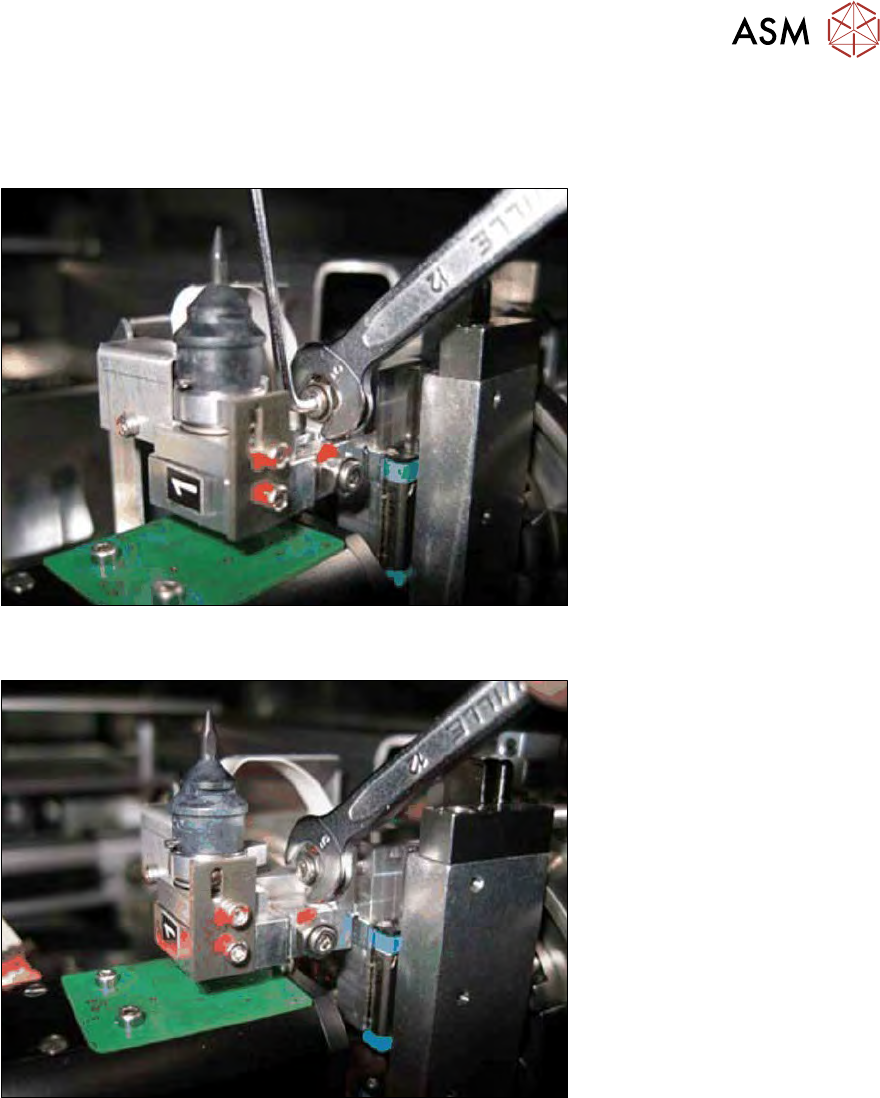
Fig.244: Segment 1 - loosening/tightening the counternut (Y direction)
► Hold the adjusting nut with the fork wrench and loosen the counternut with the Allen key.
Fig.245: Segment 1 - turn the adjustment screw (Y direction)
Effect of Y adjusting nut
●
Moving the print downwards -> turn the Y adjusting nut clockwise.
●
Moving the print upwards -> turn the Y adjusting nut anticlockwise.
► After successful correction, hold the adjusting nut in position with the fork wrench and tighten
the counternut with the Allen key.
8 Flip unit
8.4 Calibration – flip unit
188 Service Manual SIPLACE Wafer System (SWS) 11/2018
8.4.4.3 Correction in X direction (segment 2)
There are two options for correction in the X direction (rotation direction of flip head):
●
(1) Correction of X offset in the SWS GUI via the parameter Offset segment 1 (see 15.3.2.4
"Calibration – segment offset calibration in X direction" [}379]).
A positive offset entry moves the print to the left while a negative offset entry moves the print
to the right.
●
(2) Move the print via the adjusting nut at the segment.
To adjust the adjusting nut, you first need to loosen the counternut (see below).
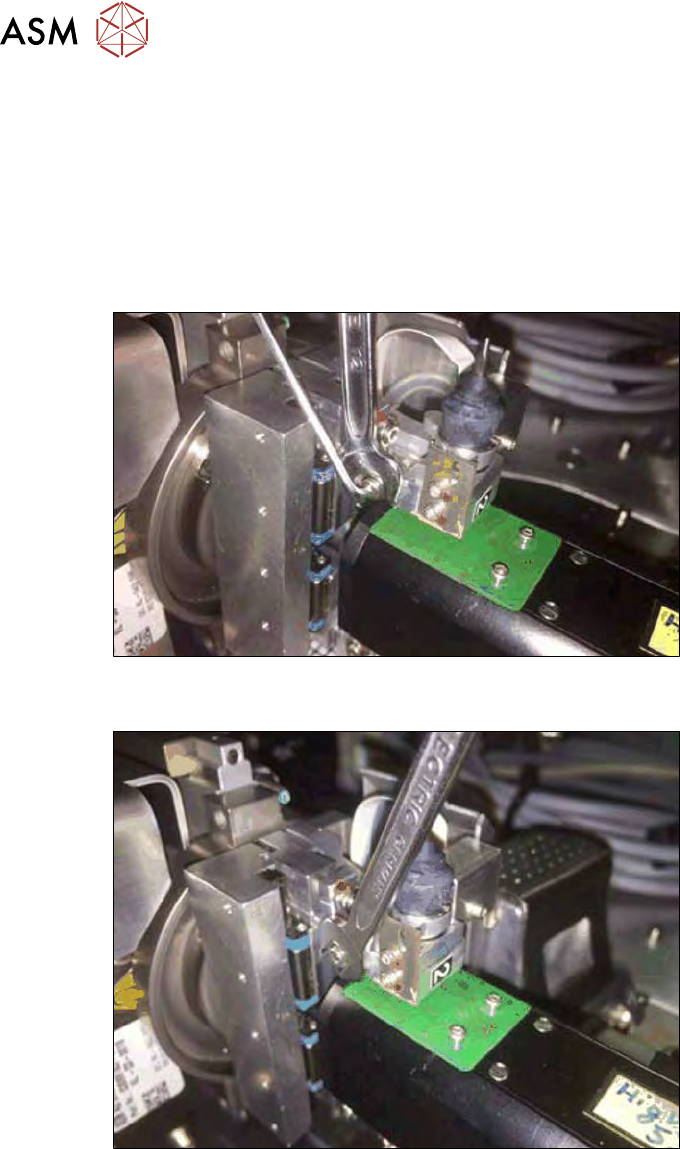
Fig.246: Segment 2 - loosening the counternut (X direction)
► Hold the adjusting nut with the fork wrench and loosen the counternut with the Allen key.
Fig.247: Segment 2 - turning the X adjusting nut
Turning the adjusting nut enables you to correct the segment offset:
Setting valid for segment 2:
●
Moving the print to the right -> turn the X adjusting nut clockwise.
●
Moving the print to the left -> turn the X adjusting nut anticlockwise.
8 Flip unit
8.4 Calibration – flip unit
Service Manual SIPLACE Wafer System (SWS) 11/2018 189
8.4.4.4 Correction in Y direction (segment 1)
In the Y direction, the offset can only be corrected via the adjusting nut at the relevant segment.
To adjust the adjusting nut, you first need to loosen the counternut (see below).
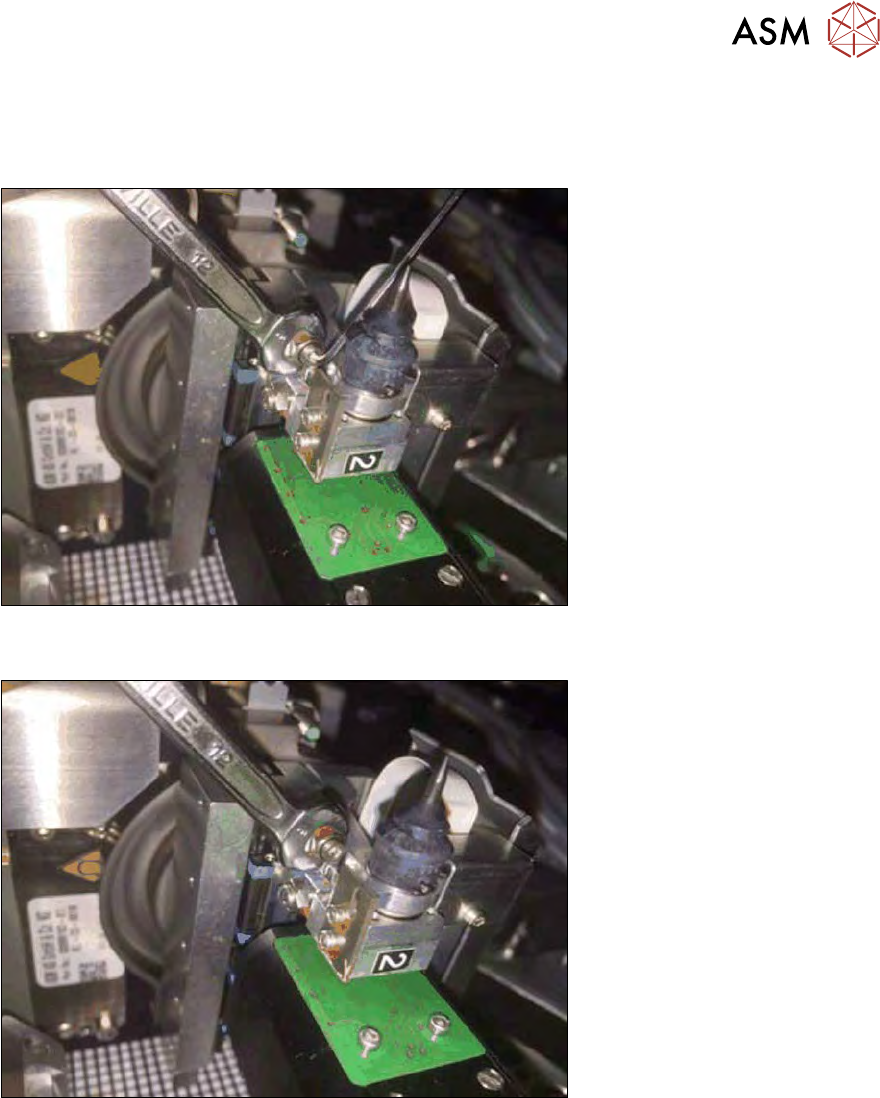
Fig.248: Segment 2 - loosening/tightening the counternut (Y direction)
► Hold the adjusting nut with the fork wrench and loosen the counternut with the Allen key.
Fig.249: Segment 2 - turn the adjustment screw (Y direction)
Effect of Y adjusting nut:
●
Moving the print downwards -> turn the Y adjusting nut clockwise.
●
Moving the print upwards -> turn the Y adjusting nut anticlockwise.
► After successful correction, hold the adjusting nut in position with the fork wrench and tighten
the counternut with the Allen key.