00195982-03_SM_SWS_EN.pdf - 第464页
16 Software 16.2 Installation of operating system 464 Service Manual SIPLACE Wafer System (SWS) 11/2018 Fig.719: Entry of tar -xvzf /media/usbdisk0/wfBackup.tgz . After the process has been completed, the following will…
16 Software
16.2 Installation of operating system
Service Manual SIPLACE Wafer System (SWS) 11/2018 463
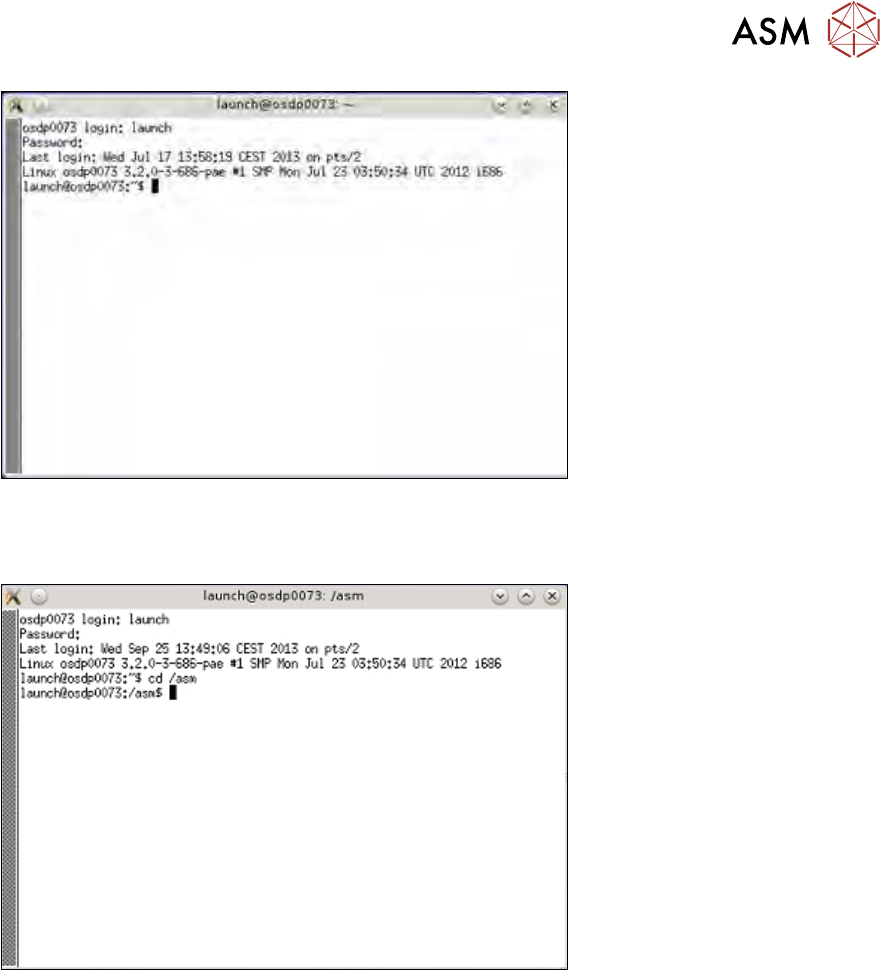
Fig.717: Enter launch and password
► To change the folder for the USB stick, enter: cd /asm
► Enter the following: ls /media/usbdisk0
Fig.718: Entry of cd/ asm and ls /media/usbdisk0
The contents of the USB stick will be shown.
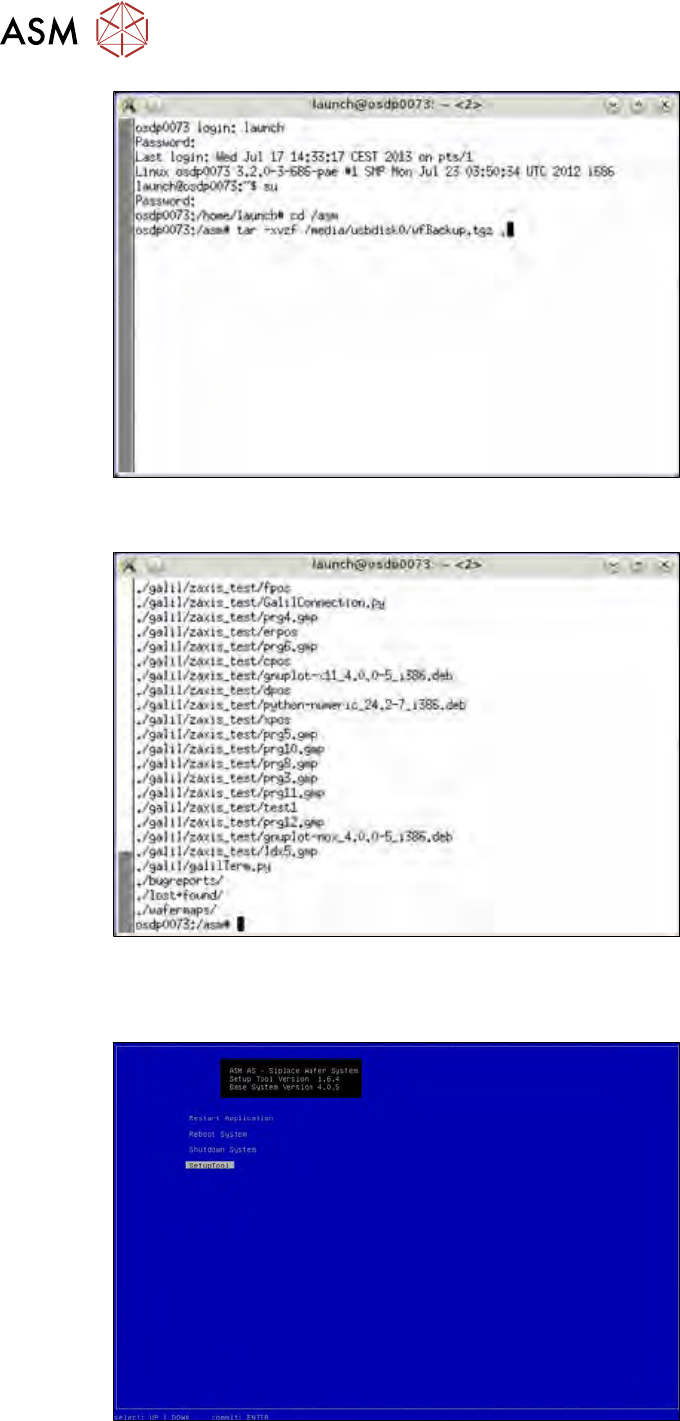
► Then enter the following:
tar -xvzf /media/usbdisk0/wfBackup.tgz .
16 Software
16.2 Installation of operating system
464 Service Manual SIPLACE Wafer System (SWS) 11/2018
Fig.719: Entry of tar -xvzf /media/usbdisk0/wfBackup.tgz .
After the process has been completed, the following will appear on your screen:
Fig.720: Screen after completion of process
► Press the following keys at the same time Ctrl+Alt+Q.
ð This takes you to the setup tool start window.
Fig.721: Start window
► Start the SWS software with the function Restart Application.
16 Software
16.2 Installation of operating system
Service Manual SIPLACE Wafer System (SWS) 11/2018 465
16.2.3.7 Restoring the data from a bug report
The data from a bug report can only be used by specially trained personnel/ASM service special-
ists to restore calibration and product data.
16.2.4 Calibrating the touchscreen
The touchscreen calibration data are lost after reinstallation of the OD.
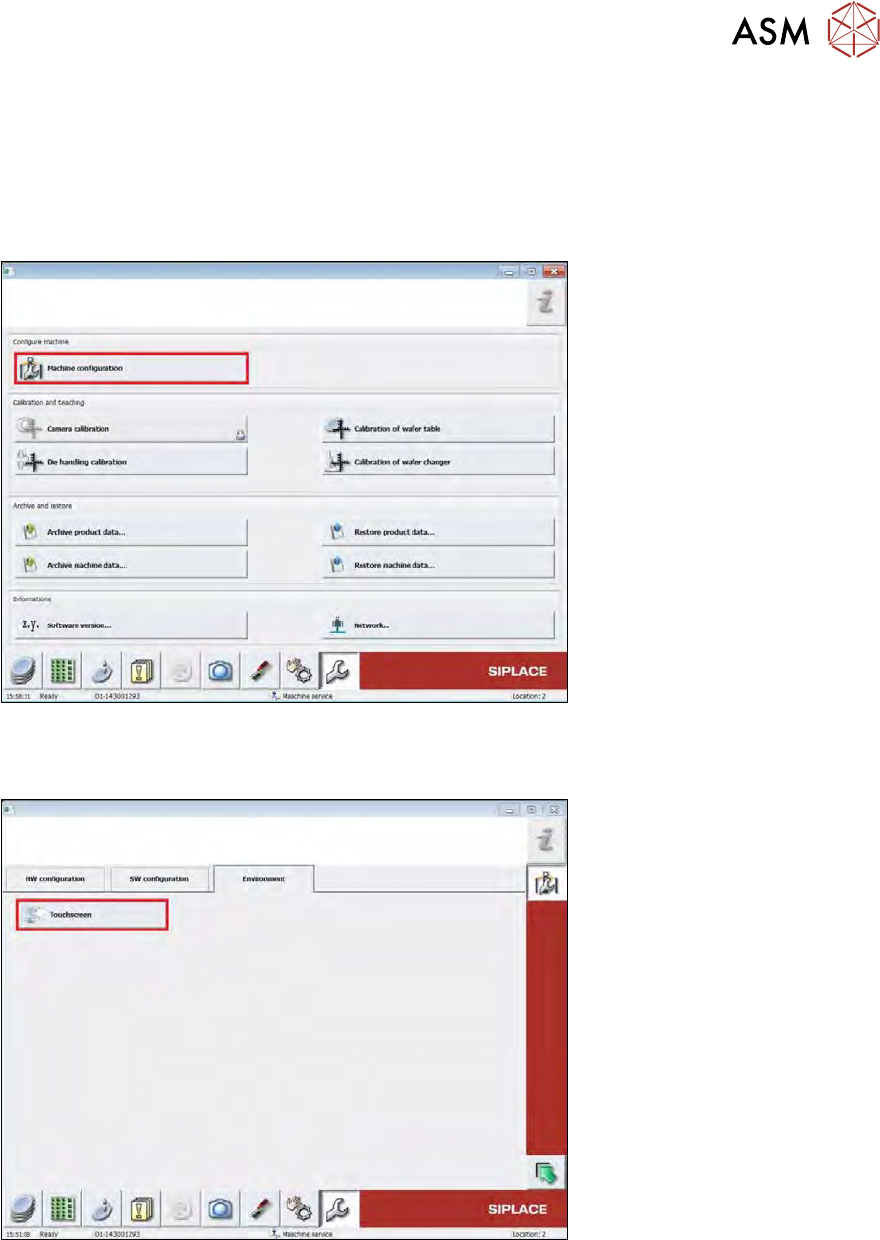
Fig.722:
► To calibrate the touchscreen, switch over to the following view: Service -> Machine configur-
ation.
Fig.723:
► Switch over to the page Environment and select Touchscreen.