00195982-03_SM_SWS_EN.pdf - 第299页
12 Wafer stretcher 12.6 Fitting the wafer stretcher Service Manual SIPLACE Wafer System (SWS) 11/2018 299 Fig.425: ► Push the wafer stretcher to the other side. Make sure that the cable chain which is still rolled out a…
12 Wafer stretcher
12.6 Fitting the wafer stretcher
298 Service Manual SIPLACE Wafer System (SWS) 11/2018
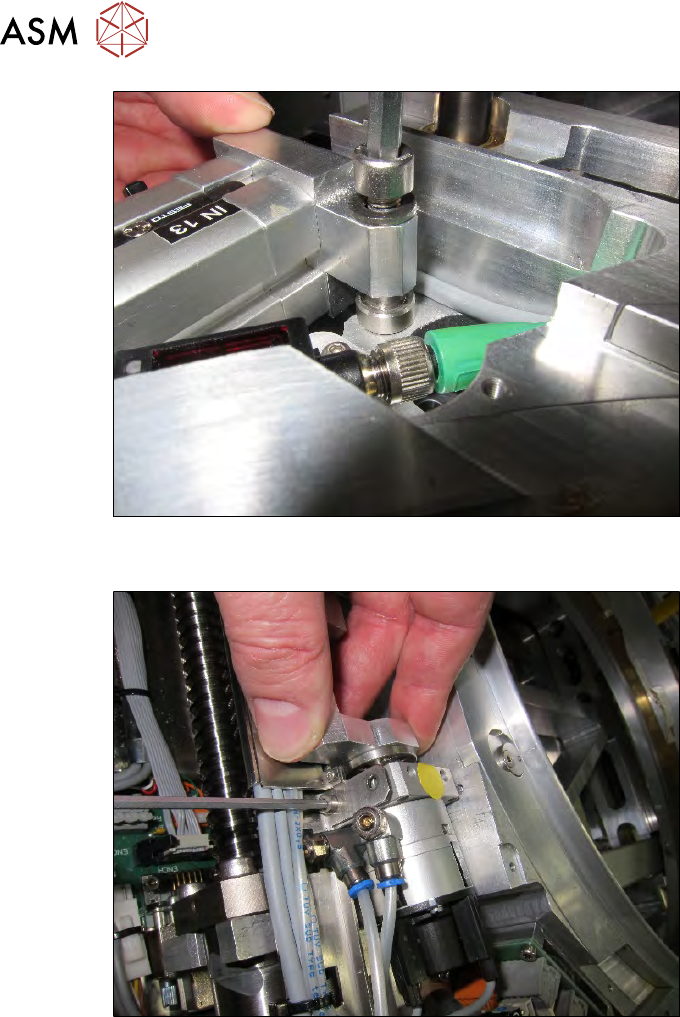
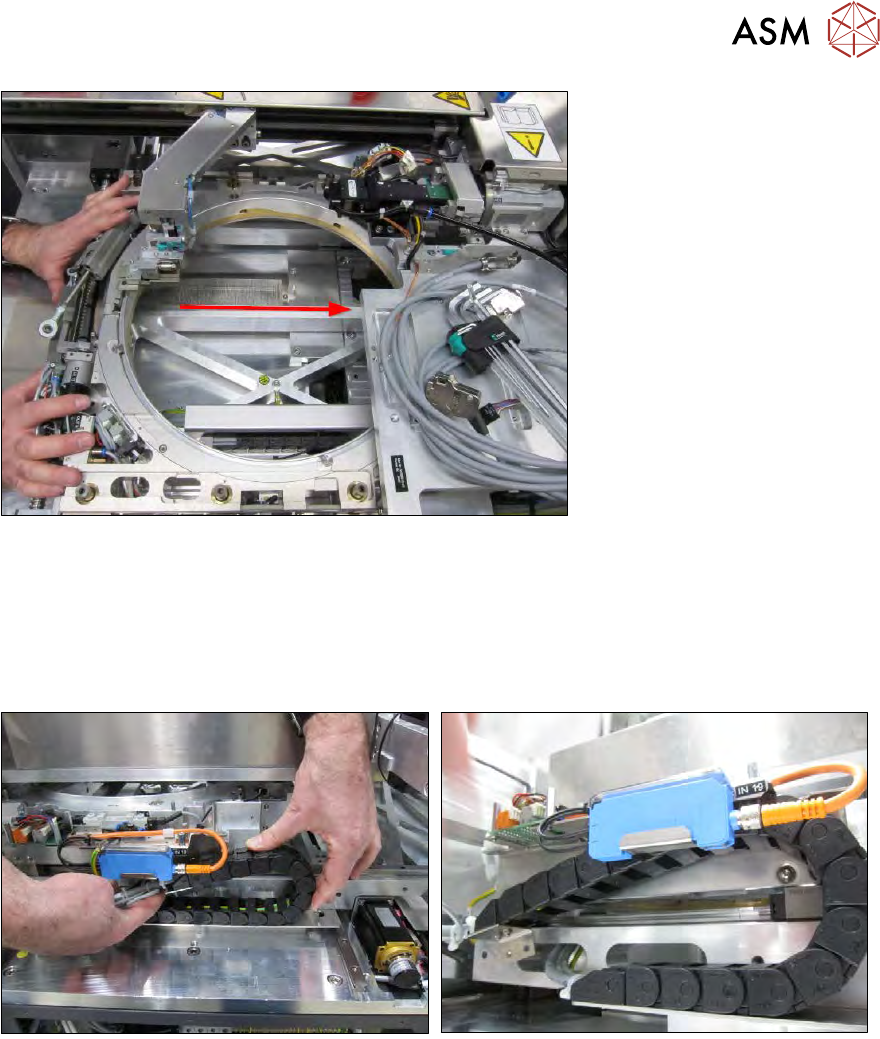
Fig.423:
► Fit the lifting cylinder including the sleeve.
Fig.424:
► Fit the clamping cylinder with the bottom screw (the sensor labels on the clamping cylinder
are then at the top).
► The top screw is not yet fitted. This will be used later to fix the cover plate.
12 Wafer stretcher
12.6 Fitting the wafer stretcher
Service Manual SIPLACE Wafer System (SWS) 11/2018 299
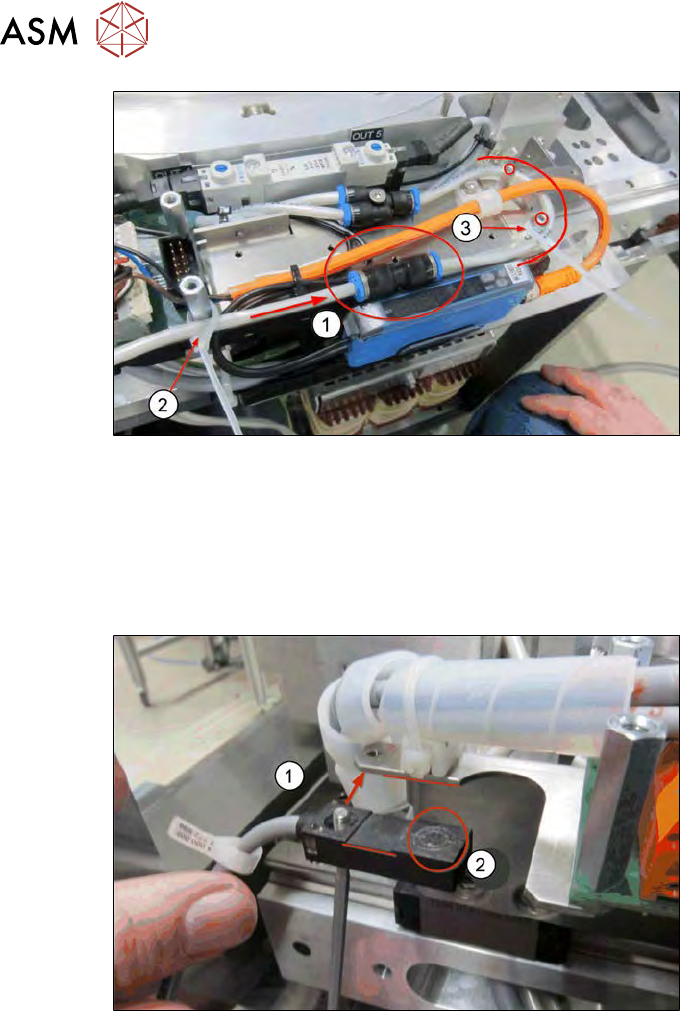
Fig.425:
► Push the wafer stretcher to the other side.
Make sure that the cable chain which is still rolled out and the cable itself do not get caught
anywhere.
Pay attention to the wafer changer (gripper) as well.
12.6.3 Fitting the connections
Fig.426:
► Roll up the cable chain and run it at the prescribed place.
12 Wafer stretcher
12.6 Fitting the wafer stretcher
300 Service Manual SIPLACE Wafer System (SWS) 11/2018
Fig.427:
► Run the pneumatic hose and connect it to the coupling (1).
► Position the coupling between the mounting plate and the blue sensor control.
► Fix the inlet hose with a cable tie (2) to the spacer bolt.
► Run the connection hose to the SWS, free of folds, around the two spacer bolts.
► Fix the hose with a cable tie (3).
Fig.428:
► Use the Allen countersunk screw to fit the presence sensor in the place provided (1).
Pay attention to the sensor orientation upwards (2) (see diagram).
Assembly must be conducted parallel to the edges.