00195982-03_SM_SWS_EN.pdf - 第279页
12 Wafer stretcher 12.4 Removing the wafer stretcher Service Manual SIPLACE Wafer System (SWS) 11/2018 279 ► Close the SWS software and then shut down the SWS itself. ► Switch off the SWS at the main switch. ► Disconnect…
12 Wafer stretcher
12.3 Preparatory measures for working on the wafer stretcher
278 Service Manual SIPLACE Wafer System (SWS) 11/2018
12.3 Preparatory measures for working on the wafer stretcher
► Finish all ongoing processes on the SWS.
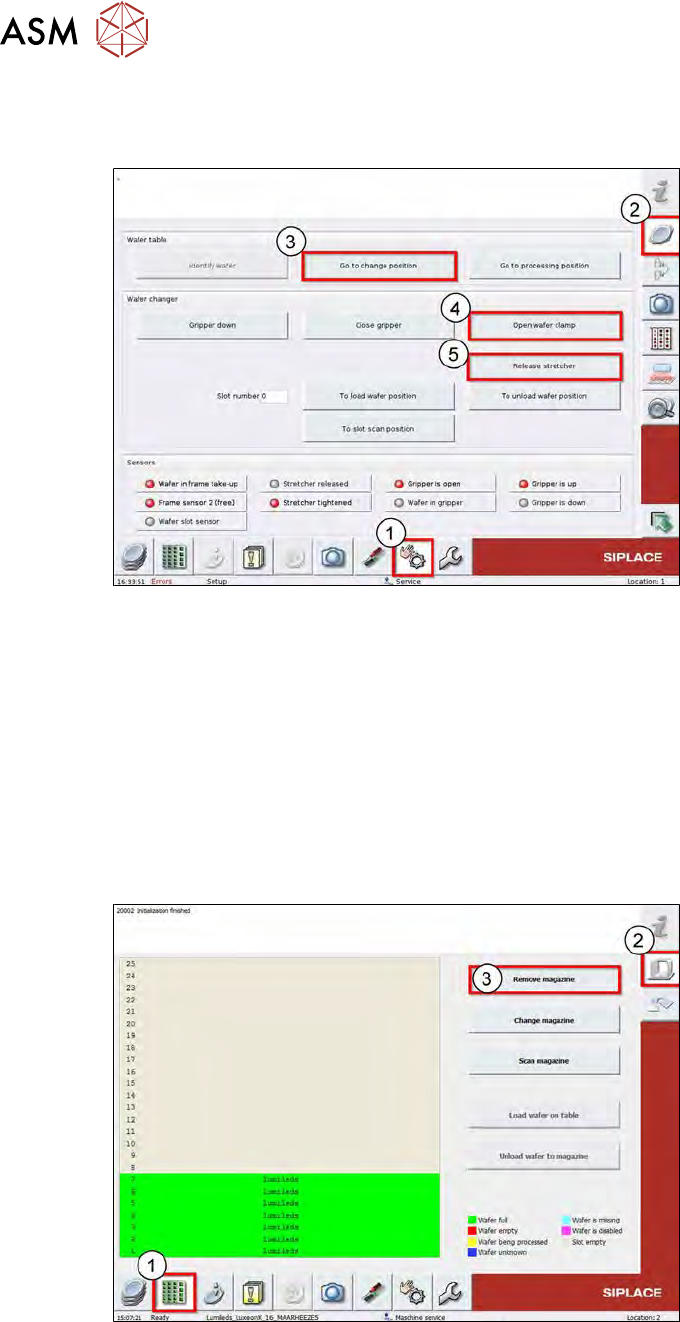
Fig.383:
► Switch over to the Manual Operation (1) view.
► Select Wafer-Handling-Systems (2).
► Use the Go to change position (3) button to move the wafer table to the change position.
ð The wafer table moves to the change position.
► Use the Open wafer clamp (4) button to open the clamp on the wafer changer.
ð The wafer changer clamping ring will open and the expansion ring (stretcher) will move
downwards.
► Use the Release Stretcher (5) button to open the expander.
ð The expander will open and the downholder plate will move upwards.
Fig.384:
► Switch over to the Product (1) menu.
► Select the Setup_Magazin (2) menu.
► Select Remove Magazin (3).
ð The wafer magazine will be moved to the removal position, giving you access to the wafer
lift lock!
12 Wafer stretcher
12.4 Removing the wafer stretcher
Service Manual SIPLACE Wafer System (SWS) 11/2018 279
► Close the SWS software and then shut down the SWS itself.
► Switch off the SWS at the main switch.
► Disconnect the SWS from the power supply.
► Dismantle and remove the SWS from the CA machine!
► Use a machine key to open the wafer lift door.
► Open the wafer lift lock.
► Fold out the support foot!
► Fold the wafer lift outwards.
► See also the preparatory measures in the chapter "calibration" (15 "Calibration" [}361]).
CAUTION
The wafer table must be moved manually during all service work on the wafer stretcher.
Observe the following during this:
●
The die ejector must always be in the bottom position!
●
Always pay attention to the wafer changer gripper, to make sure that this is not damaged.
●
When working on the wafer support, the gripper could be damaged.
12.4 Removing the wafer stretcher
The removal is shown using the example of a 12" wafer stretcher. The procedure for an 8" wafer
stretcher is identical.
12.4.1 Preparing removal of the wafer stretcher
► Complete all required preparations!
1.1 "Safety instructions" [}13]
1.2 "Preparatory work..." [}15]
12.4.2 Dismantling the cover plate and the downholder plates
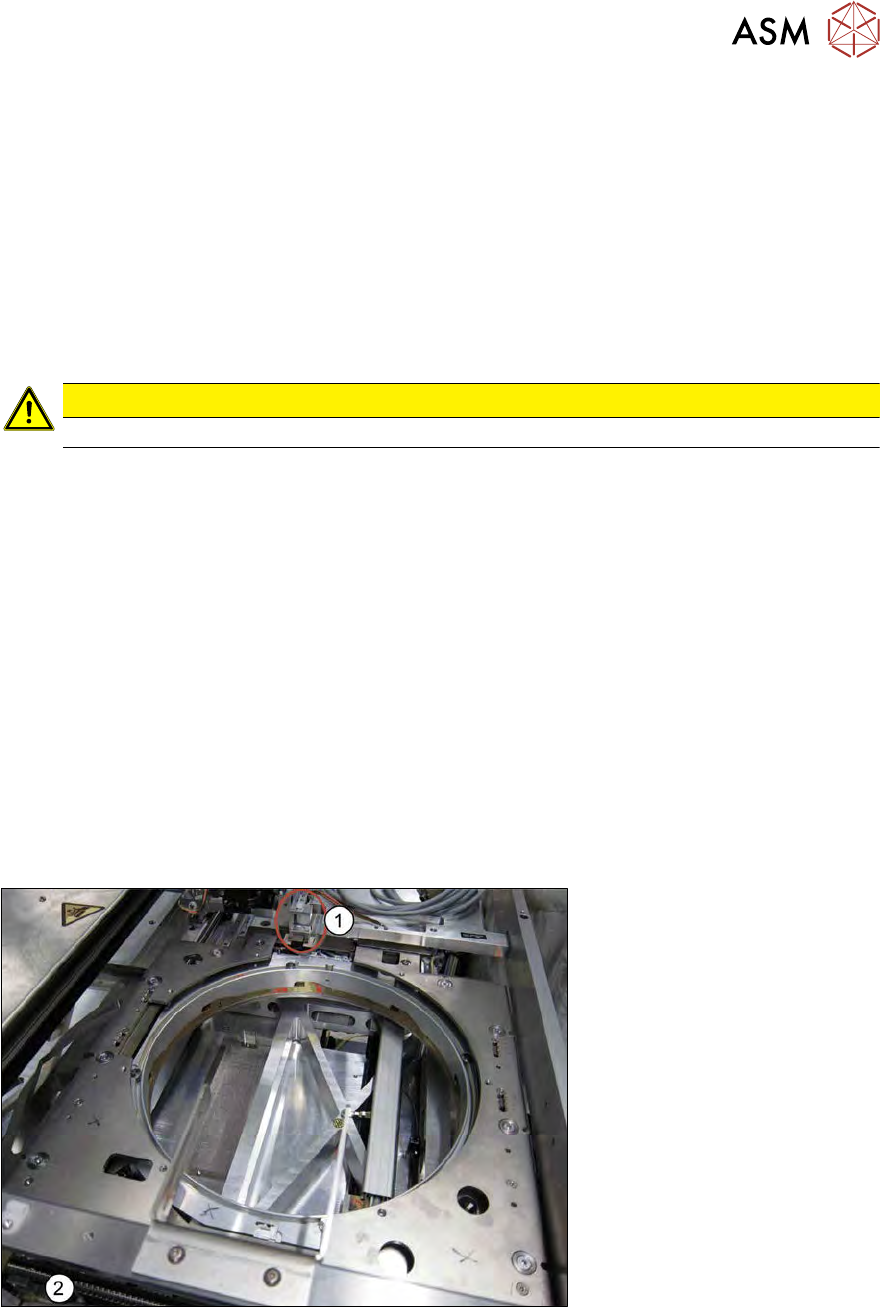
Fig.385:
► Pull the wafer stretcher to the open wafer lift (folded out) (2) and push the wafer changer (grip-
per) into the park position(1).
12 Wafer stretcher
12.4 Removing the wafer stretcher
280 Service Manual SIPLACE Wafer System (SWS) 11/2018
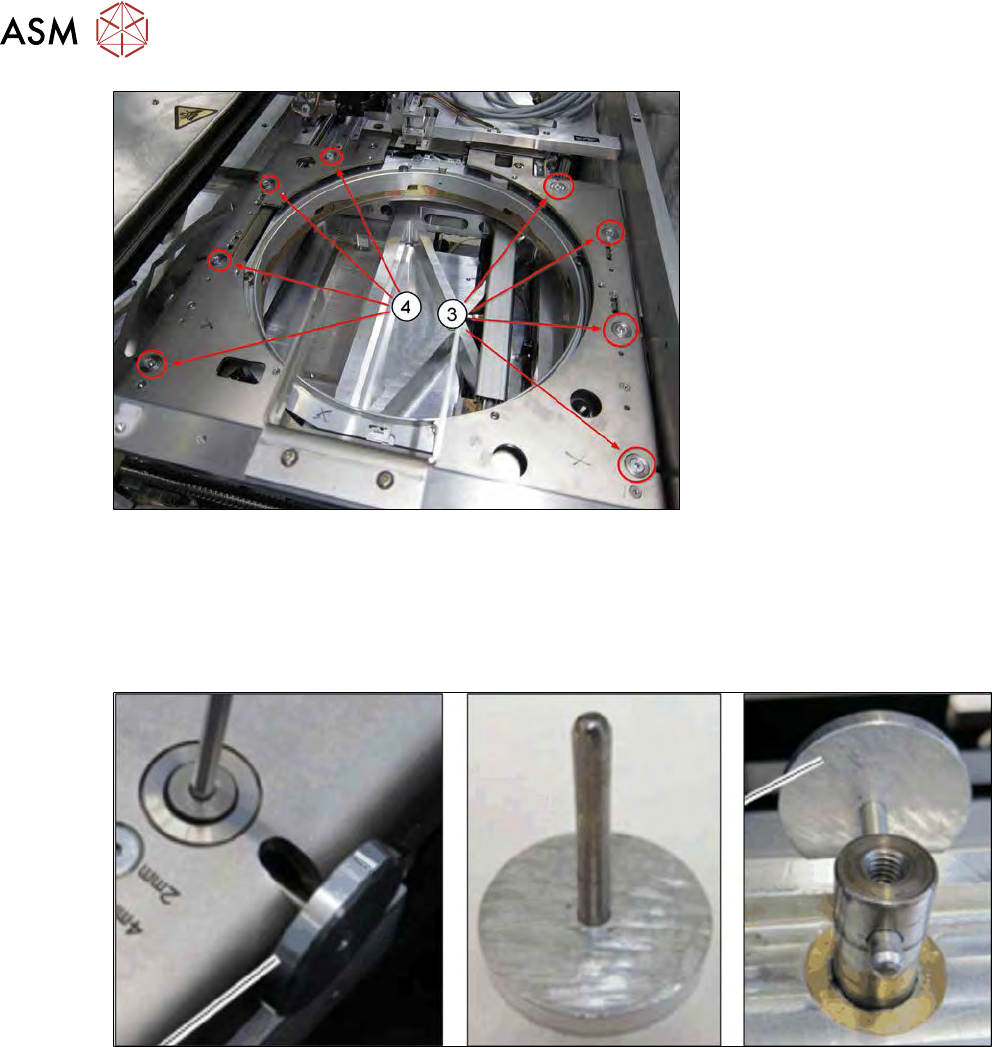
Fig.386:
► Remove the four screws fastening the left (3) and right (4) downholder plates.
► Push the changeover table to a suitable position which gives you access to the recesses in
the lifting piston.
► Use the special auxiliary tool (mushroom-shaped tool) as an anti-rotation lock on the lifting
piston.
Fig.387:
► If you do not have this auxiliary tool (mushroom-shaped tool), use an Allen key. In this case,
take care not to damage the hole drilled in the lifting piston.