00195982-03_SM_SWS_EN.pdf - 第58页
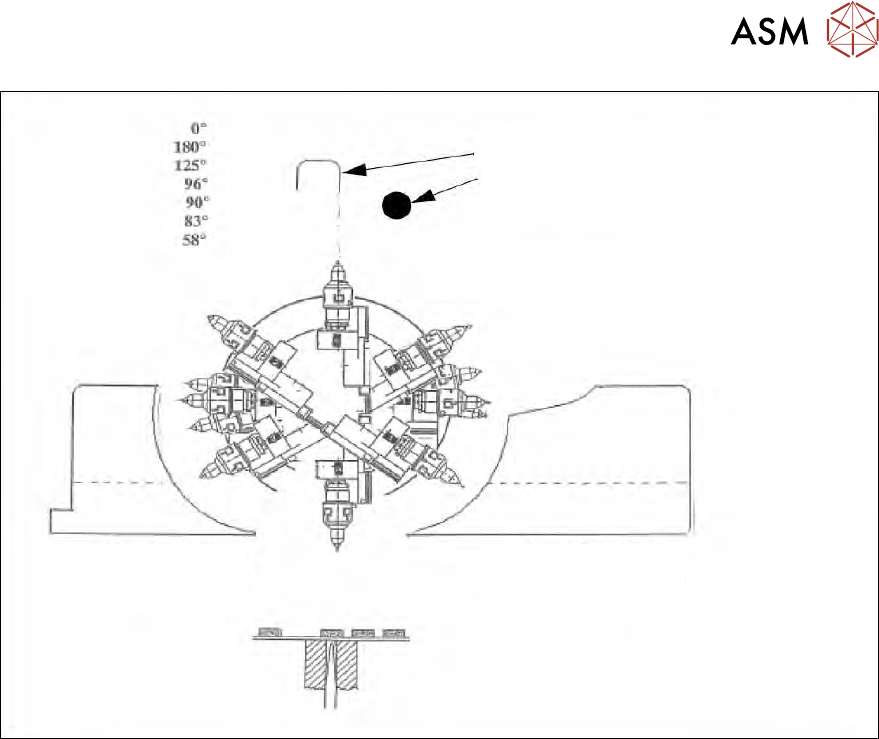
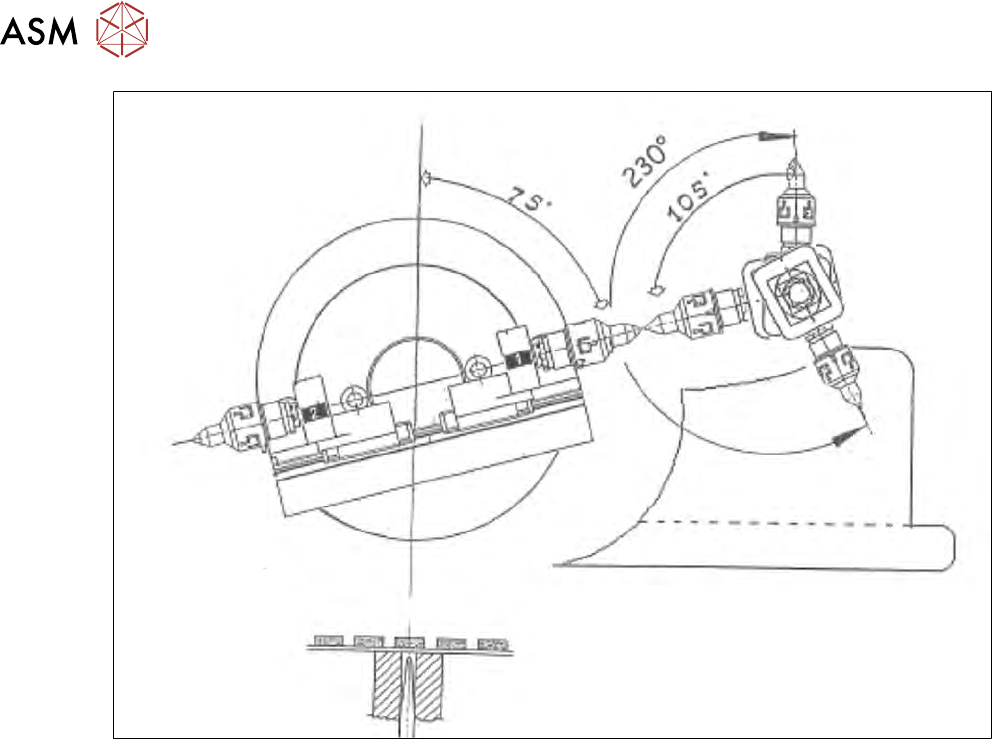
3 SIPLACE wafer system (SWS) function 3.3 Pick and transfer process in detail 58 Service Manual SIPLACE Wafer System (SWS) 11/2018 Fig.38: Positions flip head/die attach segment ● Flip head transfer position ● Acceptanc…
3 SIPLACE wafer system (SWS) function
3.3 Pick and transfer process in detail
Service Manual SIPLACE Wafer System (SWS) 11/2018 57
1. Mechanical stopper
2. Home sensor
Reject bin segment
no. 2
Reject bin segment
no. 1
Fig.37: Initialization of flip rotation axis
1. Mechanical stop
2. Home sensor
The home sensor is used to initialize the flip rotation axis. During the initialization, the rotation axis
travels slowly until the home sensor triggers. Afterwards the first zero pulse is searched for in an
area of 0-30° of the rotation axis. This enables the zero position of the flip rotation axis to be
defined.
3 SIPLACE wafer system (SWS) function
3.3 Pick and transfer process in detail
58 Service Manual SIPLACE Wafer System (SWS) 11/2018
Fig.38: Positions flip head/die attach segment
●
Flip head transfer position
●
Acceptance or reject position
●
Transfer position of die attach segment on placement head
4 SWS installation and removal for SIPLACE CA machines
4.1 Removing the SWS
Service Manual SIPLACE Wafer System (SWS) 11/2018 59
4 SWS installation and removal for SIPLACE CA
machines
4.1 Removing the SWS
The SWS needs to be removed from the SIPLACE CA in order to perform maintenance tasks on
components which are not accessible from above or from the front.
► Disconnect the SWS from the power supply.
DANGER
Do not damage the placement head
Make sure that the gantries are not over the relevant SWS. When removing the fastening
screws, the SWS might move upwards and could damage the placement head if it is above
it!
DANGER
Only SIPLACE engineers or qualified persons
Only SIPLACE engineers or qualified people are permitted to set up and commission the
SWS.
► Observe the applicable accident prevention regulations.
► Do not lie underneath the SWS when installing it. All assemblies and parts can be fit-
ted from above. If you nevertheless have to carry out assembly work underneath, then
you must secure the SWS by suitable means. The fork lift must not be used as the
only support!
► Make sure that the gantries are positioned over the PCB conveyor, so that the head
space is not limited during assembly. This helps prevent the risk of injury.
► Two people are needed to install the SWS:
– one person performs the required installation tasks,
– the other person observes the positional stability of the raised SWS during installa-
tion.
► Wear special safety boots to protect your feet.
Positioning the fork lift
WARNING
Lifting the SWS
Please note the following points before you raise the SWS in order to avoid irreversible
damage to the SWS:
► Make sure that the forks are evenly loaded when you lift the SWS. A firm support
between the forks and SWS will prevent the SWS tilting when it is raised.
► We recommend that a second person watch the SWS as it is raised, and make sure
that it does not tip to one side when lifted with the fork lift.
Tools and equipment
The following tools and equipment are required for installing and removing the SWS:
●
Standard tools
●
Torque wrench
●
Fork lift/pallet jack, possibly wooden timbers for support
●
Screwed feet