00195982-03_SM_SWS_EN.pdf - 第139页
7 Die ejector 7.3 Replacing spare parts Service Manual SIPLACE Wafer System (SWS) 11/2018 139 Fig.167: ► Position the Z axis die ejector on the support plate, with its two pins in the corresponding holes of the support …
7 Die ejector
7.3 Replacing spare parts
138 Service Manual SIPLACE Wafer System (SWS) 11/2018
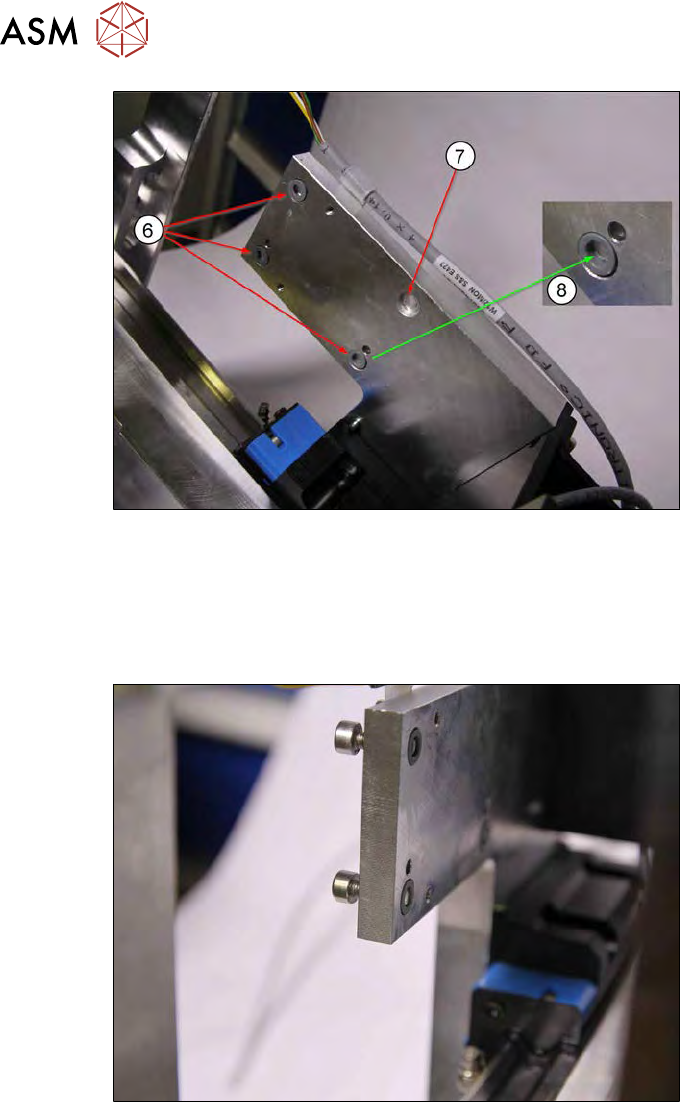
Fig.165:
► All loss prevention locks [03075495-xx](6) must be in the Flachbohrungen.
In order to fix the loss prevention locks into place, you can apply a little Vaseline or similar
grease to the shallow holes(7).
► The thread of the loss prevention locks must be on the inside (towards the shallow hole)(8).
This is the only way to ensure that the screws have approx. 2mm secure hold.
Fig.166:
It is possible that the screws may still be in the loss prevention lock after dismantling.
► Tighten all screws so that they are level with the assembly surface (see diagram).
7 Die ejector
7.3 Replacing spare parts
Service Manual SIPLACE Wafer System (SWS) 11/2018 139
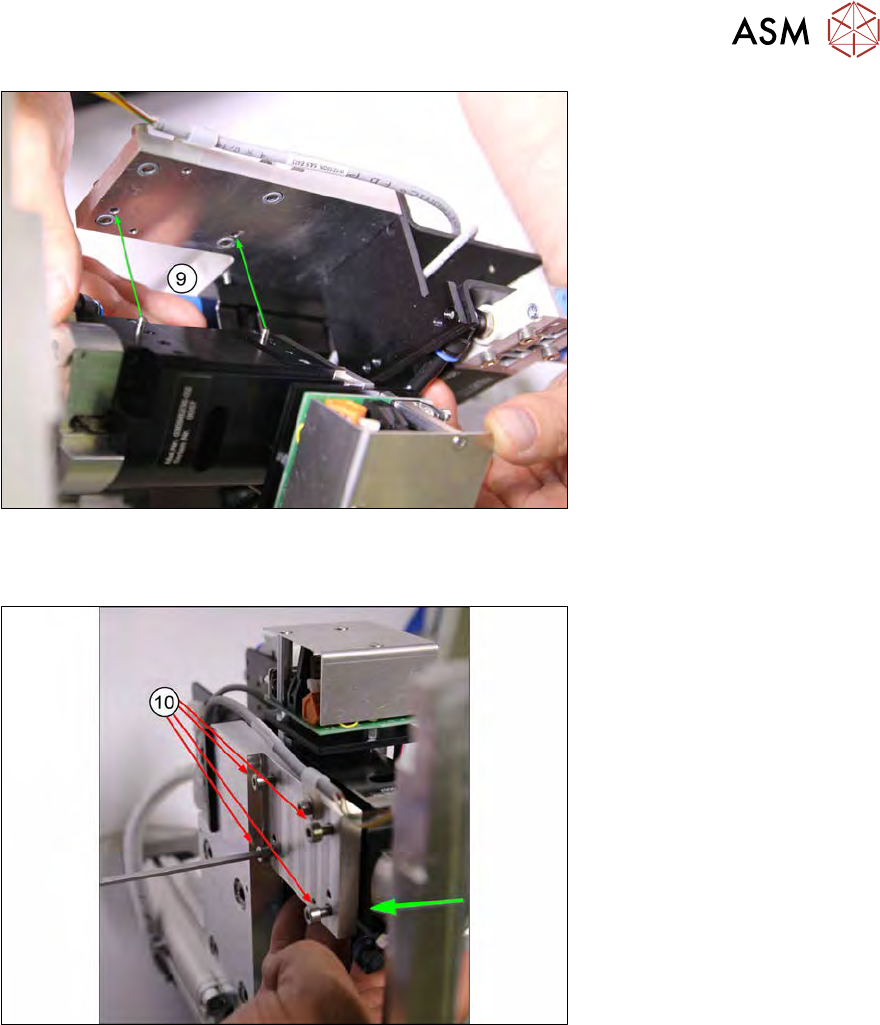
Fig.167:
► Position the Z axis die ejector on the support plate, with its two pins in the corresponding
holes of the support plate(9).
Fig.168:
► Press the Z axis die ejector against the carrier and tighten the four fastening screws(10) an.
► If not already done, now remove the fork light barrier from the Z axis die ejector.
7 Die ejector
7.3 Replacing spare parts
140 Service Manual SIPLACE Wafer System (SWS) 11/2018
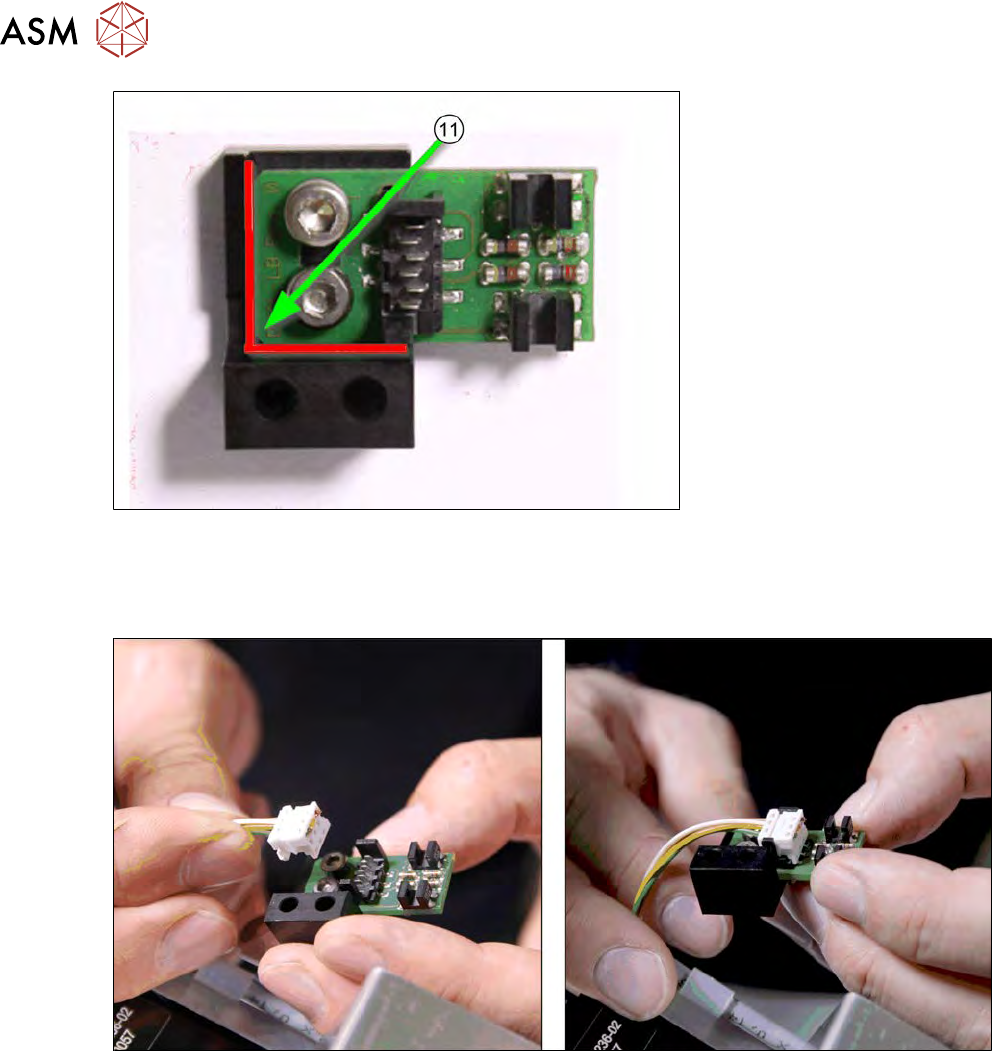
Fig.169:
► To make sure that the dual light barrier is fitted in the correct position on the assembly
bracket, loosen the two fastening screws.
► Press the board against the edges (red in the diagram) and tighten the screws.
Fig.170:
► Connect the cable to the board (observe the connector orientation).