00195982-03_SM_SWS_EN.pdf - 第343页
13 BoxPC, GALIL cards and axis control 13.2 GALIL cards in the BoxPC Service Manual SIPLACE Wafer System (SWS) 11/2018 343 13.2.2 Replacing the GALIL card ► Work in accordance with the ESD regulations. Fig.489: ► Remove…

13 BoxPC, GALIL cards and axis control
13.2 GALIL cards in the BoxPC
342 Service Manual SIPLACE Wafer System (SWS) 11/2018
PCI BUS GALIL motion controller
Various different PCI BUS GALIL motion controllers can be used in the BoxPC.
The number of axes which can be addressed depends on the type used.
Type PCI bus GALIL motion controller DMC-1886
The type DMC-1886 (1) can control a total of 8 axes.
(DMC-1886 → third position "8" for 8 axes)
The 100 pin connector used can, however, only transmit signals for a total of four axes.
For this reasons, one output is used to supply an additional card with a 100 pin connector via a
connection cable ((4) within the BoxPC).
The signals from the additional output on the DMC-1886 are only looped through on this card (3).
The axis control function is on the DMC-1886.
The following axes are controlled with the card in the SWS:
●
Wafer table X (6)
●
Wafer table Y (6)
●
Die ejector tool change (6)
●
Die ejector (6)
●
Flip rotate (rotate axis flip unit) (8)
●
Flip Z axis pick up (8)
●
Die attach unit rotate (9) → optional
●
Flip X axis/hand over (9) → optional
Type PCI bus GALIL motion controller DMC-1826
The type DMC-1826 (2) can control a total of 2 axes.
(DMC-1826 → third position "2" for 2 axes)
The following axes are controlled with the card in the SWS:
●
Magazine lift (11)
●
Wafer handler (gripper) (11)
13 BoxPC, GALIL cards and axis control
13.2 GALIL cards in the BoxPC
Service Manual SIPLACE Wafer System (SWS) 11/2018 343
13.2.2 Replacing the GALIL card
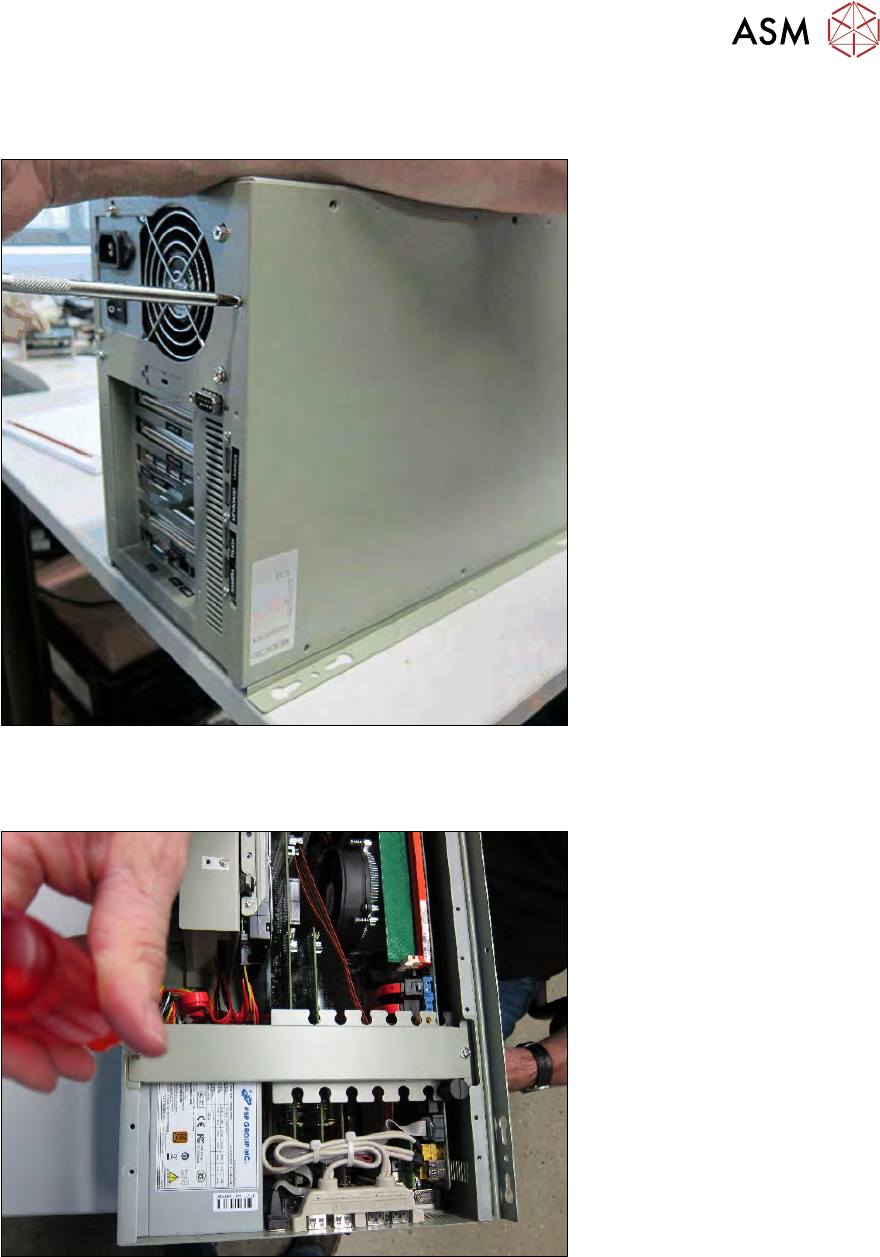
► Work in accordance with the ESD regulations.
Fig.489:
► Remove the right side cover on the BoxPC.
► Place the BoxPC down on its side.
Fig.490:
► Dismantle the cross beam.
13 BoxPC, GALIL cards and axis control
13.2 GALIL cards in the BoxPC
344 Service Manual SIPLACE Wafer System (SWS) 11/2018
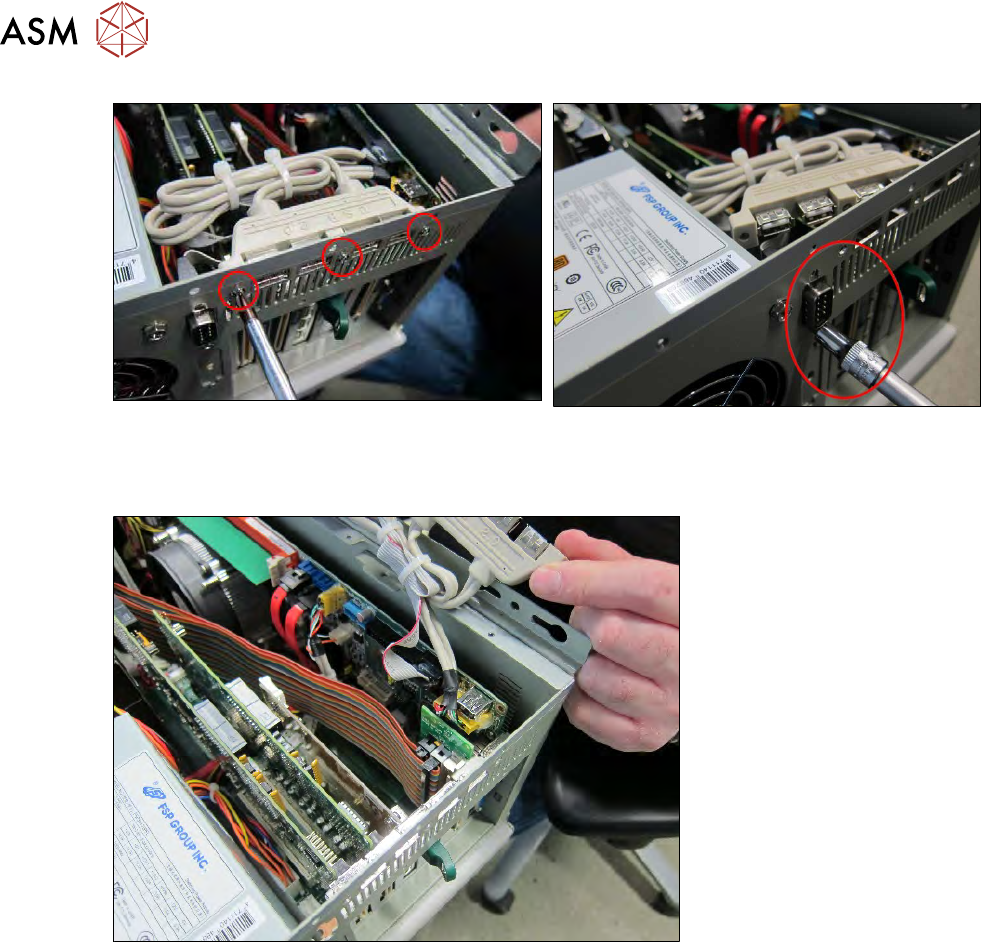
Fig.491:
► Remove the three screws (Phillips) fastening the USB hub.
► Remove the RS232 socket from the COM1 interface.
Fig.492:
► Fold the USB COM 1 unit to the side.