00195982-03_SM_SWS_EN.pdf - 第335页
13 BoxPC, GALIL cards and axis control 13.1 Removing and replacing the BoxPC Service Manual SIPLACE Wafer System (SWS) 11/2018 335 Fig.477: ► Pull the side cover plate out of its frame, until the back and front retainin…
13 BoxPC, GALIL cards and axis control
13.1 Removing and replacing the BoxPC
334 Service Manual SIPLACE Wafer System (SWS) 11/2018
13.1.2 Preparing removal of the BoxPC
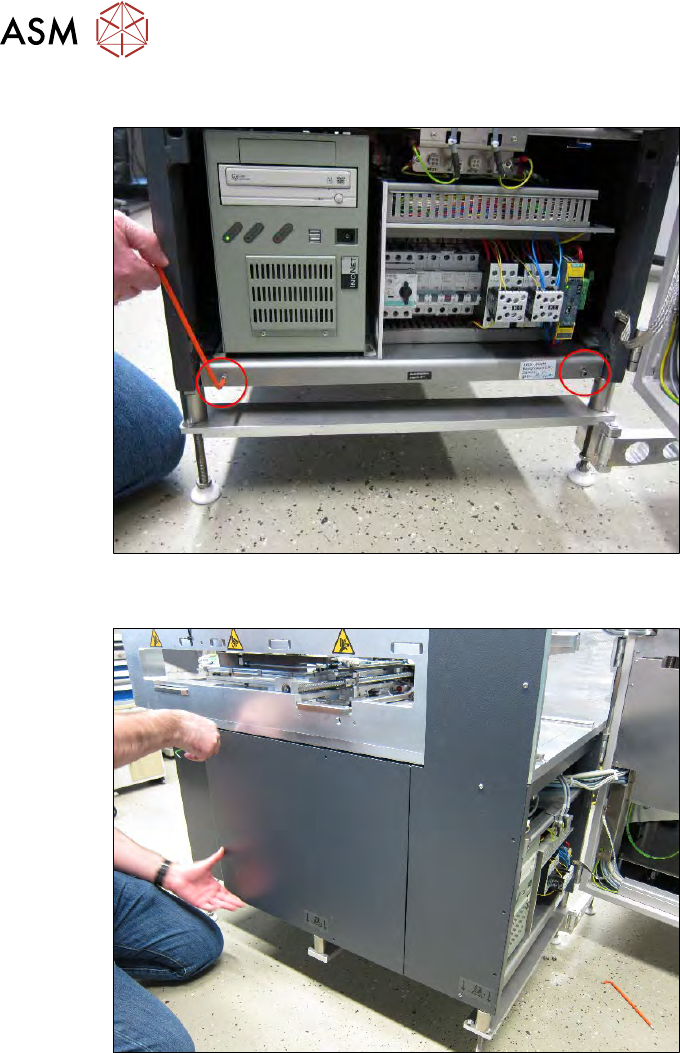
Fig.475:
► Remove the two screws fastening the side cover plate.
Fig.476:
► Dismantle the left cover plate and unplug the ground cable from the SWS.
13 BoxPC, GALIL cards and axis control
13.1 Removing and replacing the BoxPC
Service Manual SIPLACE Wafer System (SWS) 11/2018 335
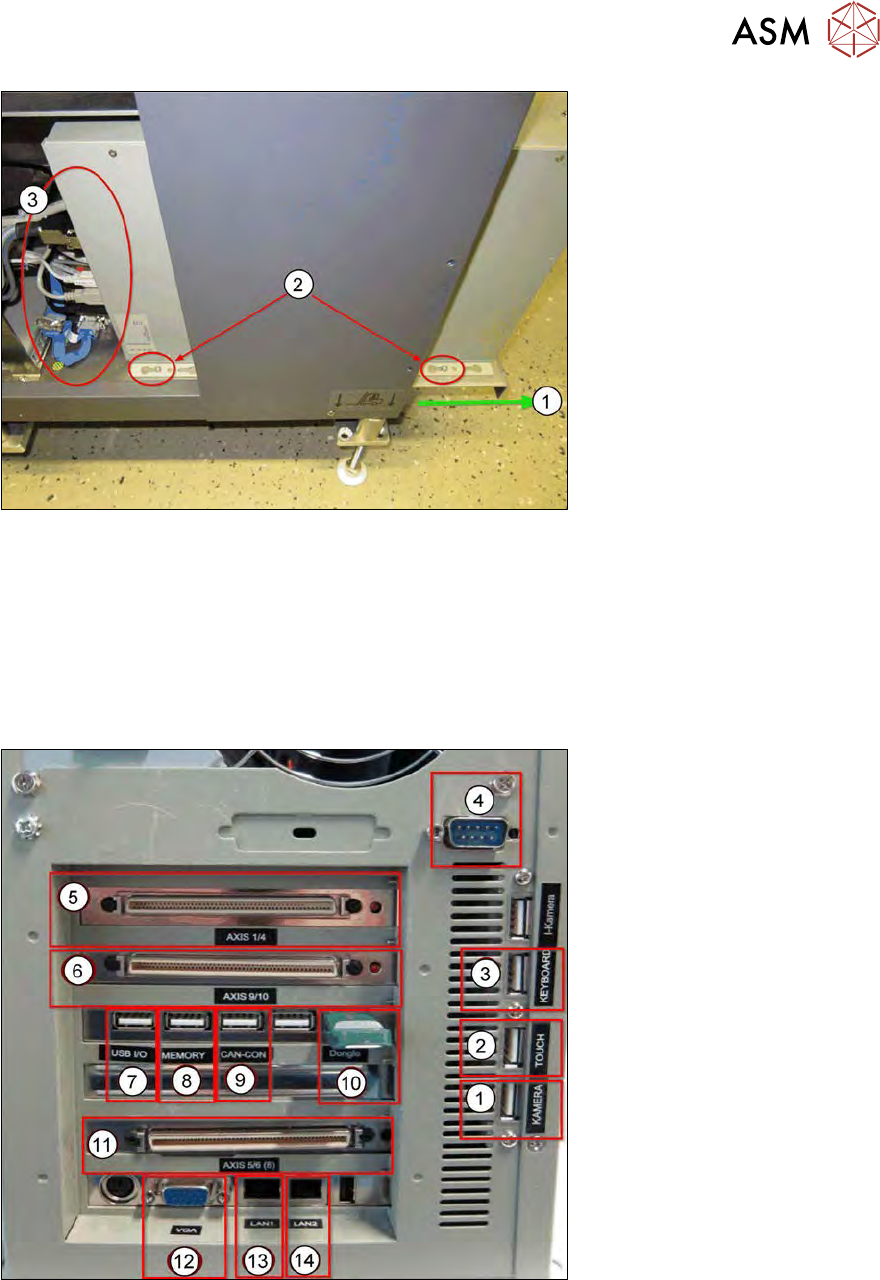
Fig.477:
► Pull the side cover plate out of its frame, until the back and front retaining screws (1) on the
BoxPC can be accessed.
► Loosen the two screws(2), so that the BoxPC can be moved on the side cover plate.
Before pulling out the BoxPC, unplug all connections(3) as follows:
13.1.2.1 Cable connections on the back of the BoxPC
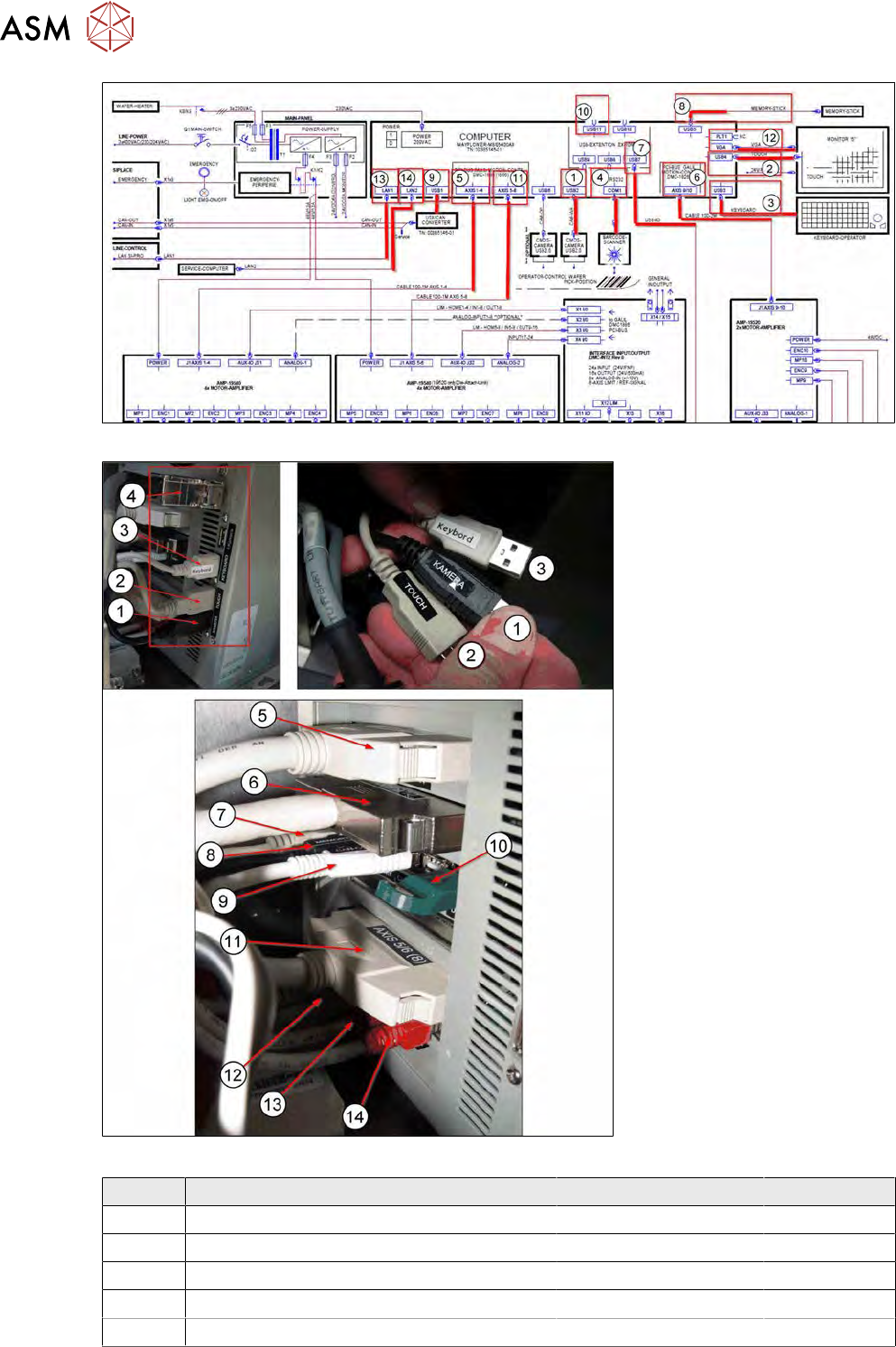
The following connections are on the back of the BoxPC:
Fig.478:
13 BoxPC, GALIL cards and axis control
13.1 Removing and replacing the BoxPC
336 Service Manual SIPLACE Wafer System (SWS) 11/2018
Fig.479:
Fig.480:
Number Connection Connection on back Type
1 CMOS camera wafer pick position USB 2 USB2.0
2 Touchscreen monitor USB 4 USB2.0
3 Keyboard USB 3 USB2.0
4 Barcode scanner COM1 RS232
5 AXIS 1-4 (to wafer X/Y and die ejector) AXIS 1-4 100pin cable