00195982-03_SM_SWS_EN.pdf - 第475页
17 Tips and tricks 17.2 Wafer changer calibration problems Service Manual SIPLACE Wafer System (SWS) 11/2018 475 Fig.743: ► An additional button (without icon) will now appear at the bottom right of the main view, next …
17 Tips and tricks
17.2 Wafer changer calibration problems
474 Service Manual SIPLACE Wafer System (SWS) 11/2018
17.2 Wafer changer calibration problems
Error description
The wafer changer must always be calibrated completely, including with travel distances
("calibration of limits").
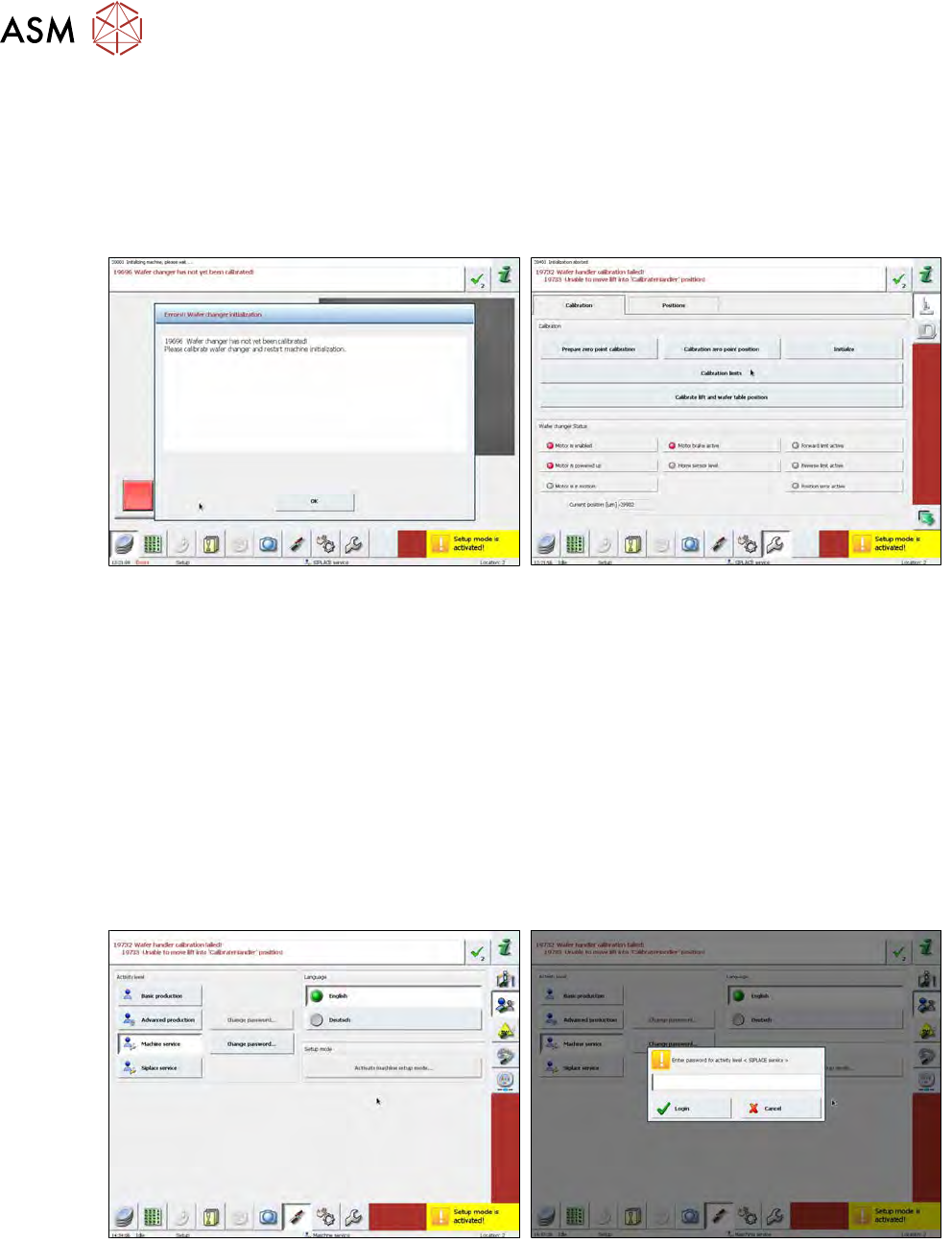
If you only calibrate the zero position, the following error image will occur:
Fig.741:
The corresponding error message (see diagram) will be shown after a restart and an attempt to
initialize the SWS.
If you now attempt to calibrate the wafer changer, you need to position the lifting axis of the
magazine plate so that the wafer gripper does not collide with it when you calibrate the travel dis-
tances ("calibration limits").
The initialization of the whole system will be stopped when you attempt to reference the wafer
changer, because this has not been calibrated. The lifting axis which follows during the initialization
will therefore not be initialized. For this reason, it is not possible to move the lifting axis and when
you attempt to calibrate the wafer changer, the software will issue the message "19732 Wafer
handler calibration failed! / 19733 Unable to move lift into "CalibrateHandler" position!".
Procedure
To calibrate the wafer changer, first initialize the lifting axis. Proceed as follows:
Fig.742:
► Switch the operator levels as follows to SIPLACE Service.
Press the Shift+Ctrl+Alt+Skeys at the same time. The SIPLACE servicebutton will appear.
Select this button and enter the password MS128 .
17 Tips and tricks
17.2 Wafer changer calibration problems
Service Manual SIPLACE Wafer System (SWS) 11/2018 475
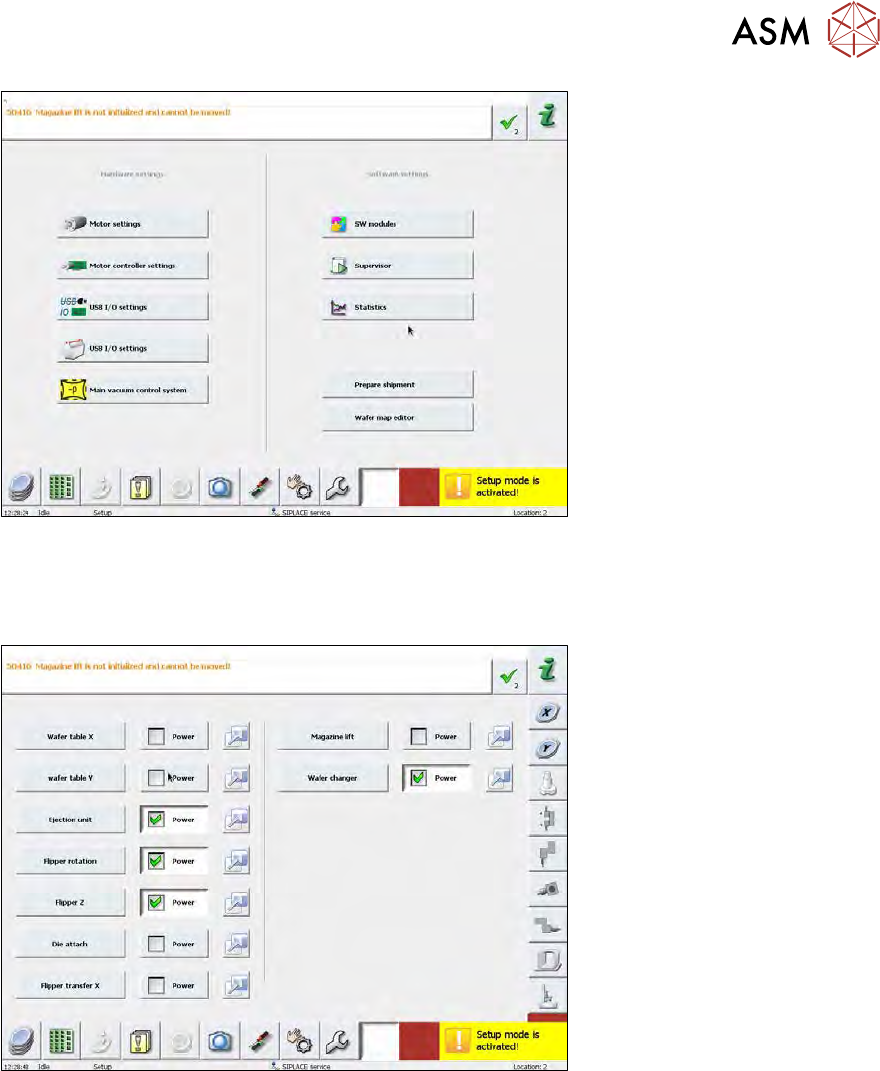
Fig.743:
► An additional button (without icon) will now appear at the bottom right of the main view, next to
the service button. Select this additional button.
► Then select the Motor settings button.
Fig.744:
► Now select the blue initialization button, next to the Magazine lift.
ð The lifting axis will now be referenced. After this the lifting axis will be active.
Since the lifting axis can now be addressed and moved, you can also calibrate the wafer changer
(see 15.4.3 "Calibration wafer changer menu" [}405]).
17 Tips and tricks
17.3 Wafers are recognized in the wrong slot of the magazine
476 Service Manual SIPLACE Wafer System (SWS) 11/2018
17.3 Wafers are recognized in the wrong slot of the magazine
Error description
●
Scaling factor "distance magazine plate-slot" appears to be too small.
e.g. wafer in slot 25 is recognized at slot 10 or wafer at slot 10 is recognized at slot 2.
●
When the slot is approached again, another value is addressed and saved.
Procedure
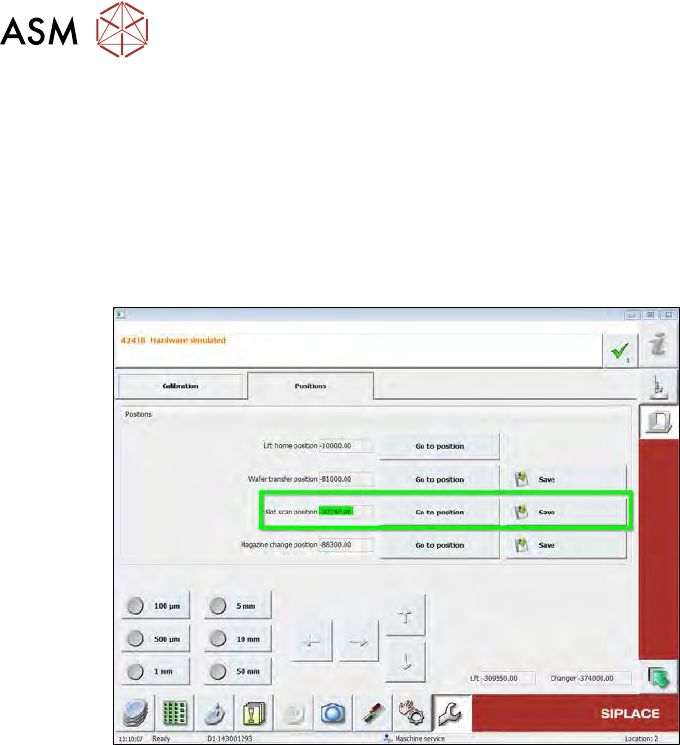
Fig.745:
► Check the clamping screw on the coupling of the wafer lift drive.
If this has loosened, the motor axis or coupling will slip and the values of the rotary encoder
for the motor will no longer match the real distances moved by the spindle.