00195982-03_SM_SWS_EN.pdf - 第154页
7 Die ejector 7.4 Mechanical adjustment of the needle position in the X/Y position 154 Service Manual SIPLACE Wafer System (SWS) 11/2018 Fig.195: ► Remove the two locking screws (6) from the eccentric shaft, so that the…
7 Die ejector
7.4 Mechanical adjustment of the needle position in the X/Y position
Service Manual SIPLACE Wafer System (SWS) 11/2018 153
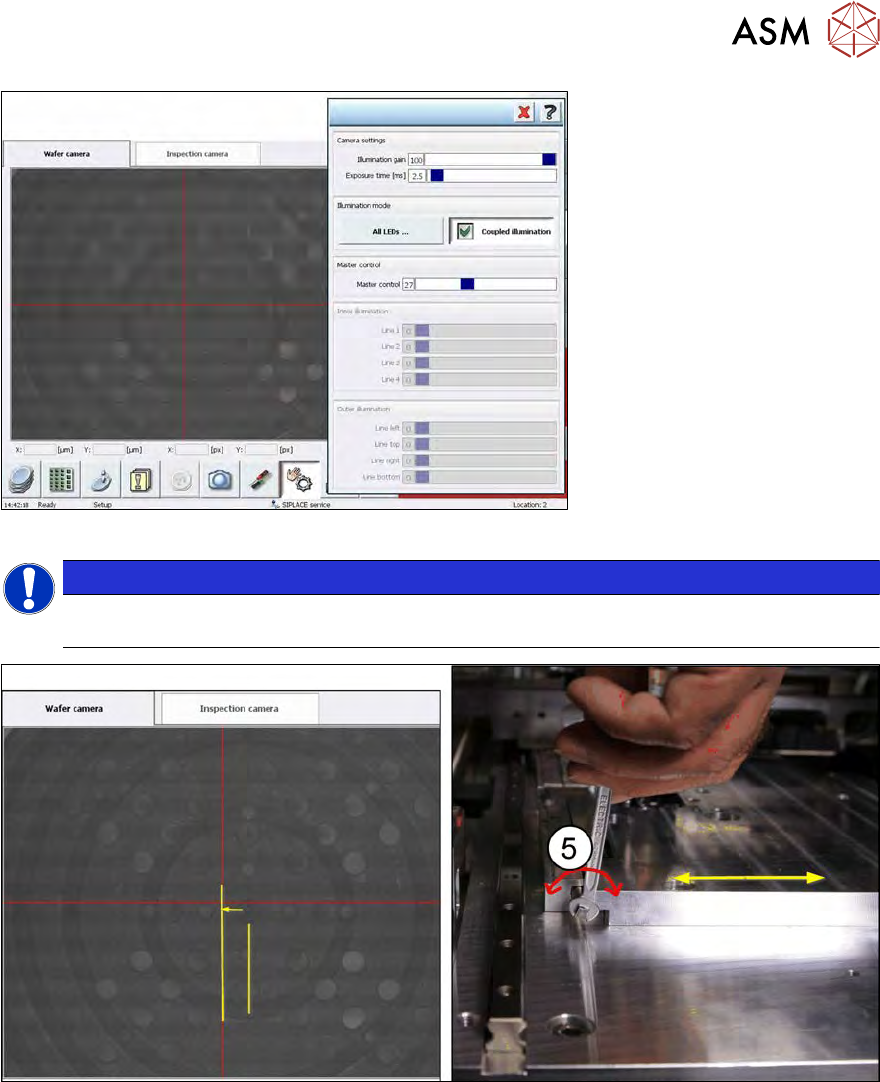
Fig.193:
NOTICE
► If the needle tip is not visible, switch to the menu Illumination and set the lighting so
that you can see the dot showing the needle tip/needle cone.
Fig.194:
► Turn the eccentric shaft (5), until the wafer camera live image shows the needle tip dot under
the red line. → Adjustment in X position
7 Die ejector
7.4 Mechanical adjustment of the needle position in the X/Y position
154 Service Manual SIPLACE Wafer System (SWS) 11/2018
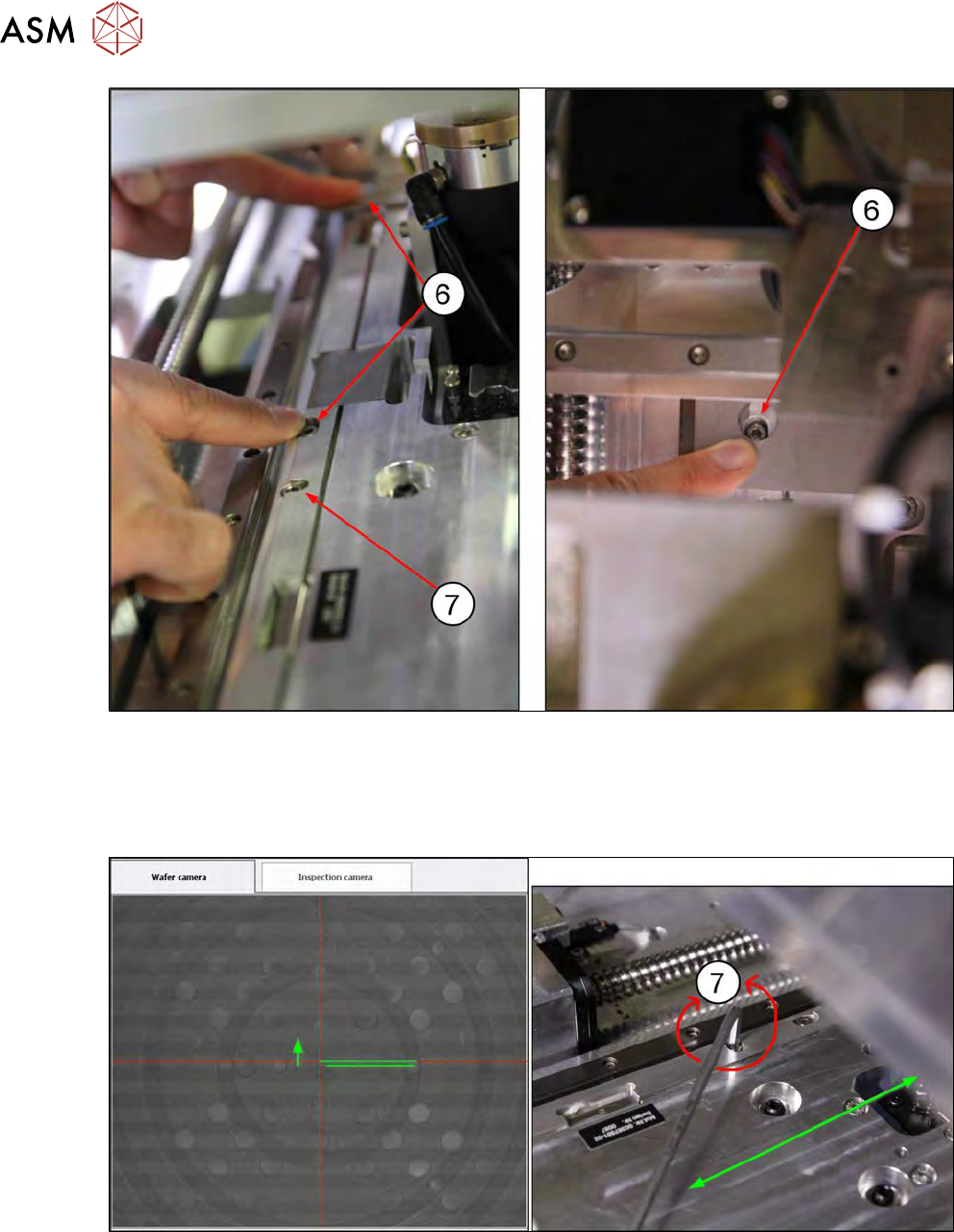
Fig.195:
► Remove the two locking screws (6) from the eccentric shaft, so that the base plate can be
moved in the Y direction. The rear locking screw(6) can only be reached if the wafer table has
already been moved manually in the direction of the wafer lift.
► The eccentric screw(7) is used to set the base plate in the Y direction (Allen key 4mm).
Fig.196:
► Turn the eccentric screw (7), until the wafer camera live image shows the needle tip dot ex-
actly in the crosshairs of the red lines. → Adjustment in Y position
7 Die ejector
7.5 Mechanical adjustment of the die ejector unit in the Z direction (focus)
Service Manual SIPLACE Wafer System (SWS) 11/2018 155
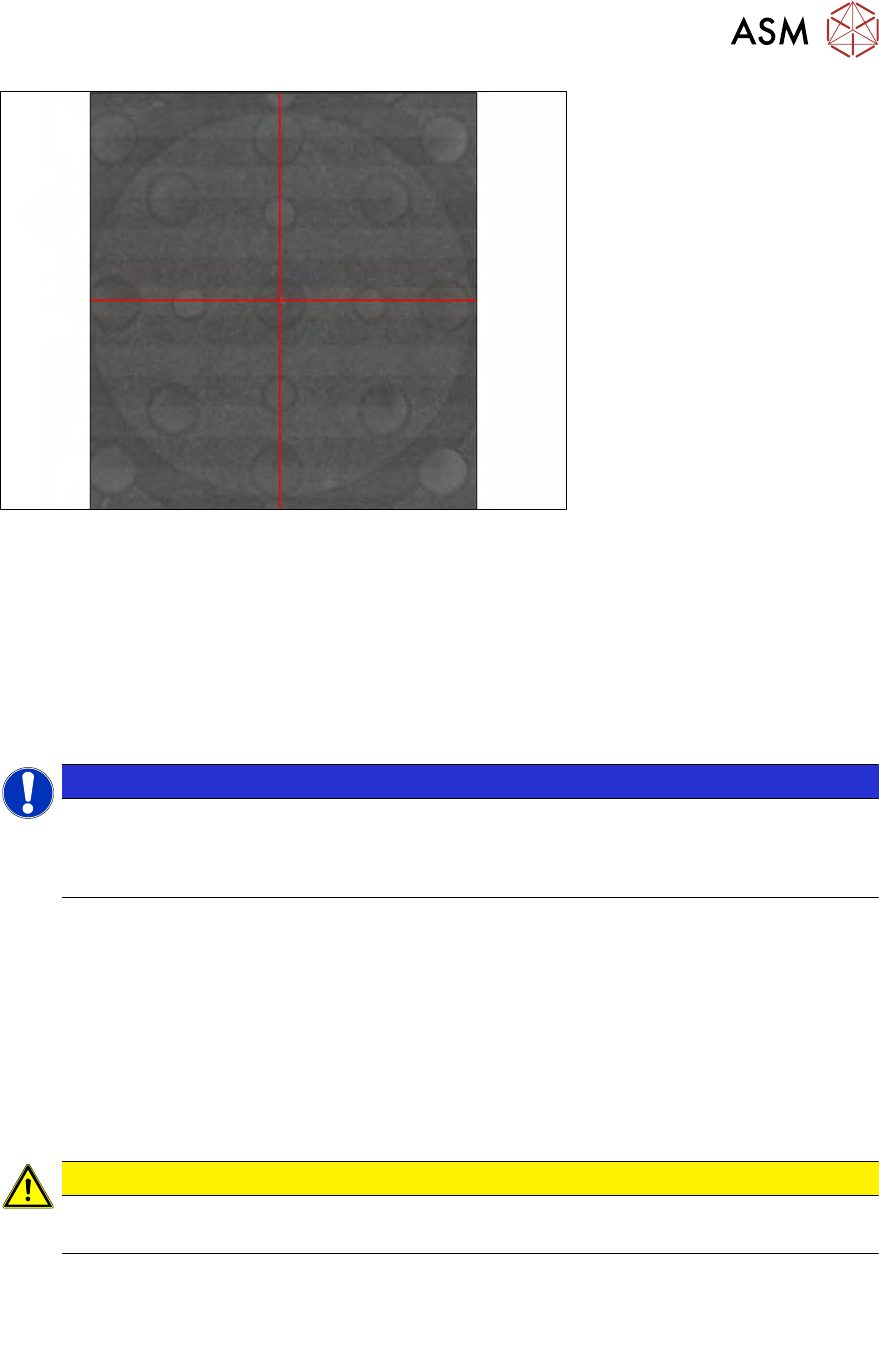
Fig.197:
► The needle tip (bright dot in the center) is now directly in the camera center (red crosshairs).
► Retighten the locking screws on the eccentric shaft (6) (Y direction).
► Check the camera live image to see whether the needle tip is still in the camera center.
► Adjust until this position remains and the eccentric shaft locking screws are tight.
► Now carefully tighten the four screws fastening the base plate (1 und 2). Keep an eye con-
tinuously on the wafer camera live image to check the relationship of the needle tip position to
the camera center.
NOTICE
If you notice a trend when tightening the fastening screws, which relates to the amount
which the needle center moves in the X direction, you can set this deviation in the opposite
direction with the eccentric shaft, so that the needle tip is once again in the camera center
after the four fastening screws have been fully tightened.
► You may need to adjust multiple times.
ð Once all four fastening screws (1, 2 and 6) have been tightened, the needle tip should be
exactly in the camera center point!
7.5 Mechanical adjustment of the die ejector unit in the Z
direction (focus)
7.5.1 Replacing the needle ejection system needles
CAUTION
Risk of injury from the sharp needles
There is a risk of injury from the sharp needles in the needle unit.
There are two different versions of the needle ejection system.
Old version: Needle ejection system with bayonet connection (no longer supplied)
Current version: Needle ejection system with magnetic fastening
In the event that a needle ejection system with bayonet fastening is damaged, it will be necessary
to upgrade to the new version with magnetic fastening (see 7.6 "Converting the bayonet needle
ejector unit (old version) to the magnetic needle ejector unit (current version)" [}168].