00195982-03_SM_SWS_EN.pdf - 第233页
10 Option Die Attach Unit SWS 10.1 Installing the Option Die Attach Unit SWS Service Manual SIPLACE Wafer System (SWS) 11/2018 233 10.1.4.2 Alignment in Z direction Fig.309: ► Loosen the two locking screws of the block …
10 Option Die Attach Unit SWS
10.1 Installing the Option Die Attach Unit SWS
232 Service Manual SIPLACE Wafer System (SWS) 11/2018
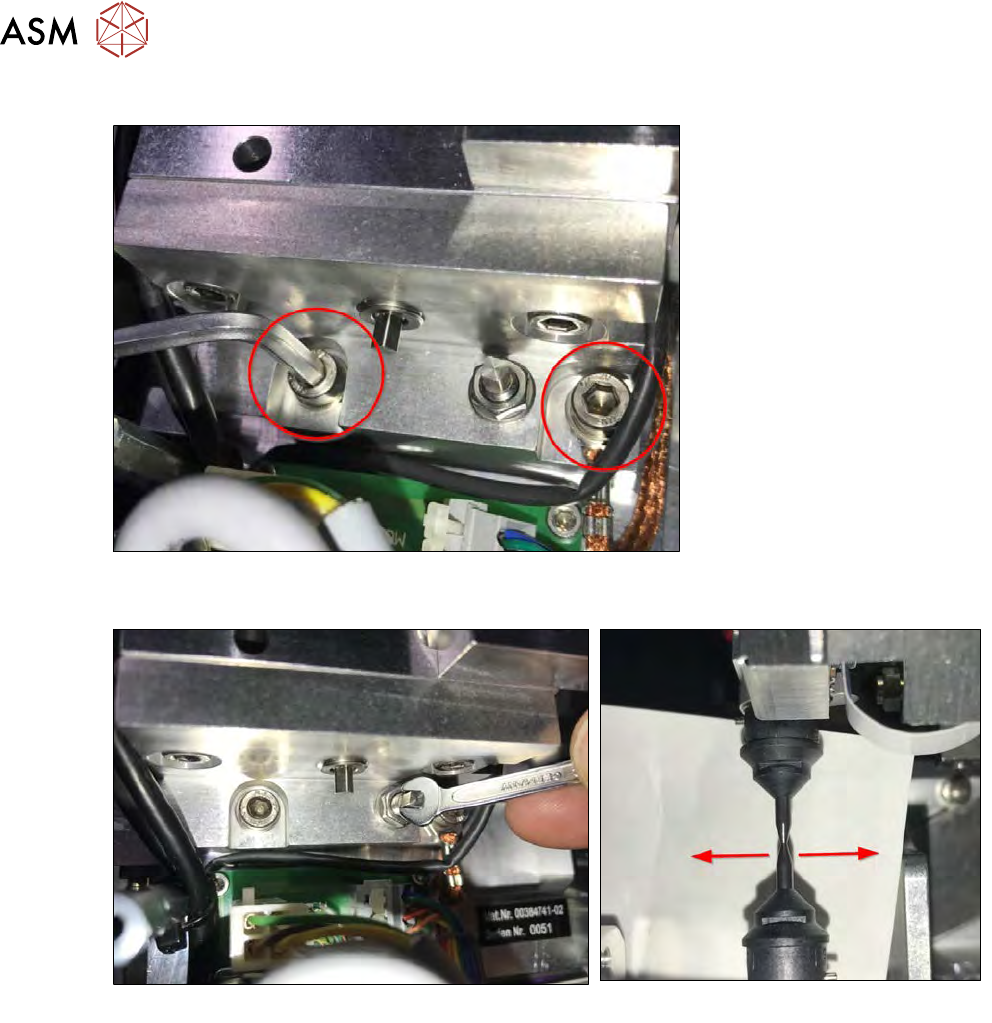
10.1.4.1 Alignment in y direction
Fig.307:
► Loosen the two safety screws of the block for horizontal alignment.
Fig.308:
► Loosen the locking nut of the adjustment screw and correct the nozzle offset in Y direction by
turning the adjustment screw (see figures).
► After the Die Attach segment and the flip head segment have been successfully aligned,
tighten the locking nut of the adjustment screw.
► Tighten the two safety screws of the block for horizontal Y alignment.
► After tightening, re-check the alignment.
10 Option Die Attach Unit SWS
10.1 Installing the Option Die Attach Unit SWS
Service Manual SIPLACE Wafer System (SWS) 11/2018 233
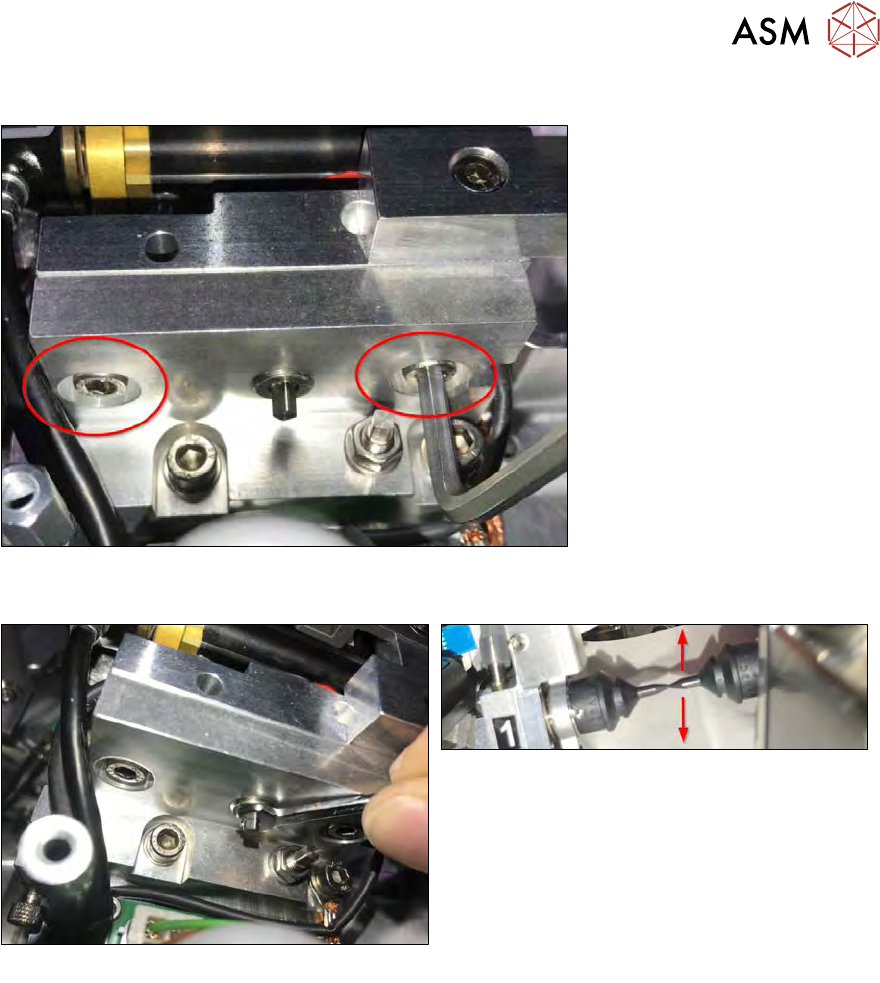
10.1.4.2 Alignment in Z direction
Fig.309:
► Loosen the two locking screws of the block for the vertical Z alignment.
Fig.310:
► Correct the nozzle offset in Z direction by turning the adjustment screw (see figures).
► After the Die Attach segment and the flip head segment have been successfully aligned in Z
direction, tighten the locking screws of the block for the vertical Z alignment.
10 Option Die Attach Unit SWS
10.1 Installing the Option Die Attach Unit SWS
234 Service Manual SIPLACE Wafer System (SWS) 11/2018
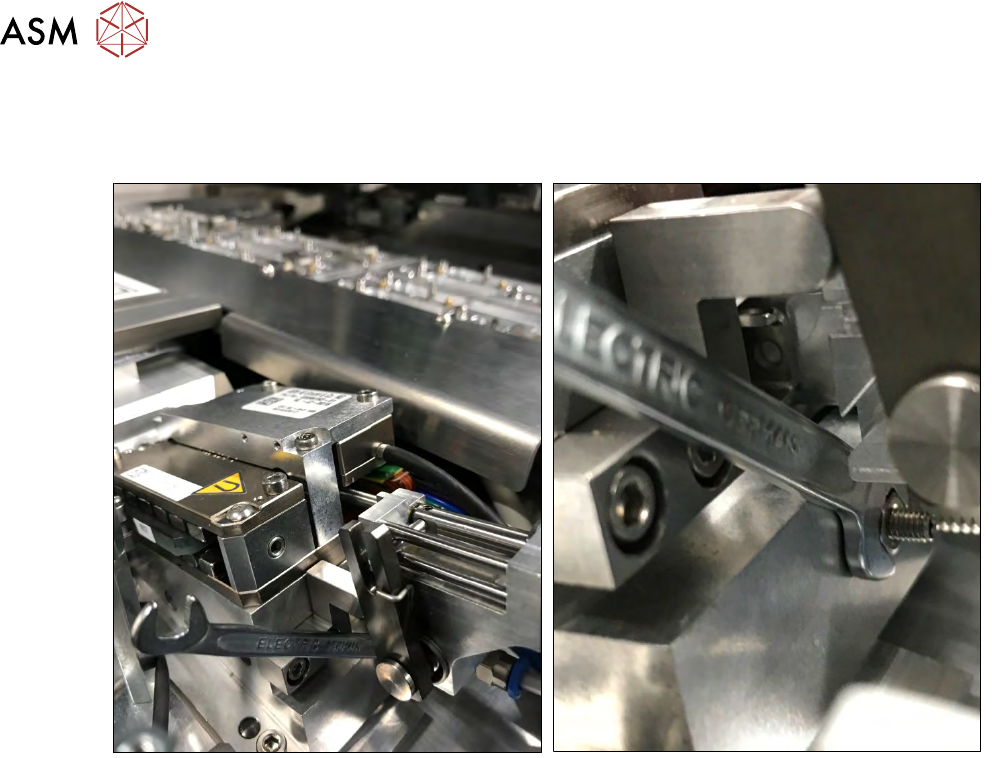
10.1.4.3 Mechanical adjustment of the Transfer-x axis holding cylinder
If the ball bearing of segment 1 does not move smoothly over the transfer X jaw (axis powerless in
emergency mode or SWS switched off), the holding cylinder must be mechanically adjusted.
Fig.311:
► Open the locking nut of the holding cylinder alignment screw using a 5.5mm open-end
wrench (see figure).