00195982-03_SM_SWS_EN.pdf - 第349页
13 BoxPC, GALIL cards and axis control 13.3 Replacing the servo amplifier for the axes Service Manual SIPLACE Wafer System (SWS) 11/2018 349 Fig.500: ► Unscrew the ground connection for the GALIL card. Fig.501: ► Remov…
13 BoxPC, GALIL cards and axis control
13.3 Replacing the servo amplifier for the axes
348 Service Manual SIPLACE Wafer System (SWS) 11/2018
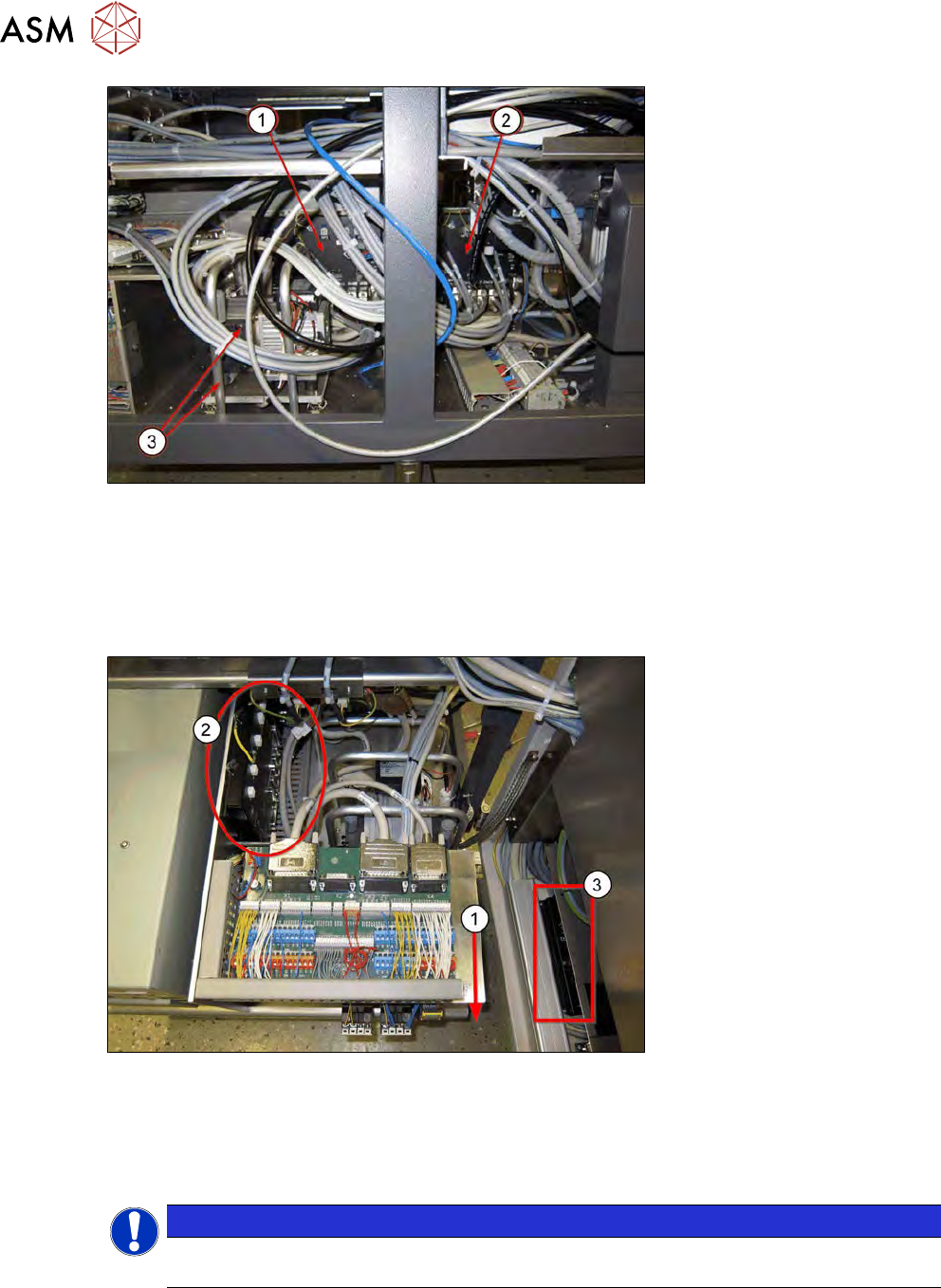
Fig.498:
► Access to the GALIL cards AMP-19540 AXIS1-4 (1) and AMP-19540 AXIS5-8 is obstructed
and therefore difficult to achieve.
TIP: to make removal of the AMP-19540 AXIS1-4 GALIL card easier (1), you can also remove the
vacuum pump and protective bracket(3).
The removal without dismantling the vacuum pump is described below.
Fig.499:
► Pull the base plate towards the front (1).
Make sure that it does not tilt too much and that the back cable of the unit is not tensioned ex-
cessively.
► Remove all cables from the AMP-19540 AXIS1-4 GALIL card (2).
NOTICE
In the diagram you can see the AMP-19520 GALIL card for the wafer lift and wafer changer
axes in the tower (3).
13 BoxPC, GALIL cards and axis control
13.3 Replacing the servo amplifier for the axes
Service Manual SIPLACE Wafer System (SWS) 11/2018 349
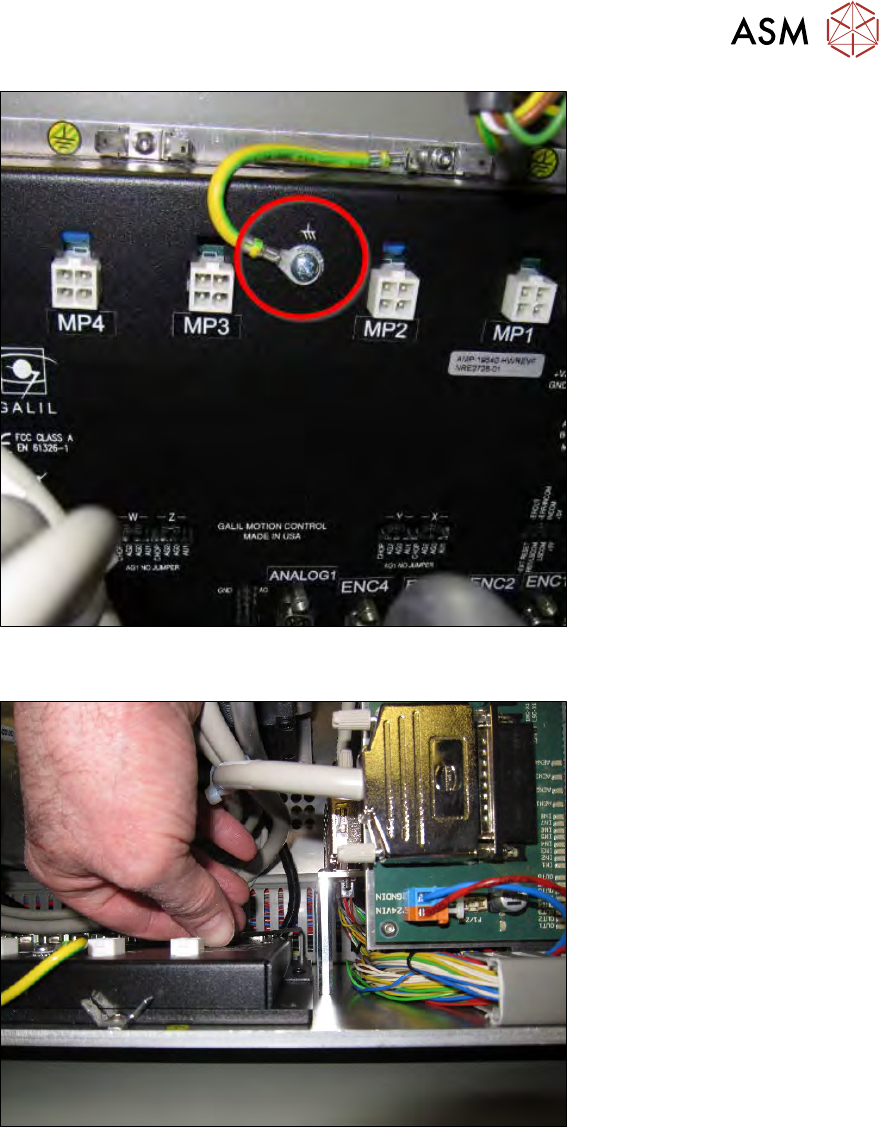
Fig.500:
► Unscrew the ground connection for the GALIL card.
Fig.501:
► Remove the four screws fastening the GALIL card to the base frame.
13 BoxPC, GALIL cards and axis control
13.3 Replacing the servo amplifier for the axes
350 Service Manual SIPLACE Wafer System (SWS) 11/2018
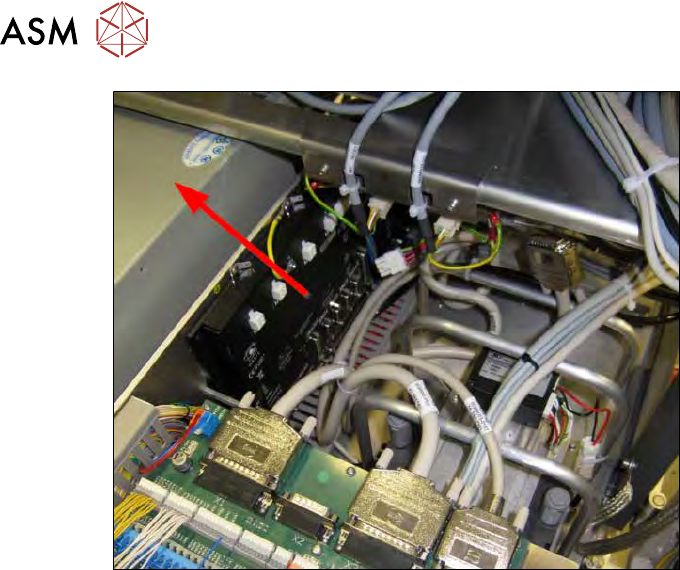
Fig.502:
► Remove the GALIL card up and out of the SWS.