00195982-03_SM_SWS_EN.pdf - 第195页
9 Wafer change system 9.1 Magazine lift Service Manual SIPLACE Wafer System (SWS) 11/2018 195 9.1.1.4 Crash sensor and slot query Fig.254: Crash sensor and slot query on the magazine lift ● The crash sensor (1) monitors…
9 Wafer change system
9.1 Magazine lift
194 Service Manual SIPLACE Wafer System (SWS) 11/2018
9.1.1.3 Replacing the proximity switch
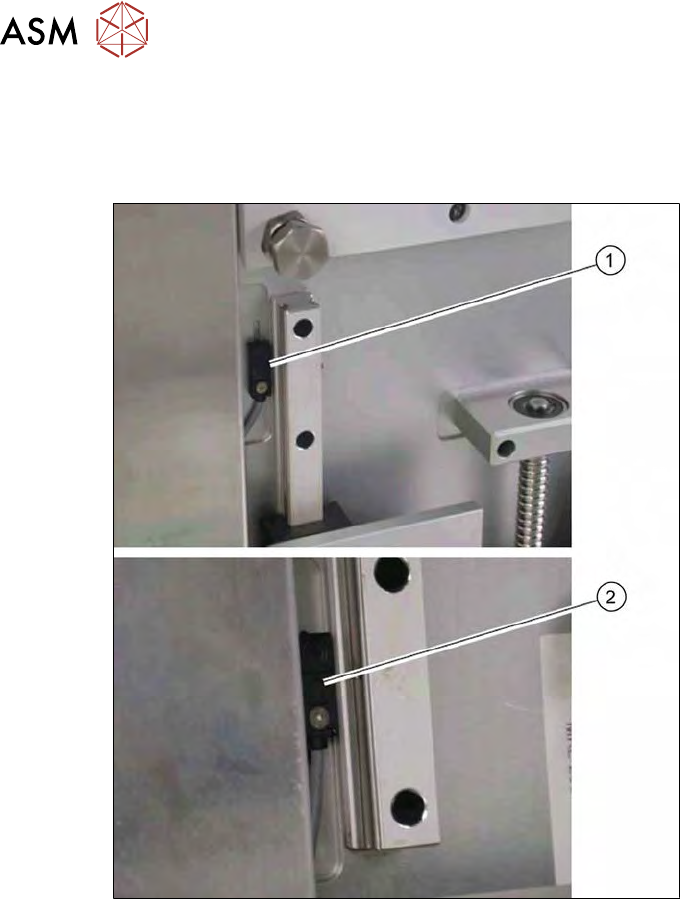
The two proximity switches monitor the top and bottom end position stops for the lifting axis of the
magazine lift. The cable for the relevant proximity switch is connected to the DMC board in the
lower section of the magazine lift.
Fig.253: Proximity switch for lifting axis of magazine lift (detailed view)
●
The proximity switch (1) for the top lifting axis position is located next to the linear guide at the
top.
●
The proximity switch (2) for the lower lifting axis position is located next to the linear guide at
the bottom.
► Remove the screw on the relevant proximity switch.
► Unthread the connection cable as far as the DMC board (see also9.1.2 "Electrical sys-
tem" [}200]).
► Fit the new proximity switch.
► Run the connection cable to the DMC board.
► Connect the connection cable to the relevant terminal strip.
► Fix and gather the cables together with cable ties, where necessary. Make sure that the
cables do not rub against any part or get trapped.
► Check the input signals for the proximity switch.
9 Wafer change system
9.1 Magazine lift
Service Manual SIPLACE Wafer System (SWS) 11/2018 195
9.1.1.4 Crash sensor and slot query
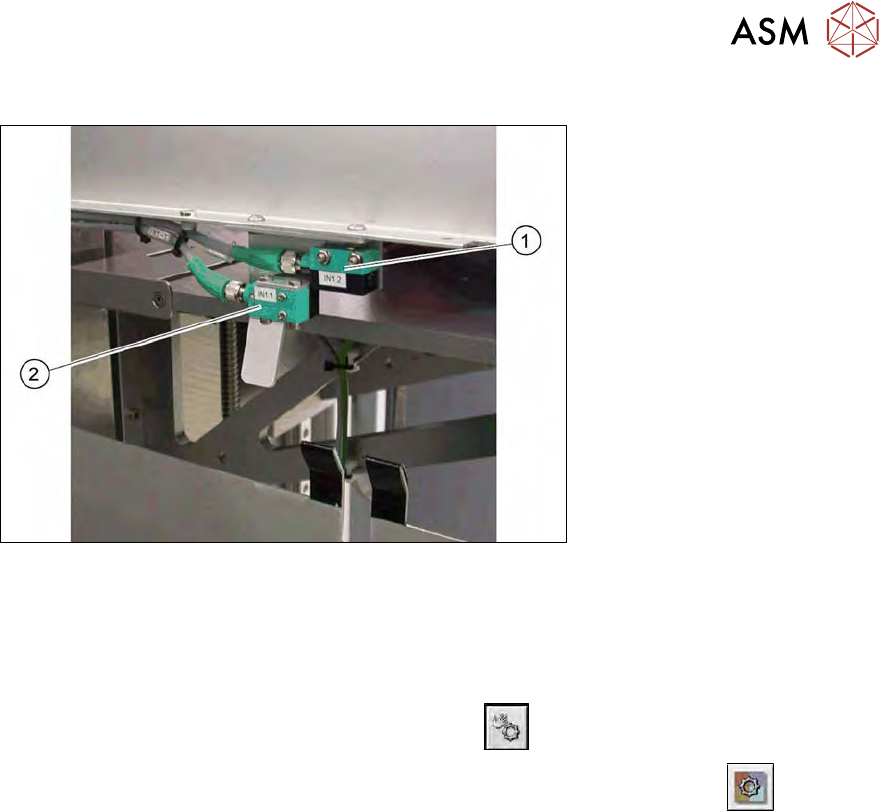
Fig.254: Crash sensor and slot query on the magazine lift
●
The crash sensor (1) monitors whether the lift is free. This makes sure that there are no
wafers in the lifting axis travel range.
●
The slot query (2) checks each magazine unit to see whether their is a wafer in it.
► Check the input signals for the proximity switch.
► In the toolbar, select the button Manual Settings
.
► Go to the Manual Settings view and select the button Manual Subsystems
and then
select IOs (see 14.2 "Manual settings" [}358]).
► Select the Wafer Changertab .
ð The displays shine:
– DI25 Wafer slot sensor
– DI26 Lift crash sensor
9 Wafer change system
9.1 Magazine lift
196 Service Manual SIPLACE Wafer System (SWS) 11/2018
9.1.1.5 Switch for checking whether a cassette is present
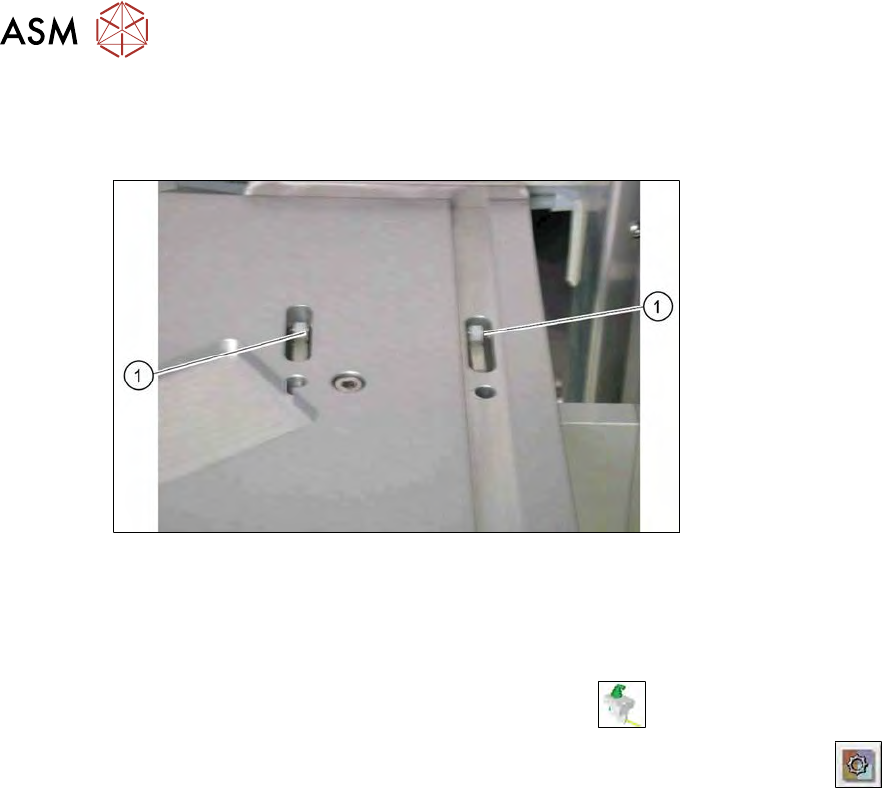
Two toggle switches on the magazine plate of the wafer lift check whether a wafer cassette in
inserted.
Fig.255: Toggle switch on magazine lift
1. Toggle switch for wafer cassette 8"
2. Toggle switch for wafer cassette 12"
► Check the input signals for the proximity switch.
► In the toolbar, select the button Manual Settings
.
► Go to the Manual Settingsview and select the button Manual Subsystems
and then
select IOs (see 14.2 "Manual settings" [}358]).
► Select the Wafer Changertab .
► The display shines:
– DI28 Magazine present
The connection cables are run to the DNC board and connected there (see 9.1.2 "Electrical sys-
tem" [}200]).