00195982-03_SM_SWS_EN.pdf - 第387页
15 Calibration 15.3 Calibration die handling - flip unit Service Manual SIPLACE Wafer System (SWS) 11/2018 387 Fig.560: ► Choose Move to needle down position . Fig.561: ► Move a finger over the die ejector. ► If the ne…
15 Calibration
15.3 Calibration die handling - flip unit
386 Service Manual SIPLACE Wafer System (SWS) 11/2018
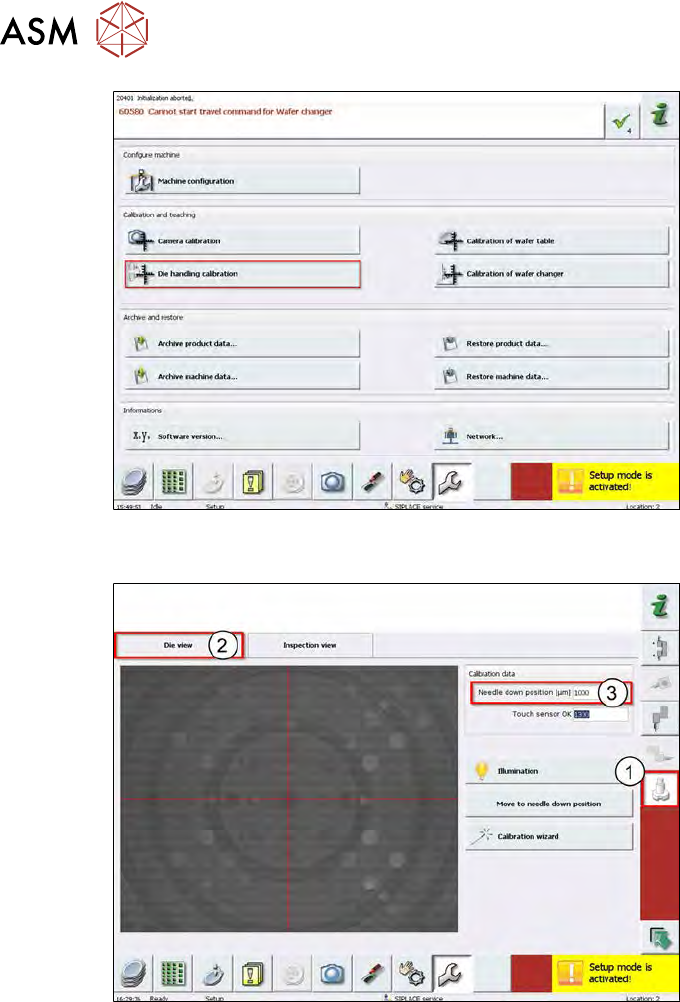
Fig.558:
► Choose Die handling calibration.
Fig.559:
► Choose Service Calibration Needle (1).
► Choose Die View (2).
ð Needle down position (µm) shows the current value! (3).
→ 1000µm in the example.
15 Calibration
15.3 Calibration die handling - flip unit
Service Manual SIPLACE Wafer System (SWS) 11/2018 387
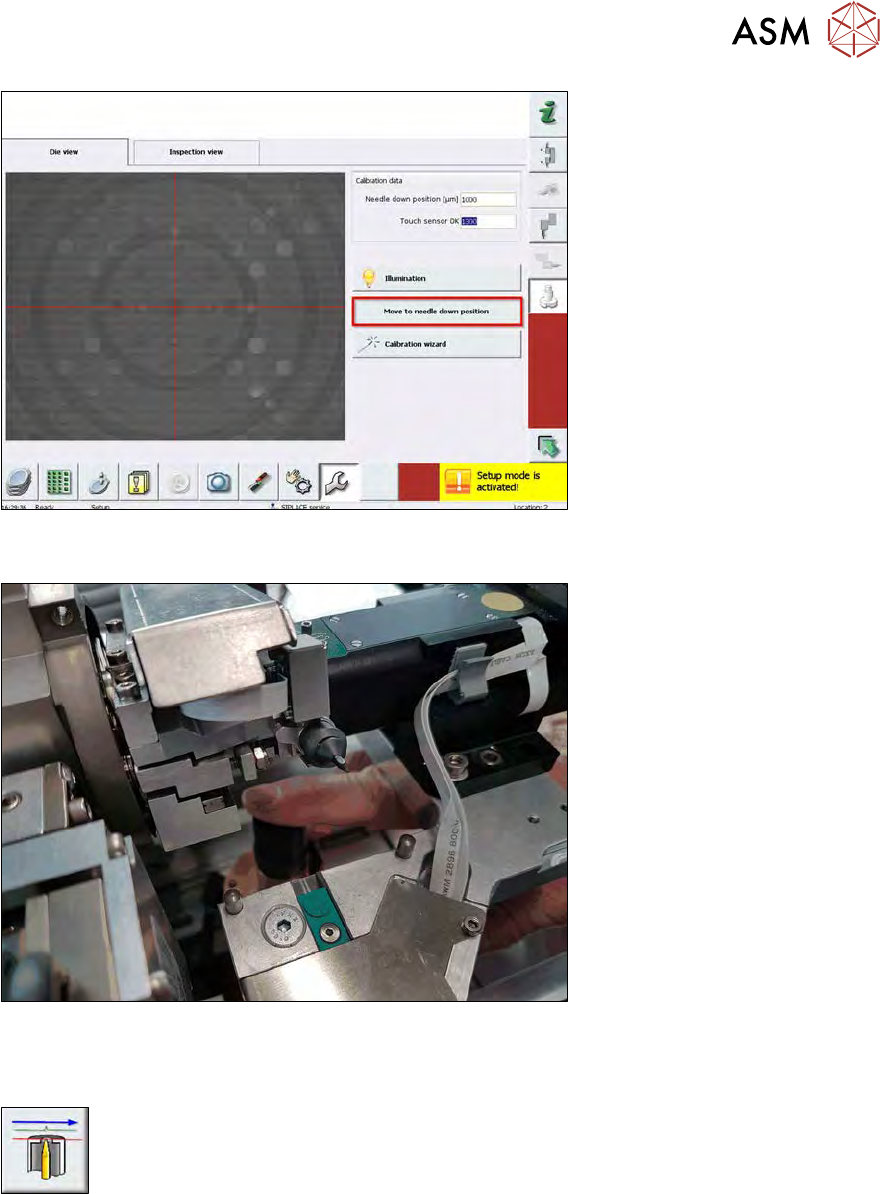
Fig.560:
► Choose Move to needle down position.
Fig.561:
► Move a finger over the die ejector.
► If the needle down position is correct, you should feel a slight sharp scratching on your finger.
► Based on SWS experience, the protrusion of the needle can be up to 40µm!
Less is better which can, however, only be "measured" with a finger.
► In our example, the scratching at the fingertip is too strong.
We need to adjust the needle down position lower.
15 Calibration
15.3 Calibration die handling - flip unit
388 Service Manual SIPLACE Wafer System (SWS) 11/2018
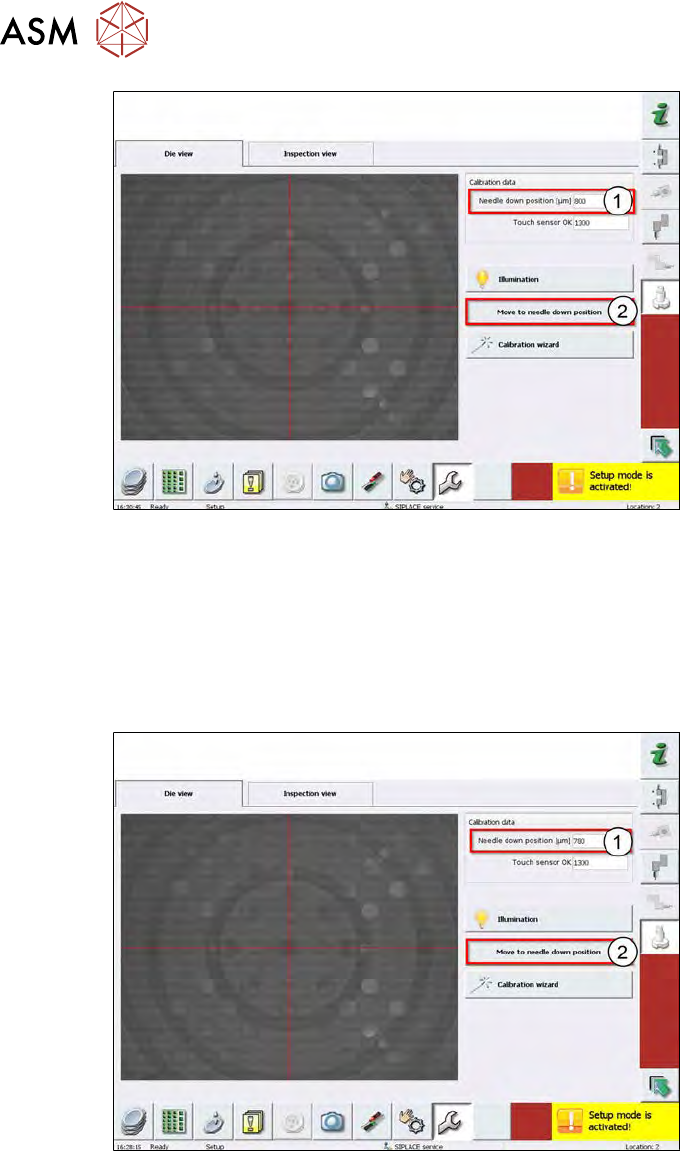
Fig.562:
► Enter a value lower than 1000µm → in example here 800µm (1).
► Choose Move to needle down position (2).
► Check the needle position with your fingertip.
► If you can´t feel anything, the needle position is too low. In that case, adjust the value between
800µm – 1000µm.
► If the scratching is too strong, minimize the value again.
Fig.563:
► Enter a lower value, for example 780µm (1).
► Choose Move to needle down position (2).
► Check the needle position with your fingertip.
► Repeat this sequences again and again, until you can´t feel any scratching and then until you
feel a scratching again.
► This is finally the needle down value!
► Move the die ejector down using the software!