00195982-03_SM_SWS_EN.pdf - 第178页
8 Flip unit 8.3 Replacing spare parts 178 Service Manual SIPLACE Wafer System (SWS) 11/2018 8.3 Replacing spare parts 8.3.1 Replacing the flip unit This description will be added in the next document version. Until then,…

8 Flip unit
8.2 Overview of spare parts
Service Manual SIPLACE Wafer System (SWS) 11/2018 177
Spare parts on the flip unit
Item Item no. Designation
1 03122422-xx Flip head assembly, adjustable
2 00384731-xx Return unit assembly
3 03099183-xx Z drive C&P20 CA
4 00385451-xx RPC flex cable jumper 5 pin, length = 2.2"
5 00385278-xx Proximity switch inductive, NBB1-4GM22-E2
6 00384898-xx Proximity switch inductive for querying the reject bin
7 00387541-xx Solenoid valve assembly
8 00385560-xx Plug socket cable KMH-0.5
9 00385465-xx Valve terminal MH1-2 valves
10 03068603-xx Solenoid valve
11 00385498-xx Board USB-IO Rev.2 150x65mm
12 00385537-xx Adapter board AD-MOT2-F for flip unit
00387223-xx Soft polyurethane hose 4x2.5
03068603-xx Solenoid valve MHE2
13 00386499-xx Camera standard SWS (flip unit wafer camera)
14 03078645-xx Fuse 3 AT (on the USB I/O flip chip board)
15 03037984-xx Suction plate assembly DLM / R light beige
03083027-xx Spacer disk DIN 988-3x6x0.3-1.4310
8 Flip unit
8.3 Replacing spare parts
178 Service Manual SIPLACE Wafer System (SWS) 11/2018
8.3 Replacing spare parts
8.3.1 Replacing the flip unit
This description will be added in the next document version. Until then, please contact your
SIPLACE service team.
8.3.1.1 Calibrating the home position for segment 1
NOTICE
Segment 1 can be recognized due to the sensor flag with the mechanical stop being in this
area.
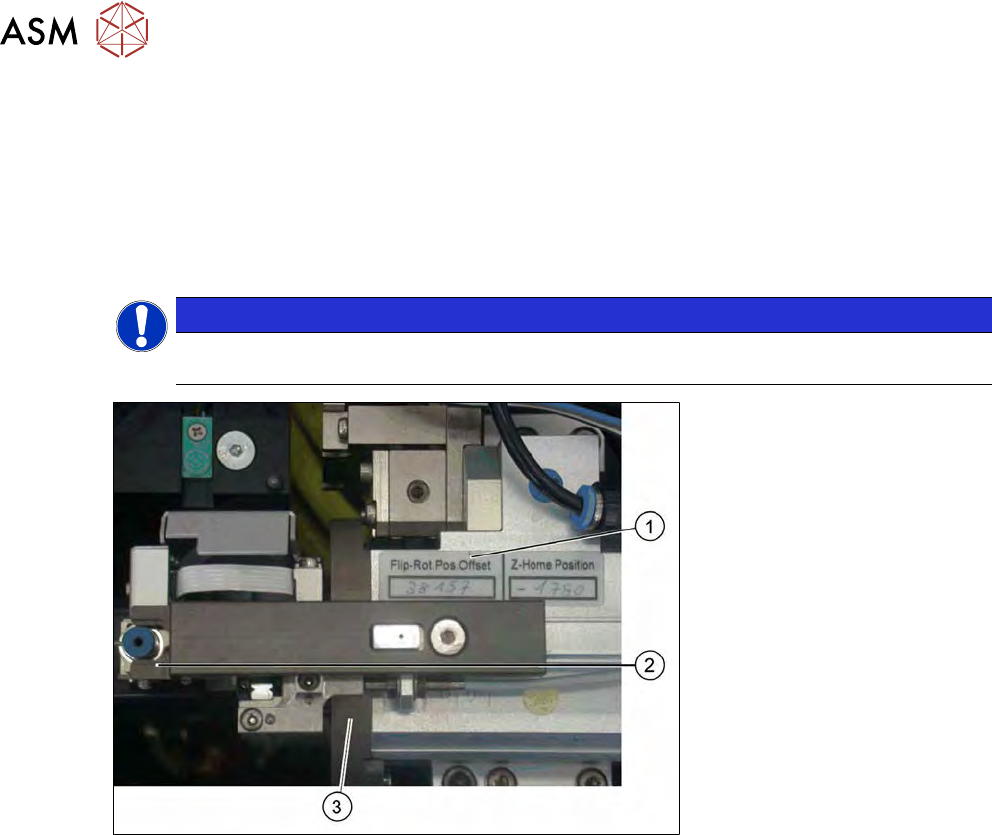
Fig.231: Setting the home position for segment 1
► Move the adjustment fork to the setting position (2).
► Move segment 1 to the home position and set the transfer position for the nozzle.
The switch flag must match the sensor (3), then segment 1 will be active.
► Fasten the adjustment fork again in a park position on the motor.
► Continue by calibrating the hollow shaft motor.
8.3.1.2 Calibrating the hollow shaft motor
After the replacement and after setting the transfer position, the motor needs to be calibrated. The
valves determined must be entered on the label on the motor body (1).
See 14.3 "Camera calibration" [}359]
8.3.2 Replacing the suction plate
► Remove the screw-in thread for the suction plate and then remove the suction plate.
Make sure that the spacer ring remains in its position. It will not be air-tight if this is not the
case.
► The new suction plate must be positioned straight. If not, there is a risk that the screw-in
thread could be damaged.
► Fasten the suction plate with a torque of 13 Ncm.
8 Flip unit
8.3 Replacing spare parts
Service Manual SIPLACE Wafer System (SWS) 11/2018 179
8.3.3 Replacing the pneumatic return unit
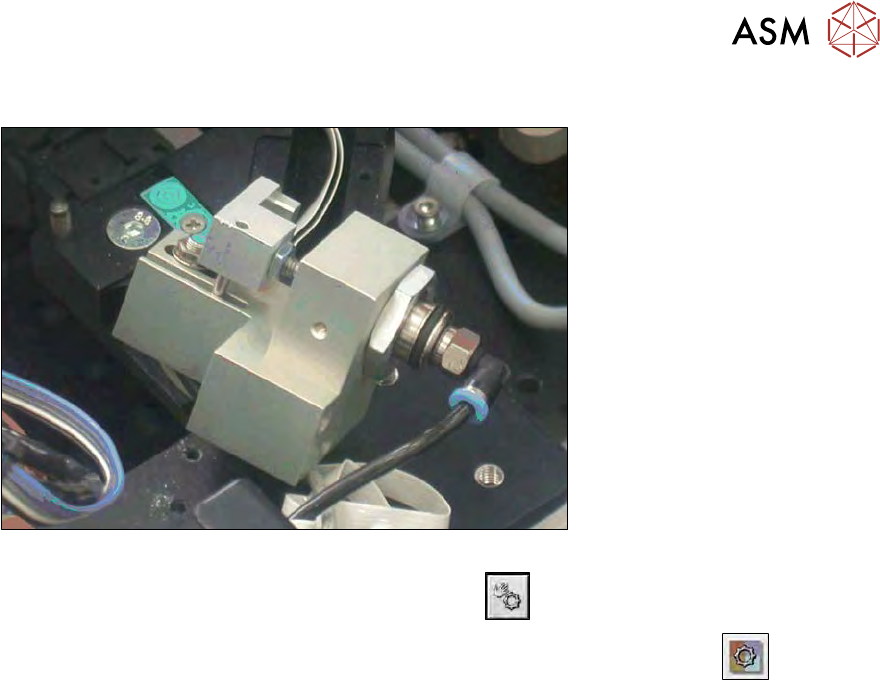
Fig.232: Pneumatic retract unit
► In the toolbar, select the button Manual Settings
.
► Go to the Manual Settingsview and select the button Manual Subsystems
and then
select IOs (see 14.2 "Manual settings" [}358]).
► Select the Flipper and Die Attachtab.
► Move the return unit with the D013 Z axis holder.
ð The Z Axis holding cylinder free display will shine.