00195982-03_SM_SWS_EN.pdf - 第81页
5 Basic frame – X/Y unit 5.3 Replacing parts Service Manual SIPLACE Wafer System (SWS) 11/2018 81 Fig.65: ► Carefully push the coupling plate-motor-coupling unit over the spindle. ► Pay attention to the alignment of the…
5 Basic frame – X/Y unit
5.3 Replacing parts
80 Service Manual SIPLACE Wafer System (SWS) 11/2018
5.3.1.3 Fitting the Y motor and coupling
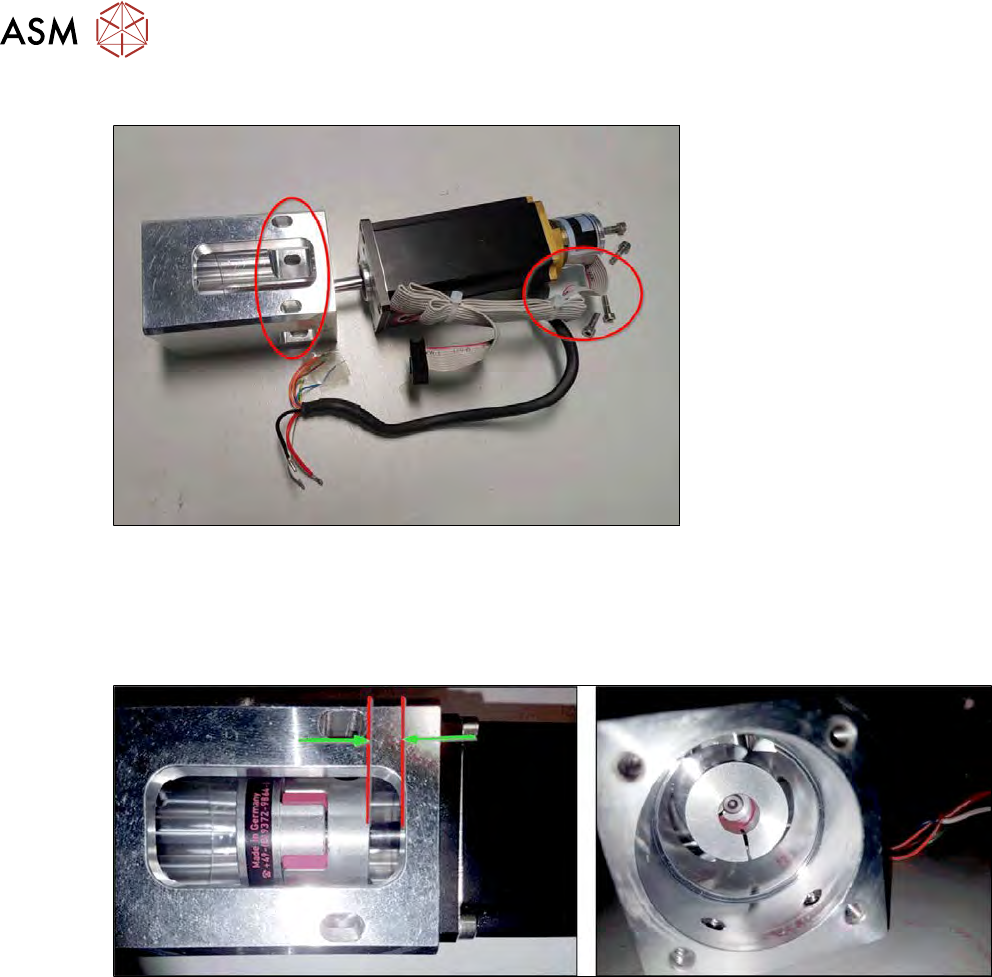
Fig.63:
► Fit the new Y motor.
► Pay attention to the alignment of the motor cable to the assembly holes on the coupling plate
(see diagram).
► Tighten the four fastening screws. Secure the screws with Loctite 243.
Fig.64:
► Place the new coupling (alignment as in diagram - label facing away from motor) with a dis-
tance of approx. 4 mm to the cut-out edge.
► The motor shaft should not project into the elastomer of the coupling (see diagram on the
right).
► Slightly tighten the coupling clamping screw on the motor shaft.
5 Basic frame – X/Y unit
5.3 Replacing parts
Service Manual SIPLACE Wafer System (SWS) 11/2018 81
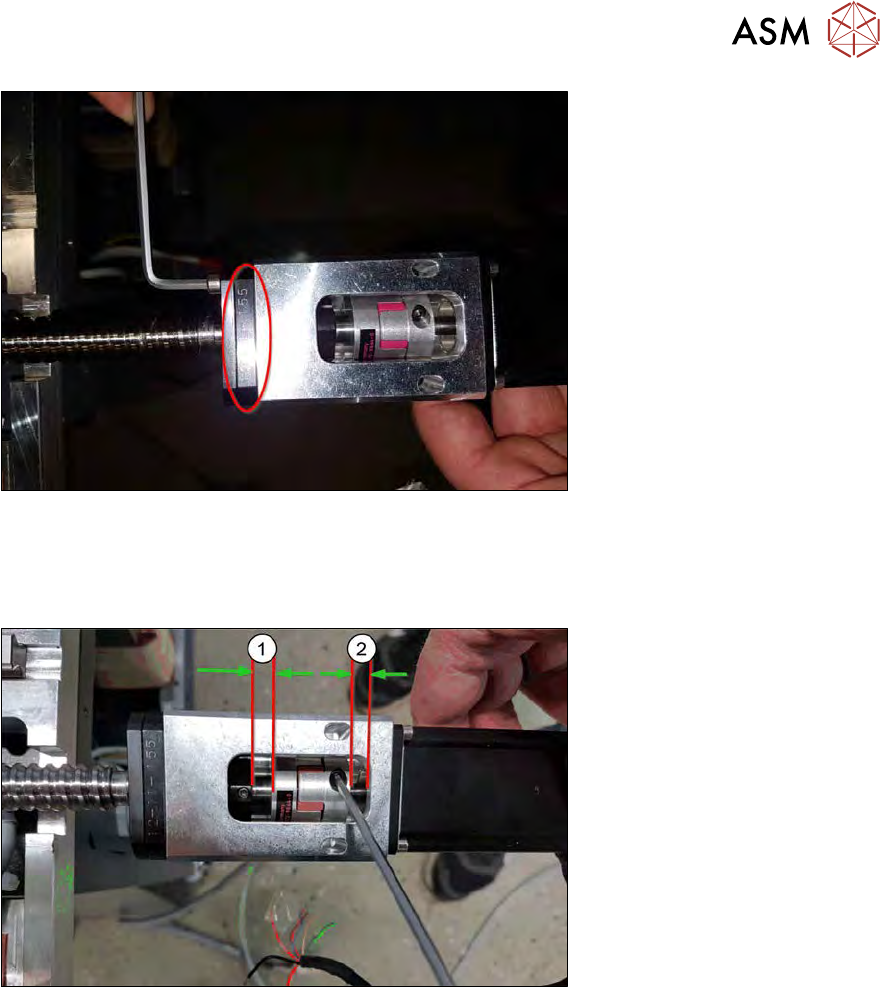
Fig.65:
► Carefully push the coupling plate-motor-coupling unit over the spindle.
► Pay attention to the alignment of the engraving on the spindle plate.
► Tighten the four fastening screws. Secure the screws with Loctite 243.
Fig.66:
► Adjust the coupling.
The distances should be approx. 6mm (1) and 4mm (2).
► Tighten the two clamping screws on the coupling!
5 Basic frame – X/Y unit
5.3 Replacing parts
82 Service Manual SIPLACE Wafer System (SWS) 11/2018
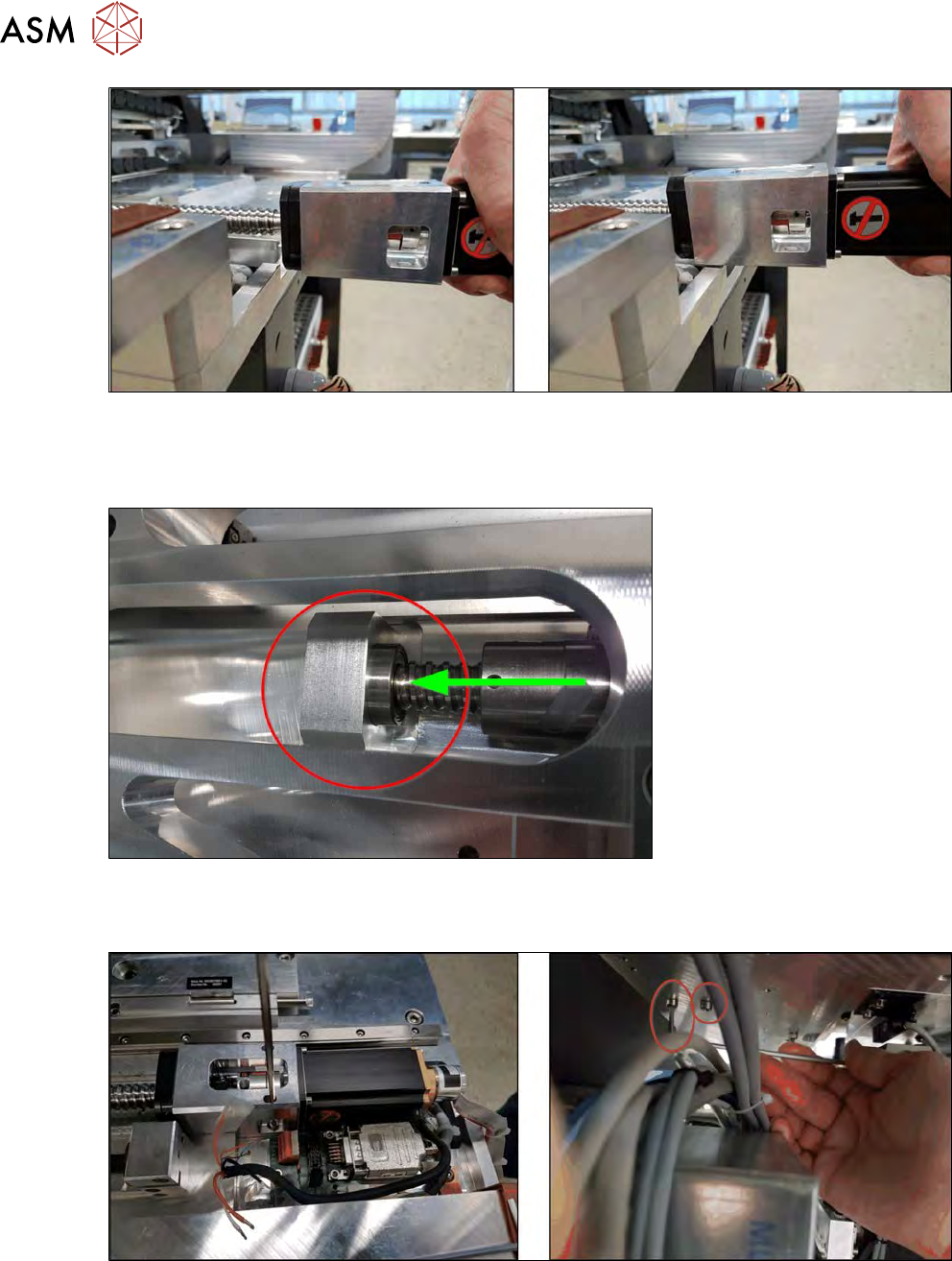
Fig.67:
► Carefully lift the motor and push the complete spindle unit over the base plate edge.
Lift the motor only until the coupling plate can scrape over the edge of the base plate. This en-
sures that the shaft is bent as little as possible.
Fig.68:
► Make sure that the back spindle bearing slides easily into the bearing shell when you push the
spindle unit in!
Fig.69:
► Slightly tighten the four screws (2x top and 2x bottom) so that the coupling plate can still be
moved. Secure the screws with Loctite 243.