00195982-03_SM_SWS_EN.pdf - 第416页
16 Software 16.2 Installation of operating system 416 Service Manual SIPLACE Wafer System (SWS) 11/2018 16.2.1.2 Backup of Halcon license Fig.610: SW package Halcon dongle Before installing the new operating system, mak…
16 Software
16.2 Installation of operating system
Service Manual SIPLACE Wafer System (SWS) 11/2018 415
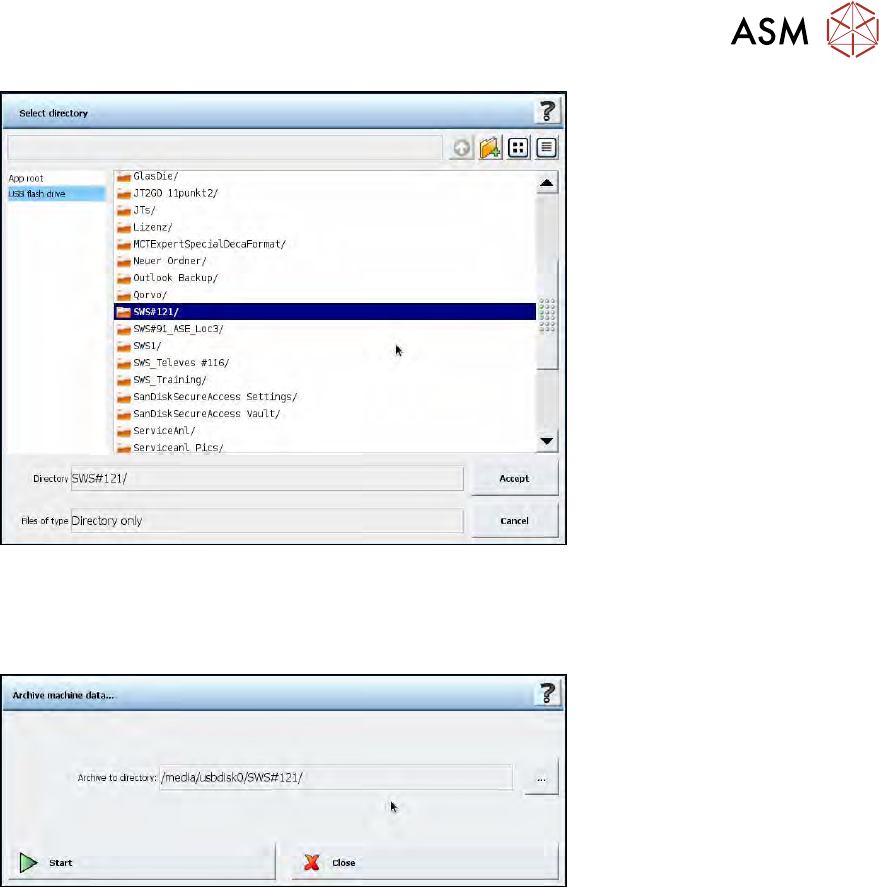
Fig.608:
► The selected folder will be shown as below. Once the required folder has been chosen, select
Start.
ð The calibration data will be saved.
Fig.609:
► If it is not possible to run a backup via the GUI e.g. because the latest SWS software version
can not be installed due to an older operating system version, select one of the following
backup options.
16 Software
16.2 Installation of operating system
416 Service Manual SIPLACE Wafer System (SWS) 11/2018
16.2.1.2 Backup of Halcon license
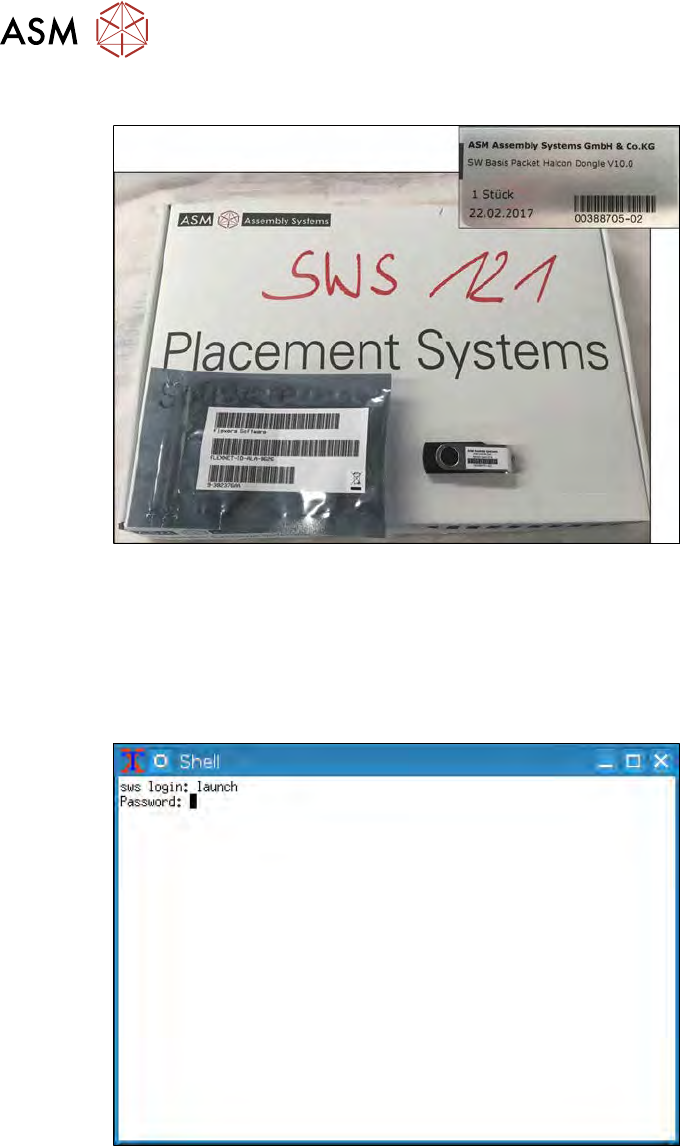
Fig.610: SW package Halcon dongle
Before installing the new operating system, make sure that you have the SW package and USB
stick (with Halcon license) provided with the SWS available.
► If this is not the case, you will need to save the Halcon license manually on a USB stick via
the Linux console.
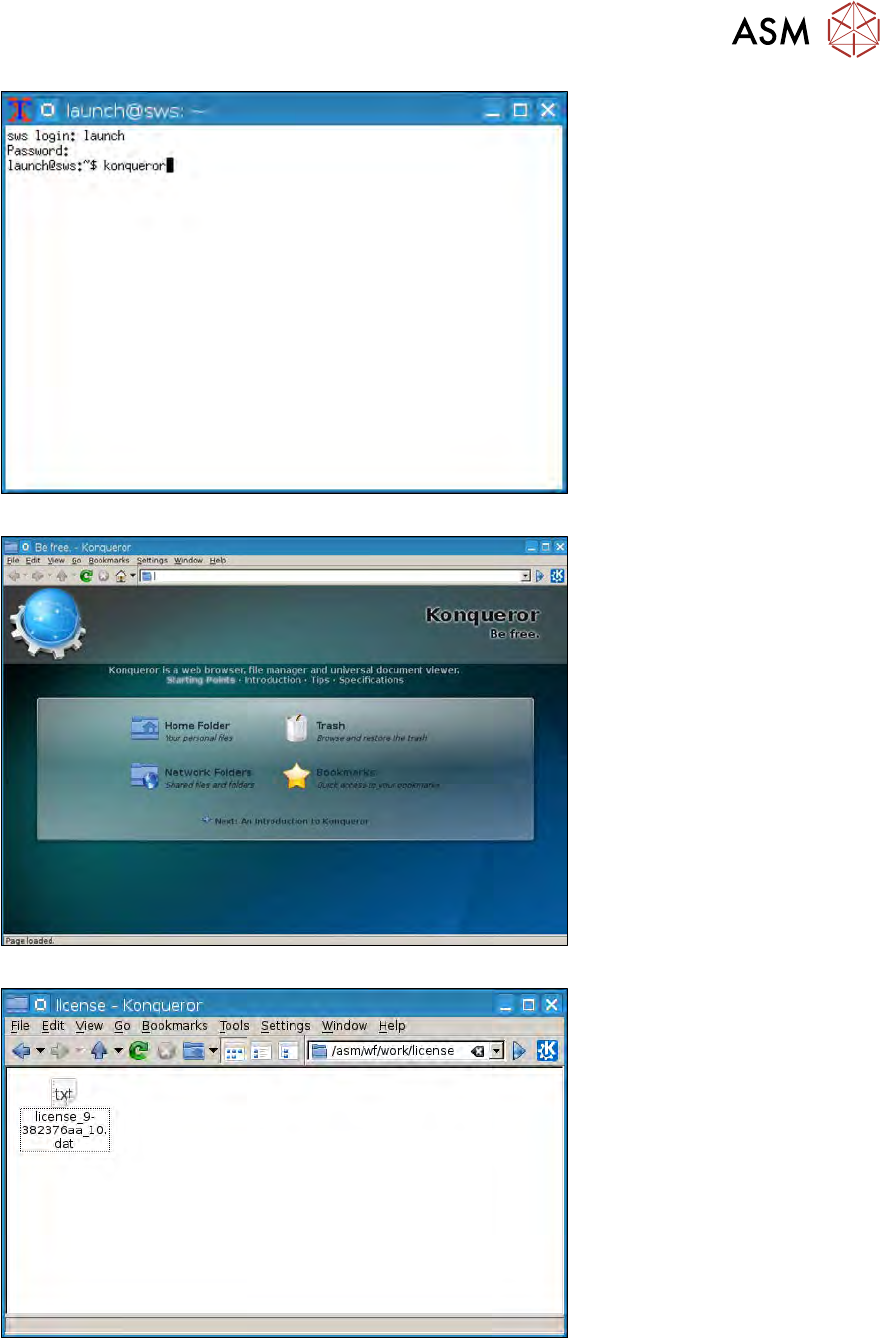
16.2.1.3 Backup of Halcon license via Linux console.
Fig.611:
16 Software
16.2 Installation of operating system
Service Manual SIPLACE Wafer System (SWS) 11/2018 417
Fig.612:
Fig.613:
Fig.614: