00195982-03_SM_SWS_EN.pdf - 第456页
16 Software 16.2 Installation of operating system 456 Service Manual SIPLACE Wafer System (SWS) 11/2018 Fig.700: Recognize network interfaces menu ► Confirm Recognize network interfaces with Enter . Fig.701: Recognize …
16 Software
16.2 Installation of operating system
Service Manual SIPLACE Wafer System (SWS) 11/2018 455
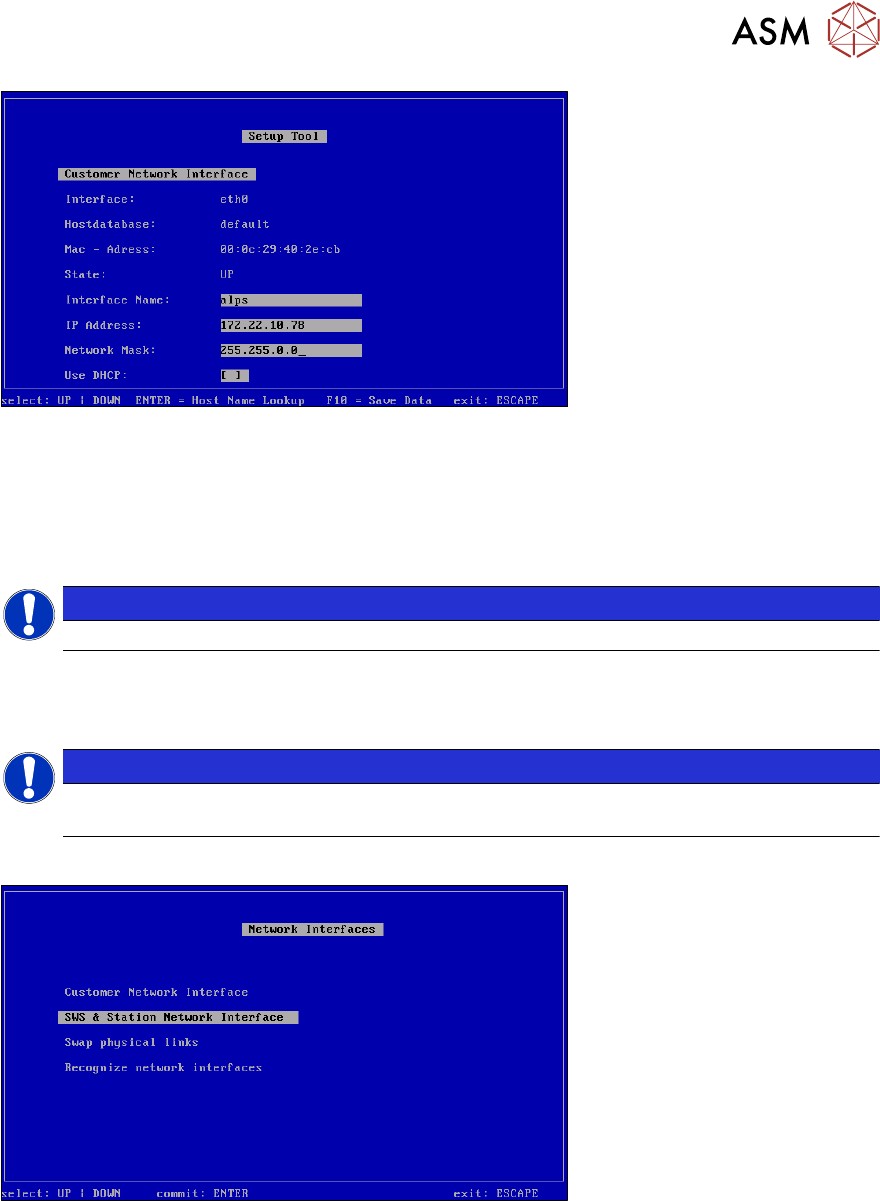
Fig.698: Customer network interface
► Define the settings for the connection to the wafer map server.
Ask your administrator for the wafer map settings.
► Save your entries with F10.
Applying the settings
NOTICE
The settings will be applied in a later step, at Recognize Network Interfaces .
► Press ESC.
Applying the settings
NOTICE
The settings are applied in a later step at Recognize Network Interfaces or after a reboot
of the computer.
► Press ESC.
Fig.699: Network interfaces menu
► Select Recognize network interfaces and confirm with Enter.
16 Software
16.2 Installation of operating system
456 Service Manual SIPLACE Wafer System (SWS) 11/2018
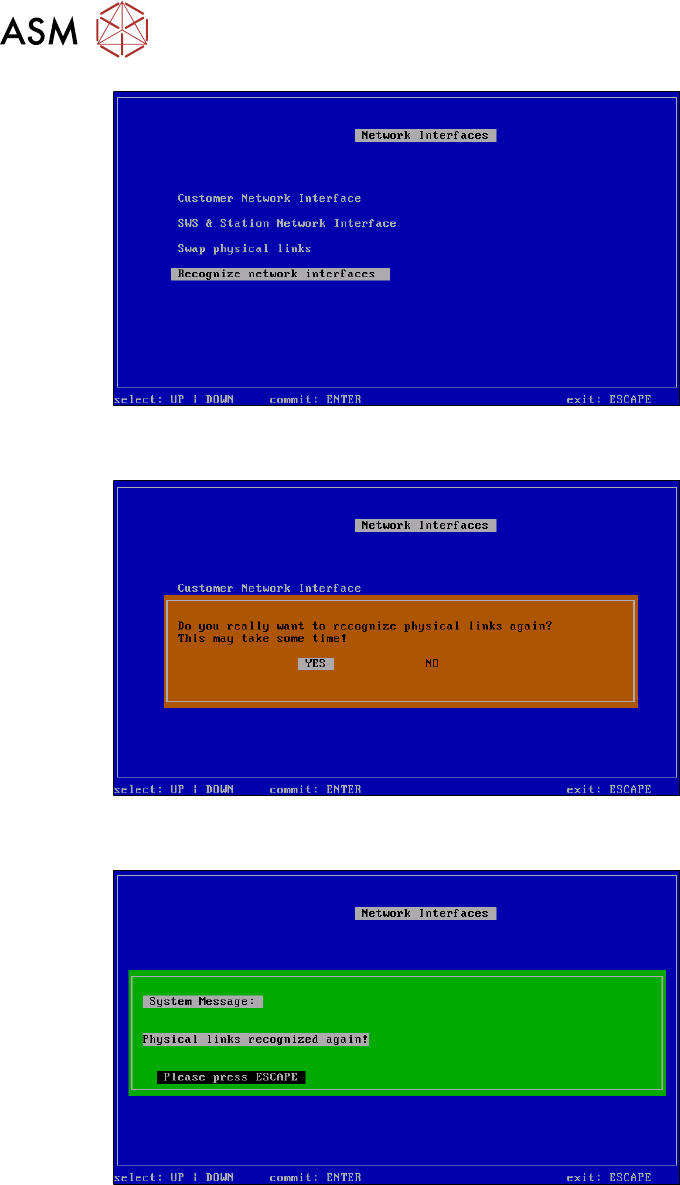
Fig.700: Recognize network interfaces menu
► ConfirmRecognize network interfaces with Enter.
Fig.701: Recognize network interfaces - message menu
► Select YES and confirm with Enter.
Fig.702: Recognize network interfaces - confirmation menu
► Press ESC.
16 Software
16.2 Installation of operating system
Service Manual SIPLACE Wafer System (SWS) 11/2018 457
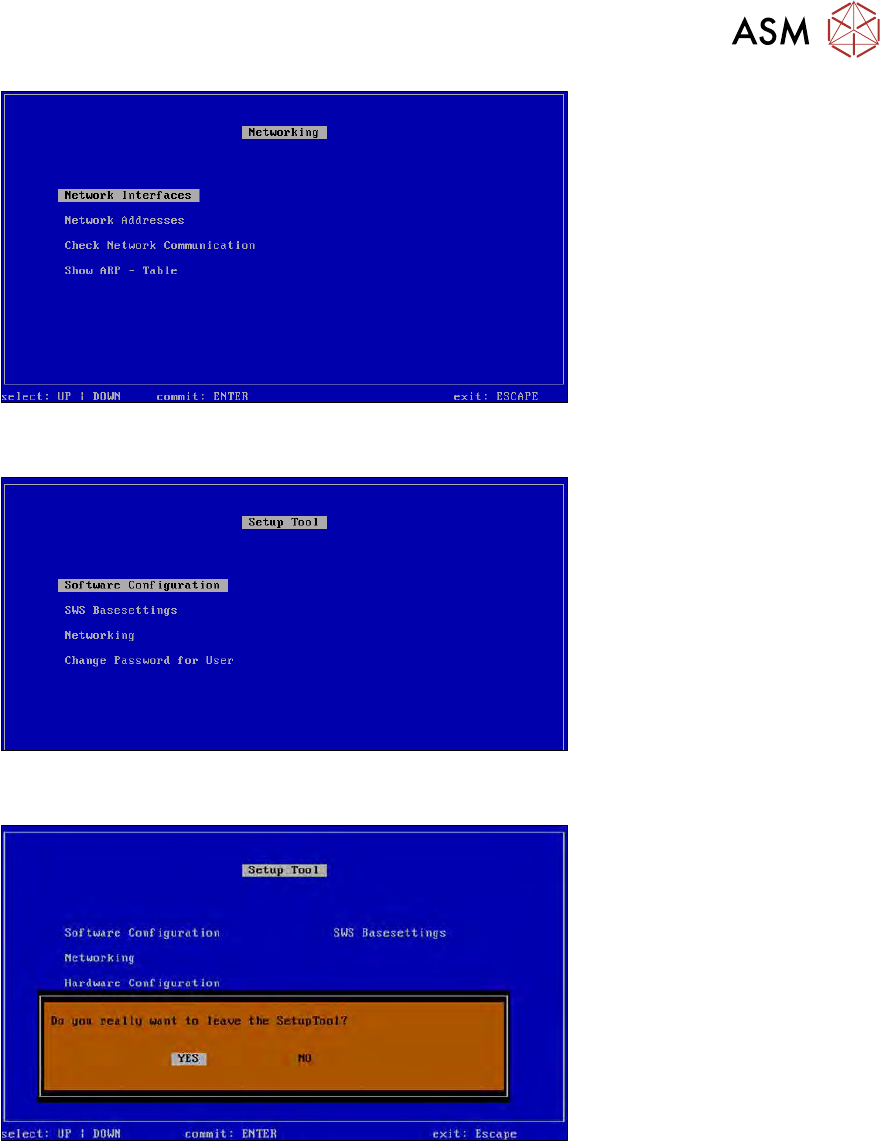
Fig.703: Networking menu
► Press ESC.
Fig.704: Setup tool menu
► Press ESC.
Fig.705: Message: exiting the setup tool
► Confirm YES with Enter.
► Restart the application.