00195982-03_SM_SWS_EN.pdf - 第395页
15 Calibration 15.4 Calibration of the complete wafer handling Service Manual SIPLACE Wafer System (SWS) 11/2018 395 Fig.574: ► Move the wafer table manually to a position, where one rail has a direct transfer position …
15 Calibration
15.4 Calibration of the complete wafer handling
394 Service Manual SIPLACE Wafer System (SWS) 11/2018
15.4.1.3 Calibrating the wafer transfer position of the magazine with respect to the wafer table
WARNING
► Before manually moving the wafer table, check the position of the die ejector unit.
► The die ejector unit MUST be in the lower position, otherwise, serious damages can
be caused during manual wafer table movement.
The Wafer transfer position is the position of the wafer lifting axis where the rail of the wafer table
(level of the wafer frame bottom side) is aligned with upper edge of the magazine plate.
This position is used to calculate the slot positions for each magazine type.
The magazine type is defined and programmed in the GUI (define new magazine type).
All dimensions like slot pitch, position of the first slot and so on, are defined and used for the calcu-
lation of the slot positions based on the wafer transfer position.
At the moment, no automatic calibration menu is available.
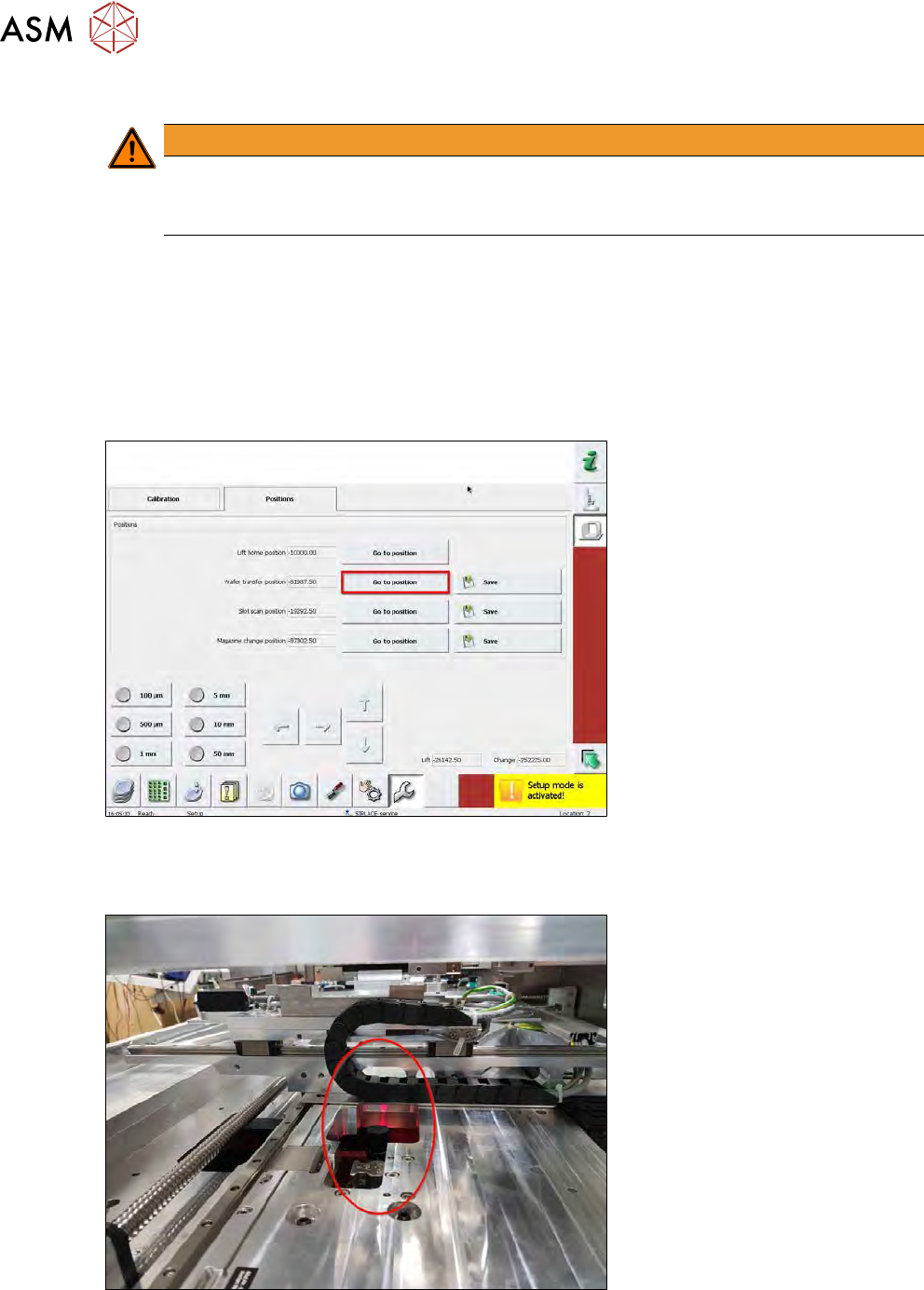
Fig.572:
► Choose the Go to position button next to Wafer transfer position.
► The magazine lift will move to the approximate wafer transfer position.
Fig.573:
► The die ejector must be in the lower position.
If not, move it down using the software.
15 Calibration
15.4 Calibration of the complete wafer handling
Service Manual SIPLACE Wafer System (SWS) 11/2018 395
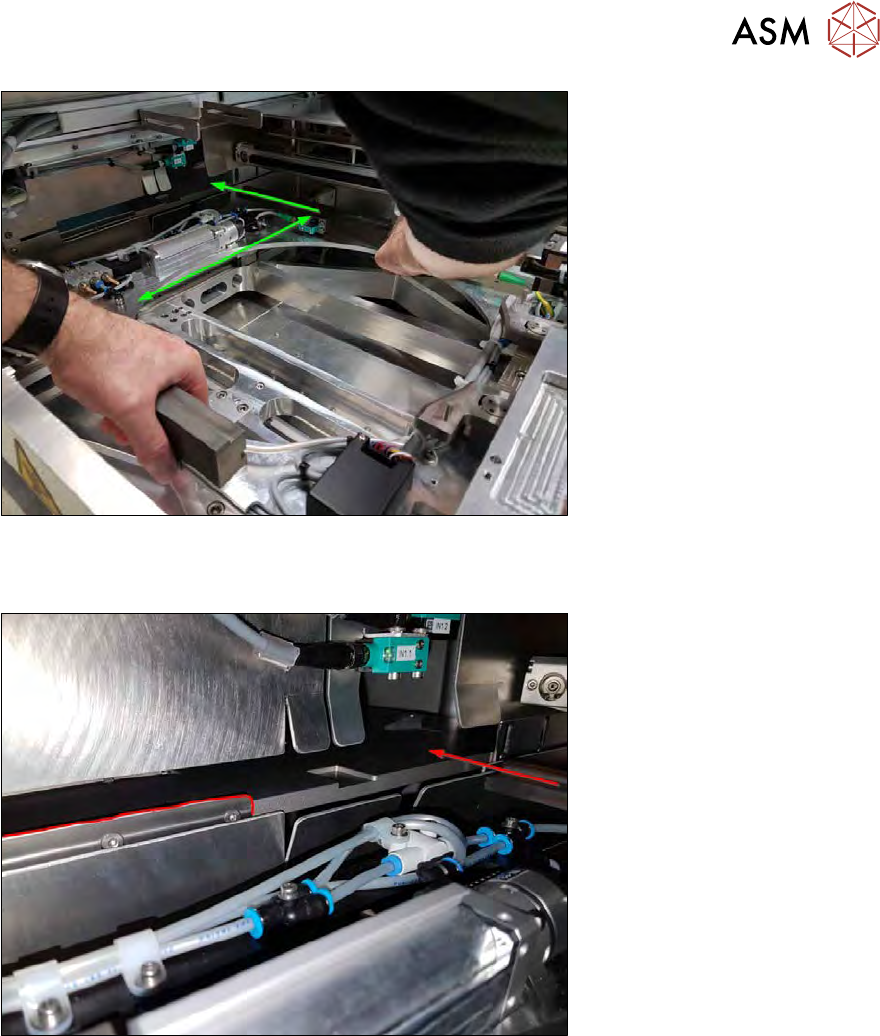
Fig.574:
► Move the wafer table manually to a position, where one rail has a direct transfer position to
the magazine plate.
Fig.575:
► Search for a free area without stopper plates.
15 Calibration
15.4 Calibration of the complete wafer handling
396 Service Manual SIPLACE Wafer System (SWS) 11/2018
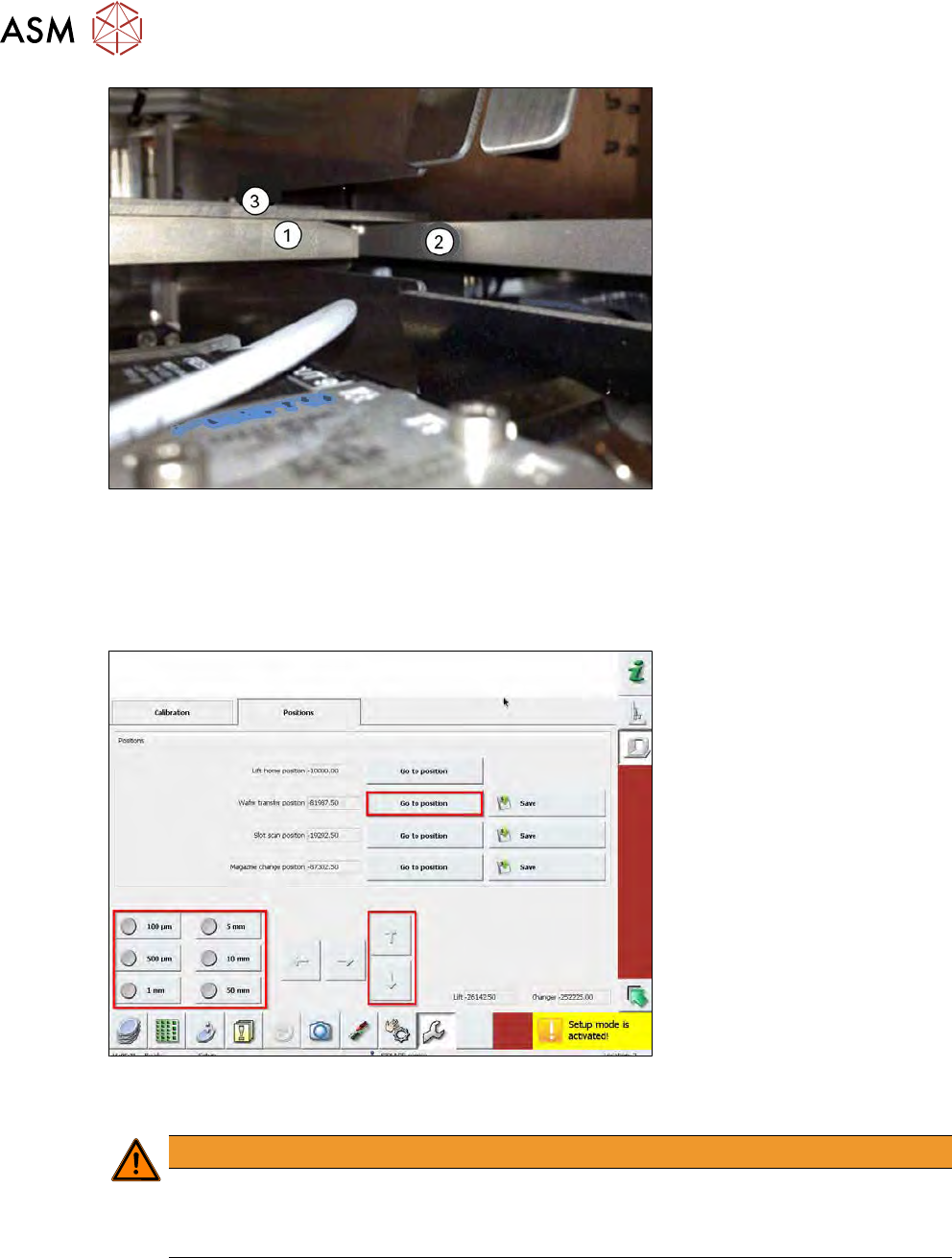
Fig.576:
(1) Wafer table rail
(2) Magazine plate
(3) Metal ruler
► Place a metal ruler (3) on the guide rail.
Fig.577:
► Use the manipulator and move the wafer lift slowly until they are on the same level.
WARNING
Mind the moving lifting axis!
► Never put your fingers into the lift area.
► Always use a metal ruler!
► Use small steps (e.g. 100µm or 500µm) to adjust the wafer transfer position.
► Choose Save next to Wafer transfer position to save the position.