00195982-03_SM_SWS_EN.pdf - 第361页
15 Calibration 15.1 General information Service Manual SIPLACE Wafer System (SWS) 11/2018 361 15 Calibration 15.1 General information CAUTION Before starting any calibration ► Create a backup of the machine data (see 15.…
14 Settings and tests
14.3 Camera calibration
360 Service Manual SIPLACE Wafer System (SWS) 11/2018
Calibration for completely uncalibrated motor
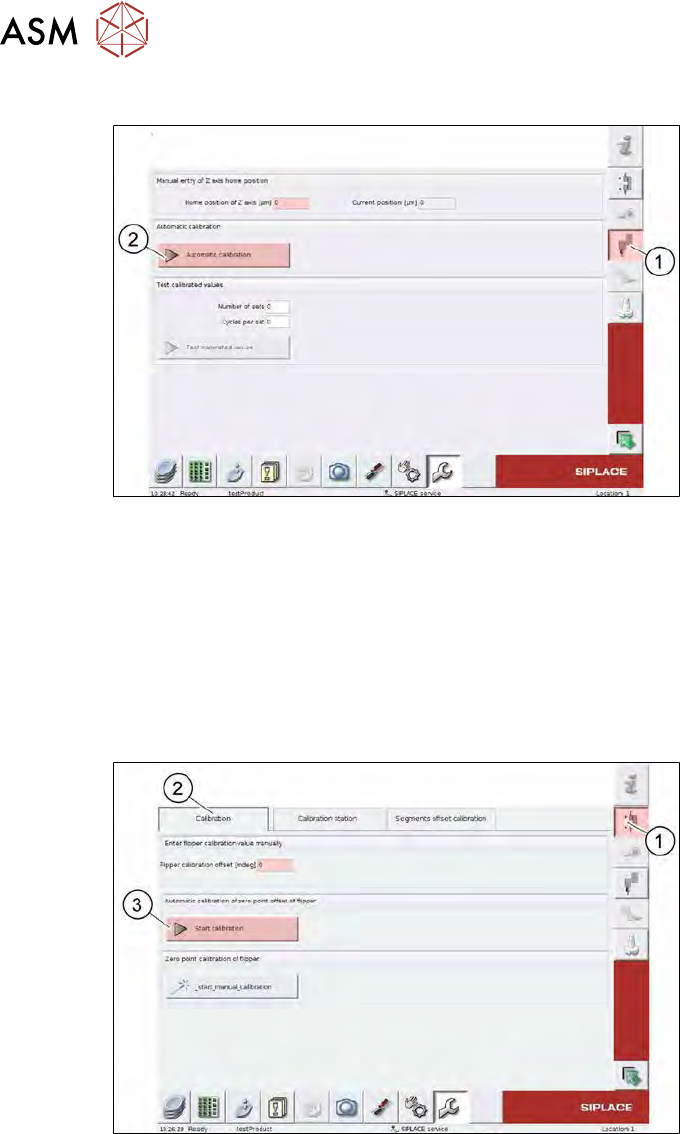
Fig.516: SWS GUI - service menu - camera calibration – Z axis
► Select the Z-Axis (1) button.
► Select the Automatic calibration (2) button.
► Make a note of the Home position of z axis [µm] values.
► Enter the values on the relevant labels on the motor body.
Calibrating a precalibrated motor
If the new motor has already been calibrated in a test station, you can apply the Z-HomePosition.
However, the FlipRotationPositionOffset must be calibrated when installed.
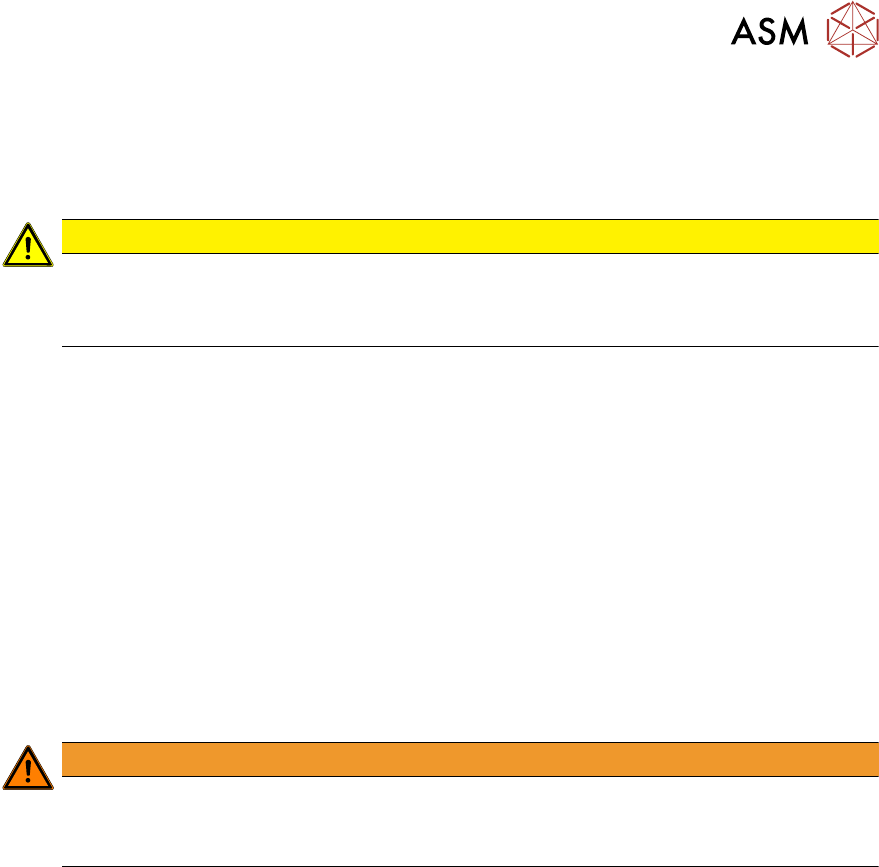
Fig.517: SWS GUI - service menu - camera calibration – flipper
► Select the Flipper (1) button.
► Select the Calibration (2) tab.
► Select the Start calibration (3) button.
► Enter the Flipper calibration offset [mdeg] values on the relevant label on the motor body.
15 Calibration
15.1 General information
Service Manual SIPLACE Wafer System (SWS) 11/2018 361
15 Calibration
15.1 General information
CAUTION
Before starting any calibration
► Create a backup of the machine data (see 15.5.1 "Machine data" [}408]).
► Create a backup of the product data (see 15.5.2 "Product data" [}409]).
15.2 Activation of setup operation at the SWS (hard and
software)
15.2.1 Precondition
The hardware retrofit according the Technical Information TI2016-11C08 (chapter 4.2) must have
been performed.
A number of setup operations require the emergency stop circuit to be bridged in order to test func-
tions and make settings when the hood is open.
To nevertheless provide an adequate level of safety, it is necessary to ensure that the axes of the
wafer table cannot move.
In order to allow this, an additional circuit will be fitted.
Thus, it is possible to deactivate the wafer table motors during the tasks in setup mode.
WARNING
Risk of serious injuries!
The lifting axis is still activated even in the setup mode.
► Don´t put your fingers inside the slot of the cover on the lift!
15 Calibration
15.2 Activation of setup operation at the SWS (hard and software)
362 Service Manual SIPLACE Wafer System (SWS) 11/2018
15.2.2 Concept of retrofit for setup operation
4-pole
4-pole
4-pole 4-pole4-pole
4-pole
4-pole
Amplifier
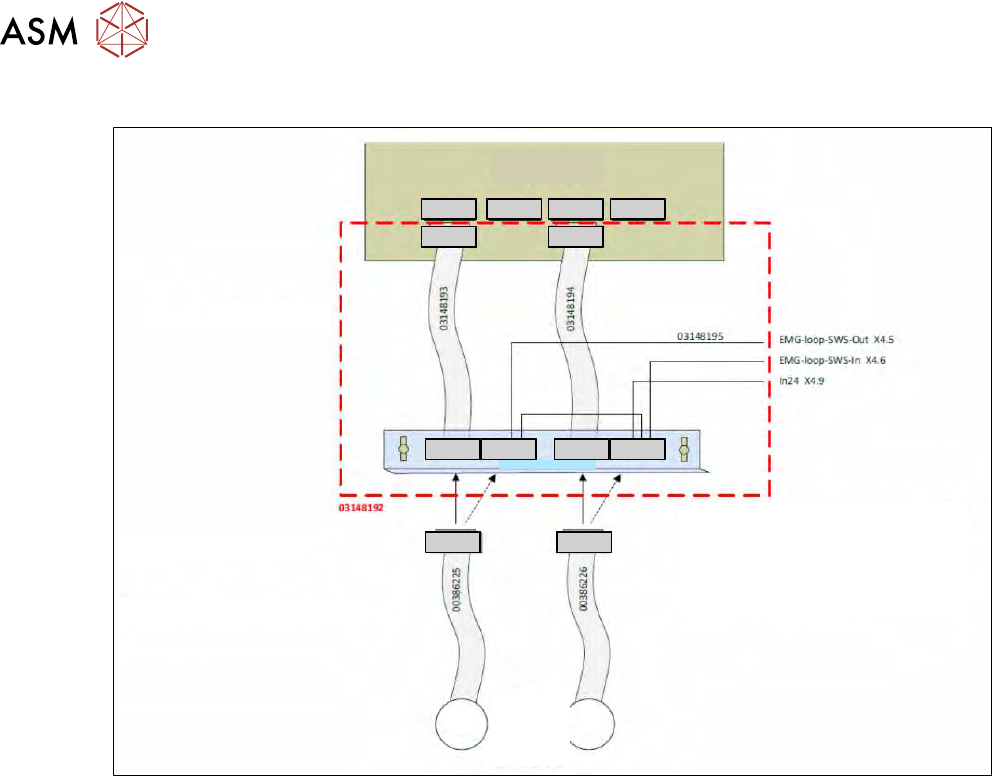
The cabling is added.
In setup mode, the safety circuit is closed either
via the motor windings or via a separate
connector that comprises all the amplifier
connectors. If the motors are connected to the
amplifier, the setup mode is no longer possible
because the connectors are occupied in that
case.
4-pole4-pole 4-pole
4-pole4-pole
The motor cables can remain unchanged.
Mounting plate
Wafer
table
motors
X Y
Fig.518: