00195982-03_SM_SWS_EN.pdf - 第400页
15 Calibration 15.4 Calibration of the complete wafer handling 400 Service Manual SIPLACE Wafer System (SWS) 11/2018 Manual operations – manual operations subsystems – wafer handling ► Choose Wafer handling from the Manu…
15 Calibration
15.4 Calibration of the complete wafer handling
Service Manual SIPLACE Wafer System (SWS) 11/2018 399
All in one calibration
► Choose One-magic-button calibration beneath Full calibration.
ð The center and the collision contours of the wafer table are calibrated all at once.
Single Step Calibration
First step
1 – Determining the collision structures
●
In a first step, the table is moved to detect the collision structures.
●
To prevent a crash, the collision structures of the wafer table are checked compared to the
result of the old zero position result.
Second step
2 – Calibrating the zero point
●
In the second step, the reference position of the wafer table is calibrated by using the pin (as
a fiducial for calculating the position of the table).
●
The wafer frame center is calibrated.
Third step
3 – Determining the collision structures
●
The third step repeats the collision structure determination to refine the result.
●
The collision contours of the wafer table are calibrated with the new zero position result.
15.4.2.2 Wafer table positions
NO RISK OF SERIOUS INJURIES
► Setup mode not activated!
Machine covers are closed!
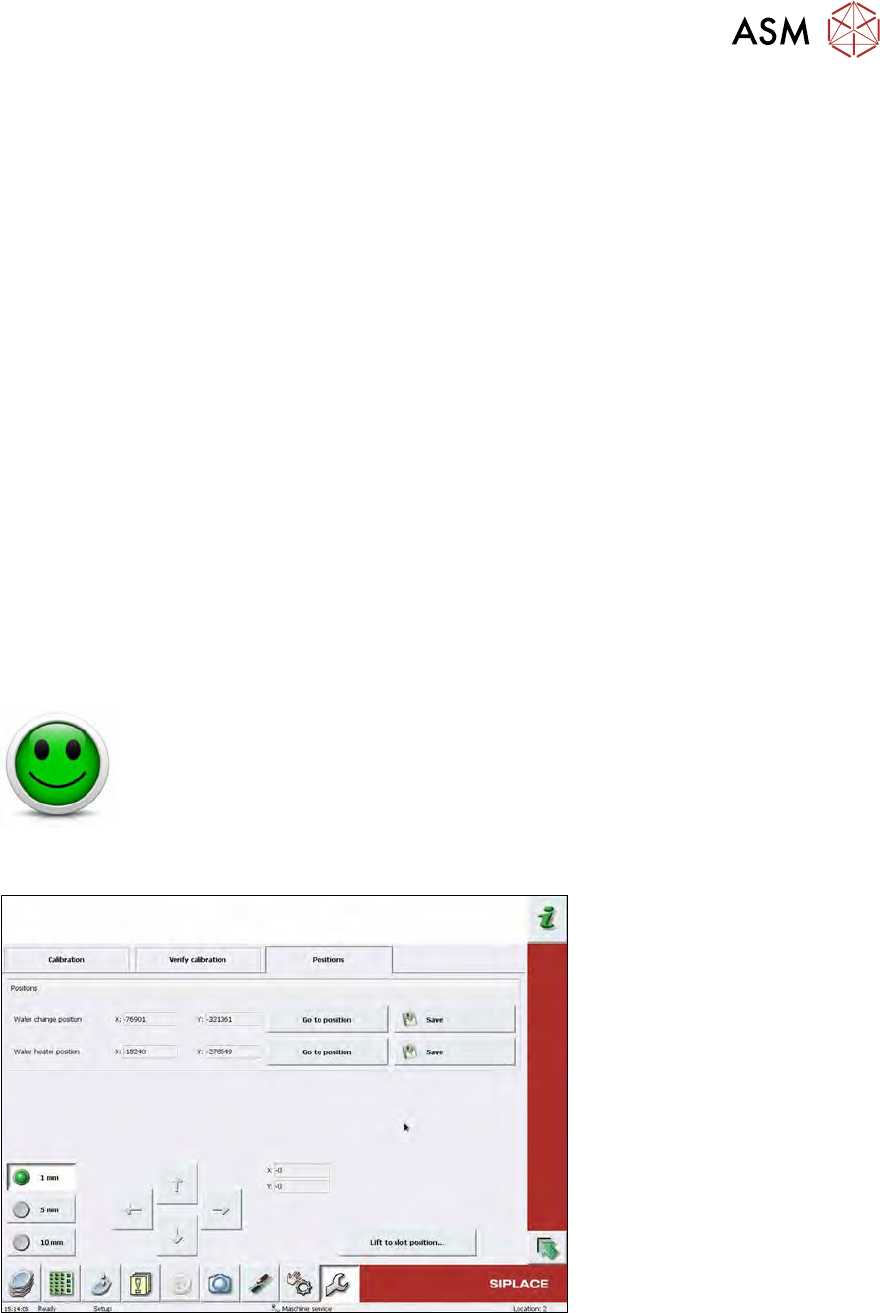
This calibration adjusts the wafer table in such a way that it is aligned with the wafer magazine and
that a position for the optional wafer heater is defined.
Fig.582:
Wafer change position adjustment
Precondition
●
Magazine with one wafer set up in, at least, one slot.
●
Magazine and wafer must be assigned to each other in the software.
15 Calibration
15.4 Calibration of the complete wafer handling
400 Service Manual SIPLACE Wafer System (SWS) 11/2018
Manual operations – manual operations subsystems – wafer handling
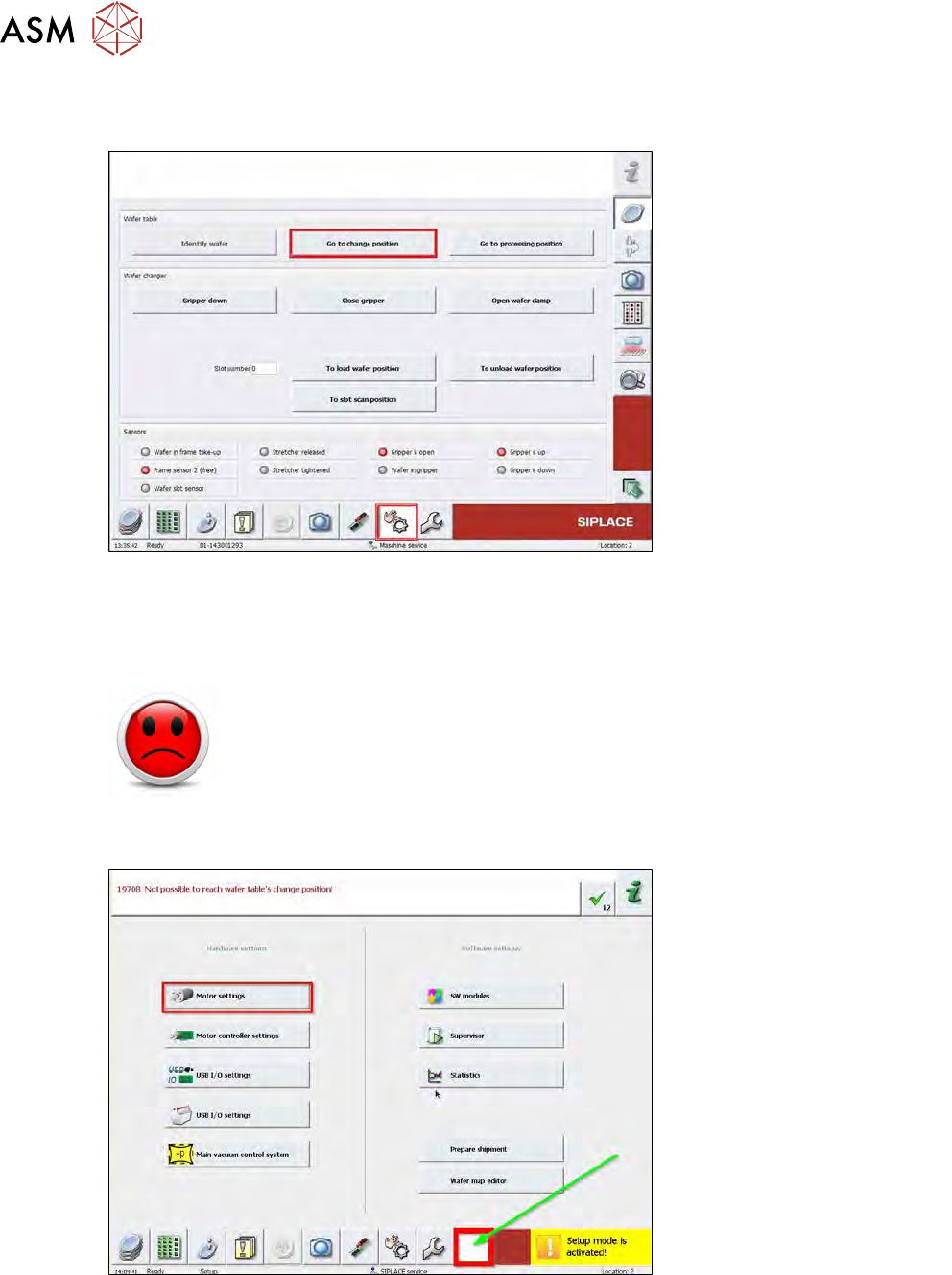
► Choose Wafer handling from the Manual operations menu.
Fig.583:
► Choose Go to change position for the wafer table to move to the loading position.
► Enter the slot number of a slot which is occupied by a wafer. Choose To load wafer position.
► Activate the Setup mode.
HIGH RISK OF SERIOUS INJURIES
► Setup mode must be activated!
► Choose Open wafer lock to open the wafer frame clamping.
► Choose Gripper down.
Fig.584:
► Choose the white button and open the Motor settings.
15 Calibration
15.4 Calibration of the complete wafer handling
Service Manual SIPLACE Wafer System (SWS) 11/2018 401
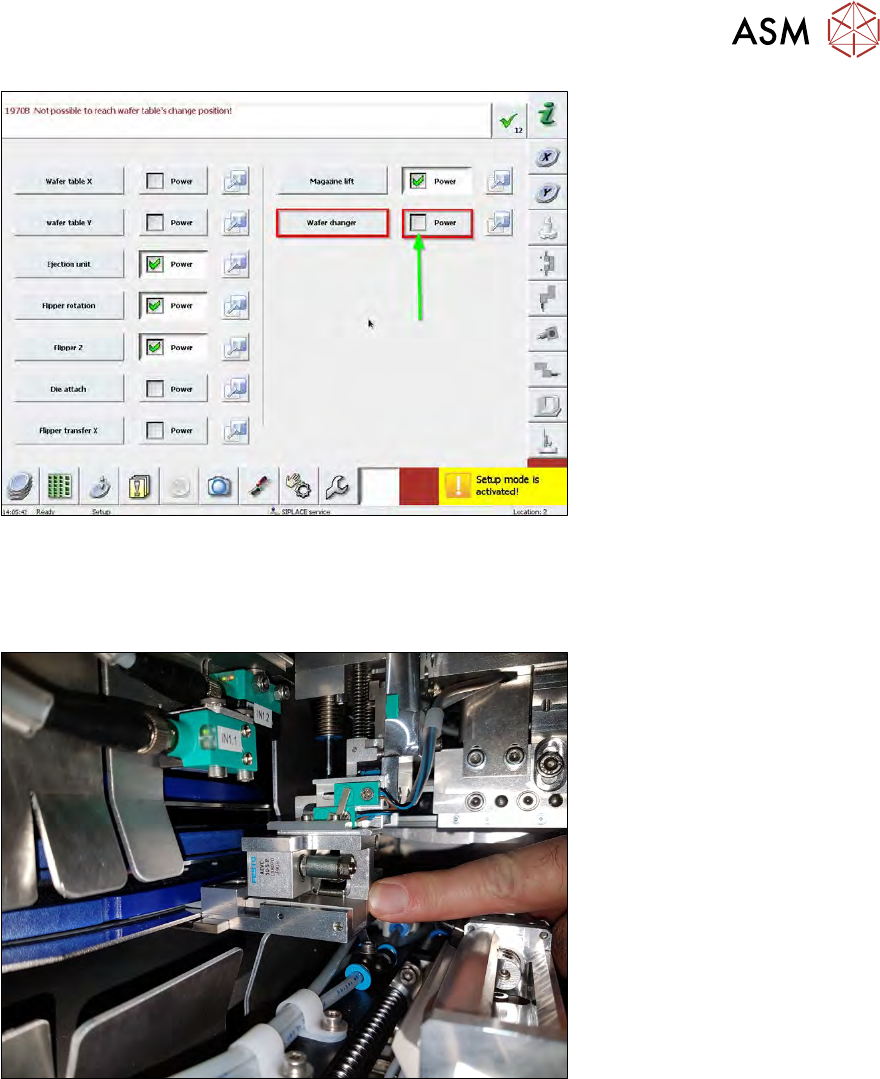
Fig.585:
► Deselect Power for the Wafer changer.
ð The wafer changer can be moved manually.
► The gripper is open as default.
Fig.586:
► Move the wafer changer manually to the wafer frame. The frame must be inside the gripper.
► Choose Gripper close to activate the clamping function.