00195982-03_SM_SWS_EN.pdf - 第366页
15 Calibration 15.2 Activation of setup operation at the SWS (hard and software) 366 Service Manual SIPLACE Wafer System (SWS) 11/2018 Fig.525: The figure above shows the setting for the standard production mode (NON se…
15 Calibration
15.2 Activation of setup operation at the SWS (hard and software)
Service Manual SIPLACE Wafer System (SWS) 11/2018 365
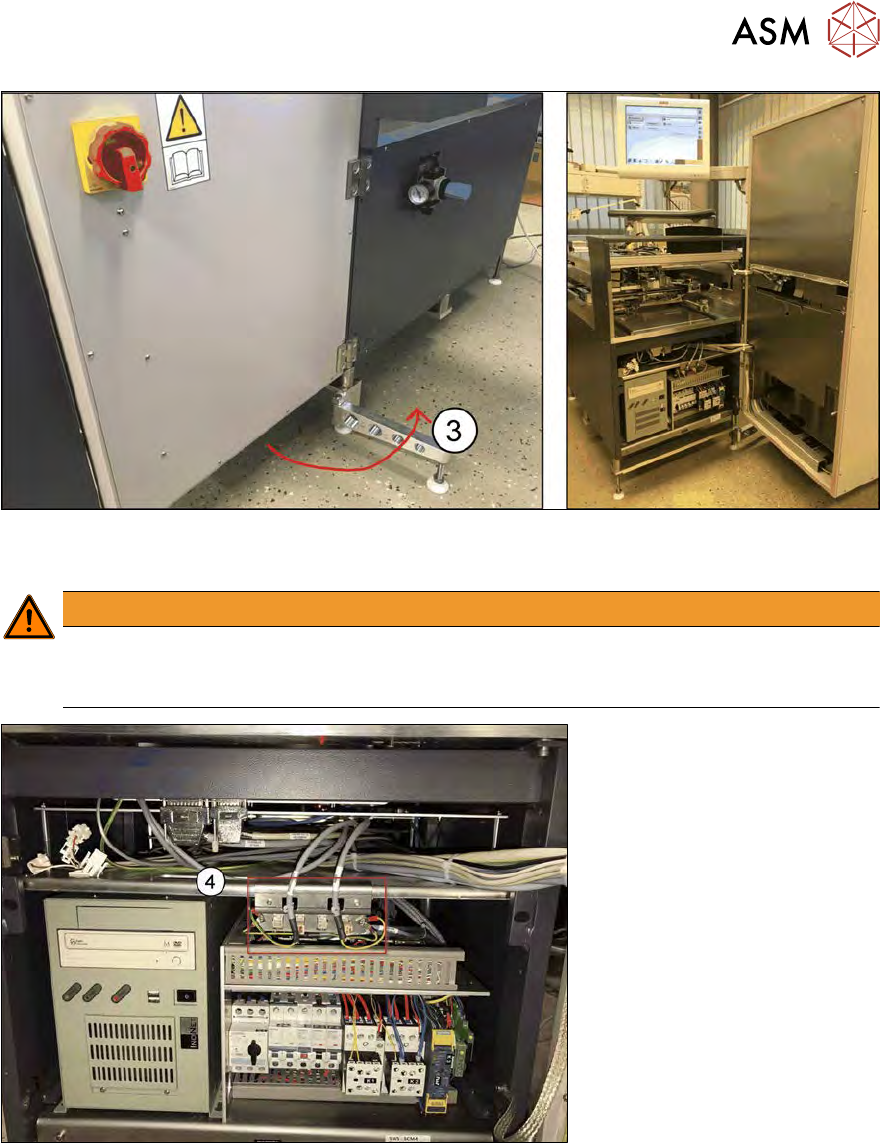
Fig.523:
► (3) Fold out the support foot and rotate the complete magazine lift.
WARNING
Support foot
If the support foot is not in the outer position for the SWS in stand-alone mode, the SWS
might fall over and cause heavy injuries.
Fig.524:
► (4) Location of the mounting plate for the setup mode.
15 Calibration
15.2 Activation of setup operation at the SWS (hard and software)
366 Service Manual SIPLACE Wafer System (SWS) 11/2018
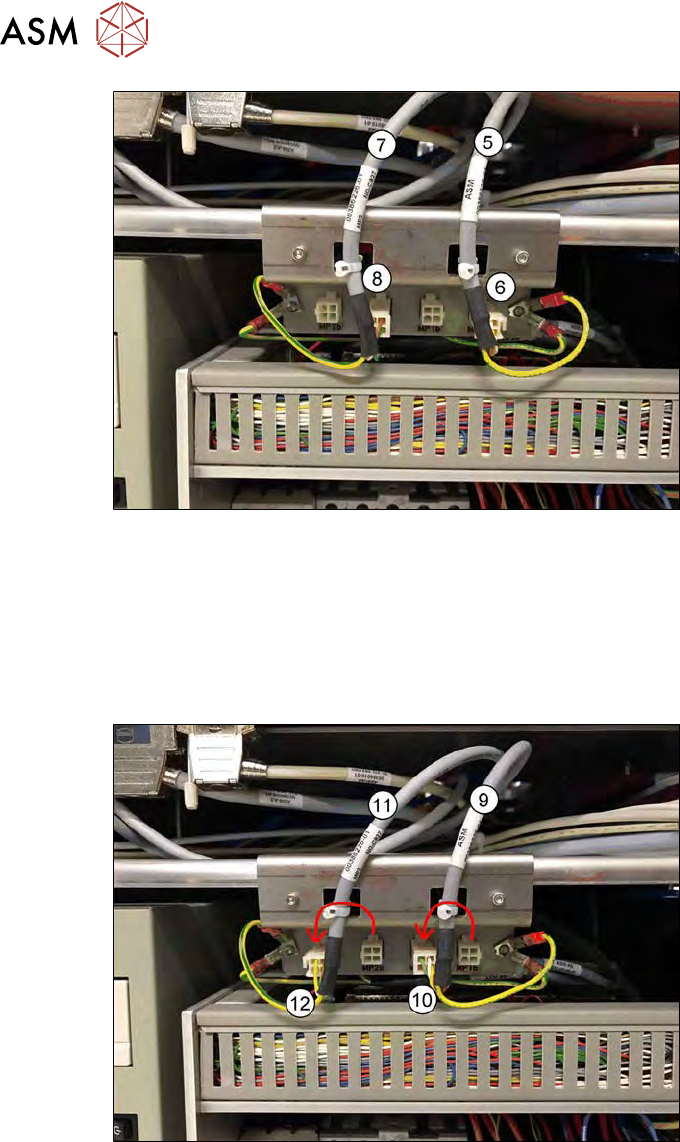
Fig.525:
The figure above shows the setting for the standard production mode (NON setup mode).
●
(5) Cable MP1 is connected to
(6) MP1b
●
(7) Cable MP2 is connected to
(8) MP2b
For the Setup mode, the following modification must be made:
Fig.526:
The figure above shows the setting for the Setup mode (safe mode).
●
(9) Cable MP1 must be connected to
(10) MP1b’
●
(11) Cable MP2 must be connected to
(12) MP2b’
15 Calibration
15.2 Activation of setup operation at the SWS (hard and software)
Service Manual SIPLACE Wafer System (SWS) 11/2018 367
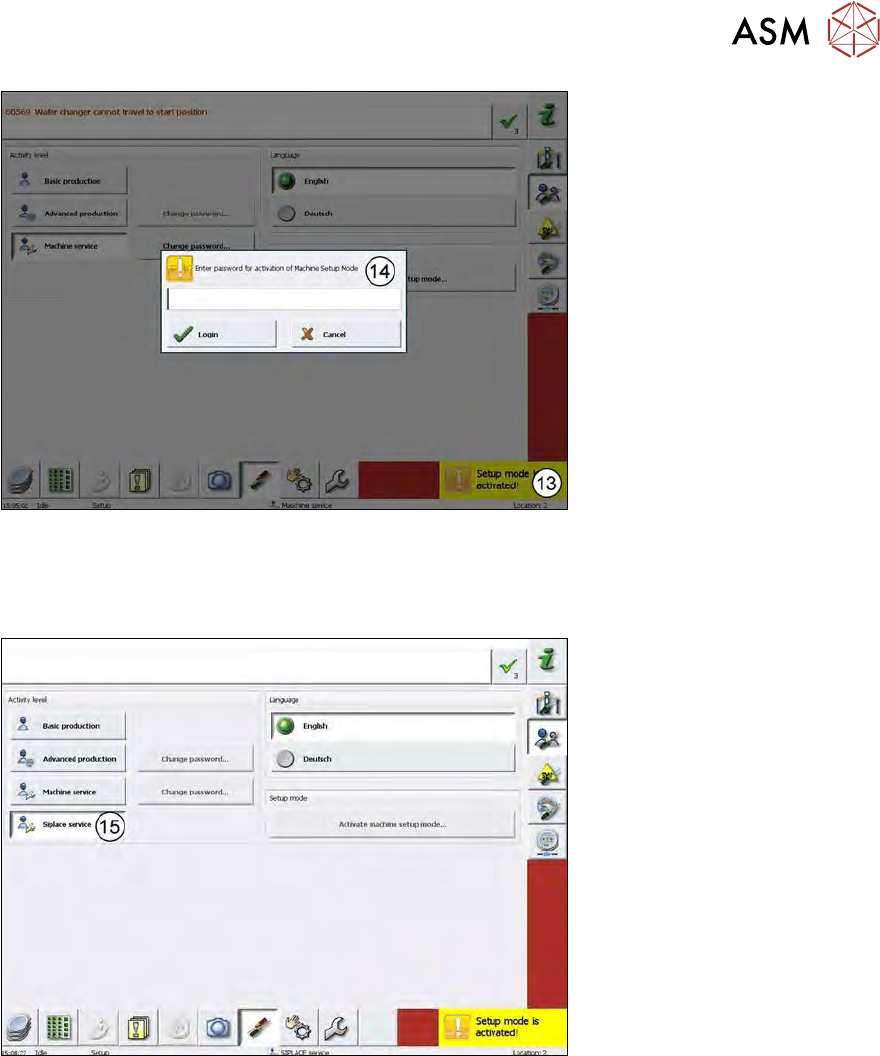
Fig.527:
► After changing the cable connections, the Setup mode is activated (Setup mode is activ-
ated!(13)).
► You have to enter the password (14) for the Setup mode → SetupTools.
Fig.528:
► SIPLACE Service (15) is activated after entering the password!