00195982-03_SM_SWS_EN.pdf - 第419页
16 Software 16.2 Installation of operating system Service Manual SIPLACE Wafer System (SWS) 11/2018 419 16.2.1.4 Restoring the Halcon license via the GUI Fig.618: ► Switch over to the user level Machine service , by sel…
16 Software
16.2 Installation of operating system
418 Service Manual SIPLACE Wafer System (SWS) 11/2018
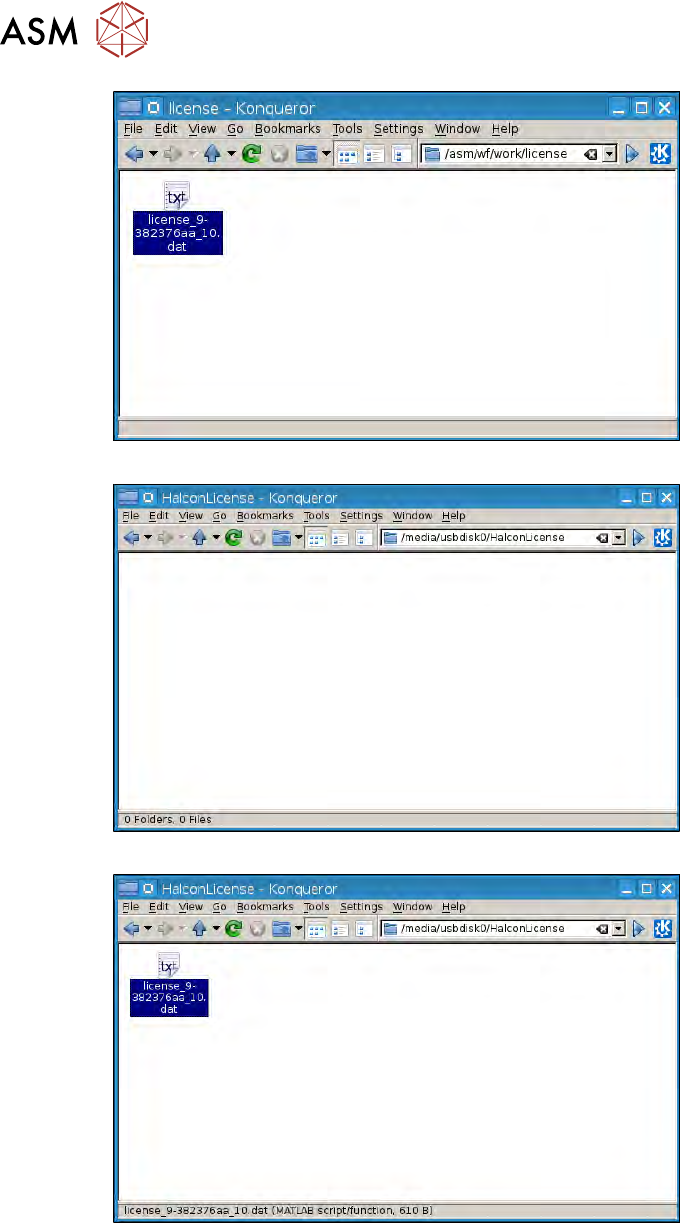
Fig.615:
Fig.616:
Fig.617:
16 Software
16.2 Installation of operating system
Service Manual SIPLACE Wafer System (SWS) 11/2018 419
16.2.1.4 Restoring the Halcon license via the GUI
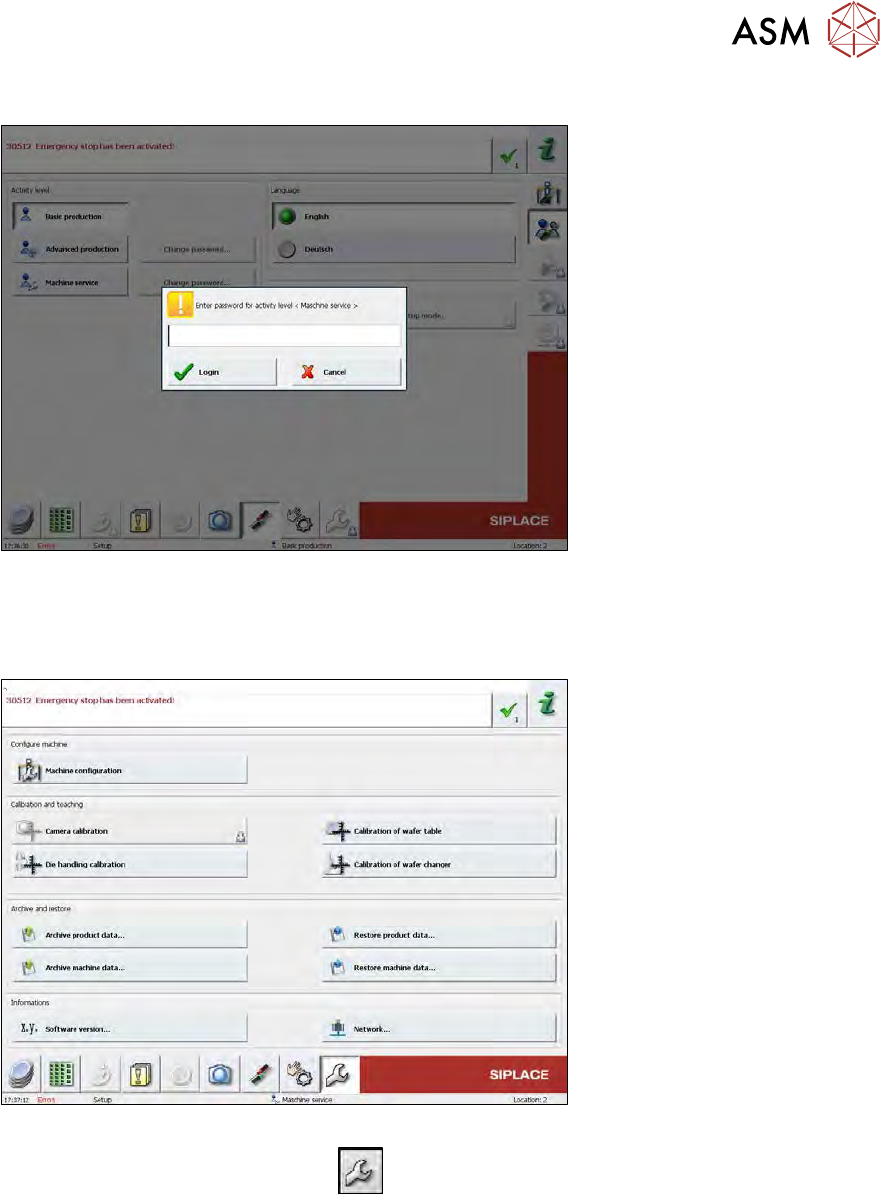
Fig.618:
► Switch over to the user level Machine service, by selecting the Machine service button and
entering the password service1.
► Select Login.
Fig.619:
► Switch over to the Service menu
.
► Select Machine configuration.
16 Software
16.2 Installation of operating system
420 Service Manual SIPLACE Wafer System (SWS) 11/2018
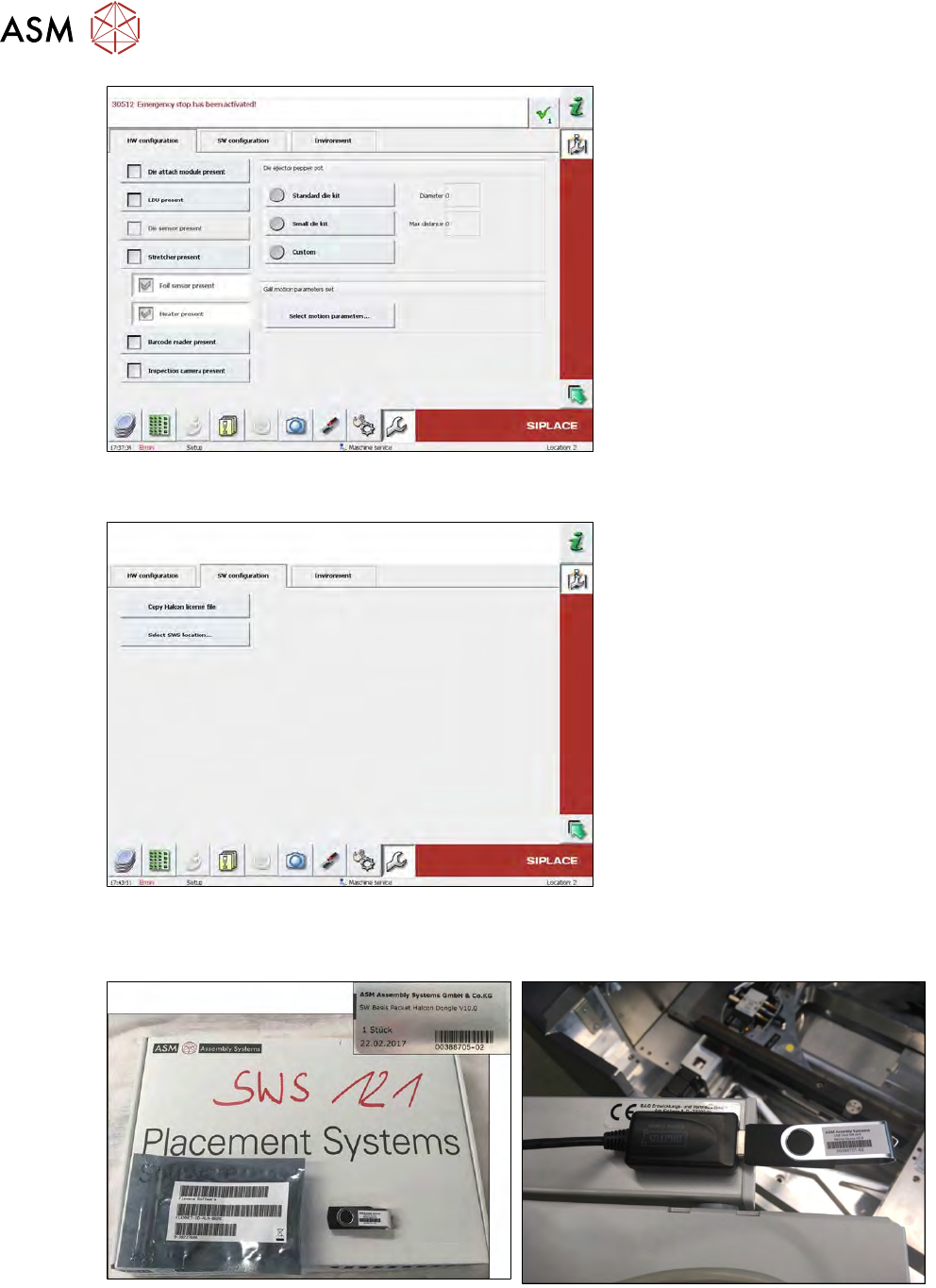
Fig.620:
► Select the SW configuration tab.
Fig.621:
► Take the USB stick shown in the diagram from the SW package delivered with the SWS and
select Copy Halcon license file.
Fig.622: Halcon dongle SW package and Halcon dongle
► Make sure that, when you replace the SWS PC, the green Halcon dongle (see photo) has
been unplugged from the old BoxPC and connected to the new one.
The SWS Vision system will not work without the dongle!