00195982-03_SM_SWS_EN.pdf - 第382页
15 Calibration 15.3 Calibration die handling - flip unit 382 Service Manual SIPLACE Wafer System (SWS) 11/2018 Fig.552: ► For this, choose Service in the bottom menu bar and then Die handling calibration . ► Choose Segm…
15 Calibration
15.3 Calibration die handling - flip unit
Service Manual SIPLACE Wafer System (SWS) 11/2018 381
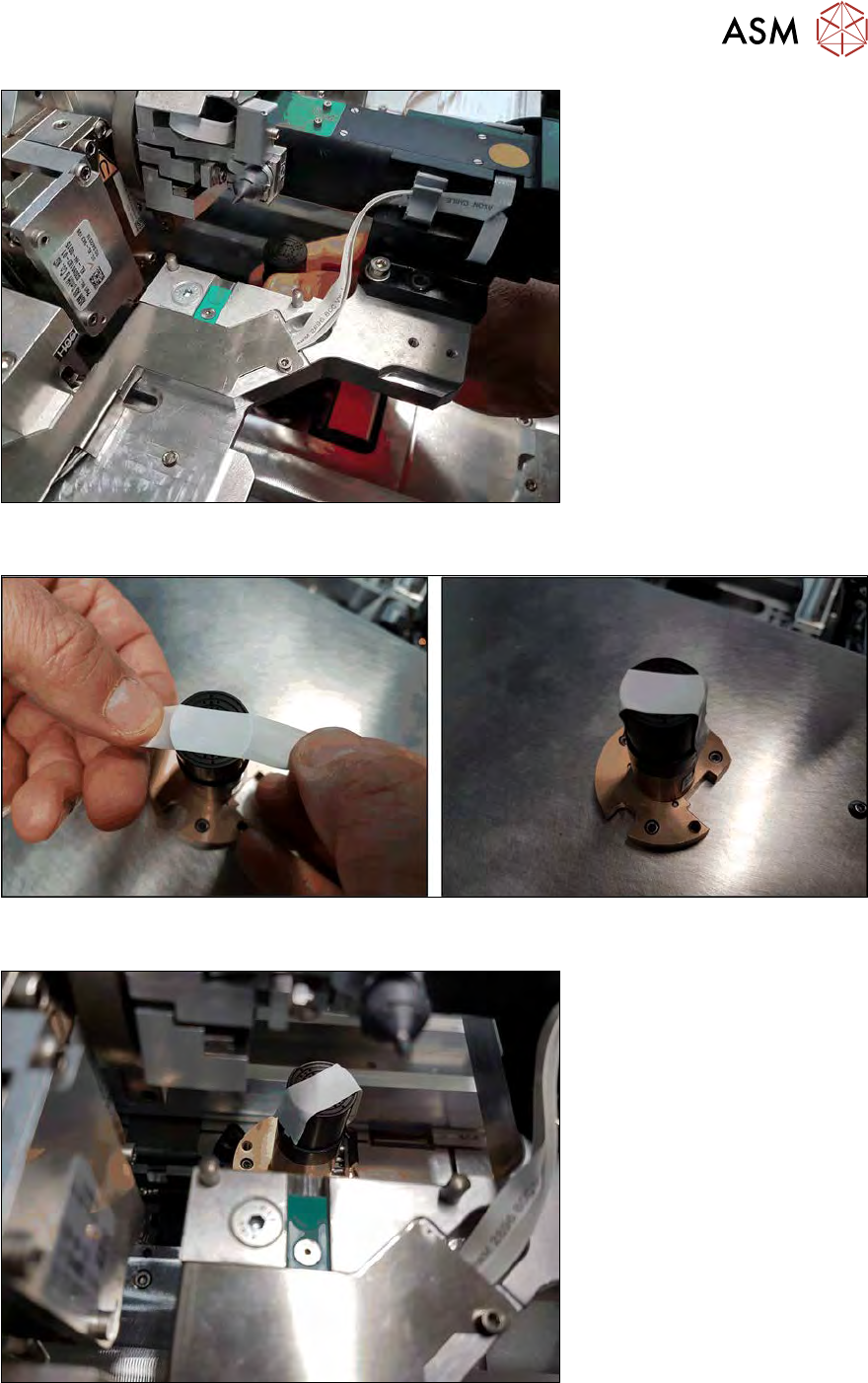
Fig.549:
► Take out the die ejector unit.
Fig.550:
► Put a strip of Teflon tape over the center of the die ejector.
Fig.551:
► Re-insert the die ejector into the SWS.
► Switch back to the service menu Die handling calibration.
15 Calibration
15.3 Calibration die handling - flip unit
382 Service Manual SIPLACE Wafer System (SWS) 11/2018
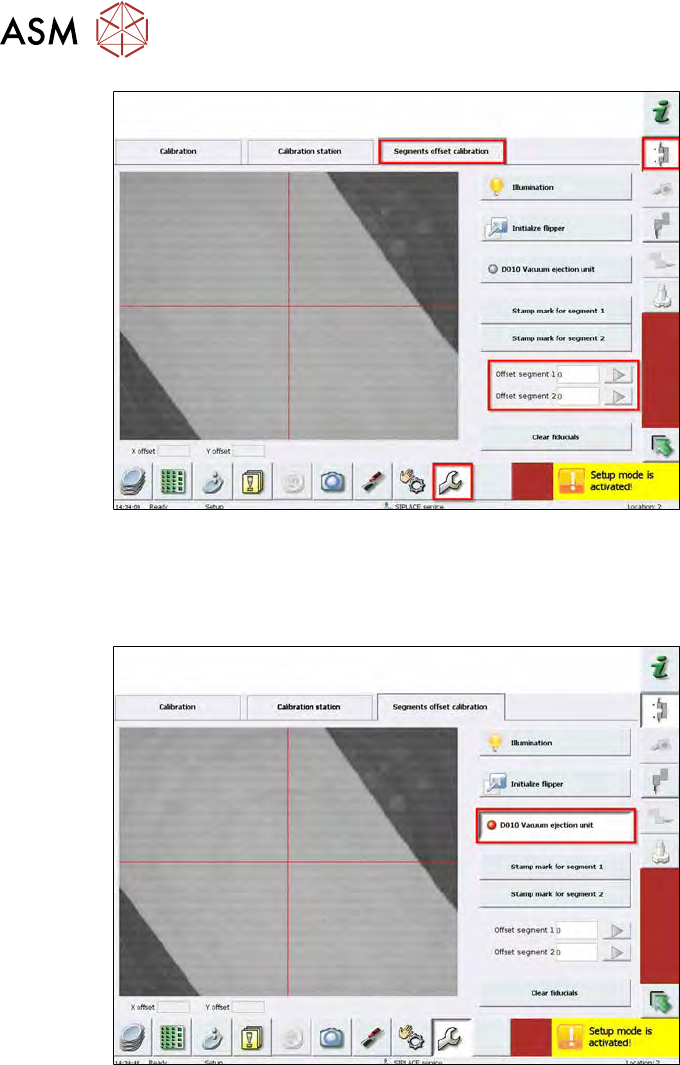
Fig.552:
► For this, choose Service in the bottom menu bar and then Die handling calibration.
► Choose Segments offset calibration.
► Here, the offset values entered in the machine data are displayed (0µm in the example).
Fig.553:
► Activate the vacuum at the ejector to keep the Teflon tape in position.
15 Calibration
15.3 Calibration die handling - flip unit
Service Manual SIPLACE Wafer System (SWS) 11/2018 383
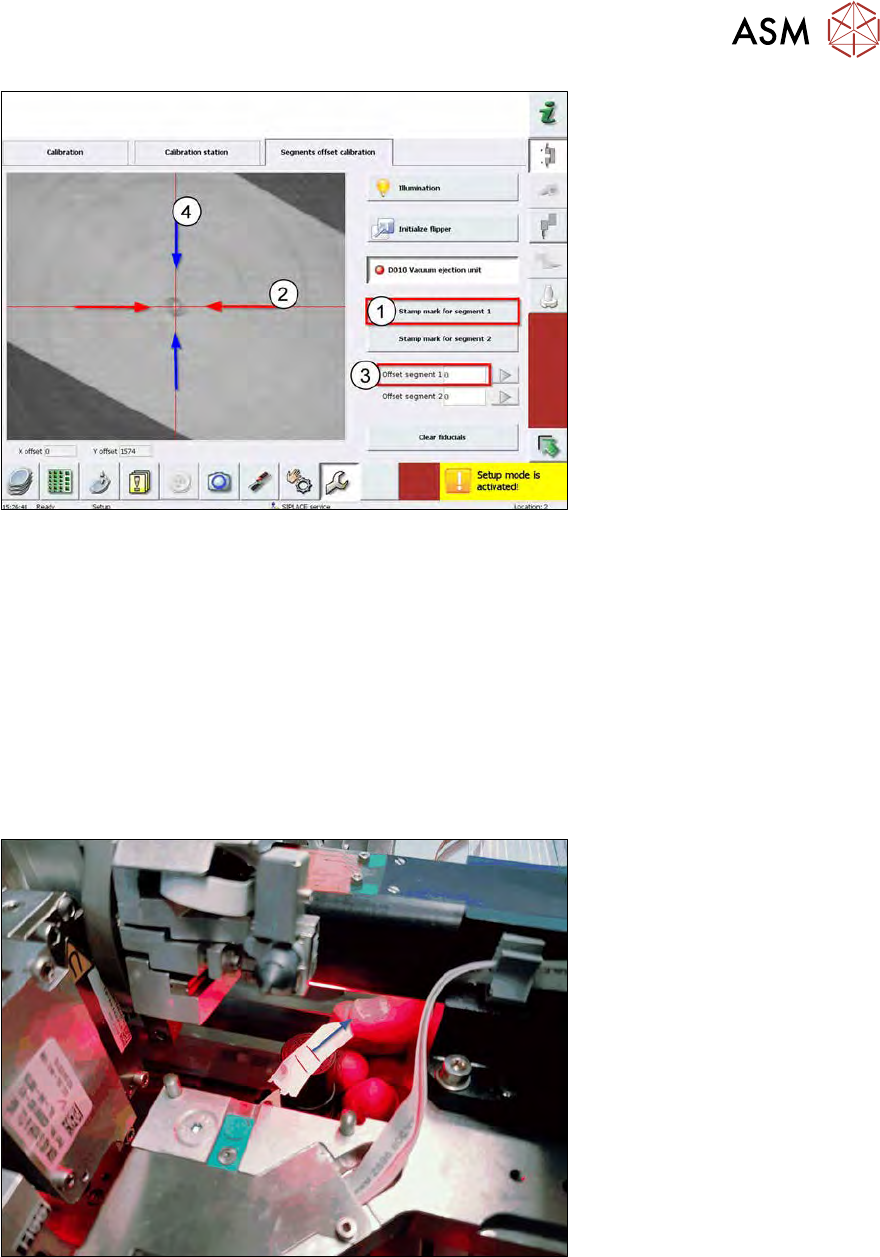
Fig.554:
► Choose Stamp mark for segment 1 (1).
► Segment 1 moves down and leaves a visible imprint on the Teflon tape.
In the example, it is exactly over the red cross (center) of the camera, therefore the nozzle
center is exactly over the die ejector needle.
► In this case, there is an offset between the stamp mark and the red cross.
You have to shift in X direction (2).
► Insert an offset (3).
(1 cm on the screen = 500µm offset)
At the end of this chapter, you find a table with offset directions.
It is not possible to adjust an offset in Y direction (4) using the software (see the information at
the beginning of this section).
Fig.555:
► Move the Teflon tape by some millimeters.
→ The vacuum is still activated!