00195982-03_SM_SWS_EN.pdf - 第43页
2 Overview of the SIPLACE wafer system (SWS) 2.4 Description of SWS assemblies Service Manual SIPLACE Wafer System (SWS) 11/2018 43 2.4.2.4 Wafer map system Wafer mapping is increasingly becoming a standard in the die pl…
2 Overview of the SIPLACE wafer system (SWS)
2.4 Description of SWS assemblies
42 Service Manual SIPLACE Wafer System (SWS) 11/2018
2.4.2.2 Die attach unit
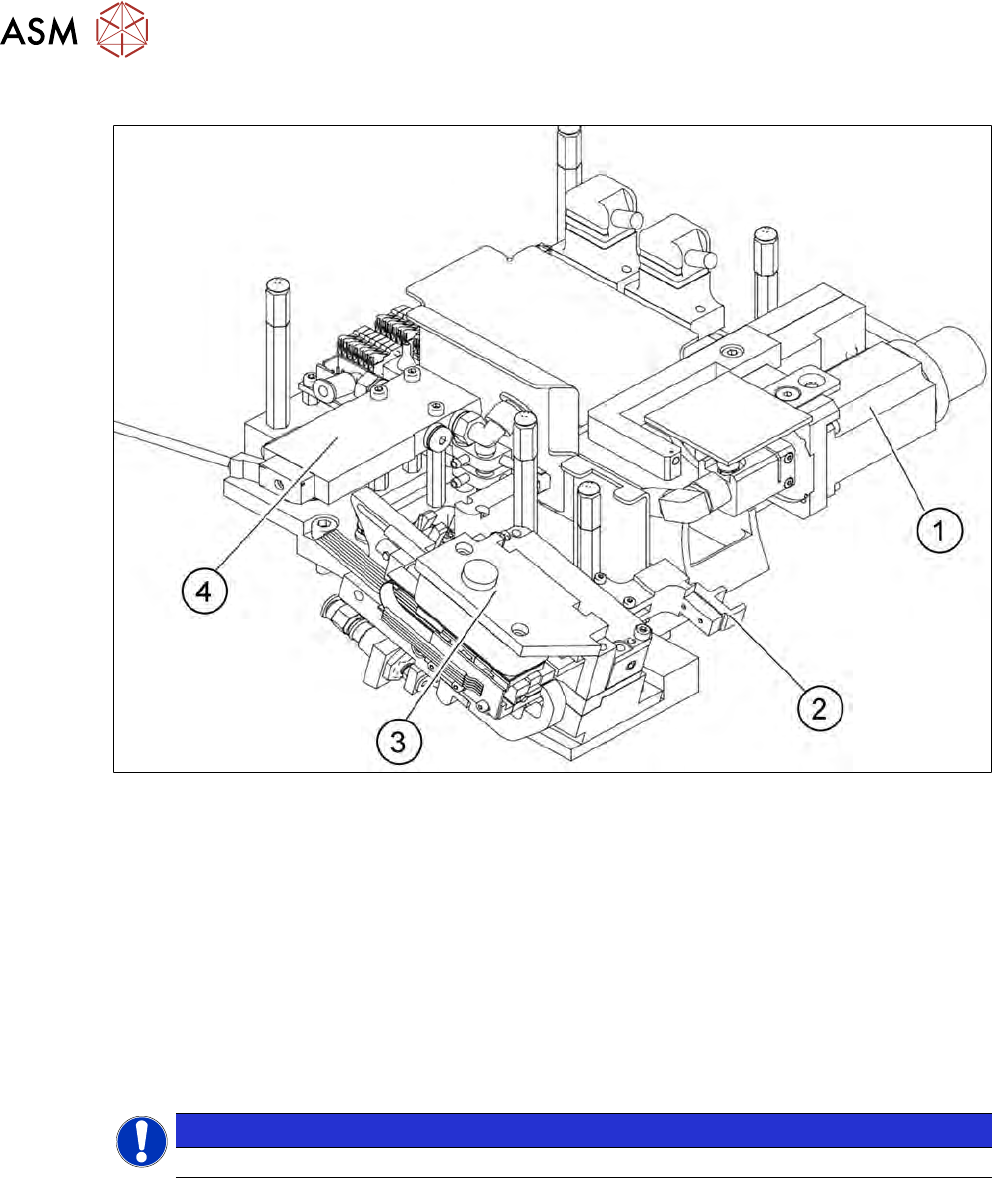
Fig.23: Die attach unit
1. Drive motor for rotation of die attach unit
2. Driver
3. Motor transfer X axis
4. Solenoid valve
The die attach unit is needed for die attach mode.
The flip unit transfers the die to the die attach unit. The die is then rotated accordingly there and
made available for pickup. The die is therefore made available to the placement head in the same
top/bottom orientation as it was on the wafer and is placed in this position.
In die attach mode, only one nozzle of the flip unit functions. The flip unit takes up the next die,
while the current die is being picked up by the placement head from the die attach unit.
NOTICE
► Do not use the die attach unit together with the LDU.
2.4.2.3 Small die kit
The small die kit is used when you need to process dies which are smaller than 1 mm. It is avail-
able as an option on request and consists of the following parts:
●
A high-resolution camera system
●
A small die ejector tool
●
A component sensor
2 Overview of the SIPLACE wafer system (SWS)
2.4 Description of SWS assemblies
Service Manual SIPLACE Wafer System (SWS) 11/2018 43
2.4.2.4 Wafer map system
Wafer mapping is increasingly becoming a standard in the die placement processes. The wafer
map allocates a function class to each die on the wafer.
This function class could mean simply "good" or "bad". However, up to 255 classes can be defined
for a precise description of the die properties.
In the first step, the SWS identifies the wafer. Normally, the barcode on the wafer frame is read for
this. This wafer ID is then used to select the relevant map file on the wafer map server.
In the second step, the abstract die ID from the wafer map file (column/row) is set in relation to the
real position of the die on the wafer. This position can be calculated by identifying special reference
dies on the wafer and by determining the center of the wafer.
NOTICE
Position calculation
The calculation of positions with the help of the wafer edge position recognition function
only works for dies which are 3 mm or larger in size.
The wafer map function is primarily a software option. This includes a server system for the wafer
map files with a conversion of customized wafer map standard to the SWS standard.
2.4.2.5 Barcode scanner
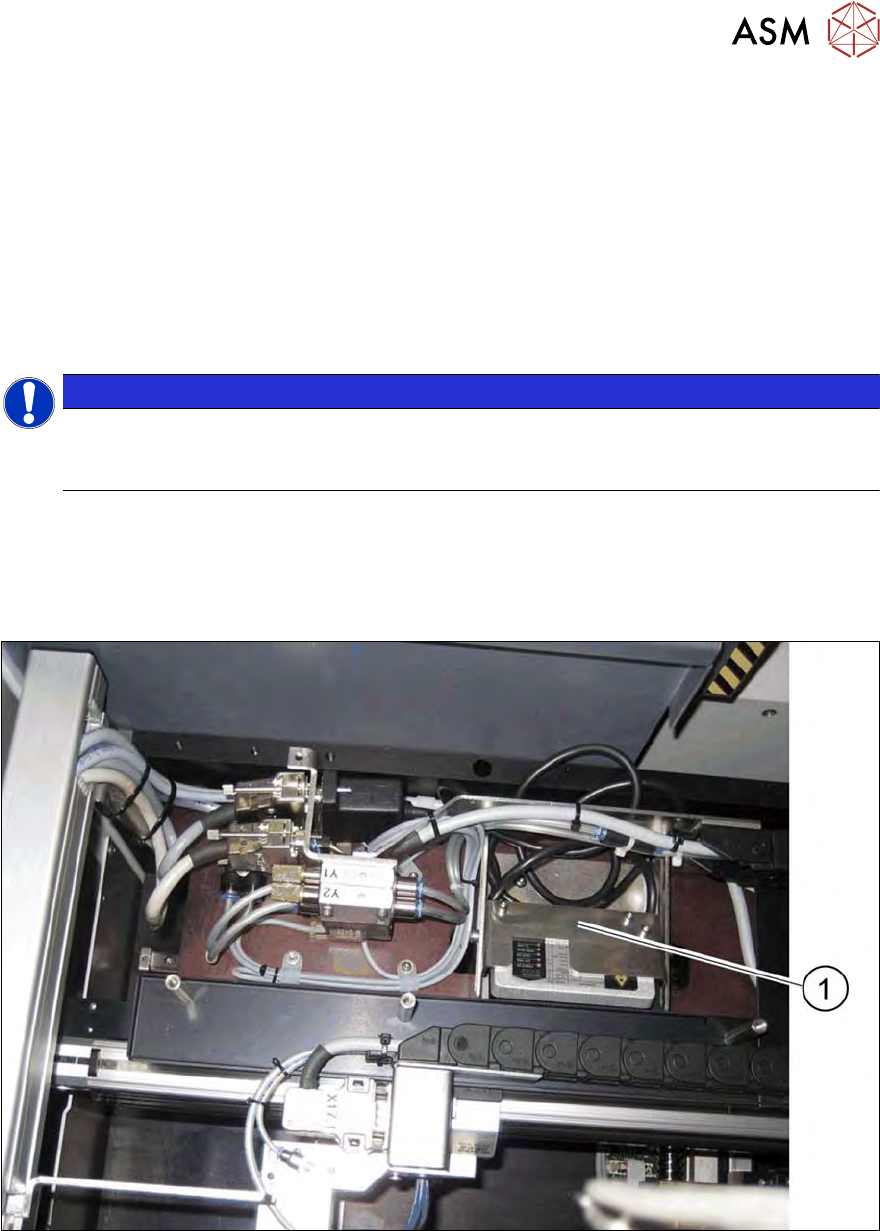
The barcode scanner on the SWS reads the barcode attached to the wafer frame.
Fig.24: Barcode scanner - installation example in the wafer changer
1. Barcode scanner
2 Overview of the SIPLACE wafer system (SWS)
2.4 Description of SWS assemblies
44 Service Manual SIPLACE Wafer System (SWS) 11/2018
2.4.2.6 SIPLACE SWS wafer stretcher
The SWS can be configured with the SIPLACE SWS wafer stretcher option for two different wafer
supports (8" or 12").
The SIPLACE SWS wafer stretcher consists of the following main assemblies.
●
Stretcher
The stretcher stretches the wafer foil to increase the distances of the dies on it.
●
Heater
The heater consists of a heating element and a fan. The fan blows heated air on to the wafer
foil. This reduces the sag of the wafer foil (less than 9 mm), so that the wafer can be transpor-
ted back into the magazine.
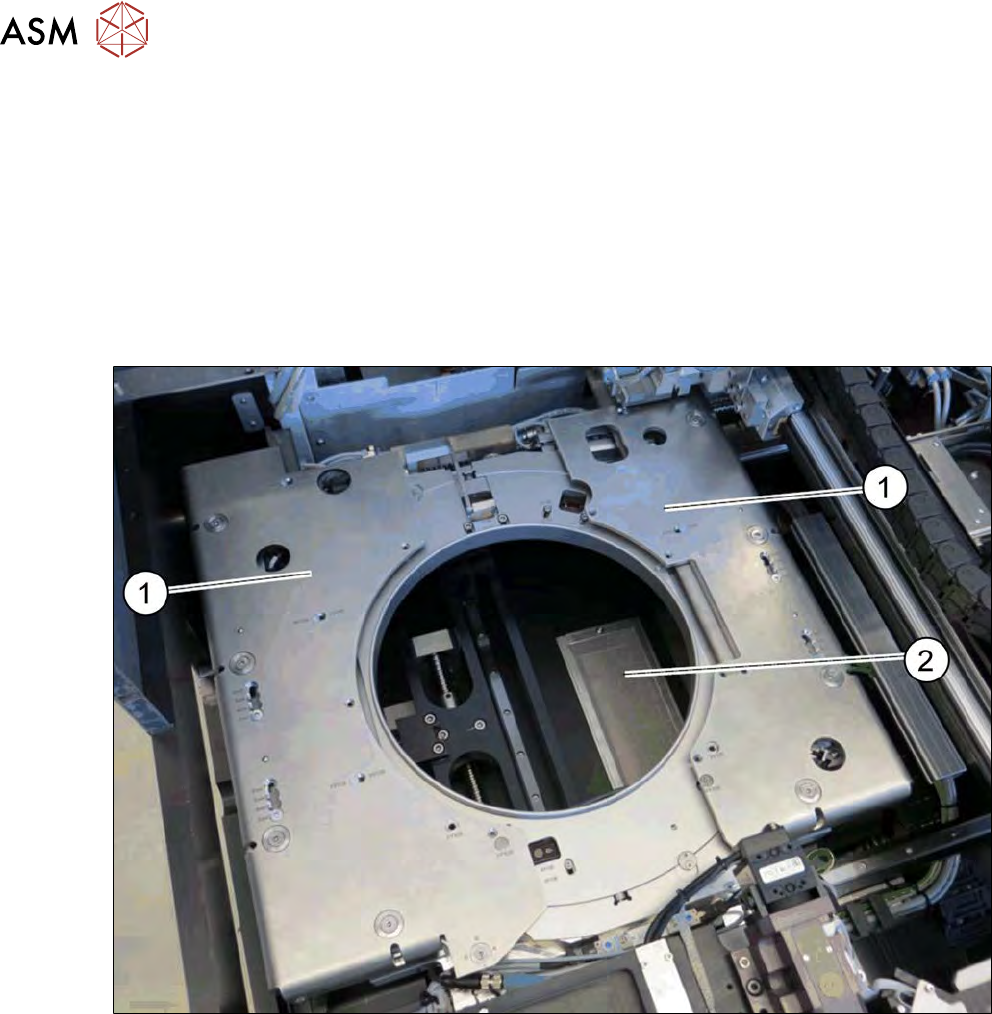
Fig.25: Wafer support with SIPLACE SWS wafer stretcher
1. Stretcher frame with wafer support
2. Heater fan