00195982-03_SM_SWS_EN.pdf - 第316页
12 Wafer stretcher 12.7 Wafer stretcher - configuration changes 316 Service Manual SIPLACE Wafer System (SWS) 11/2018 Fitting the sensors in the 12" wafer support Fit the two sensors and the mounting brackets into t…
12 Wafer stretcher
12.7 Wafer stretcher - configuration changes
Service Manual SIPLACE Wafer System (SWS) 11/2018 315
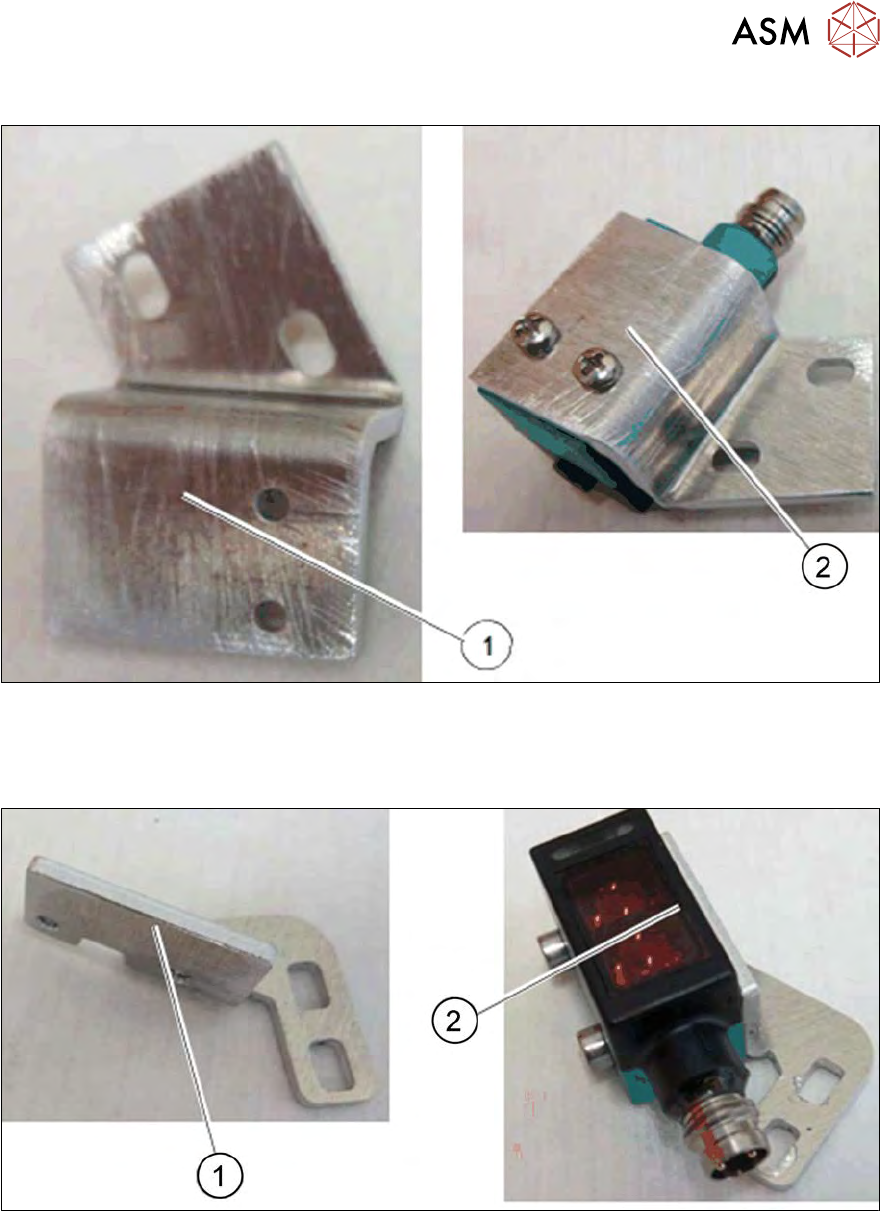
Fitting the sensors on the mounting bracket (12")
Fig.444: Wafer support - sensor 1
1. Mounting bracket
2. Sensor fitted on the mounting bracket
Fig.445: Wafer support - sensor 2
1. Mounting bracket
2. Sensor fitted on the mounting bracket
► Fit the two sensors (2) onto the mounting bracket (1) from the 12" retrofit kit.
12 Wafer stretcher
12.7 Wafer stretcher - configuration changes
316 Service Manual SIPLACE Wafer System (SWS) 11/2018
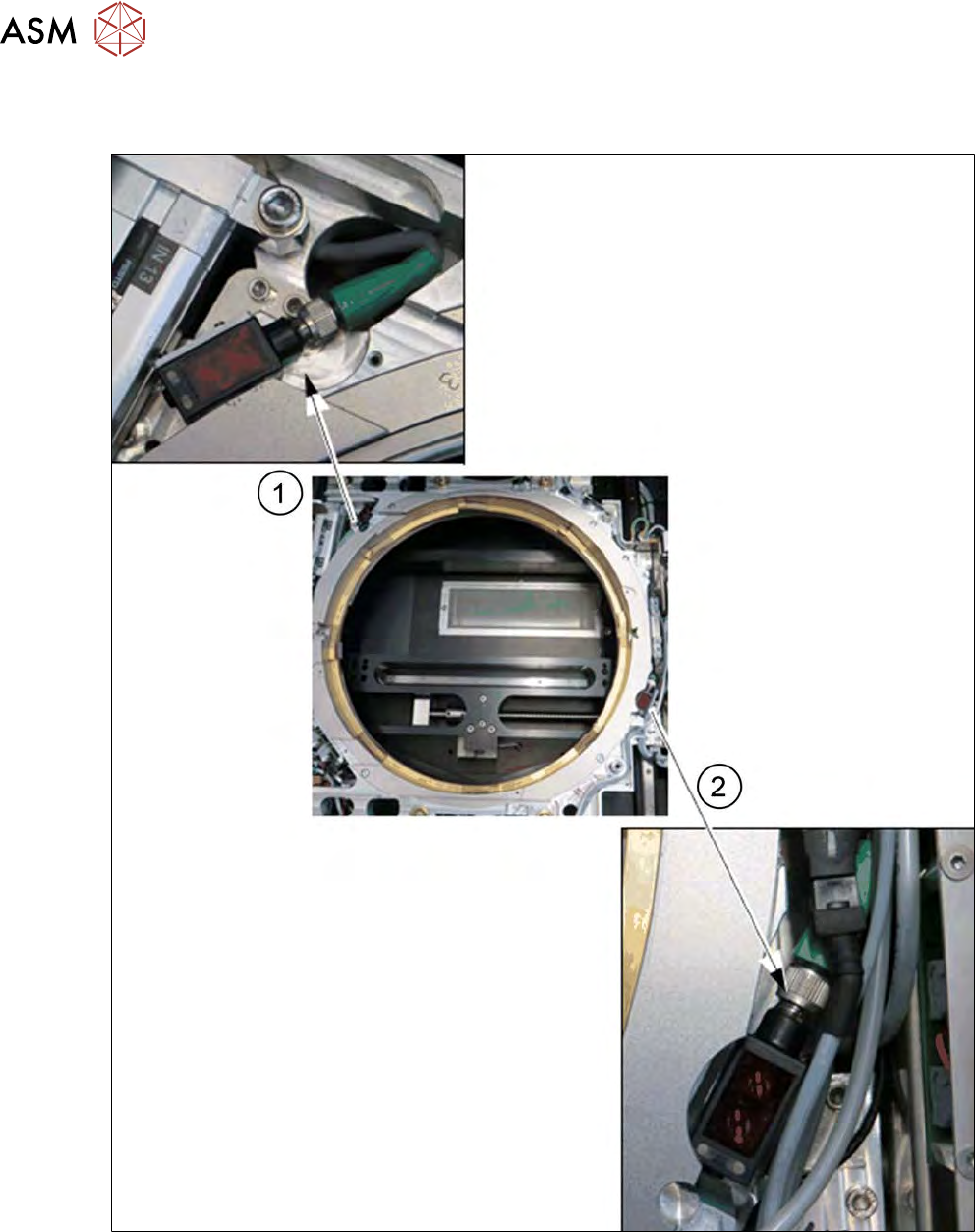
Fitting the sensors in the 12" wafer support
Fit the two sensors and the mounting brackets into the wafer support.
Fig.446: Wafer support - fitting the sensors
► Reestablish the electrical connections to the sensors.
► Fit the two sensors and the mounting brackets into the wafer support.
12 Wafer stretcher
12.7 Wafer stretcher - configuration changes
Service Manual SIPLACE Wafer System (SWS) 11/2018 317
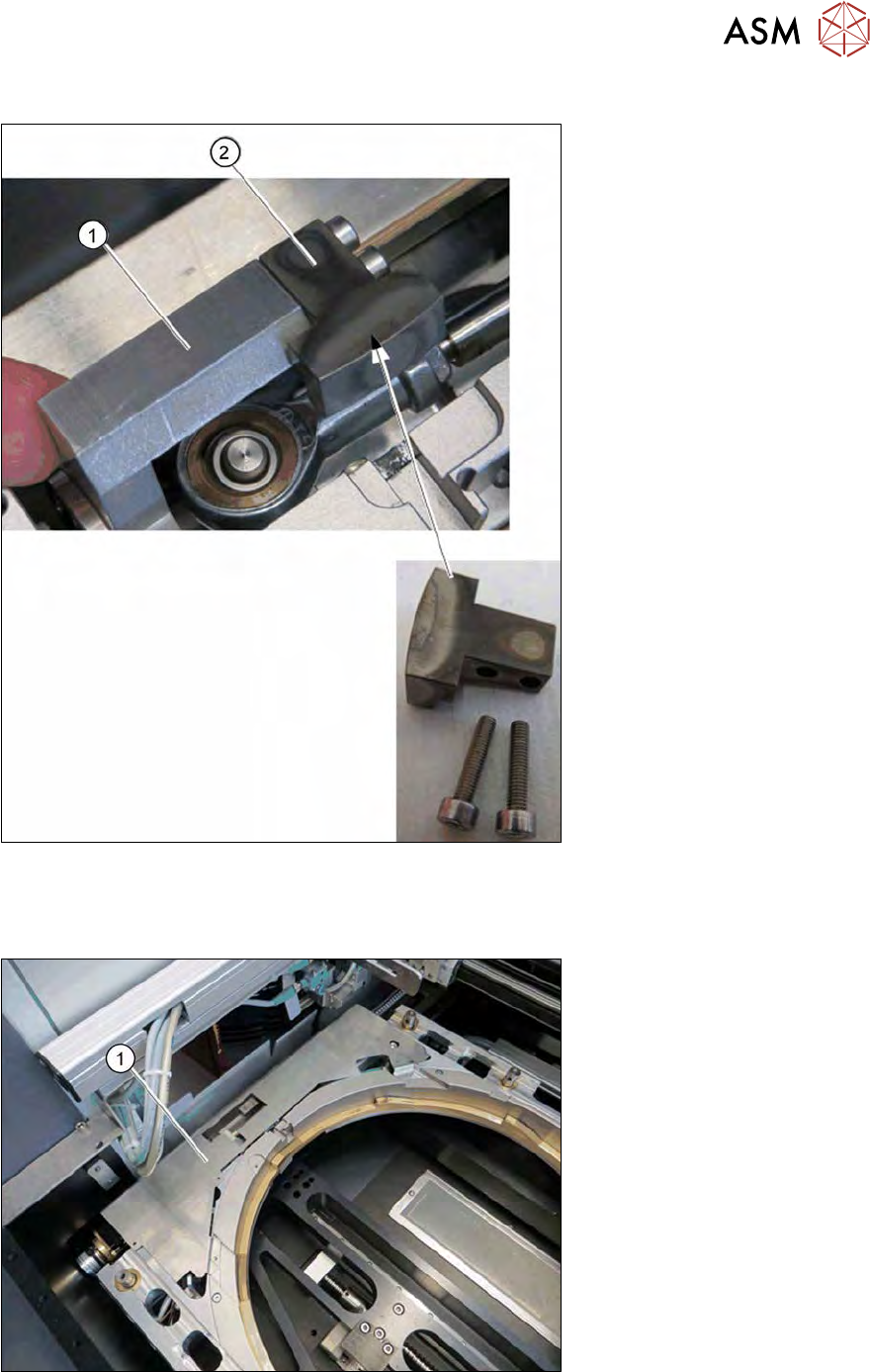
Fitting the block to the clamp
Fig.447: Wafer support - fitting the clamping block
► Fit the block (2) from the 12" retrofit kit onto the clamp (1).
Fitting the cover plate (for 12" wafer support only)
Fig.448: Wafer support - fitting the cover plate
► Use the four screws to fit the cover plate (1) to the wafer support.