00195982-03_SM_SWS_EN.pdf - 第229页
10 Option Die Attach Unit SWS 10.1 Installing the Option Die Attach Unit SWS Service Manual SIPLACE Wafer System (SWS) 11/2018 229 Fig.302: ► Connect the cables of the Die Attach Unit according to the figures. 1. Power …
10 Option Die Attach Unit SWS
10.1 Installing the Option Die Attach Unit SWS
228 Service Manual SIPLACE Wafer System (SWS) 11/2018
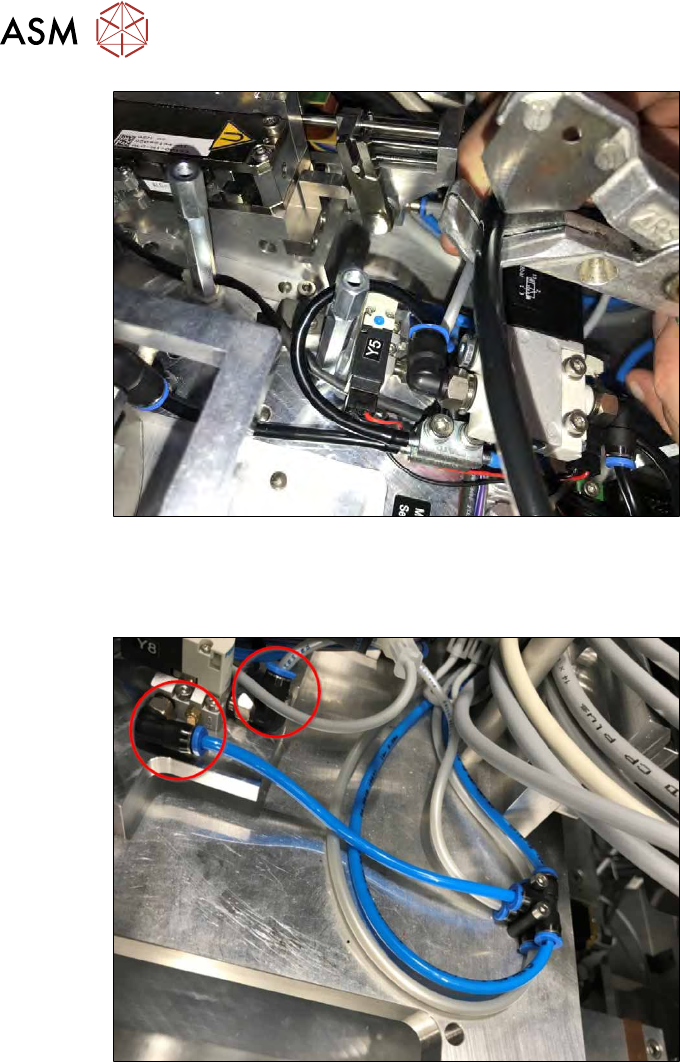
Fig.300:
► If the black vacuum tube that is stored in the SWS is too long, cut it according to the figure
below. Keep in mind that the tube must be long enough to be routed in such a way that the
cover of the Die Attach Unit can be mounted later on.
Fig.301:
► Connect the blue tube that is connected to valve Y8 (air pressure control for the Die Attach
segment air kiss) to the upper connection and the grey tube (5bar for transfer X motor re-
lease) to the lower air connection.
ð If the nozzle on the Die Attach segment “flies away later”, you have swapped the tubes
(5bar air kiss).
► If the blue and the grey cable delivered with the Die Attach Unit are too long, cut these ac-
cording to the figure. Keep in mind that the tube must be long enough to be routed in such a
way that the cover of the Die Attach Unit can be mounted later.
10 Option Die Attach Unit SWS
10.1 Installing the Option Die Attach Unit SWS
Service Manual SIPLACE Wafer System (SWS) 11/2018 229
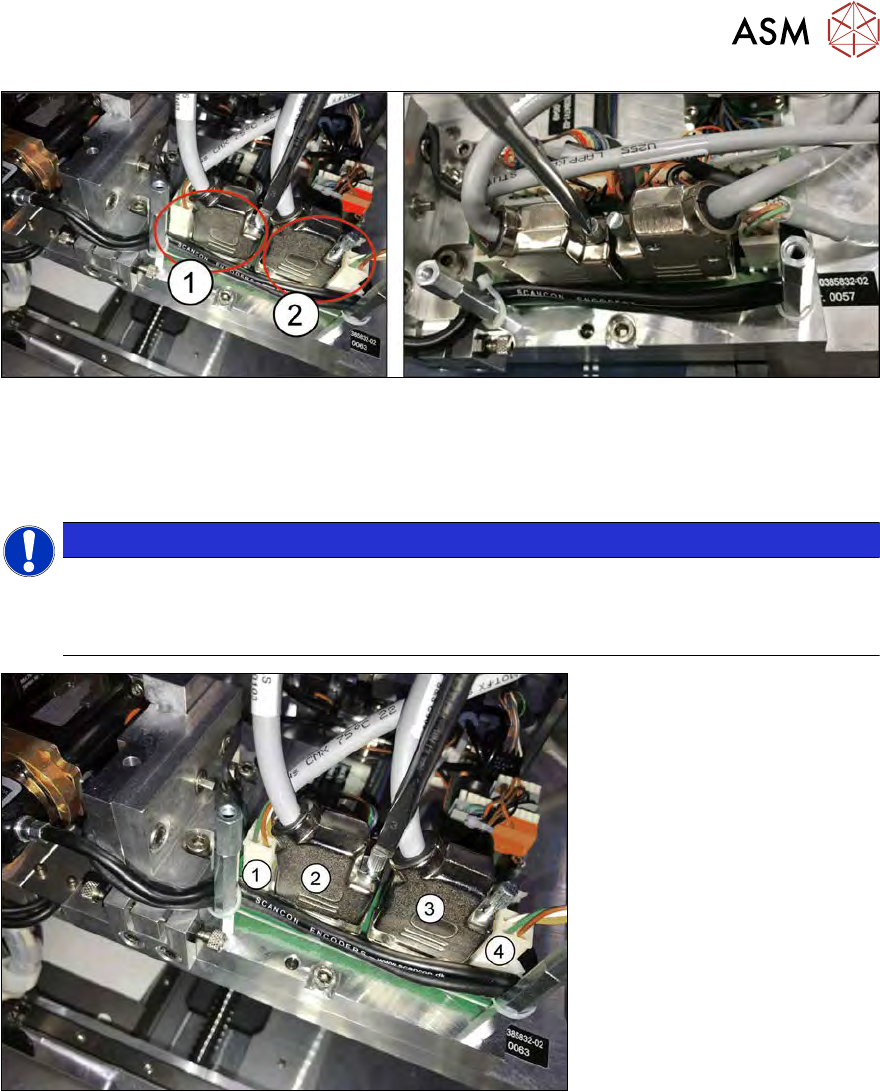
Fig.302:
► Connect the cables of the Die Attach Unit according to the figures.
1. Power and encoder cable for the transfer X motor
2. Power and encoder cable for the Die Attach segment rotation axis!
NOTICE
In the latest SWS version, the housing of the encoder cable is rotated by 180° to ensure a
correct connection. If there are problems with the entry of the cable, simply open the hous-
ing and rotate it by 180°. The orientation of the RS232-connector itself remains in the ori-
ginal position.
Fig.303:
1. Power cable for transfer X motor (MOT-2)
2. Encoder cable for transfer X motor (ENCH2)
3. Encoder cable for Die Attach segment (ENCH1)
4. Power cable for Die Attach segment (MOT-1)
10 Option Die Attach Unit SWS
10.1 Installing the Option Die Attach Unit SWS
230 Service Manual SIPLACE Wafer System (SWS) 11/2018
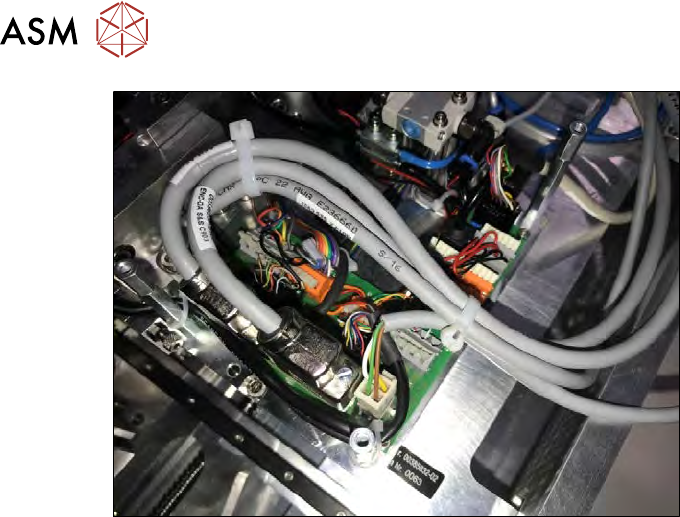
Fig.304: Cable routing in the SWS at locations 2 and 4.
► Tighten the safety screws of the encoder cables (ENC-DA).
► Align the cables according to the figure and secure these with cable ties.